
Don't Be a Prisoner of a Single Model: Flexibly Switching Between Gemini 3, Claude 4.5, and GPT-OSS in Antigravity
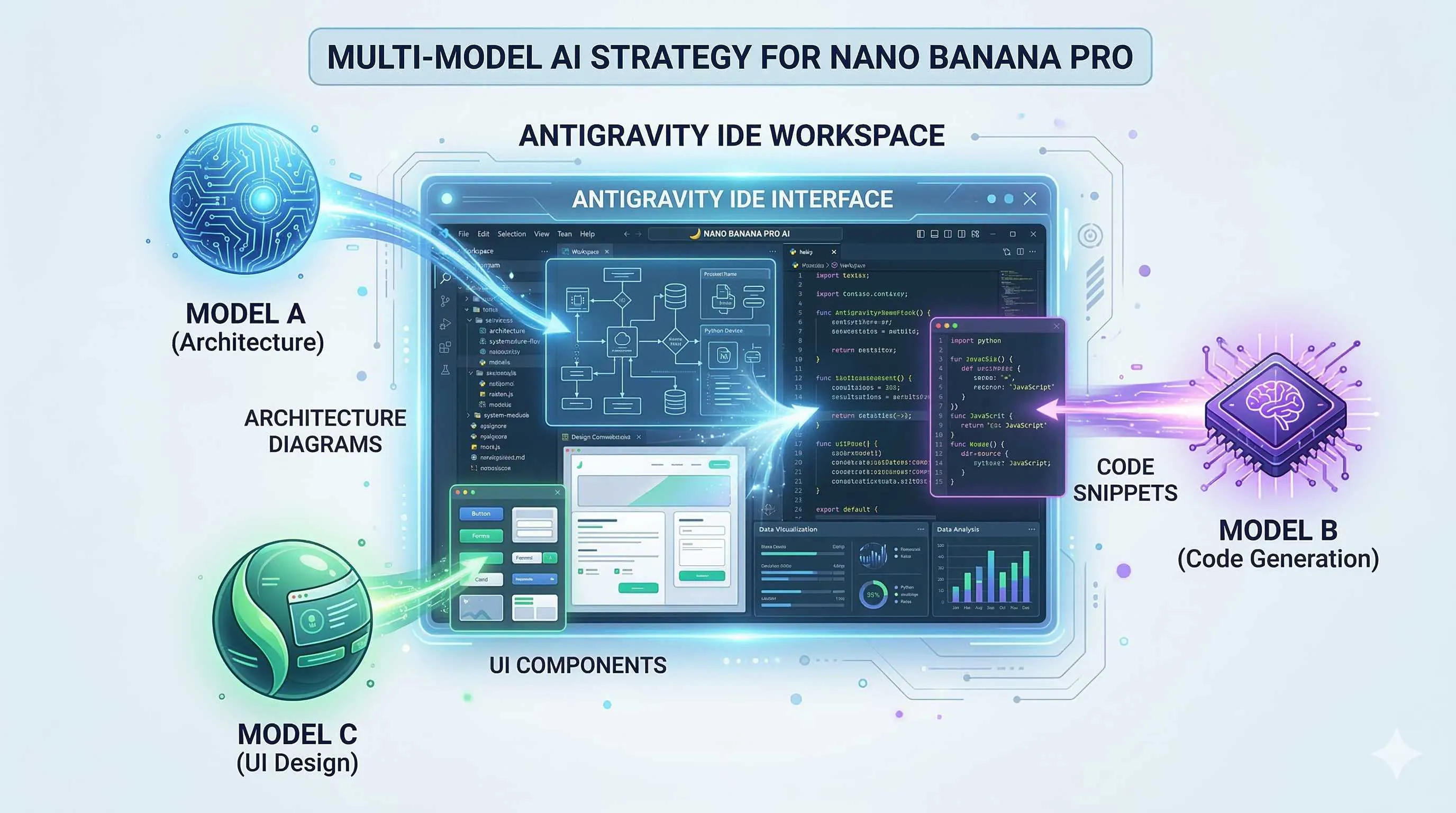
Honestly, I’ve been coding with AI for nearly two years now. From the early days of Copilot autocompletion, to Cursor’s Agent mode, to the plethora of AI IDEs available today—I feel like a swordsman constantly swapping weapons. Each blade has its specialty, but none is perfect for everything.
Then I discovered Antigravity.
What surprised me most wasn’t the free access to Gemini 3 Pro, or the support for Claude 4.5, but the ability to switch between them at any time. This “model optionality” finally freed me from wondering “which model is better” and transformed my thinking into “which model is more suitable for this task.”

Today, I want to share how I play with multi-model strategies in Antigravity.
Why Break Free from “Single Model Dependency”?
Have you ever felt this way—after using an AI tool for a while, you gradually get “domesticated” by its思维模式?
For example, I used Claude for a long time. I became increasingly familiar with its coding style, and whenever I encountered a problem, my subconscious would ask “how would Claude handle this?” But the thing is, Claude isn’t good at everything. When tasked with complex system architecture design, it often gets lost in details while missing the big picture; when processing超长上下文, it occasionally misses key information.
What about Gemini? Long context is its strength, and it’s excellent at architectural planning, but the code it writes sometimes isn’t quite “idiomatic.”
GPT-OSS, as an open-source option, offers great flexibility, but its capability ceiling is indeed lower than commercial models.
Every model has its comfort zone and blind spots.
Instead of banging your head against one model, why not choose the most suitable tool based on task characteristics? Just like you wouldn’t use a screwdriver to hammer nails—tools are for solving problems, not for worshipping.
What is Antigravity? A Three-Second Overview
Antigravity is an experimental development platform launched by Google at the end of 2025, positioned as an “Agentic Development Platform.”
In plain English: it doesn’t just help you write code; it’s like a programming partner that can think and execute autonomously.
Currently, it supports three large models:
Gemini 3 Pro: Google’s flagship model with an超大上下文 window (2 million tokens), excelling at complex reasoning and long document understanding.
Claude Sonnet 4.5: Anthropic’s latest coding expert with extremely high code generation quality and strong requirement understanding.
GPT-OSS: OpenAI’s open-source model, deployable locally, suitable for scenarios with high data privacy requirements or cost-saving needs.
Switching models in Antigravity is simple: click Settings → Select Model → Done. The whole process takes less than 3 seconds.
Scenario-Based Selection: Which Model for Which Task
Scenario 1: Complex Logical Reasoning → Gemini 3 Pro First
Last month, I needed to design a distributed task scheduling system involving task dependencies, failure retry mechanisms, and resource allocation strategies. I first asked Claude to come up with a solution, and it immediately started writing code—how to design the thread pool, how to define database table structures.
Not that it wrote badly, but at that moment, what I really needed was macro architecture, not implementation details.
Switching to Gemini 3 Pro, it first drew me an overall architecture diagram, then gradually unfolded each module. It would say: “Considering your concurrency, I recommend starting with a stateless design for easier horizontal scaling…”
My judgment criteria: If a task involves multi-step reasoning, requires maintaining large amounts of context, or needs strategic-level thinking, Gemini is usually the better choice.
Scenario 2: Frontend Code Generation → Claude 4.5 First
Frontend development is where I switch models most frequently.
Writing interfaces with Tailwind, Claude’s performance amazes me. You give it a description: “A data table with search and filter, supporting pagination and sorting,” and it directly generates React components with clear structure and reasonable styling.
Even better, it automatically handles state management, event handling, and even adds loading states and error boundaries.

I tried using Gemini for the same task; the functionality worked, but the code style often wasn’t very “React”—sometimes using class components, sometimes messy state management, looking like a mix of different styles.
My judgment criteria: When you need high-quality, best-practice-compliant code implementation, Claude is more reliable.
Scenario 3: Algorithm and Math-Intensive Tasks → Depends
For algorithm problems or math derivation tasks, both models perform similarly but with different styles.
Claude tends to give more concise solutions with readable code. Gemini sometimes overcomplicates simple problems but occasionally has clever ideas.
My approach: Let Gemini provide the思路 first, then let Claude implement. This ensures algorithm correctness while getting high-quality code.
Scenario 4: Full-Stack Development → Combined Use
When doing a full-stack project recently, I worked out a combination strategy:
- Requirements Analysis Phase: Use Gemini to梳理功能列表 and determine tech stack
- Architecture Design Phase: Let Gemini output system architecture documents (AI Plan)
- Backend Development: Gemini designs API interfaces, Claude implements specific logic
- Frontend Development: Use Claude throughout
- Testing and Optimization: Mixed use—switch models wherever problems arise
Under this division of labor, development efficiency improved by at least 30% compared to using a single model. Most importantly, code quality is significantly better—clear architecture, elegant implementation, fewer bugs.
How to Establish Team Model Selection Benchmarks?
If you’re in a technical team and want to make good use of multi-model strategies, I recommend conducting an internal benchmark test.
Not the academic paper kind of standard benchmark, but testing贴近 your actual business.
Step 1: Design Test Tasks
Select 5-10 typical development tasks your team has done recently, such as:
- Design a user permission system
- Write a data visualization component
- Refactor a legacy module
- Implement a payment flow
Tasks should cover your main tech stack and business scenarios.
Step 2: Parallel Multi-Model Testing
Do the same task with Gemini, Claude, and GPT-OSS respectively. Control variables—keep prompts as consistent as possible, don’t give any model special treatment.
Step 3: Multi-Dimensional Scoring
Evaluate from these dimensions:
| Dimension | Weight | Description |
|---|---|---|
| Code Correctness | 30% | Does it run? Is the logic correct? |
| Code Quality | 25% | Readability, maintainability, team standard compliance |
| Completion Speed | 20% | Time from prompt to usable code |
| Context Understanding | 15% | Did it accurately understand requirements? Any omissions? |
| Resource Consumption | 10% | Token usage, response time |
Have senior engineers on your team score, then aggregate results.
Step 4: Establish Selection Guidelines
Based on test results, write an internal document:
[Frontend Component Development] → First choice Claude, second choice Gemini
[Backend API Design] → Gemini for方案, Claude for implementation
[Database Design] → Gemini (complex relationships) / Claude (simple CRUD)
[Bug Fixes] → Use whichever model wrote the code
[Tech Research] → Gemini (long document understanding)
This document isn’t static; adjust regularly as models update and business changes.
Practical Demo: Complete Development Workflow for a Feature
Let me demonstrate multi-model collaboration with a real example.
Task: Implement a real-time collaborative Markdown editor
Step 1: Requirements Breakdown (Gemini 3 Pro)
First, I throw the requirements to Gemini:
“I want to build a multi-user real-time collaborative Markdown editor, similar to Notion’s collaborative experience. Please help me analyze what functional modules are needed and provide tech stack recommendations.”
Gemini outputs a structured analysis document:
- Core functions: rich text editing, Markdown parsing, real-time sync
- Tech stack:
- Editor: Slate.js or TipTap
- Real-time sync: Yjs + WebSocket
- Backend: Node.js + Redis
- Key challenges: conflict resolution, offline support, performance optimization
Step 2: Architecture Design (Gemini 3 Pro)
Continue having Gemini细化 the architecture:
“Based on the above analysis, give me a detailed system architecture document, including data flow diagrams and module划分.”
Gemini generates a complete document with sequence diagrams, also pointing out several potential performance bottlenecks.
Step 3: Core Code Implementation (Claude 4.5)
Throw Gemini’s architecture document to Claude:
“Please implement the core editor components and real-time sync logic based on the following architecture document…”
Claude starts writing code. During the process, I noticed it was a bit unfamiliar with Yjs integration, so I switched to Gemini to ask a few specific questions about Yjs, then came back to let Claude continue.
Step 4: UI Implementation (Claude 4.5)
Frontend interface using Claude throughout:
“Design a clean editor interface with file tree on the left, editing area in the middle, and collaborator list on the right. Use Tailwind CSS.”
Claude generates a very精致 interface with good responsive handling.
Step 5: Testing and Optimization (Mixed Use)
During testing, discovered an issue: cursor jumping when multiple people edit simultaneously.
First asked Claude; it located the issue as selection sync but the solution wasn’t elegant.
Switched to Gemini; it provided an optimization思路 based on Operational Transformation (OT).
Finally had Claude rewrite the relevant logic according to this思路, problem solved.

The whole workflow took an estimated 2-3 hours less than using a single model.
Pitfalls and Precautions in Use
Of course, multi-model strategies aren’t perfect; there are a few pitfalls to watch out for.
Pitfall 1: Gemini 3 Pro Quota Limits
Although Antigravity is free for individual users, Gemini 3 Pro has usage quota limits. If multiple team members use it simultaneously, you might encounter “quota exhausted” messages.
Workaround: Use Gemini for critical tasks, switch to Claude for daily coding to save quota.
Pitfall 2: Switching Costs
Frequent model switching has hidden costs—you need to spend a few seconds thinking “which model is better for this task?” For simple single-line code completion, this thinking is unnecessary.
My approach: Fix one model for simple tasks (I choose Claude), only consider switching for complex tasks.
Pitfall 3: Response Speed Differences
Gemini 3 Pro typically takes longer to think than Claude, especially for complex tasks. If you’re pursuing极致 coding流畅感, this needs to be considered.
Pitfall 4: Model Update Changes
AI models update quickly; what Gemini excels at today, Claude might do better next month. Keep continuous attention to model capabilities; don’t form path dependencies.
Final Thoughts
After using Antigravity for a while, I’ve become increasingly convinced: the core competitive advantage of future developers isn’t memorizing APIs, but knowing how to make multiple AIs work together.
Just as modern software architecture emphasizes microservices and distribution, AI-assisted development is also evolving toward “multi-model collaboration.” Each model is a specialized service; developers are orchestrators.
From this perspective, Antigravity’s multi-model support isn’t just a feature—it’s a new development paradigm.
Rather than being a prisoner of a single model, embrace this flexibility. After all, our goal is to write better code, not to prove which model is strongest.
Have you used Antigravity? Feel free to share your multi-model experiences in the comments.
FAQ
Which large models does Antigravity support, and what are their characteristics?
**Gemini 3 Pro**: Google's flagship with 2 million token ultra-long context, excelling at large text understanding, complex reasoning, and architecture design—suitable for tasks requiring multi-step thinking
**Claude Sonnet 4.5**: Anthropic's coding expert with extremely high code generation quality and accurate requirement understanding, outstanding performance in frontend development (especially Tailwind/React) and API design
**GPT-OSS**: OpenAI's open-source model, deployable locally, suitable for scenarios with high data privacy requirements or cost-saving needs—capability ceiling slightly lower than commercial models
Switching in Antigravity takes just 3 seconds; choose flexibly based on task characteristics.
How do you decide which model to use for a task?
**Gemini 3 Pro**: Complex logical reasoning, long document understanding, system architecture design, tech research
**Claude 4.5**: Frontend code generation (especially React/Tailwind), backend API implementation, tasks requiring high-quality code
**Combined use**: For algorithmic tasks, let Gemini provide思路 and Claude implement; for full-stack projects, use Gemini for architecture and Claude for implementation
**Selection principle**: First ask yourself "what capability does this task need most"—big picture thinking or code quality? Fast response or deep thinking? Choose based on the answer, not habit or preference.
How do you establish model selection benchmarks for a team?
1) **Design test tasks**: Select 5-10 typical development tasks covering main tech stacks
2) **Parallel multi-model testing**: Do the same task with different models, controlling prompt variables
3) **Multi-dimensional scoring**: Code correctness (30%), code quality (25%), completion speed (20%), context understanding (15%), resource consumption (10%)
4) **Establish selection guidelines**: Write internal documents based on results, such as "frontend use Claude, architecture use Gemini" rules
Update benchmarks regularly as model capabilities evolve.
What pitfalls should you watch out for when using multi-model strategies?
**Quota limits**: Gemini 3 Pro has usage limits; teams may encounter "quota exhausted" when using simultaneously
**Switching costs**: Frequent switching requires thinking "which model to use," wasting time on simple tasks
**Response speed differences**: Gemini typically takes longer to think than Claude, affecting coding流畅感
**Model update changes**: AI models evolve quickly; keep attention and don't form path dependencies
**Recommended practice**: Fix one model for simple tasks (e.g., Claude), consider switching for complex tasks; regularly re-evaluate model capabilities.
9 min read · Published on: Feb 28, 2026 · Modified on: Mar 18, 2026

Related Posts
OpenClaw 2026.3 Advanced Practice: Core Features and Best Practices

OpenClaw 2026.3 Advanced Practice: Core Features and Best Practices
OpenClaw Practical Guide: From Beginner to Master

OpenClaw Practical Guide: From Beginner to Master
Data Privacy and Security in Google's AI Ecosystem: NotebookLM Enterprise and Antigravity's Security Isolation Mechanisms

Comments
Sign in with GitHub to leave a comment