
Data Privacy and Security in Google's AI Ecosystem: NotebookLM Enterprise and Antigravity's Security Isolation Mechanisms
“Can we upload our core product’s technical documentation to that AI tool for analysis?”
In the conference room, the CTO turned to the security lead. The latter adjusted their glasses and was silent for three seconds: “I need to see their data processing agreements.”
I’ve seen this scene countless times in enterprise AI consulting over the past year. The CTO sees the opportunity for AI efficiency gains; the CISO sees the risk of data leakage. Both have valid points; both are waiting for an answer.

Honestly, there’s no standard answer to this question. But understanding Google’s security mechanisms in NotebookLM Enterprise and Antigravity can at least help you make more informed decisions.
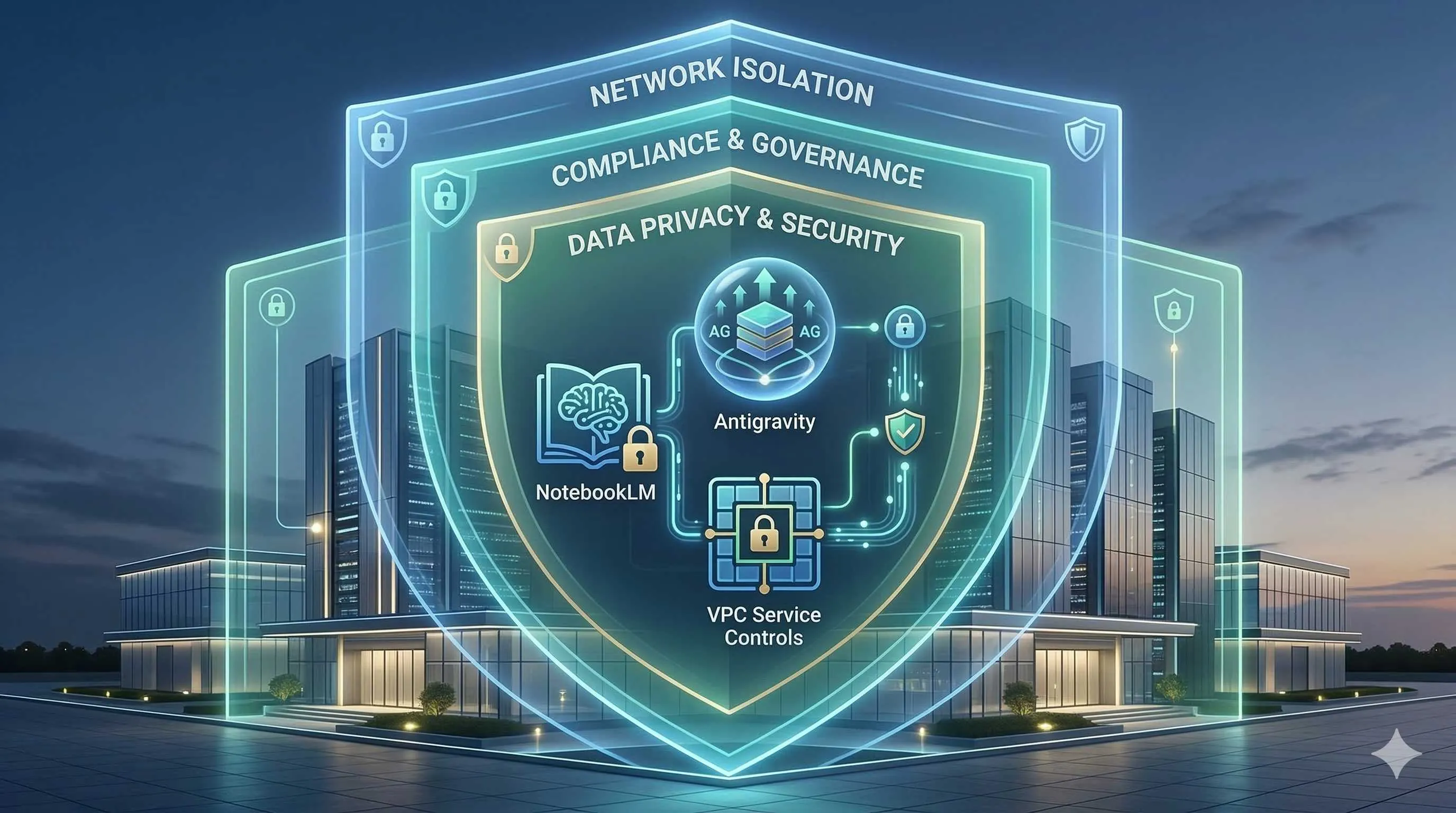
This article is for enterprise decision-makers who want to embrace AI while maintaining security boundaries. We’ll cover: how NotebookLM processes your data, Antigravity’s local-cloud architecture, and how tools like VPC-SC protect API calls.
No marketing fluff—just technical facts and compliance considerations.
NotebookLM Enterprise: The Promise of Data Not Leaving the Domain
Let’s start with NotebookLM, Google’s AI tool for enterprise knowledge management.
The core question: If I upload documents, will Google use them to train models? Will they be human-reviewed? Will they leak to other users?
Official Commitments (Workspace Enterprise Edition)
According to Google Workspace Admin Help documentation, for enterprise edition users:
- Not used for model training: Your uploads, queries, and model responses won’t be used to train generative AI models
- No human review: Won’t be viewed by human reviewers
- Enterprise-grade data protection: NotebookLM became a Google Workspace core service in February 2025, protected by Workspace enterprise data protection terms
This is fundamentally different from the personal edition. The personal edition terms state: if you provide feedback, “human reviewers may review your queries, uploads, and model responses.” For enterprises, this is an unacceptable risk.
Data Storage Location
According to analysis from Bay Tech Consulting, NotebookLM Enterprise data is stored in Google Workspace infrastructure, following contractual terms with customers. This means data residency and compliance are covered by the Workspace enterprise agreement.
Data Retention
- Queries are not saved
- Uploaded materials, saved notes, and audio overviews are stored until you actively delete them
- After deletion, follows Google Workspace’s standard deletion procedures
Practical Implications
For sensitive industries like finance, healthcare, and legal, this means you can relatively confidently hand internal documents to NotebookLM for processing—provided you’re using Workspace Enterprise Edition, not the personal edition.
But note: “relatively confident” doesn’t mean “absolutely secure.” Google can still access data for legal requirements, security needs, or service quality improvements, but such access is strictly controlled and audited.
Gemini API Data Governance
NotebookLM calls Gemini models under the hood. Understanding Gemini API’s data processing logic is important for risk assessment.
Three Tiers of Data Usage
1. Consumer Edition:
- Data may be recorded and stored for security, monitoring, QA, and abuse prevention
- Human review may occur
- Data may be used to improve services
2. Workspace Edition:
- Follows Workspace data processing agreements
- Not used for model training
- Human review only in specific situations (e.g., abuse investigations)
3. Enterprise Edition (Gemini Enterprise/Cloud):
- Strictest data isolation
- Supports data residency commitments
- Supports Customer-Managed Encryption Keys (CMEK)
- Supports VPC Service Controls
GDPR Compliance
For European users, Gemini supports regional data residency guarantees. Data is stored in designated regions at rest, complying with GDPR requirements. But note that model inference may require cross-region calls—this is a current technical limitation.

Key Recommendations
If your enterprise has strict compliance requirements, don’t use the free consumer edition for business purposes. Use at least Workspace Enterprise, preferably Gemini Enterprise Cloud Edition.
Antigravity’s Local-Cloud Architecture
Antigravity is Google’s Agent-First IDE, with a somewhat different security architecture than NotebookLM.
Execution Model
According to Google Codelabs descriptions, Antigravity has a hybrid architecture:
- Local execution: Code editing, file operations, and local scripts run on the user’s machine
- Cloud inference: AI model calls (Gemini 3) are sent to Google servers for processing
- Optional self-hosting: Enterprise edition supports running components within a VPC
What This Means
Your source code is not sent to the cloud by default—unless you explicitly ask the Agent to perform tasks requiring cloud models. For example:
- Local code completion? Processed locally
- Calling Gemini 3 to generate code? Sent to cloud
- Having the Agent analyze the entire codebase? Some metadata may need to be uploaded
Code Security Strategy
For enterprise use of Antigravity, recommended strategies include:
- Sensitive codebase isolation: Don’t put core algorithms or key management code in Antigravity-managed projects
- Network isolation: Use VPC-SC (detailed later) to limit which external services the Agent can access
- Audit logging: Enable operation logs to record what actions the Agent executed and which APIs it called
Enterprise Deployment Architecture
According to Augment Code analysis, Antigravity Enterprise supports Cloud Run architecture, with:
- Cloud Storage for repository content
- BigQuery for code metadata and search
- VPC Service Controls and IAM integration for enterprise security
This architecture allows enterprises to run parts of Antigravity in a private cloud environment while retaining cloud AI capabilities.
VPC Service Controls: Building Security Boundaries
VPC Service Controls (VPC-SC) is a security feature from Google Cloud for building data security perimeters.
Core Concepts
VPC-SC lets you define a “Service Perimeter” within which:
- Data can flow freely
- External access is blocked or strictly audited
- Even Google internal services must follow perimeter rules
Applications in AI Workloads
For enterprises using Gemini, NotebookLM, or Antigravity, VPC-SC can:
- Prevent data exfiltration: Ensure code and documents don’t accidentally sync to personal Google accounts
- Restrict API calls: Only allow Gemini API calls from specific VPCs
- Audit all access: Record who, when, and how accessed AI services
Configuration Example
# Simplified VPC-SC configuration concept
title: "AI Services Perimeter"
resources:
  - projects/my-enterprise-project
restrictedServices:
  - gemini.googleapis.com
  - notebooklm.googleapis.com
  - storage.googleapis.com
ingressRules:
  - from:
      identities:
        - serviceAccount:[email protected]
    to:
      operations:
        - "*"
Practical Deployment Recommendations
According to InfoQ’s practice reports, enterprise-scale VPC-SC deployment requires:
- Phased implementation: Validate in test environments first, then rollout to production
- Service mapping: Inventory all dependent Google services to avoid accidental blocking
- Break-glass strategy: Prepare bypass mechanisms for emergencies
- Continuous monitoring: Integrate VPC-SC logs with SIEM for real-time anomaly alerting
Enterprise AI Adoption Compliance Checklist
After all this, how do you practically evaluate whether an AI tool is suitable for your enterprise?
Data Classification Assessment
First, classify the data you’ll input to AI:

- Public data: Product website content, published documents—low risk
- Internal data: Technical docs, project plans—medium risk, verify service terms
- Sensitive data: Customer information, financial data, core algorithms—high risk, requires additional protection
Vendor Evaluation Checklist
For each AI tool, confirm the following:
Data Training Policies:
- Clear commitment not to use for model training?
- Contract-level guarantee or just user agreement?
- Conditions for human review?
Data Residency:
- Supports designated region storage?
- Encryption in transit?
- Encryption at rest method?
Compliance Certifications:
- SOC 2?
- ISO 27001?
- GDPR compliance statement?
- Industry-specific certifications (e.g., HIPAA, PCI-DSS)?
Enterprise Features:
- SSO/SAML support?
- Audit logging?
- Granular permission controls?
- Data export/deletion support?
Implementation Strategy
Phase 1: Pilot
- Select non-sensitive projects for trial
- Establish usage policies and training materials
- Monitor usage and gather feedback
Phase 2: Controlled Rollout
- Expand to more teams
- Implement VPC-SC and other security measures
- Establish incident response procedures
Phase 3: Full Adoption
- Integrate into standard workflows
- Continuous compliance auditing
- Optimize cost-security balance
Conclusion
Back to that conference room scene.
The CTO asks: “Can we upload our core product’s technical documentation to that AI tool for analysis?”
Now, the security lead can give a more nuanced answer:
“If it’s NotebookLM Enterprise Edition, data doesn’t leave the domain, not used for training—compliance risk is manageable. But for core algorithm documentation, I’d still suggest testing with anonymized versions first. Also, we need to configure VPC-SC to ensure data doesn’t accidentally leak.
“Antigravity can be used, but sensitive codebases need isolation. Let developers handle core code locally while AI assists with peripheral features.”
This isn’t a binary “can use” or “can’t use” answer. It’s a comprehensive judgment about risk classification, technical measures, and compliance processes.
The pressure of AI transformation won’t disappear. Competitors are using it, customers expect faster product iteration, internal teams need efficiency tools. But security and compliance baselines can’t be abandoned either—the cost of one data breach may exceed all benefits AI brings.
The key is finding balance in this tension. Understand tool security mechanisms, establish appropriate usage policies, implement necessary technical controls.
Google’s AI ecosystem (NotebookLM, Antigravity, Gemini Enterprise) is relatively mature in enterprise-grade security. Clear data processing agreements, VPC-SC technical controls, and compliance certifications provide backing.
But ultimately, security is the enterprise’s responsibility. Tool providers give you capabilities; how to use and protect them depends on your decisions.
Hopefully, this article helps you give more informed answers in that conference room.
FAQ
What are the fundamental differences between NotebookLM Enterprise and Personal editions regarding data privacy?
**Model Training**:
• Enterprise: Explicit commitment not to use for training generative AI models
• Personal: If feedback is provided, humans may review queries and uploads
**Human Review**:
• Enterprise: Not viewed by human reviewers
• Personal: Reviewers may view queries, uploads, and model responses
**Data Protection**:
• Enterprise: Protected by Workspace enterprise data protection terms (became core service February 2025)
• Personal: Subject to standard Google Terms of Service
For enterprise sensitive information, personal edition's review terms present unacceptable risk.
How does data governance differ across Gemini API's three tiers (Consumer/Workspace/Enterprise)?
**Consumer Edition**:
• Data may be used for security, monitoring, QA, abuse prevention
• Human review may occur
• Data may be used to improve services
• Not recommended for commercial use
**Workspace Edition**:
• Follows Workspace data processing agreements
• Not used for model training
• Human review only in specific cases like abuse investigation
• Suitable for general enterprise use
**Enterprise Edition**:
• Strictest data isolation
• Supports Data Residency
• Supports Customer-Managed Encryption Keys (CMEK)
• Supports VPC Service Controls
• Suitable for organizations with strict compliance requirements
Enterprises should use at least Workspace Edition; sensitive industries should use Enterprise Edition.
What is Antigravity's code security mechanism, and how should enterprises use it securely?
**Local Execution**:
• Code editing, file operations, local scripts run on user's machine
• Source code not sent to cloud by default
**Cloud Inference**:
• AI model calls (Gemini 3) sent to Google servers
• Local features like code completion don't require upload
**Enterprise Security Recommendations**:
1. **Sensitive codebase isolation**: Don't put core algorithms or key management code in Antigravity projects
2. **Network isolation**: Use VPC-SC to limit external services Agent can access
3. **Audit logging**: Enable operation logs to record Agent actions and API calls
4. **Tiered usage**: Handle core code locally, AI assists with peripheral features
Enterprise Edition supports Cloud Run architecture and can run components within VPC.
How does VPC Service Controls protect enterprise AI workloads?
**Core Mechanism**:
• Define Service Perimeter (security boundary)
• Data flows freely within boundary
• Access outside boundary is blocked or strictly audited
**Applications in AI Scenarios**:
1. **Prevent data exfiltration**: Block code/documents from accidentally syncing to personal Google accounts
2. **Restrict API calls**: Only allow specific VPCs to call Gemini/NotebookLM APIs
3. **Audit access**: Record who, when, and how AI services were accessed
**Deployment Points**:
• Phased implementation, validate in test environments first
• Map all dependent Google services to avoid accidental blocking
• Prepare break-glass strategy for emergencies
• Integrate VPC-SC logs with SIEM for real-time alerting
VPC-SC is a technical control that works best with usage policies and procedures.
What compliance points should enterprises focus on when evaluating AI tools?
**Data Training Policies**:
• Is there explicit commitment not to use for training?
• Is it contract-level or just user agreement?
• Conditions and scope for human review?
**Data Residency & Security**:
• Support for designated region storage?
• Encryption in transit and at rest methods?
• Data deletion mechanisms?
**Compliance Certifications**:
• SOC 2, ISO 27001
• GDPR, CCPA and other privacy regulations
• Industry-specific certifications (HIPAA, PCI-DSS, etc.)
**Enterprise Features**:
• SSO/SAML support
• Audit logging
• Granular permission controls
• Data export capabilities
**Implementation Advice**: Three-phase approach—pilot validation → controlled rollout → full adoption, with corresponding security controls and audit mechanisms at each stage.
8 min read · Published on: Feb 28, 2026 · Modified on: Mar 18, 2026

Related Posts
OpenClaw 2026.3 Advanced Practice: Core Features and Best Practices

OpenClaw 2026.3 Advanced Practice: Core Features and Best Practices
OpenClaw Practical Guide: From Beginner to Master

OpenClaw Practical Guide: From Beginner to Master
Don't Be a Prisoner of a Single Model: Flexibly Switching Between Gemini 3, Claude 4.5, and GPT-OSS in Antigravity

Comments
Sign in with GitHub to leave a comment