
Docker Image Security Scanning and Vulnerability Remediation: Trivy Tutorial and CI/CD Integration Guide
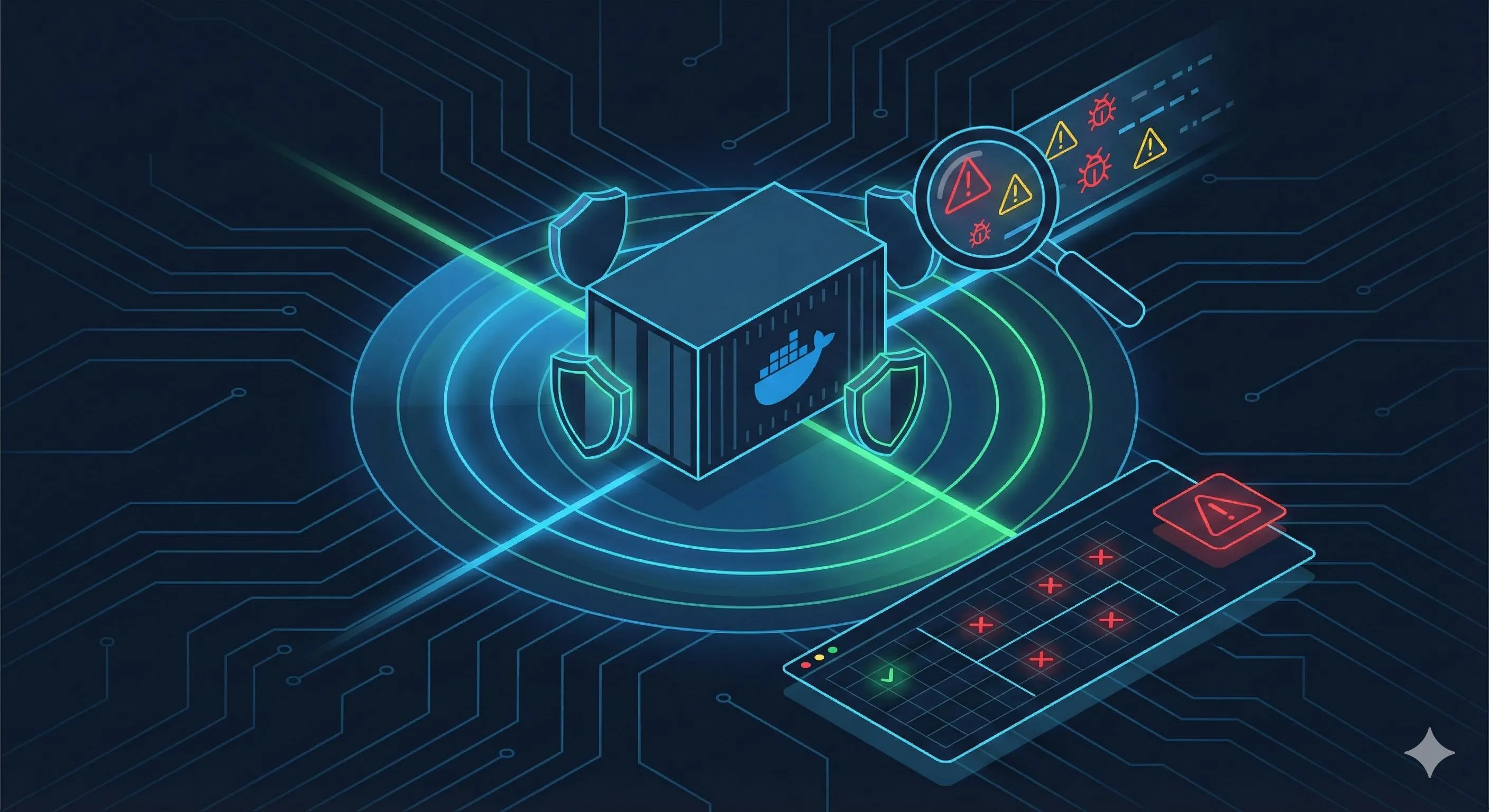
December 10, 2021, in the early morning, I stared at the alert curve suddenly turning red on the monitoring screen, nearly spilling my coffee. The ops chat had already exploded with someone dropping a CVE number: CVE-2021-44228, which later shocked the entire tech community as the Log4Shell vulnerability.
What made it worse was that we had over a dozen microservices using base images with this vulnerability. That night, the entire team worked through the night urgently upgrading images and redeploying until dawn. During the post-mortem, our boss asked a question that left everyone silent: “How did we not even know what vulnerabilities our images contained?”
To be honest, this question hit a pain point for many teams. A study by NSFOCUS showed that 76% of images on Docker Hub contain known security vulnerabilities. That python:3.9 image you’re using? nginx:latest? They likely hide dozens of CVE vulnerabilities you don’t even know about.

You’re probably wondering: How do I know what vulnerabilities are in my images? How do I fix them once discovered? How do I automatically detect them in the CI/CD pipeline to avoid deploying vulnerable images to production?
I spent two years stumbling through production environments to figure out these answers. This article will walk you through:
- Using Trivy and other tools to quickly scan Docker image vulnerabilities
- Systematic methods for fixing vulnerabilities (not just “update the image version”)
- Integrating automated scanning in GitHub Actions, GitLab CI, and other CI/CD platforms
All commands and configurations are ready-to-use production code. Trust me, reading this will save you a lot of detours.
"A study by NSFOCUS showed that 76% of images on Docker Hub contain known security vulnerabilities."
Docker Image Security Threat Landscape
What Security Issues Can Docker Images Have?
Honestly, when I first started with containers, I thought Docker images were just “packaged programs” - if they run, they’re fine. It wasn’t until we got scanned for 3 days online that I realized image vulnerabilities come in several categories, each one enough to give you a headache.
Operating System Package Vulnerabilities - This is the most common. In your Alpine or Ubuntu base images, system libraries like OpenSSL, glibc, and curl regularly have new vulnerabilities. For example, the OpenSSL 3.0.x critical vulnerability in 2022 affected a huge batch of images.
Application Dependency Vulnerabilities - This is more subtle. Your Python project depends on Flask, Flask depends on Werkzeug, and some version of Werkzeug has a code execution vulnerability. You think upgrading the Python version makes you safe? Not necessarily - vulnerabilities hidden in the dependency tree might go completely unnoticed. Log4j is a typical case - how many Java projects didn’t even know they were using Log4j.
Configuration Errors and Sensitive Information Leakage - Some developers, for convenience, write database passwords directly in Dockerfiles or forget to delete the .git directory before packaging. Others run containers as root, handing out permissions more generously than their house keys.
Supply Chain Risks - This is the hardest to defend against. You pull what looks like a normal image from Docker Hub, and one day it’s discovered to have been planted with mining programs or backdoors. Research in 2018 found quite a few “malicious images” on Docker Hub, specifically fishing for people who just pull without thinking.
Why Can’t Docker Hub Images Be Blindly Trusted?
I was genuinely shocked when I first saw the 76% figure. NSFOCUS’s research report from March 2018 showed that in random samples from Docker Hub, over three-quarters contained known vulnerabilities.
You might think this data is old, right? But the problem is, those old images are still being used. And many “official images” aren’t updated in real-time. That python:3.9 tag you see might have been built six months ago, with system packages that are already outdated.
What’s more frustrating is that Docker Hub image quality varies widely. Some are maintained by individual developers who might not update for half a year; some are labeled “official” but are actually just uploaded by some company. There’s no unified security audit standard - using them is pure luck.
I had a colleague who, for convenience, pulled a Node.js environment image from Docker Hub. Later scans revealed over 30 high-risk vulnerabilities. When we asked the image author, they replied: “This image hasn’t been maintained in two years, fix it yourself.” Tragicomic.
So my principle now is: images pulled from Docker Hub must be scanned first, even those with “official” tags are no exception.
Mainstream Image Scanning Tools Comparison and Selection
Trivy: My Top Recommendation for Open Source
When it comes to Docker image scanning tools, there are quite a few options, but I now almost exclusively use Trivy. Not that other tools are bad, but Trivy really nails the balance between “ease of use” and “functionality.”
The first time I used Trivy, I was amazed by its speed. Scanning a several hundred MB image, the first scan takes about 10 seconds, and subsequent scans take only a few seconds. The key is you don’t need to maintain any local database or configure additional services - install and use.
What can Trivy detect? Honestly, more than I expected:
- Vulnerability Detection: Supports various OS packages (Alpine, Ubuntu, Debian, CentOS, etc.) and application dependencies (npm, pip, Maven, Go Modules, etc.)
- Misconfiguration Scanning: Can check security issues in Dockerfiles and Kubernetes config files
- Secret Leakage Detection: Alerts you if keys, passwords, or similar sensitive information were accidentally packaged in the image
- License Compliance: Can also check open-source licenses of dependency packages to avoid legal risks
What satisfies me most is that Trivy has already been integrated by mainstream platforms like GitHub Actions and Harbor. In other words, you don’t need to fiddle with integration solutions yourself - the official path is already paved for you.
Other Tools Worth Knowing
Snyk - This is a commercial product with really comprehensive functionality. It can integrate directly into your IDE, giving you real-time alerts about dependency vulnerabilities while coding. It also supports automatically generating fix PRs - very smart. But the problem is the free version has quite a few limitations, and if you really want to use it deeply you’ll need to pay, suitable for companies with sufficient budgets.
Clair - This is the scanning engine for the Quay image registry, open-source and deeply customizable. But honestly, configuration is quite complex. Its working method is to pull CVE information from various Linux distribution security teams, focusing on threat detection. If your team has dedicated security engineers and wants a highly customizable solution, Clair is a good choice. But for ordinary development teams, the learning curve is a bit steep.
Anchore - Enterprise-level solution supporting policy management. For example, you can set rules like: “Block deployment if CRITICAL level vulnerabilities are found.” Suitable for scenarios with particularly strict compliance requirements, like finance and healthcare industries. But same problem - configuration and maintenance are quite heavy.
Docker Scout / Hardened Images (DHI) - This is a new product Docker officially launched in May 2025, claiming near-zero CVE and image size reduction of 95%. I looked at the technical approach - it uses distroless runtime, and it’s indeed very promising. But because it just launched, the ecosystem is still being built, worth keeping an eye on.
My Selection Advice
If you’re a small or medium team or individual developer, use Trivy directly - free, easy to use, sufficient functionality. Install with one command, scan with one command, 10 minutes to get started.
If you’re a large enterprise with high security compliance requirements and sufficient budget, consider Snyk. Its vulnerability database updates timely, support team is professional, and it can deeply integrate with various development tools.
If your team has dedicated security engineers and wants a deeply customizable open-source solution, Clair is worth studying. But be prepared to spend time fiddling with configuration.
For pursuing extreme security and minimal images, keep an eye on Docker Hardened Images development - it might be the future standard solution.
My own practice: use Trivy for daily development and CI/CD for quick feedback; before production deployment, use Harbor-integrated Clair for a second scan - double insurance.
Trivy Practical Tutorial
How to Scan Docker Images with Trivy
Complete guide to installing Trivy and scanning Docker images for vulnerabilities
⏱️ Estimated time: 10 min
- 1
Step1: Install Trivy
On macOS, use `brew install trivy`. On Linux, download binary from GitHub releases or use package manager. The first run will automatically download the vulnerability database. - 2
Step2: Scan an image
Run `trivy image python:3.9` to scan an image from Docker Hub, or `trivy image myapp:latest` for locally built images. Results show vulnerabilities categorized by severity (CRITICAL, HIGH, MEDIUM, LOW). - 3
Step3: Filter results
Use `--severity HIGH,CRITICAL` to show only high-risk vulnerabilities, or `--ignore-unfixed` to hide vulnerabilities without patches. Use `--exit-code 1` in CI/CD to fail builds when critical issues are found. - 4
Step4: Export results
Use `-f json -o results.json` to export scan results for integration with security platforms or further automation processing.
Installation and Basic Usage
Trivy’s installation is so simple I couldn’t believe it the first time. If you use macOS:
brew install trivyLinux users can directly download binary files or use package managers to install. GitHub releases page has detailed instructions: https://github.com/aquasecurity/trivy/releases
After installation, immediately try scanning an image:
# Scan image from Docker Hub
trivy image python:3.9

# Scan locally built image
trivy image myapp:latest

# Scan image saved as tar file
trivy image --input ruby-3.1.tar
The first time you run it, Trivy will automatically download the vulnerability database (trivy-db), about several tens of MB, need to wait a moment. After download completes, scanning speed is very fast.
Scan results are displayed categorized by vulnerability severity:
- CRITICAL: Must fix immediately, may lead to complete system control
- HIGH: Should fix as soon as possible, may be exploited for attacks
- MEDIUM: Recommended to fix, has certain security risks
- LOW: Lower priority, can be scheduled for processing
Each vulnerability displays CVE number, affected package name, current version, and fixed version (if available).
Advanced Scanning Options: Making Trivy Better
In actual work, you might not want to see all vulnerabilities, especially those “unfixable” low-risk ones that just annoy you. That’s when you need some advanced options:
Show only high and critical vulnerabilities:
trivy image --severity HIGH,CRITICAL nginx:latestI commonly use this in CI/CD. After all, requiring all vulnerabilities to be fixed is unrealistic - solving the high-risk ones first is the priority.

Ignore unfixed vulnerabilities:
trivy image --ignore-unfixed redis:latestSome vulnerabilities officially haven’t released patches for yet - no use rushing. Adding this parameter, Trivy only shows vulnerabilities with existing fix solutions, letting you focus energy on solvable problems.
Make command exit code non-zero when finding critical vulnerabilities:
trivy image --exit-code 1 --severity CRITICAL myapp:latestThis is super useful! In CI/CD pipeline, if critical vulnerabilities are found, this command returns non-zero exit code, causing build failure. It’s like adding a security gate to your images - vulnerable images can’t enter production at all.
Output JSON format for integration with other tools:
trivy image -f json -o results.json myapp:latestIf you want to import scan results into security platforms or do further automation processing, JSON format is convenient.
Scanning in offline environment:
trivy image --skip-db-update myapp:latestSome company internal network environments can’t access the external network. You can first download the vulnerability database on a machine that can connect to the internet, then copy it to the internal network machine and add this parameter so it won’t try to update.
Understanding Scan Results: What to Focus On
The first time I scanned a production image, results filled the screen with over 100 vulnerabilities. My heart sank, thinking how long would this take to fix?
Later with more experience I understood there are tricks to viewing scan results:
Prioritize vulnerabilities with fix versions. If the “Fixed Version” column shows “none” or is empty, it means there’s currently no patch, and you can’t do anything about it. Solve vulnerabilities with fix solutions first.
Focus on CRITICAL and HIGH. LOW and MEDIUM level vulnerabilities, if not public-facing services, can be appropriately delayed. But CRITICAL must be fixed immediately - these vulnerabilities often have public exploit code that hackers can directly utilize.
Check CVE details. If you’re uncertain about a vulnerability, go to https://cve.mitre.org/ and check that CVE number to see exactly what the problem is, scope of impact, and difficulty of exploitation. Sometimes seemingly scary vulnerabilities actually require very harsh exploitation conditions.
Understand Trivy’s working principle. Trivy downloads a vulnerability database (actually just a JSON file recording known vulnerabilities of various software packages), then compares it with your image’s software package list (obtained by analyzing package manager databases). As long as package name and version number match a known vulnerability, it gets reported.
So sometimes there are false positives. For example, your image has a vulnerable package, but the actual code doesn’t call that problematic function at all, and Trivy will still alert. In these situations you need to judge risk combined with actual code.
Systematic Methods for Vulnerability Remediation
Start by Choosing the Right Base Image
Fixing vulnerabilities, honestly, often isn’t about “fixing” but “replacing.” Found dozens of system package vulnerabilities? Don’t upgrade them one by one - directly replacing with a more secure base image is much more efficient.
My previous team was used to using Alpine Linux as base image because it’s only 5.87MB, particularly compact. But later we found Alpine has its own problems: it uses the muslc standard library instead of the common glibc, sometimes having compatibility issues. And small as it is, vulnerabilities are still there.
Now I’m more inclined to use Distroless images. This thing is only 3.06MB, smaller than Alpine, and the key is it’s extremely streamlined: no Shell, no package manager, no unnecessary tools whatsoever.
Why is this more secure? Simple - even if hackers discover a vulnerability in your application, they can’t execute shell commands in the container because there simply isn’t one. Attack surface compressed to minimum.
Google’s Distroless images have various language versions:
# Python application
FROM gcr.io/distroless/python3

# Node.js application
FROM gcr.io/distroless/nodejs

# Go application (for static compilation can even use static version)
FROM gcr.io/distroless/static
Of course, Distroless also has inconveniences: debugging is troublesome because there aren’t even basic commands like ls and cat. My approach is to use regular images in development environment for easier debugging, switch to Distroless in production environment to ensure security.
Docker officially launched Hardened Images (DHI) in 2025 is even more aggressive, claiming near-zero CVE and can further shrink images by 95%. Although the ecosystem isn’t mature now, it’s very worth attention - might be the next generation standard solution.
Practical Methods for Upgrading Dependencies to Fix Vulnerabilities
Replacing base image isn’t enough - application layer dependencies also need managing. Here are some practical tips:
Method 1: Update base image version
# Don't use latest, too vague
FROM python:3.9

# Use specific minor version number and regularly update
FROM python:3.11.7
Many people like using latest tag for convenience, but that’s a bad habit. latest might not update for months, with system packages inside already outdated. Use specific version numbers, then actively check monthly if there are updated minor versions.
Method 2: Upgrade system packages in Dockerfile
FROM ubuntu:22.04

# Update all system packages when building image
RUN apt-get update && \
    apt-get upgrade -y && \
    apt-get clean && \
    rm -rf /var/lib/apt/lists/*
Note the trick here: putting update, upgrade, clean in one RUN instruction can reduce image layers. Finally deleting apt cache can save another several tens of MB space.

Method 3: Update application dependency versions
This is the most common scenario. Trivy finds Flask vulnerable, you go to requirements.txt and change the version number:
# Before modification
Flask==2.0.1

# After modification (assuming 2.3.0 fixes vulnerability)
Flask==2.3.0
But there’s a pitfall here: directly upgrading Flask might bring compatibility issues. So best to run it in test environment first, confirm no problems before pushing to production.
A more stable approach is to only upgrade patch versions. For example, if Flask 2.0.1 has vulnerability, first try the latest version of 2.0.x rather than directly jumping to 2.3.0.
Best Practices Not to Overlook
Besides fixing specific vulnerabilities, there are some good habits that can keep your images secure long-term:
Use multi-stage builds:
# Build stage
FROM golang:1.21 AS builder
WORKDIR /app
COPY . .
RUN go build -o myapp

# Runtime stage (only need compiled binary file)
FROM gcr.io/distroless/static
COPY --from=builder /app/myapp /
CMD ["/myapp"]
This way the final image won’t contain Go compiler, source code, or intermediate files - clean and neat, much smaller attack surface.
Don’t run as root user:
RUN useradd -m myuser
USER myuser
Many images default run applications as root, which is basically suicidal. After hackers breach the application they directly get root permissions, can do whatever they want. Create a regular user, let the application run with that identity - much safer.
Regularly rebuild images:
This is easily overlooked. Your code might not have changed in half a year, but base image system packages are constantly updating patches. Rebuild at least once a month to include the latest security patches.
Our team set up a scheduled task to automatically rebuild all production images every Sunday, scan them once, and problems found Monday can be discovered and fixed.
Use .dockerignore to avoid packaging sensitive files:
.git
.env
*.log
secrets/
Accidentally packaging .env file into the image and database password leaks. .dockerignore is like .gitignore, preventing sensitive files from being packaged.
Never use latest tag:
I need to emphasize this again. FROM python:latest is a ticking bomb - you have no idea what version you’re pulling or if it has vulnerabilities. Use explicit tags like FROM python:3.11.7-slim - predictable and traceable.
Building Automated Security Scanning CI/CD Pipelines
GitHub Actions Integration: Done in Five Minutes
Manually scanning images is too troublesome and easy to forget. The most reliable way is to integrate scanning into CI/CD, automatically checking every code commit or image build.
GitHub Actions integrating Trivy is unbelievably simple. Create .github/workflows/docker-scan.yml in your repository:
name: Docker Security Scan

on:
  push:
    branches: [ main, develop ]
  pull_request:
    branches: [ main ]

jobs:
  scan:
    runs-on: ubuntu-latest
    steps:
      - name: Checkout code
        uses: actions/checkout@v3

      - name: Build Docker image
        run: docker build -t myapp:${{ github.sha }} .

      - name: Run Trivy vulnerability scanner
        uses: aquasecurity/trivy-action@master
        with:
          image-ref: 'myapp:${{ github.sha }}'
          format: 'table'
          severity: 'CRITICAL,HIGH'
          exit-code: '1'  # Build fails when critical vulnerabilities found

      - name: Upload scan results
        if: always()
        uses: github/codeql-action/upload-sarif@v2
        with:
          sarif_file: 'trivy-results.sarif'
What does this configuration do?
- Automatically triggers on every push to main or develop branches, or when there’s a PR
- Builds Docker image (using commit SHA as tag to ensure each build is unique)
- Uses Trivy to scan image, only checking CRITICAL and HIGH level vulnerabilities
- If critical vulnerabilities found,
exit-code: '1'makes workflow fail, preventing this commit from merging - Uploads scan results to GitHub Security tab for easy viewing
After first-time configuration, push code once to try. You’ll see scan results in GitHub Actions tab. If there are vulnerabilities, this build will be marked red and won’t be merged into main branch. It’s like adding an automatic security gate to your code repository.
GitLab CI/CD Integration: Equally Simple
If you use GitLab, integration is similar. Create or modify .gitlab-ci.yml in repository root:
stages:
  - build
  - test
  - security

build_image:
  stage: build
  image: docker:latest
  services:
    - docker:dind
  script:
    - docker build -t $CI_REGISTRY_IMAGE:$CI_COMMIT_SHA .
    - docker push $CI_REGISTRY_IMAGE:$CI_COMMIT_SHA

security_scan:
  stage: security
  image: aquasec/trivy:latest
  script:
    - trivy image --exit-code 1 --severity HIGH,CRITICAL $CI_REGISTRY_IMAGE:$CI_COMMIT_SHA
  allow_failure: false
  dependencies:
    - build_image
Note the allow_failure: false line, meaning if security scan fails, let the entire pipeline fail. If you don’t want to be this strict, can change to allow_failure: true, then vulnerabilities found are just warnings, not blocking deployment.
But I suggest production environment pipeline must be set to false. Development environment can be looser, but production environment can’t compromise.
Harbor Image Registry Double Insurance
If your company uses Harbor as private image registry (many large companies do), it’s even more worry-free. Harbor from v1.2 onwards has integrated Trivy and Clair, can automatically scan pushed images.
In Harbor project settings, you can configure scanning policies:
- Automatically scan on image push
- Daily scheduled scan all images (prevent new vulnerabilities being discovered)
- Set vulnerability threshold: for example, prohibit pulling images with CRITICAL vulnerabilities
Our team’s strategy is:
- Development environment pushes images to Harbor, automatically triggers Trivy scan
- When HIGH and above vulnerabilities found, Harbor tags with “contains vulnerability”
- Production environment K8s cluster configures admission webhook, rejects deploying images with vulnerability tags
This way even if someone bypasses CI/CD directly deploys, Harbor will intercept at the last checkpoint.
Complete Security Scanning Process Recommendation
Stringing together the previous content, a complete image security process should look like this:
Development Stage:
- IDE integrate Snyk or Trivy plugins, can see dependency vulnerabilities while writing code
- After locally building image, manually run
trivy imagecheck once
Build Stage:
- GitHub Actions / GitLab CI automatically scan newly built images
- Immediately fail on finding CRITICAL vulnerabilities, blocking merge
- Upload scan results to Security Dashboard for easy team viewing trends
Registry Stage:
- Harbor and other image registries second scan (sometimes CI/CD missed, or new vulnerabilities disclosed)
- Set vulnerability policies, block pulling high-risk images
Runtime:
- Regularly scan production environment running images (once weekly)
- Trigger alerts when new vulnerabilities found, schedule fixes
Regular Review:
- Monthly review vulnerability fix situation once
- Update scanning policies and vulnerability thresholds
This process looks complex, but after configuring once it’s fully automated. Our team took about one Sprint (two weeks) from configuration to stable operation, but gained long-term security assurance.
Honestly, since configuring this process, I sleep much more soundly at night. At least don’t have to worry about someday suddenly a big vulnerability erupts and discovering my images were already hit.
Conclusion
Back to the Log4Shell story at the article beginning. If we had this image security scanning process back then, vulnerabilities would have been discovered in CI/CD stage and never entered production environment. There wouldn’t have been that heart-pounding morning or the boss’s soul-searching question.
Docker image security isn’t some profound technology, core is just three things:
- Use Trivy and other tools to scan image vulnerabilities (simple installation, fast speed, sufficient functionality)
- Systematically fix vulnerabilities (choose secure base images, upgrade dependencies, follow best practices)
- Automate scanning in CI/CD (GitHub Actions / GitLab CI five-minute integration)
Honestly, the 76% figure for Docker Hub images containing vulnerabilities did initially shock me. But thinking about it now, this also shows most teams haven’t taken it seriously yet. If you start acting now, you’ll at least do better than 76% of people - isn’t that quite a sense of achievement?
My suggestion is: don’t think about fixing all vulnerabilities at once, that’s unrealistic. Start from the simplest:
- Before leaving work today: Install Trivy, scan your project’s Docker images, see how many vulnerabilities there are
- Within this week: Fix CRITICAL level vulnerabilities, might just be upgrading base image version
- Next Sprint: Integrate Trivy in CI/CD, configure to block deployment when finding critical vulnerabilities
- This month: Establish image security baseline, regularly review and update
Container security is a continuous process, not a one-time thing. But as long as you establish the process, subsequent maintenance really isn’t burdensome. Our team now scans automatically weekly, glances at issues in weekly meetings, basically can handle it in half an hour.
Emphasizing one more time: production environment images must be scanned! Images pulled from Docker Hub must be scanned! Don’t wait until something happens to regret, by then it’s too late.
If you have any Docker security practical experience or stories, welcome to share in comments. Let’s progress together, making containerized applications more secure.
FAQ
What is the best tool for scanning Docker images?
• Fast (10 seconds for first scan)
• Easy to install
• Integrates well with CI/CD
For enterprises with larger budgets, Snyk offers more comprehensive features and IDE integration.
How often should I scan my Docker images?
• During development (IDE plugins)
• In CI/CD (automated on every build)
• At registry (Harbor auto-scan)
• Runtime (weekly production scans)
Critical vulnerabilities should be fixed immediately, while medium/low can be scheduled.
What should I do if Trivy finds vulnerabilities in my base image?
If no patch exists, consider switching to a more secure base image like Distroless or Docker Hardened Images.
For application dependencies, update to patched versions in your requirements.txt or package.json.
Can I ignore low-severity vulnerabilities?
However, CRITICAL and HIGH vulnerabilities should be fixed immediately as they often have public exploit code.
Always prioritize vulnerabilities with available patches.
How do I integrate Trivy into my CI/CD pipeline?
For GitLab CI, add a security stage that runs trivy image with --exit-code 1 to fail builds on critical vulnerabilities.
Configure to scan on every push and pull request to prevent vulnerable images from entering production.
What's the difference between Trivy, Snyk, and Clair?
• Free, fast, and easy to use
• Best for most teams
Snyk:
• Commercial with IDE integration and auto-fix PRs
• Suitable for enterprises
Clair:
• Open-source but complex to configure
• Good for teams with dedicated security engineers who need deep customization
Should I use Distroless images instead of Alpine?
However, debugging is harder.
Best practice: use regular images in development, Distroless in production.
19 min read · Published on: Dec 18, 2025 · Modified on: Apr 1, 2026

Related Posts
shadcn/ui Composition Patterns: Best Practices for Combining Components

shadcn/ui Composition Patterns: Best Practices for Combining Components
Astro + Tailwind: Configuring Island Components and Global Styles Without Conflicts

Astro + Tailwind: Configuring Island Components and Global Styles Without Conflicts
React Compiler + shadcn/ui: Frontend Development in the Auto-Optimization Era

Comments
Sign in with GitHub to leave a comment