
Next.js Real-Time Chat: The Right Way to Use WebSocket and SSE
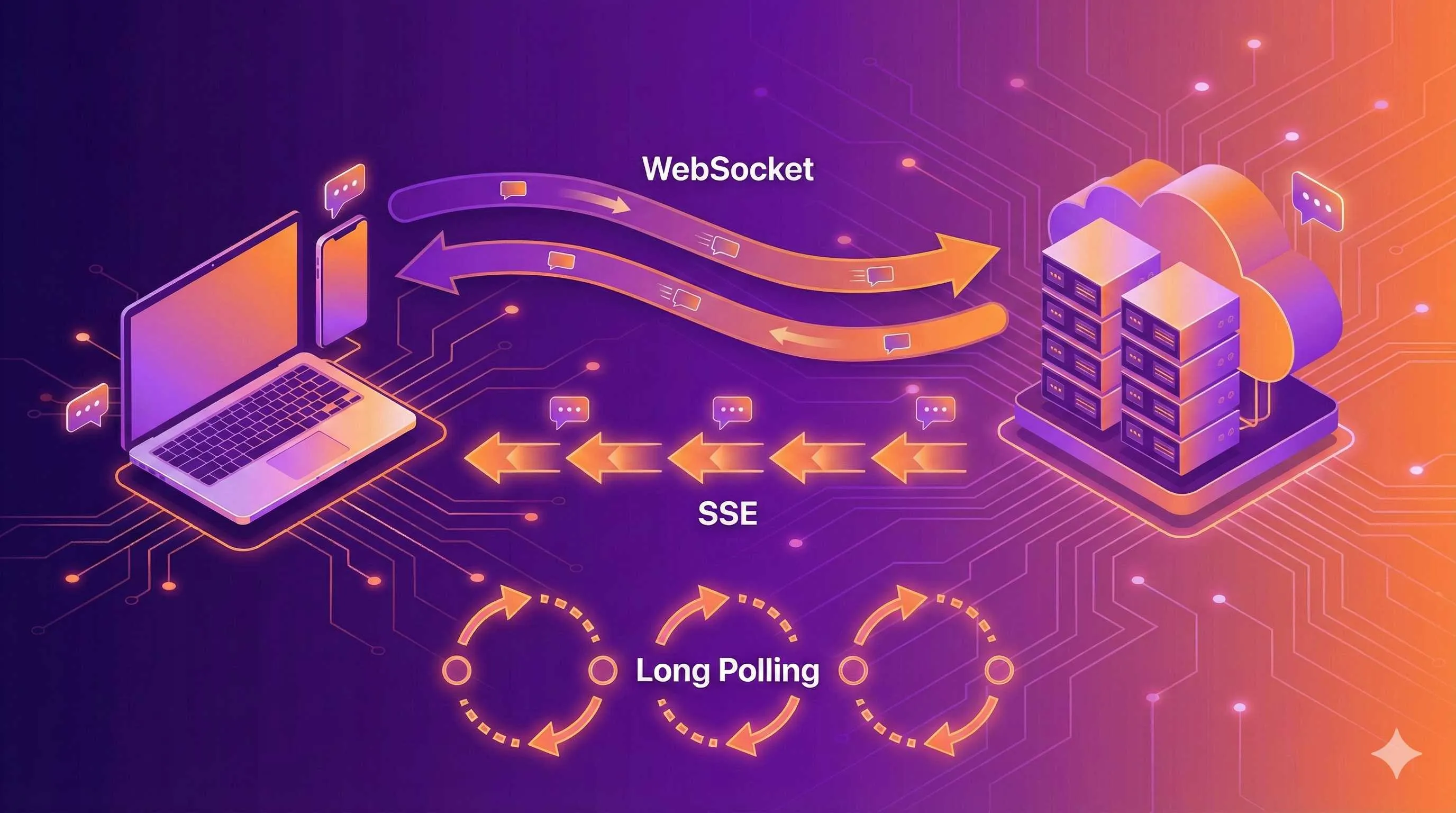
At 1 AM, I stared at the blinking cursor on my screen, attempting for the third time to get WebSocket working with Next.js. The page error read: “WebSocket is not supported in this environment.” I rubbed my eyes—the chat feature was running perfectly on my local machine, but as soon as I deployed to Vercel, it crashed.
That night, I realized a harsh truth: real-time communication in Next.js is far from straightforward.
This article won’t teach you how to force WebSocket into Next.js (I’ve tried that path—it’s a dead end). I’ll share the real pitfalls I’ve encountered: why Vercel doesn’t support WebSocket, whether SSE is a lifesaver, and how Socket.io can peacefully coexist with App Router. If you’re also struggling with Next.js real-time features, I hope this article saves you some headaches.

Comparing Three Real-Time Communication Solutions
Chat rooms, collaborative editing, real-time notifications—all these features require the server to actively push data to clients. HTTP’s request-response model can’t solve this problem, so we have three mainstream approaches.
WebSocket: The Full-Duplex Dream
WebSocket is the ideal solution—establish one connection, and client and server can send messages back and forth anytime. You might think, what’s there to hesitate about?
That’s what I thought too. Until the moment of deployment.
Vercel, Netlify, and other Serverless platforms don’t support long connections. Your Next.js app runs on cloud functions—once a request ends, the function gets recycled. How can you maintain a WebSocket connection? I tried using third-party WebSocket services (like Pusher, Ably), but the monthly fees deterred me.
That said, WebSocket isn’t unusable. Renting your own server for deployment, or running a WebSocket service on a separate Node.js backend—both paths work. Just higher costs and more complex architecture.
SSE: The Unidirectional Channel to the Rescue
Server-Sent Events—the name says it all: unidirectional, only server can push to client.
This sounds a bit limited—you have to use HTTP POST to send messages and SSE to receive them. But from another angle, this fits many scenarios perfectly: in a chat room, sending messages is active while receiving is passive; real-time notifications only need server push anyway.
Most importantly: SSE works on Vercel.
I previously built a simple notification system using SSE, solving the major issue of Vercel deployment. While there are some limitations (Vercel’s Edge Functions have a 25-second timeout), it’s sufficient for message pushing.
Long Polling: Old-School But Effective
This is the oldest approach: client sends a request, server waits until there’s a new message before responding, then client immediately sends the next request.
Performance isn’t great, and it wastes bandwidth. But if you only have a few hundred users and infrequent messages, Long Polling actually works well—code is simple, no compatibility issues, and Serverless platforms don’t reject it.
Honestly, I’ve seen many small projects running on Long Polling with no user experience issues. Don’t be scared by the term “technical debt”—if it solves the problem, it’s a good solution.
Comparison Table: At a Glance
| Feature | WebSocket | SSE | Long Polling |
|---|---|---|---|
| Bidirectional | ✅ | ❌ (requires POST) | ✅ |
| Vercel Support | ❌ | ✅ (with timeout) | ✅ |
| Browser Support | Modern browsers | Modern browsers | All |
| Connection Overhead | Low | Low | High |
| Implementation Complexity | Medium | Simple | Very Simple |
| Best For | Chat, games, collaborative editing | Notifications, live updates | Low-frequency messaging, high compatibility |
You may have noticed: With Next.js + Vercel, SSE and Long Polling are the mainstream. This isn’t technical regression—it’s a pragmatic solution under platform constraints.
Real-Time Communication Solution Selection for Next.js
Knowing the three approaches is one thing; choosing which one is another. Here are several decision points I’ve summarized—all learned from hitting walls.
Deployment Platform Is the First Dividing Line
If you’re using Vercel, Netlify, Cloudflare Pages, or other Serverless platforms, WebSocket is basically off the table. You have three choices:
- SSE Solution: Suitable for unidirectional push scenarios (notifications, live updates, chat room message receiving)
- Long Polling: Suitable for low-frequency bidirectional communication
- Separate WebSocket Service: Rent a small server to run WebSocket separately while the Next.js app still deploys on Serverless platforms
For my own projects, unless it’s truly high-frequency bidirectional communication (like multi-user collaborative editing), I always choose SSE. Simple deployment, and my wallet stays safe.
If you’re renting your own server (VPS, Docker deployment), WebSocket is fair game—though you’ll also need to handle load balancing and process management yourself.
User Volume Determines Architecture Complexity
How many concurrent users does your app have?

- < 100 users: Long Polling is sufficient, code so simple you can write it in an hour
- 100-1000 users: SSE or simple WebSocket solution
- > 1000 users: Need message queues (Redis Pub/Sub), load balancing, multi-instance deployment
I once saw a startup team use Long Polling for their product’s first version, only switching to SSE when they reached 500 users. That worked well—validate ideas quickly early on, optimize performance later.
Message Frequency Affects Solution Choice
If it’s a notification system with just a few messages per minute, Long Polling is plenty. If it’s a chat room with dozens of people sending messages simultaneously, SSE or WebSocket is more appropriate.
There’s an easily overlooked point: browsers have connection limits per domain (usually 6). If you use Long Polling or SSE and open multiple tabs, it might get stuck. In that case, either use WebSocket or implement single-tab detection.
Budget Is Also a Key Factor
Third-party WebSocket services (Pusher, Ably, PubNub) are indeed convenient, but they charge by message volume. I once calculated that a chat room with 500 concurrent users would cost $49-$99/month just for WebSocket.
Self-hosting costs:
- Vercel + SSE: Generous free tier, small projects cost nothing
- VPS + WebSocket: Starting at $5/month (Vultr, DigitalOcean)
- Railway/Render: Supports WebSocket, $5-$10/month
My Decision Tree (For Reference)
Deploying on Vercel?
├─ Yes → Users > 1000?
│   ├─ Yes → SSE + Redis Pub/Sub
│   └─ No → Simple SSE or Long Polling
└─ No (self-hosted) → Need high-frequency bidirectional?
    ├─ Yes → WebSocket + Socket.io
    └─ No → SSE
At the end of the day, there’s no absolute right or wrong in technical selection. My experience: start with the simplest solution and go live, then optimize when you truly hit limits. Many projects that start with WebSocket clusters end up never reaching even 100 users.
Socket.io Integration in Practice
If you decide to use WebSocket (for example, deploying on your own server), Socket.io is the most mature library. It automatically falls back to Long Polling and has built-in features like reconnection and room management.
However, integrating Socket.io in Next.js has more pitfalls than you’d imagine. App Router’s Route Handler doesn’t support res.socket—you need to use a Custom Server.
Step 1: Create Custom Server
Next.js’s default startup doesn’t support WebSocket; we need a custom server. Create server.js in the project root:
// server.js
const { createServer } = require('http');
const { parse } = require('url');
const next = require('next');
const { Server } = require('socket.io');

const dev = process.env.NODE_ENV !== 'production';
const hostname = 'localhost';
const port = 3000;

const app = next({ dev, hostname, port });
const handle = app.getRequestHandler();

app.prepare().then(() => {
  const httpServer = createServer((req, res) => {
    const parsedUrl = parse(req.url, true);
    handle(req, res, parsedUrl);
  });

  // Initialize Socket.io
  const io = new Server(httpServer, {
    cors: {
      origin: dev ? 'http://localhost:3000' : 'https://yourdomain.com',
      methods: ['GET', 'POST']
    }
  });

  // Connection handling
  io.on('connection', (socket) => {
    console.log('User connected:', socket.id);

    // Join room
    socket.on('join_room', (roomId) => {
      socket.join(roomId);
      console.log(`User ${socket.id} joined room ${roomId}`);
    });

    // Receive message
    socket.on('send_message', (data) => {
      // Send to everyone in the room (including sender)
      io.to(data.room).emit('receive_message', {
        id: Date.now(),
        user: data.user,
        message: data.message,
        timestamp: new Date().toISOString()
      });
    });

    socket.on('disconnect', () => {
      console.log('User disconnected:', socket.id);
    });
  });

  httpServer.listen(port, (err) => {
    if (err) throw err;
    console.log(`> Ready on http://${hostname}:${port}`);
  });
});
Modify package.json:
{
  "scripts": {
    "dev": "node server.js",
    "build": "next build",
    "start": "NODE_ENV=production node server.js"
  }
}
Step 2: Client Connection
Create a Hook to encapsulate Socket.io client logic:
// hooks/useSocket.ts
'use client';

import { useEffect, useState } from 'react';
import io, { Socket } from 'socket.io-client';

export function useSocket() {
  const [socket, setSocket] = useState<Socket | null>(null);
  const [isConnected, setIsConnected] = useState(false);

  useEffect(() => {
    const socketInstance = io('http://localhost:3000', {
      transports: ['websocket', 'polling'] // Prefer WebSocket, fallback to polling
    });

    socketInstance.on('connect', () => {
      console.log('Socket connected');
      setIsConnected(true);
    });

    socketInstance.on('disconnect', () => {
      console.log('Socket disconnected');
      setIsConnected(false);
    });

    setSocket(socketInstance);

    return () => {
      socketInstance.disconnect();
    };
  }, []);

  return { socket, isConnected };
}
Step 3: Chat Component
// app/chat/page.tsx
'use client';

import { useState, useEffect } from 'react';
import { useSocket } from '@/hooks/useSocket';

interface Message {
  id: number;
  user: string;
  message: string;
  timestamp: string;
}

export default function ChatPage() {
  const { socket, isConnected } = useSocket();
  const [messages, setMessages] = useState<Message[]>([]);
  const [inputMessage, setInputMessage] = useState('');
  const [username] = useState(`User${Math.floor(Math.random() * 1000)}`);
  const roomId = 'general'; // Fixed room, can be dynamic in real projects

  useEffect(() => {
    if (!socket) return;

    // Join room
    socket.emit('join_room', roomId);

    // Listen for new messages
    socket.on('receive_message', (data: Message) => {
      setMessages((prev) => [...prev, data]);
    });

    return () => {
      socket.off('receive_message');
    };
  }, [socket, roomId]);

  const sendMessage = () => {
    if (!socket || !inputMessage.trim()) return;

    socket.emit('send_message', {
      room: roomId,
      user: username,
      message: inputMessage
    });

    setInputMessage('');
  };

  return (
    <div className="max-w-2xl mx-auto p-4">
      <div className="mb-4">
        <span className={`inline-block w-3 h-3 rounded-full ${isConnected ? 'bg-green-500' : 'bg-red-500'}`} />
        <span className="ml-2">{isConnected ? 'Connected' : 'Disconnected'}</span>
      </div>

      <div className="border rounded-lg p-4 h-96 overflow-y-auto mb-4 bg-gray-50">
        {messages.map((msg) => (
          <div key={msg.id} className="mb-2">
            <span className="font-semibold text-blue-600">{msg.user}:</span>
            <span className="ml-2">{msg.message}</span>
            <span className="ml-2 text-xs text-gray-500">
              {new Date(msg.timestamp).toLocaleTimeString()}
            </span>
          </div>
        ))}
      </div>

      <div className="flex gap-2">
        <input
          type="text"
          value={inputMessage}
          onChange={(e) => setInputMessage(e.target.value)}
          onKeyPress={(e) => e.key === 'Enter' && sendMessage()}
          placeholder="Type a message..."
          className="flex-1 border rounded px-3 py-2"
        />
        <button
          onClick={sendMessage}
          disabled={!isConnected}
          className="bg-blue-500 text-white px-6 py-2 rounded disabled:bg-gray-300"
        >
          Send
        </button>
      </div>
    </div>
  );
}
Pitfalls I’ve Hit
-
Hot Reload Issues: During development, Socket connections disconnect every time you save code. This is a side effect of Next.js hot reloading—can’t completely avoid it, just adapt.
-
CORS Errors: If client and server ports differ, remember to add the
corsoption in Socket.io config. -
TypeScript Types: Install
@types/socket.io-client, or type hints will be terrible. -
Deployment Note: Custom Server can’t deploy to Vercel! You need VPS or platforms that support WebSocket (Railway, Render).
SSE (Server-Sent Events) Implementation
SSE is my savior for real-time features on Vercel. The code is much simpler than WebSocket and doesn’t require a Custom Server.
Server Side: Route Handler Implementing SSE
App Router’s Route Handler can return ReadableStream, which is perfect for SSE:
// app/api/sse/route.ts
import { NextRequest } from 'next/server';

// Mock message queue (use Redis Pub/Sub in real projects)
const messageQueue: { id: string; message: string }[] = [];
const listeners = new Set<(message: any) => void>();

export async function GET(request: NextRequest) {
  // Create readable stream
  const stream = new ReadableStream({
    start(controller) {
      const encoder = new TextEncoder();

      // Send initial connection message
      controller.enqueue(
        encoder.encode(`data: ${JSON.stringify({ type: 'connected' })}\n\n`)
      );

      // Listen for new messages
      const listener = (message: any) => {
        controller.enqueue(
          encoder.encode(`data: ${JSON.stringify(message)}\n\n`)
        );
      };

      listeners.add(listener);

      // Periodic heartbeat to prevent connection drop
      const heartbeat = setInterval(() => {
        controller.enqueue(encoder.encode(`: heartbeat\n\n`));
      }, 15000); // Every 15 seconds

      // Cleanup function
      request.signal.addEventListener('abort', () => {
        listeners.delete(listener);
        clearInterval(heartbeat);
        controller.close();
      });
    }
  });

  // Return SSE response
  return new Response(stream, {
    headers: {
      'Content-Type': 'text/event-stream',
      'Cache-Control': 'no-cache',
      'Connection': 'keep-alive'
    }
  });
}

// POST endpoint for sending messages
export async function POST(request: NextRequest) {
  const body = await request.json();

  const message = {
    id: Date.now().toString(),
    user: body.user,
    message: body.message,
    timestamp: new Date().toISOString()
  };

  // Notify all listeners
  listeners.forEach(listener => listener(message));

  return Response.json({ success: true });
}
Client Side: EventSource Consuming SSE
// app/sse-chat/page.tsx
'use client';

import { useState, useEffect, useRef } from 'react';

interface Message {
  id: string;
  user: string;
  message: string;
  timestamp: string;
}

export default function SSEChatPage() {
  const [messages, setMessages] = useState<Message[]>([]);
  const [inputMessage, setInputMessage] = useState('');
  const [isConnected, setIsConnected] = useState(false);
  const [username] = useState(`User${Math.floor(Math.random() * 1000)}`);
  const eventSourceRef = useRef<EventSource | null>(null);

  useEffect(() => {
    // Establish SSE connection
    const eventSource = new EventSource('/api/sse');
    eventSourceRef.current = eventSource;

    eventSource.onopen = () => {
      console.log('SSE connection established');
      setIsConnected(true);
    };

    eventSource.onmessage = (event) => {
      const data = JSON.parse(event.data);

      if (data.type === 'connected') {
        console.log('Received server connection confirmation');
        return;
      }

      // Received new message
      setMessages((prev) => [...prev, data]);
    };

    eventSource.onerror = () => {
      console.error('SSE connection error');
      setIsConnected(false);
    };

    // Cleanup function
    return () => {
      eventSource.close();
    };
  }, []);

  const sendMessage = async () => {
    if (!inputMessage.trim()) return;

    try {
      await fetch('/api/sse', {
        method: 'POST',
        headers: { 'Content-Type': 'application/json' },
        body: JSON.stringify({
          user: username,
          message: inputMessage
        })
      });

      setInputMessage('');
    } catch (error) {
      console.error('Failed to send message:', error);
    }
  };

  return (
    <div className="max-w-2xl mx-auto p-4">
      <div className="mb-4">
        <span className={`inline-block w-3 h-3 rounded-full ${isConnected ? 'bg-green-500' : 'bg-red-500'}`} />
        <span className="ml-2">{isConnected ? 'SSE Connected' : 'SSE Disconnected'}</span>
      </div>

      <div className="border rounded-lg p-4 h-96 overflow-y-auto mb-4 bg-gray-50">
        {messages.map((msg) => (
          <div key={msg.id} className="mb-2">
            <span className="font-semibold text-purple-600">{msg.user}:</span>
            <span className="ml-2">{msg.message}</span>
            <span className="ml-2 text-xs text-gray-500">
              {new Date(msg.timestamp).toLocaleTimeString()}
            </span>
          </div>
        ))}
      </div>

      <div className="flex gap-2">
        <input
          type="text"
          value={inputMessage}
          onChange={(e) => setInputMessage(e.target.value)}
          onKeyPress={(e) => e.key === 'Enter' && sendMessage()}
          placeholder="Type a message..."
          className="flex-1 border rounded px-3 py-2"
        />
        <button
          onClick={sendMessage}
          disabled={!isConnected}
          className="bg-purple-500 text-white px-6 py-2 rounded disabled:bg-gray-300"
        >
          Send
        </button>
      </div>
    </div>
  );
}
Real-World SSE Experience
To be honest, SSE isn’t a perfect solution. I discovered several issues while using it:
-
Vercel Has 25-Second Timeout: Edge Functions get forcibly disconnected after 25 seconds. My approach is to have the client automatically reconnect after detecting disconnection.
-
Browser Connection Limits: Maximum 6 HTTP/1.1 connections per domain. If you open multiple tabs, it might get stuck. Solution: use HTTP/2 (Vercel supports by default) or implement single-tab detection.
-
Message Broadcasting Issues: The above code works for single instance, but Vercel deploys multiple instances. For true message broadcasting, you need Redis Pub/Sub or Upstash.
Using Redis for Cross-Instance Message Broadcasting
// lib/redis.ts
import { Redis } from '@upstash/redis';

export const redis = new Redis({
  url: process.env.UPSTASH_REDIS_REST_URL!,
  token: process.env.UPSTASH_REDIS_REST_TOKEN!
});

// app/api/sse/route.ts (improved version)
import { redis } from '@/lib/redis';

export async function GET(request: NextRequest) {
  const stream = new ReadableStream({
    async start(controller) {
      const encoder = new TextEncoder();

      // Redis subscription
      const channelName = 'chat_messages';

      // Poll Redis (Upstash doesn't support native SUBSCRIBE)
      const interval = setInterval(async () => {
        const messages = await redis.lrange(channelName, 0, -1);
        // Process messages...
      }, 1000);

      request.signal.addEventListener('abort', () => {
        clearInterval(interval);
        controller.close();
      });
    }
  });

  return new Response(stream, {
    headers: {
      'Content-Type': 'text/event-stream',
      'Cache-Control': 'no-cache'
    }
  });
}
When to Use SSE?
My recommendation:
- ✅ Real-time notification systems
- ✅ Stock price updates
- ✅ Live log viewing
- ✅ Progress bar updates
- ❌ High-frequency bidirectional chat (use WebSocket)
- ❌ Online games (use WebSocket)
Message State and Data Synchronization
Real-time communication isn’t just about sending and receiving messages. Users will ask: Did my message go through? Did they see it? Will messages be lost if the network drops?
These questions all come down to message state management and data synchronization. When I built chat features myself, I got stuck on this for several days.
Four Message States
Following WeChat’s design, messages have at least four states:
- Sending: User clicked send, haven’t received server response yet
- Sent: Server received it, but recipient may not have received it yet
- Delivered: Recipient’s client received it
- Failed: Network error or server rejection
We use a simple state machine to manage:
// types/message.ts
export type MessageStatus = 'sending' | 'sent' | 'delivered' | 'failed';

export interface Message {
  id: string;
  localId: string; // Client-generated temporary ID
  user: string;
  content: string;
  timestamp: string;
  status: MessageStatus;
}
Optimistic Updates + Retry Mechanism
Don’t wait for server response before showing the message—that creates poor user experience. We use optimistic updates: show “sending” state before sending, update state after server successfully responds.
// hooks/useChat.ts
'use client';

import { useState } from 'react';
import { Message, MessageStatus } from '@/types/message';

export function useChat() {
  const [messages, setMessages] = useState<Message[]>([]);

  const sendMessage = async (content: string, username: string) => {
    // Generate temporary ID
    const localId = `local_${Date.now()}_${Math.random()}`;

    // Optimistic update: show message immediately
    const tempMessage: Message = {
      id: '',
      localId,
      user: username,
      content,
      timestamp: new Date().toISOString(),
      status: 'sending'
    };

    setMessages((prev) => [...prev, tempMessage]);

    try {
      // Send to server
      const response = await fetch('/api/messages', {
        method: 'POST',
        headers: { 'Content-Type': 'application/json' },
        body: JSON.stringify({ user: username, message: content })
      });

      const data = await response.json();

      // Update to "sent"
      setMessages((prev) =>
        prev.map((msg) =>
          msg.localId === localId
            ? { ...msg, id: data.id, status: 'sent' }
            : msg
        )
      );
    } catch (error) {
      // Send failed
      setMessages((prev) =>
        prev.map((msg) =>
          msg.localId === localId ? { ...msg, status: 'failed' } : msg
        )
      );
    }
  };

  const retryMessage = async (localId: string) => {
    const message = messages.find((msg) => msg.localId === localId);
    if (!message) return;

    // Reset status to "sending"
    setMessages((prev) =>
      prev.map((msg) =>
        msg.localId === localId ? { ...msg, status: 'sending' } : msg
      )
    );

    // Resend
    await sendMessage(message.content, message.user);
  };

  return { messages, sendMessage, retryMessage };
}
Reconnection and Message Persistence
When the network is unstable, connections will drop. How do you ensure messages aren’t lost after reconnecting?
My solution: use IndexedDB on the client to store unconfirmed messages, resend after reconnection.
// lib/indexedDB.ts
const DB_NAME = 'ChatDB';
const STORE_NAME = 'pendingMessages';

export async function openDB() {
  return new Promise<IDBDatabase>((resolve, reject) => {
    const request = indexedDB.open(DB_NAME, 1);

    request.onerror = () => reject(request.error);
    request.onsuccess = () => resolve(request.result);

    request.onupgradeneeded = (event) => {
      const db = (event.target as IDBOpenDBRequest).result;
      if (!db.objectStoreNames.contains(STORE_NAME)) {
        db.createObjectStore(STORE_NAME, { keyPath: 'localId' });
      }
    };
  });
}

export async function savePendingMessage(message: Message) {
  const db = await openDB();
  const tx = db.transaction(STORE_NAME, 'readwrite');
  tx.objectStore(STORE_NAME).add(message);
}

export async function removePendingMessage(localId: string) {
  const db = await openDB();
  const tx = db.transaction(STORE_NAME, 'readwrite');
  tx.objectStore(STORE_NAME).delete(localId);
}

export async function getAllPendingMessages(): Promise<Message[]> {
  const db = await openDB();
  const tx = db.transaction(STORE_NAME, 'readonly');
  const store = tx.objectStore(STORE_NAME);

  return new Promise((resolve) => {
    const request = store.getAll();
    request.onsuccess = () => resolve(request.result);
  });
}
My Practical Experience
- Don’t Chase Perfection Initially: First implement basic send/receive, then add state management.
- Prioritize Send Failures: Users care most about whether messages went through; read receipts are actually less important.
- IndexedDB Is a Lifesaver: With poor network, local storage can save the day.
- Test Offline Scenarios: Chrome DevTools’ Network tab can simulate Offline—test it multiple times.
Production Deployment and Performance Optimization
It runs fine in development, but once deployed there are all kinds of issues—this is the most common experience with real-time communication. I’ve compiled several key points to help you avoid pitfalls.
Deployment Platform Selection and Limitations
As mentioned earlier, Vercel doesn’t support WebSocket. Here’s a detailed breakdown of each platform:
| Platform | WebSocket | SSE | Special Limits |
|---|---|---|---|
| Vercel | ❌ | ✅ | Edge: 25s timeout; Serverless: 60s timeout |
| Netlify | ❌ | ✅ | Function 10s timeout |
| Railway | ✅ | ✅ | No hard timeout, billed by traffic |
| Render | ✅ | ✅ | Free tier sleep mechanism |
| Cloudflare Pages | ❌ | ✅ | Workers have CPU time limits |
| Self-hosted VPS | ✅ | ✅ | Manage server yourself |
My Recommendations:
- Tight budget + low concurrency: Vercel + SSE (generous free tier)
- Need WebSocket: Railway or Render ($5-10/month)
- High concurrency + sufficient budget: Self-hosted VPS + Nginx reverse proxy
SSE Optimization on Vercel
Vercel’s Edge Functions only have a 25-second timeout. What to do? My solution: auto-reconnect + heartbeat keepalive:

// hooks/useSSE.ts
'use client';

import { useEffect, useRef, useState } from 'react';

export function useSSE(url: string) {
  const [isConnected, setIsConnected] = useState(false);
  const eventSourceRef = useRef<EventSource | null>(null);
  const reconnectTimeoutRef = useRef<NodeJS.Timeout>();

  const connect = () => {
    const eventSource = new EventSource(url);
    eventSourceRef.current = eventSource;

    eventSource.onopen = () => {
      console.log('SSE connected');
      setIsConnected(true);
    };

    eventSource.onerror = () => {
      console.error('SSE connection error, reconnecting in 3 seconds...');
      setIsConnected(false);
      eventSource.close();

      // Auto-reconnect
      reconnectTimeoutRef.current = setTimeout(() => {
        connect();
      }, 3000);
    };

    return eventSource;
  };

  useEffect(() => {
    const eventSource = connect();

    return () => {
      if (reconnectTimeoutRef.current) {
        clearTimeout(reconnectTimeoutRef.current);
      }
      eventSource.close();
    };
  }, [url]);

  return { eventSource: eventSourceRef.current, isConnected };
}
Message Synchronization for Multi-Instance Deployment
Vercel automatically creates multiple instances. User A connects to instance 1, User B connects to instance 2—how do they send messages to each other?
The answer: Redis Pub/Sub.
I implemented a solution using Upstash (serverless Redis):
// lib/redis.ts
import { Redis } from '@upstash/redis';

export const redis = new Redis({
  url: process.env.UPSTASH_REDIS_REST_URL!,
  token: process.env.UPSTASH_REDIS_REST_TOKEN!
});

// Send message to Redis
export async function publishMessage(channel: string, message: any) {
  await redis.lpush(channel, JSON.stringify(message));
  await redis.ltrim(channel, 0, 99); // Keep only the last 100 messages
}

// Get message history
export async function getRecentMessages(channel: string) {
  const messages = await redis.lrange(channel, 0, -1);
  return messages.map((m) => JSON.parse(m as string)).reverse();
}
Performance Optimization Checklist
-
Message Deduplication: Client may receive duplicate messages—use
Setto track received message IDs. -
Virtual Scrolling: After messages exceed 100, use
react-windoworreact-virtualizedfor rendering. -
Lazy Load History: Don’t load all history at once—load more when scrolling to the top.
-
Rate Limiting: Prevent users from spamming messages—implement limits on both client and server.
// Simple client-side rate limiting
let lastSendTime = 0;
const SEND_INTERVAL = 500; // Only one message per 500ms

const sendMessage = async (content: string) => {
  const now = Date.now();
  if (now - lastSendTime < SEND_INTERVAL) {
    alert('Sending too fast, please try again later');
    return;
  }

  lastSendTime = now;
  // ... send logic
};- Monitoring and Logging: Use Sentry or LogRocket to track SSE connection failures, message send failures, etc.
Cost Control
Real-time features can be expensive, especially WebSocket services. A few money-saving tips:
- Use SSE Instead of WebSocket: Save separate WebSocket server costs
- Batch Message Pushes: Don’t push each message individually—batch them once per second
- Use Upstash for Redis: Billed by requests, cheaper than running your own Redis server
- CDN for Static Assets: Use CDN for Next.js app static resources, reduce server load
I built a 500-user concurrent chat room using Vercel + Upstash for less than $15/month. The key was choosing the right solution.
Summary
Back to the 1 AM disaster scenario at the start—if I knew all this then, I wouldn’t have kept banging my head against WebSocket.
Real-time communication in Next.js comes down to pragmatic choices:
- Deploying on Vercel? Use SSE, don’t force WebSocket
- Limited budget? Start with the simplest solution and get it running—don’t pile on tech from the start
- User experience first? Message state management and reconnection matter way more than showing off
You can use the code in this article directly, but what’s more important is understanding the tradeoff logic behind it. There’s no silver bullet in technical selection—what fits your project is best.
If you’re also building real-time features, I hope this article saves you some detours. Feel free to leave comments with questions—I’ll try to respond.
Next steps:
- First get a simple SSE example running locally
- Deploy to Vercel and test
- If you need WebSocket, then consider Railway or self-hosting
Technical debt isn’t scary—what’s scary is taking on unnecessary debt from the start. Good luck!
FAQ
Why doesn't Vercel support WebSocket?
There are three solutions:
• Use SSE (Server-Sent Events) as an alternative—natively supported by Vercel
• Rent a dedicated server (VPS) or use platforms that support WebSocket (Railway, Render)
• Use third-party WebSocket services (Pusher, Ably), but costs are higher ($49-99/month)
For most scenarios, SSE is sufficient and more cost-effective.
SSE or WebSocket—which is better for chat applications?
• SSE is suitable for: scenarios mainly using unidirectional push (real-time notifications, chat room message receiving), deploying on Vercel/Netlify and other Serverless platforms, user count under 1000
• WebSocket is suitable for: high-frequency bidirectional communication (multi-user collaborative editing, online games), self-hosted servers, requiring low latency
Chat applications typically can use SSE (receive messages) + HTTP POST (send messages) combination—lower cost, simpler deployment. I built a 500-user concurrent chat room using SSE + Upstash Redis for less than $15/month.
How to handle Vercel's 25-second timeout limit?
• Server sends heartbeats: Send a heartbeat every 15 seconds to prevent connection from being considered idle
• Client detects disconnection: EventSource's onerror event monitors connection interruption
• Auto-reconnect mechanism: Auto-reconnect 3 seconds after detecting disconnection
• Redis stores messages: Ensure unread messages can be retrieved after reconnection
In actual use, users barely notice the reconnection process—experience is almost the same as persistent connections.
How to implement message synchronization for multi-instance deployment?
• User A sends message → Instance 1 writes to Redis
• Instances 1, 2, 3 all poll Redis to get new messages
• Instances push messages to their respective connected users
Recommend using Upstash (serverless Redis), billed by requests, cheaper than self-hosted Redis. Set polling interval to 1 second to balance real-time performance and cost.
How to ensure messages aren't lost?
• Optimistic updates: Display immediately in UI before sending, status marked as "sending"
• IndexedDB local storage: Save unconfirmed messages to local database
• Server response confirmation: Update status to "sent" after receiving successful response
• Reconnection recovery: After reconnecting, read unconfirmed messages from IndexedDB and auto-resend
• Retry mechanism: Failed messages show retry button for manual retry by user
Reference WeChat's message state design: sending, sent, delivered, failed—four states.
Can Socket.io Custom Server deploy to Vercel?
Alternatives:
• Use platforms that support WebSocket: Railway ($5/month+), Render ($7/month+)
• Self-hosted VPS: Vultr, DigitalOcean ($5/month+)
• Hybrid deployment: Deploy Next.js app to Vercel, WebSocket service separately
If you must use Vercel, recommend switching to SSE solution—functionally meets most real-time communication needs.
Where are the performance bottlenecks in real-time chat applications?
• Message list rendering: Use virtual scrolling (react-window) for over 100 messages
• Historical message loading: Lazy load, paginated loading when scrolling to top
• Client rate limiting: Only one message per 500ms to prevent malicious spamming
• Server rate limiting: Add rate limiting to API routes
• Message deduplication: Use Set to track received message IDs, avoid duplicate rendering
• Connection limits: HTTP/1.1 max 6 connections per domain, use HTTP/2 or single-tab detection
Recommended monitoring tools: Sentry (error tracking), LogRocket (session replay), Vercel Analytics (performance monitoring).
12 min read · Published on: Jan 7, 2026 · Modified on: Mar 3, 2026

Related Posts
AI Keeps Writing Wrong Code? Master These 5 Prompt Techniques to Boost Efficiency by 50%

AI Keeps Writing Wrong Code? Master These 5 Prompt Techniques to Boost Efficiency by 50%
Cursor Advanced Tips: 10 Practical Methods to Double Development Efficiency (2026 Edition)

Cursor Advanced Tips: 10 Practical Methods to Double Development Efficiency (2026 Edition)
Complete Guide to Fixing Bugs with Cursor: An Efficient Workflow from Error Analysis to Solution Verification

Comments
Sign in with GitHub to leave a comment