
Cursor Free Tier Complete Guide: Maximizing Your 50 Requests + 2000 Completions
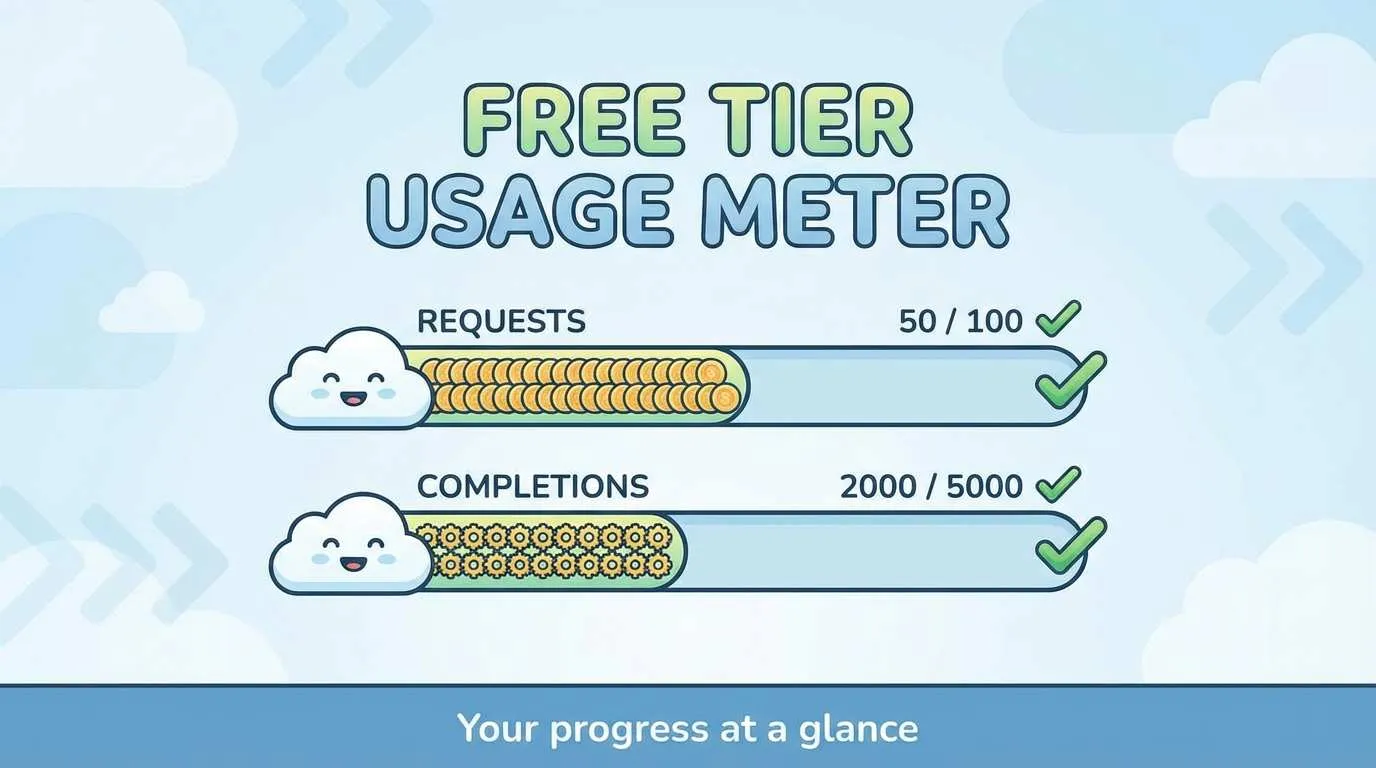
3 AM. I’m staring at the 17th function on my screen, finger hovering over the Tab key for a second—will Cursor pop up that frustrating message again: “You’ve hit your free requests limit”?
You know this feeling. Code flowing, momentum building, then suddenly interrupted by quota limits. Whole vibe ruined. What’s worse? You have no idea where those 50 Premium requests went.
Honestly, I was confused about Cursor’s free tier quota rules at first too. Seeing “50 slower premium requests” and “2000 completions” on their site, I had three questions:

- Are these numbers enough?
- What exactly are Premium requests? And code completions?
- What happens when they run out? Should I upgrade to Pro?
After a month of trial and error, I discovered many people waste their free quota. Some burn through it in a week, others have half left after a month. The difference? Understanding how these quotas are calculated.
This article breaks down every detail of Cursor’s free tier: how the 50 and 2000 are counted, 4 solutions when you hit the limit, plus 6 practical tips to make your free quota last an extra month.
How Much Does Cursor Free Tier Really Give You? The Truth Behind the Numbers
Bottom line first: Cursor’s free tier gives you 50 Premium requests and 2000 code completions per month. Sounds like a lot? Hold on—you need to understand what these two numbers actually mean.
What Are Premium Requests?
Simply put, operations that require the large model to think deeply. Specifically:
- Composer multi-file edits: Like asking Cursor to modify 3 files simultaneously
- Large-scale refactoring: Restructuring an entire module’s architecture at once
- Complex conversations: Asking in the Chat panel “help me design a user authentication system” that generates lots of code
When you open Composer (Cmd/Ctrl+I) in Cursor and start writing requirements, you’re consuming Premium requests. Use it once, that’s one less from your 50.
What About Code Completions?
This one’s easier to understand—those Tab key auto-completions when you’re typing code.
For example, you type function getUserData, Cursor suggests completing (userId: string) { return fetch... }, you press Tab to accept—that counts as one completion.
2000 sounds like a lot, right? Honestly, if you’re a heavy user, you’ll burn through it in a week. Every Tab press counts. Do the math on how many lines you code per day.
Don’t Miss the New User Bonus
Here’s something many people don’t know: new registrations get a 14-day Pro trial with 150 fast Premium requests.
Note that the trial’s 150 are “fast requests”—response speed is several times faster than the free tier’s “slower requests”. After the trial ends, you’re downgraded to 50 slow requests per month.
How to maximize this trial period?
- Use it for complex project initialization and setup
- Try out all the Composer features you want to explore
- Complete tasks requiring heavy AI assistance
Once the trial’s over, you’ll need to be more conservative.
Comparing to Competitors
Curious how much GitHub Copilot’s free tier offers? Same answer: 2000 code completions + 50 chat requests.
Seems like the industry is pretty “generous” with free users—numbers are aligned. The real difference is in Pro pricing and features, which we’ll discuss next.
Back to Cursor—based on my actual testing: if you’re a light user (coding 1-2 hours daily), you’ll probably use 20-30 Premium requests and 800-1200 completions in a month. Completely sufficient.
But if you’re a full-time developer, you might burn through those 50 Premium requests in a week. What then?
Free vs Pro: What Does $20/Month Get You?
When it comes to upgrading to Pro, most people’s first reaction is: “Is $20 a month worth it?”
This depends on your usage. I’ll lay out a table—see where you fit:
| Comparison | Free Tier | Pro ($20/month) |
|---|---|---|
| Premium Requests | 50/month (slow) | Unlimited completions + pay-as-you-go conversations |
| Code Completions | 2000/month | Unlimited |
| Response Speed | Slower requests | Fast requests |
| Available Models | Limited models (Cursor Small, Gemini Flash, etc.) | All models (GPT-4, Claude, o1, etc.) |
| Composer | Limited use | Full features |
| Actual Value | - | $20 ≈ 225 Sonnet 4.5 or 500 GPT requests |
See the difference? Pro’s biggest advantage isn’t quantity—it’s speed and model access.
How Much Speed Difference?
What’s the actual experience with free tier’s “slower requests”?
You submit a Composer request, wait 5-10 seconds before code generation starts. Pro? Basically 1-2 seconds to start.
Don’t underestimate those few seconds. When you’re debugging, repeatedly changing code, waiting 10 seconds vs 2 seconds makes a huge experience difference. Can save you half an hour per day.
How Big Is the Model Limitation Impact?
Free tier’s available models are mainly:
- Cursor Small (their own small model, fast but limited capability)
- Gemini 2.5 Flash (Google’s free model)
- GPT-4o mini (OpenAI’s mini version, 500/day limit)
Sounds like plenty, right? But the problem is, when facing complex issues, these models really aren’t enough.
For example, if you want Cursor to help refactor complex state management logic, free tier models might generate buggy code you’ll have to fix yourself. Pro directly calls Claude Sonnet or GPT-4—done in one shot.
What Does $20 Actually Buy?
Pro’s billing logic changed. Your monthly $20 is actually buying $20 worth of API credits.
This $20 converts to:
- About 225 Claude Sonnet 4.5 conversations
- About 550 Gemini requests
- About 500 GPT-5 requests
Compared to the free tier’s 50 requests, that’s 4-10 times more usage. And it’s fast response, no queuing.
Who Should Upgrade to Pro?
Honestly, this decision is simple:
Should upgrade:
- Full-time developers (coding 4+ hours daily)
- Frequent complex refactoring
- Need fast response (can’t wait 10 seconds)
- Using Cursor for commercial projects
Free tier is enough:
- Students (homework, learning projects)
- Indie developers (light use, with quota-saving tips)
- Just trying it out (experiencing what AI coding feels like)
My choice? After the trial ended, I used free tier for two weeks, found myself constantly waiting for responses, so I upgraded. For me, $20 buying back time is worth it.
But if you’re a student or just coding occasionally, free tier is completely sufficient. The key is learning to use it conservatively.
What to Do When Free Quota Runs Out? 4 Official + Community Solutions
Okay, now the crucial part—what when those 50 run out?
I’ll categorize all solutions into two types: officially recognized and community-shared. Official ones first.
Official Solution 1: Wait for Monthly Refresh
The honest approach.
Cursor’s free quota refreshes monthly, specifically on your account creation date.
For example, if you registered on January 15th, every 15th at midnight, quota resets. 50 Premium requests and 2000 completions are back.
How to check remaining quota?
Open Cursor → Settings → find the Usage tab, it clearly shows:
- Premium requests: XX/50 used
- Completions: XXXX/2000 used
When you see it’s running low, go easy. Wait for refresh day to continue.
Official Solution 2: Upgrade to Pro
No explanation needed. Pay $20, immediately lift all restrictions.

For professional developers, this is the most hassle-free solution. Time is more valuable than money.
Community Solution 1: Delete Account and Re-register
This method is popular on various forums, but I must warn you: there’s risk.
Steps:
- Open Cursor settings → Account
- Click Delete Account
- Re-register with the same email
- System treats you as a new user, allocates new free quota + 14-day trial
Sounds great, right? But there’s a catch: after deleting 3 times you’ll be restricted.
System will show: “Too many free trial accounts used on this machine”.
Once flagged, no matter how many times you delete and re-register, it won’t work. So this method works 2-3 times max. Don’t be greedy.
Community Solution 2: Email Alias Trick
This method is more subtle.
Most email services (Gmail, Outlook, etc.) support a feature: add characters to your email address, mail still goes to the original inbox.
For example:
- Original:
[email protected] - Variant 1:
[email protected] - Variant 2:
[email protected]
These three email addresses all deliver to [email protected], but Cursor sees them as three different accounts.
This way you can register infinite new accounts, getting new free quota.
However—this method also has risks. Cursor might detect multiple accounts on the same machine, still triggering the “Too many free trial accounts” restriction.
Community Solution 3: Machine ID Reset Tools (Not Recommended)
Some online tools claim to “reset machine ID”, bypassing Cursor’s device detection. Like cursor-fake-machine plugin or go-cursor-help tool.
Sounds tempting, but I must warn you:
- Violates terms of service—this is clearly bypassing restrictions, Cursor has the right to ban your account
- Security risks—these tools come from unknown sources, might contain malicious code
- Might get blacklisted—frequent resets will be detected by Cursor, directly blacklisted
So my recommendation is: if just for learning purposes, occasionally resetting account is fine; if it’s commercial projects, just pay honestly.
Getting banned isn’t worth it.
My Recommendations
- Students/learners: Can try deleting and re-registering, but don’t exceed 3 times
- Indie developers: Combine with next section’s quota-saving tips, try to last a full month
- Professional developers: Go Pro directly, don’t bother
Honestly, if Cursor truly improves your efficiency, $20 a month really isn’t expensive. Compared to other subscription services (Netflix, Spotify), this ROI is much higher.
6 Practical Tips: Make Free Quota Last an Extra Month
Okay, now for the actionable content—how to make 50 Premium requests and 2000 completions last longer?
These tips are what I learned from a month of trial and error. Each one tested and effective.
Tip 1: Manage Context Well, Don’t Make AI Re-think
What’s the most wasteful operation? Making Cursor repeatedly understand the same code.
For example, you ask in Chat: “How to optimize this function?” Cursor understands it once. Five minutes later, you ask: “Does this function have bugs?” Cursor has to understand it again.
Two requests, double token consumption.
How to save?
Make everything clear in one conversation: “Check this function for bugs, then give optimization suggestions.”
Or when using Composer, explicitly specify file scope in @Codebase, don’t let it scan the entire project.
According to Zhihu users’ tests, optimizing context management can save 20-30% token consumption.
Tip 2: Split Long Conversations into Short Ones
Cursor’s billing logic: longer conversations consume more.
If you’ve gone back and forth 10 rounds in one Chat window, each round Cursor loads all previous conversation history, tokens climb steadily.
How to save?
Task done? Close Chat, start a new one.
Don’t be attached to that conversation window. Opening a new Chat and clearly saying “Based on the previous code, now need…” saves way more than continuing in the old conversation.
Tip 3: Use Precise Prompts, Reduce Back-and-Forth Fixes
This is the most easily overlooked point.
Many people ask Cursor vague questions: “Help me modify this code.”
Cursor generates code, you look: “No, I wanted different logic.”
Another revision. Two Premium requests gone.
How to save?
More precise prompts the better. Don’t say “optimize performance”, say “change this loop to use Map storage, avoid O(n²) complexity”.
Get it right in one shot, save revision rounds.
Tip 4: Prioritize Basic Completions, Use Advanced Features Less
This strategy is simple: if Tab completion can solve it, don’t use Composer.
Tab completions consume from the 2000 quota, Composer consumes from the 50 Premium requests. Which is more precious? Obviously the latter.
How to save?
- Writing simple CRUD, form validation? Use Tab completion
- Changing variable names, adding imports? Use Tab completion
- Need to modify 3 files simultaneously, refactor entire module? That’s when to use Composer
Save Premium requests for truly complex tasks.
Tip 5: Set Usage Alerts, Don’t Suddenly Run Out
This tip can save your life.
Imagine: Friday night 11 PM, you’re rushing a project, suddenly Cursor pops up “quota exhausted”. Panic?
How to save (or rather, not waste)?
Regularly check Usage panel. When Premium requests drop to 10, go easy.
Set yourself a rule: below 10 remaining, only use for urgent bug fixes, not new feature development.
This at least ensures you have quota when it really matters.
Tip 6: Combine Free Tools, Share Cursor’s Load
Cursor isn’t the only AI coding tool.
Basic functions (code completion, simple Q&A), many free tools can do:
- GitHub Copilot free tier (2000 completions + 50 chats)
- Various VS Code AI plugins
- Directly use ChatGPT web version for code questions
How to save?
Delegate simple tasks to other tools, use Cursor only for complex multi-file edits and architecture design.
For example, writing doc comments? Use Copilot. Refactoring entire data layer? Use Cursor.
This way your 50 Premium requests last longer.
Combined Effect
If you use all 6 tips, how much can you save?
According to Zhihu users’ tests: combined use can boost efficiency by over 50%.
In other words, quota that originally lasted two weeks can stretch to a month.
The key is building habits. Feels cumbersome at first, becomes natural after two weeks.

Is Free Tier Enough? 3 User Types’ Real Experiences
After all this, you probably still want to know: is the free tier actually enough?
Answer: depends who you are.
I’ve categorized users into three types, let’s discuss real experiences.
Type 1: Students/Learners—Completely Sufficient
If you’re a student or just learning programming, free tier is totally enough.
Typical use cases:
- Course homework (2-3 small projects weekly)
- Learning new frameworks (following tutorials coding)
- Personal practice projects (Todo App, blog systems, etc.)
These users code 1-2 hours daily, in a month they’ll use:
- Premium requests: 15-25 times
- Code completions: 600-1000 times
Completely within free quota. And that’s not even counting the 14-day trial—those 150 fast requests are enough for several major assignments.
User comment: “Daily use is enough, mainly for summarizing literature code and related work.”
Type 2: Indie Developers—Barely Enough, Need Tips
If you’re an indie developer working on your own projects, free tier works, but you need to combine with the previous quota-saving tips.
Typical use cases:
- Developing personal projects (SaaS, tool websites)
- Freelance work (building sites, mini-apps for clients)
- Maintaining open source projects (fixing bugs, adding features)
These users code 3-5 hours daily, in a month they’ll use:
- Premium requests: 35-50 times (right on the edge)
- Code completions: 1500-2000 times (basically maxed out)
Can last a month, but need careful usage. Apply all 6 tips to avoid going over.
At critical moments (like project deadlines), might feel insufficient. Can consider temporarily upgrading to Pro for one month.
Type 3: Professional Developers—Not Enough, Recommend Pro
If you’re a full-time developer, working at a company or full-time projects, free tier barely lasts a week.
Typical use cases:
- Company project development (8 hours daily coding)
- Large refactoring (modifying dozens of files)
- High-frequency debugging (repeatedly fixing bugs, optimizing performance)
These users code 6-8 hours daily, in a week they’ll:
- Exhaust 50 Premium requests (not even enough)
- Exhaust 2000 completions (completely insufficient)
User feedback: “Free tier limits models and frequency, basically after a week’s experience, need to upgrade to Pro for better experience.”
For professional developers, $20 monthly fee buying back time efficiency is absolutely worth it. Don’t let saving money impact work progress.
Decision Tree: Which Should You Choose?
Still unsure? Use this simple judgment standard:
Do you code more than 4 hours daily?
  └─ Yes → Go Pro directly
  └─ No → Continue asking

Do you frequently use Composer for multi-file edits?
  └─ Yes → Recommend Pro
  └─ No → Continue asking

Are you working on commercial projects?
  └─ Yes → Recommend Pro (running out affects project progress)
  └─ No → Free tier is enough

Prerequisite for free tier sufficiency: combine with quota-saving tips
Conclusion
After all this, three key points:
First, Cursor’s free tier quota (50 Premium requests + 2000 completions) is completely sufficient for light users. Students, learners, personal practice projects—more than enough for a month.
Second, through optimizing usage habits—managing context, splitting conversations, precise prompts, using less advanced features—you can boost efficiency by 50%. Quota that originally lasted two weeks can stretch to a month.
Third, professional developers don’t hesitate, go Pro directly. The time $20 buys back is worth way more than the money. If Cursor truly improves your development efficiency, it’s the best investment.
Final action suggestions:
- Immediately check your Usage (Settings → Usage panel), see how much you’ve used
- Try for 2 weeks then decide, don’t rush to upgrade, see if free tier meets your needs first
- Share your experience in comments, how do you use Cursor? Is quota enough?
Running out of quota isn’t scary—not knowing where it went is. Understand the rules, plan reasonably, free tier can perform like Pro.
FAQ
What do Cursor's free tier 50 Premium requests and 2000 completions refer to?
• Composer multi-file edits (modifying multiple files simultaneously)
• Large-scale refactoring (restructuring entire modules at once)
• Complex conversations (generating lots of code in Chat panel)
Code completions refer to Tab key auto-completions—each accepted suggestion counts as one. Light users (1-2 hours daily coding) use 20-30 Premium requests and 800-1200 completions monthly, completely sufficient.
What are the core differences between free tier and Pro ($20/month)?
• Response speed: Free tier 5-10s to start generating, Pro 1-2s (saves half hour daily)
• Available models: Free tier only Cursor Small, Gemini Flash etc. limited models, Pro supports all GPT-4, Claude, o1 etc. advanced models
• Usage amount: Free tier 50/month, Pro $20 ≈ 225 Sonnet 4.5 or 500 GPT requests (4-10x more)
If you code 4+ hours daily or work on commercial projects, recommend Pro directly.
What solutions exist when free quota runs out?
• Wait for monthly refresh (resets at account creation date midnight)
• Upgrade to Pro (immediately lifts restrictions)
Community solutions (risky):
• Delete account and re-register (max 3 times, then restricted)
• Email alias trick ([email protected] etc., might be detected)
• Machine ID reset tools (violates ToS, might get banned, not recommended)
Recommendation: learning purposes can occasionally reset, commercial projects should honestly pay.
How to make free quota last longer? What quota-saving tips exist?
1. Manage context: ask everything in one conversation, don't repeatedly understand code (saves 20-30% tokens)
2. Split conversations: close Chat when task done, start new one, avoid loading long history
3. Precise prompts: say "change loop to Map storage" not "optimize performance", reduce revision rounds
4. Prefer Tab completions: use Tab for simple CRUD, Composer only for complex refactoring
5. Set alerts: below 10 remaining only solve urgent bugs
6. Combine other tools: doc comments with Copilot, architecture design with Cursor
Combined use boosts 50%+ efficiency, two weeks' quota lasts a month.
Should I choose free tier or Pro?
Completely sufficient (free tier):
• Students/learners: homework, learning frameworks, practice projects (15-25 requests monthly)
• Light use: 1-2 hours daily coding
Barely sufficient (free tier + tips):
• Indie developers: personal projects, freelance, open source (3-5 hours daily, 35-50 requests monthly)
Not enough (recommend Pro):
• Professional developers: company projects, large refactoring, high-frequency debugging (6-8 hours daily, exhausts in one week)
Decision standard: 4+ hours daily coding, frequent multi-file edits, commercial projects → Go Pro directly. Otherwise free tier with quota-saving tips is enough.
14 min read · Published on: Jan 10, 2026 · Modified on: Mar 22, 2026

Related Posts
From Copilot to Antigravity: Mastering the Agent-First Development Paradigm

From Copilot to Antigravity: Mastering the Agent-First Development Paradigm
AI Keeps Writing Wrong Code? Master These 5 Prompt Techniques to Boost Efficiency by 50%

AI Keeps Writing Wrong Code? Master These 5 Prompt Techniques to Boost Efficiency by 50%
Cursor Advanced Tips: 10 Practical Methods to Double Development Efficiency (2026 Edition)

Comments
Sign in with GitHub to leave a comment