
Complete Cursor Pro Subscription Guide: Pricing, Payment Methods, Student Discount & Money-Saving Tips (2026)
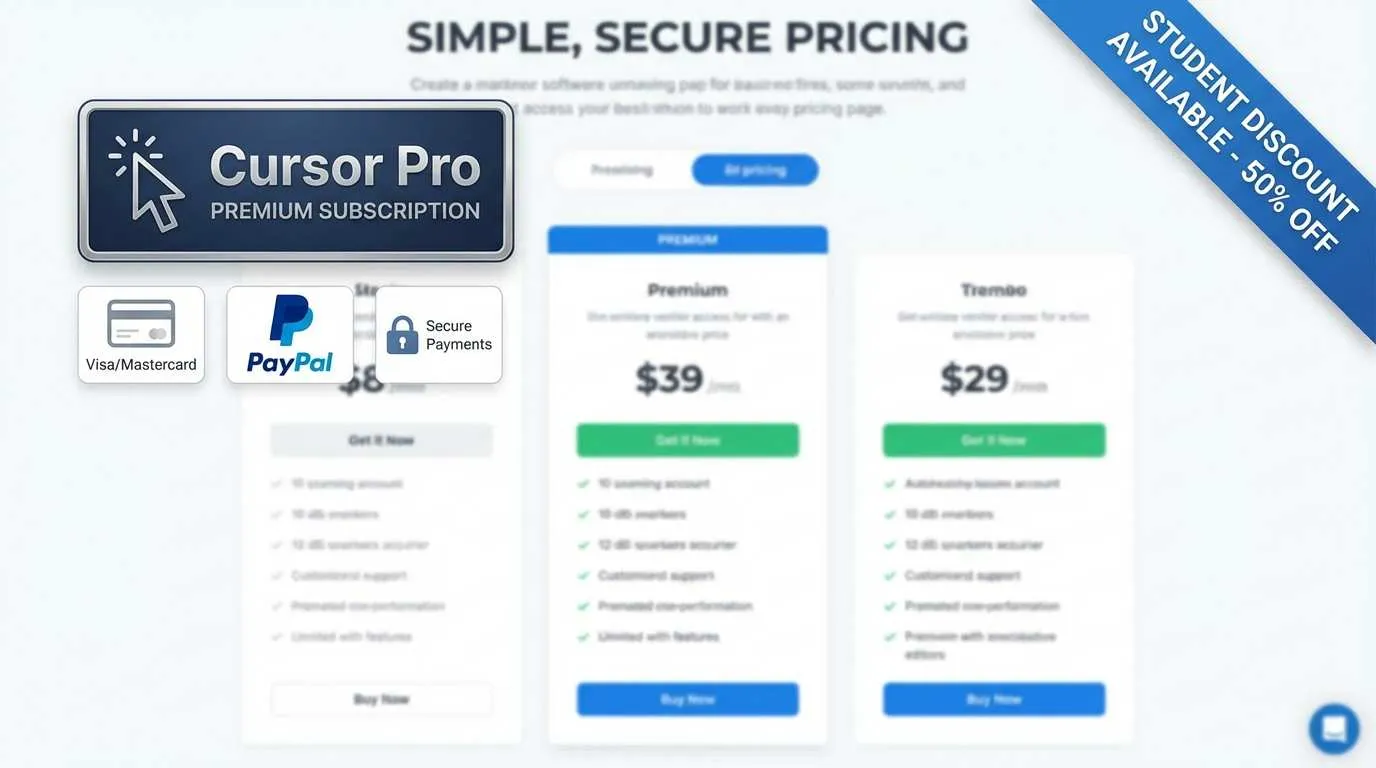
My cursor hovered over the “Subscribe to Pro” button, staring at that $20/month price tag. My hand froze mid-air.
This happened to me last week. After using Cursor’s free tier for two weeks, I kept running into the Tab completion limit, and my 50 monthly AI chat quota was depleted by week two. I wanted to upgrade to Pro, but honestly, $140 per month is not a small amount for students.
Even more frustrating was discovering that the payment page only showed credit card options. My UnionPay card was useless. At that moment, I almost closed the window and gave up.

But then I thought: what about student discounts? Don’t most tools offer them? I searched around and discovered a pleasant surprise: students can get a full year of Pro completely free, worth $240. Plus, Alipay has been supported for a while—no need to mess around with virtual cards.
This article is here to share that information with you. Whether you’re a student debating whether to subscribe, a developer unsure how to pay, or a freelancer looking to save money, you’ll find answers here.
Cursor Subscription Pricing Overview
What are Cursor’s subscription tiers?
Let’s talk pricing first. Cursor currently has three plans:
Seems like the Free tier is sufficient? Actually, not quite.
What’s the real difference between Free and Pro?
After using the Free tier for two weeks, I discovered that the biggest limitation isn’t the AI chat count—it’s the Tab completion restrictions.
Tab completion is when Cursor automatically writes out entire lines or even functions as you type. The Free tier cuts you off after a few dozen uses per day, while Pro is truly unlimited. For someone who codes daily, this difference is like having someone hand you a pen versus not—theoretically you can write either way, but the efficiency gap is massive.
Then there’s the AI model difference. The Free tier uses basic models, while Pro gives you access to Claude 3.5 Sonnet and GPT-4. In practice, when handling complex refactoring tasks, the premium models are noticeably more reliable and better at understanding context.
Is Pro worth subscribing to?
This depends on your situation:
✅ Recommended if you:
- Code 2+ hours daily
- Frequently need AI assistance for refactoring/debugging
- Are learning new frameworks and need to ask “how do I do this” often
- Have clear efficiency improvement needs
❌ Can wait if you:
- Just starting to learn programming, only open your IDE a few times per week
- Mainly reading code rather than writing it
- Current Free tier’s 50 chats/month is still sufficient
My suggestion? Use the Free tier for 1-2 weeks, and upgrade when you feel limited. New Cursor accounts get a 2-week Pro trial—perfect for comparing the difference. If you can’t live without it during the trial, that’s when you truly need it.
Here’s real data: According to user feedback, productivity improves by about 30% on average after subscribing. If you save 1 hour per day, that’s 20 hours per month. If your hourly rate exceeds $1, the subscription pays for itself.
Payment Methods Explained
What payment methods does Cursor support?
This is the most frustrating question. I got stuck here myself.
Currently supported:
- ✅ Credit cards (Visa/Mastercard) - processed through Stripe
- ✅ Alipay - a lifesaver for Chinese users (supported since 2024)
Not supported:
- ❌ UnionPay cards
- ❌ PayPal
- ❌ WeChat Pay
- ❌ Apple Pay
Don’t panic if you don’t see Alipay at first. While it’s not prominently displayed on the official payment page, there is indeed an Alipay option when selecting payment methods.
How do Chinese users pay? (The easiest method)
Method 1: Direct Alipay payment (Recommended)
- Visit cursor.com/pricing
- Click “Subscribe to Pro”
- Scroll down on the payment page, select “Alipay”
- Redirect to Alipay, scan and pay
- Done! Instant activation
The entire process takes less than 2 minutes. Exchange rate is based on the current day’s rate, roughly around 140 RMB (depending on exchange rate fluctuations).
Method 2: Use dual-currency credit cards
If you have a credit card with Visa or Mastercard logos (many domestic banks offer these), you can pay directly.
Note that:
- Foreign transaction fees apply, typically 1-2%
- Bill displays in USD, bank automatically converts to RMB
- Some banks require enabling overseas payment functionality
Why can’t UnionPay cards be used?
This question has been asked countless times in forums. Simply put: Cursor’s payment processor is Stripe, and Stripe doesn’t support UnionPay. It’s not that Cursor doesn’t want to support it—it’s a technical limitation.
Someone might ask: what about virtual cards?
Indeed, some people have successfully paid using virtual card services like WildCard. But honestly, since Alipay works, there’s no need to bother. Virtual card services charge their own fees, carry payment failure risks, and Cursor support won’t help if you encounter issues.
Student Free Policy (Important!)
Can students use Cursor Pro for free?
Yes. Free. A full year.
When I discovered this, I genuinely regretted it—if I’d known earlier, I could have saved those two months’ fees.
What’s the benefit exactly?
- Free duration: Complete 1-year Pro membership
- Value: $240 (equivalent to $20/month × 12 months)
- Feature limitations: None whatsoever, identical to paid Pro
This isn’t a stripped-down version or trial—it’s a legitimate Pro account. 500 premium model requests, unlimited Tab completion, Claude 3.5 and GPT-4 at your disposal.
Do I qualify for the application?
You need to meet two conditions:

-
Have a .edu educational email
- Must be a valid school email
- Most domestic 985/211 universities are supported
- Some private schools might not be in the database
-
Pass SheerID identity verification
- SheerID is a professional student identity verification platform
- Supports the US, China, India, and most European countries
- Requires uploading student ID or admission letter
No credit card needed, no advance payment required—zero barriers.
Application steps (takes 5 minutes)
This is crucial. Follow the order strictly, or verification will fail.
Step 1: Register Cursor account with .edu email
- Important! Your Cursor account must be registered with an educational email
- If you’ve already registered with another email, either create a new account or change it in Settings
- This is the most common failure reason, accounting for 80%
Step 2: Visit student verification page
- Go to cursor.com/students
- Log into your Cursor account
- Click “Verify Student Status” button
Step 3: Complete verification on SheerID page
- You’ll be redirected to SheerID’s verification page
- Fill in school name (in English or pinyin)
- Upload student ID or admission letter
- Confirm information is correct and submit
Step 4: Wait for review
- Results typically come within 1-2 days
- You’ll receive an email notification when approved
- 1-year Pro access automatically activated
I uploaded my student ID photo and was approved the next day. A friend used their admission letter PDF and was also approved smoothly.
What if the application fails?
If you see “Verification Failed,” 90% of the time it’s one of these reasons:
❌ Failure reason 1: Email mismatch
- You registered Cursor with a QQ email but verified with .edu email
- Solution: Go to Settings → Account and change to educational email
❌ Failure reason 2: School not in database
- Some schools might not be recognized by SheerID
- Solution: Try using your school’s English name, or contact Cursor support
❌ Failure reason 3: Unclear documentation
- Photo is blurry or information isn’t visible
- Solution: Retake a clear photo ensuring school name, your name, and date are visible
Pro tip: If your school’s name is complex, search SheerID’s official website for their school list first to see how they’ve labeled your school.
What happens after 1 year expires?
This is a common concern.
After expiration, it will automatically revert to $20/month billing. But you can:
- Cancel subscription anytime in Settings → Billing
- Keep access until current cycle ends after canceling
- No need to worry about sudden charges
If you’re still a student, you can theoretically renew. However, the official statement doesn’t clarify how many times you can renew—best to consult customer support before expiration.
Can I apply for student free if I’m already paying?
Yes!
If you’re currently a paid Pro user and verify student status:
- Cursor will refund the remaining balance of your current cycle
- Automatically switch to student free plan
- All your existing data and settings remain unchanged
Essentially, you get a prorated refund for what you’ve paid. So don’t hesitate—go verify now.
Legitimate Money-Saving Tips
Students have free access, but what about non-students? Here are some legitimate ways to save money.
Method 1: Maximize the 2-week trial
New Cursor accounts come with a 2-week Pro trial. This isn’t the “pay first then refund” kind—it’s a true no-card-required trial.
How to use it most effectively?
- Don’t rush to activate the trial, first familiarize yourself with features using Free tier
- Wait until you have a major project to start the trial
- Concentrate refactoring/learning tasks during the trial period
- Decide whether to pay as the 14 days near expiration
Someone might ask: Can I create multiple accounts for repeated trials?
Theoretically yes, but not recommended. Cursor might identify based on device ID, switching accounts is cumbersome, and data doesn’t sync. Rather than this hassle, better to clearly evaluate whether you truly need Pro.
Method 2: Subscribe on-demand, cancel when done
Pro is a monthly subscription that you can cancel anytime. This creates flexible operating space:
- Subscribe for the month you’re learning a new framework, cancel after learning
- Subscribe during major projects to boost efficiency, pause when done
- Use Free tier normally, upgrade for 1-2 months when critical
Canceling subscription doesn’t take immediate effect—it continues until the current cycle ends. For example, if you paid on the 15th, you’ll have Pro access until the 14th of the next month.
Real case: I have a friend who uses it this way. He mainly does frontend work, and the Free tier suffices normally. Whenever he takes on a new project, he subscribes for one month to finish quickly, then cancels. Over a year, he only paid for 3 months, saving $140.
Method 3: Use Free tier features strategically
Many people think the Free tier isn’t enough, but they’re not using it correctly.
The right approach to Free tier:
- Tab completion is limited but available when it matters
- Use monthly 50 AI chats specifically for solving difficult problems
- Write simple code yourself, ask AI for help with complex logic only
In other words, treat AI as a “code consultant” rather than a “code nanny.” Think through problems before asking, rather than asking about everything.
Data shows 70% of Free tier users report it’s “sufficient.” The remaining 30% who need Pro are basically heavy users coding 4+ hours daily.
Can Business tier save money? (Avoid this pitfall)
Seeing Business tier at $40/user/month, some people think about splitting costs with 3-5 people—wouldn’t that be cheaper than buying Pro individually?
Answer: It won’t be cheaper.
Business tier’s $40 includes team management, unified billing, and priority support—essentially still $40 per person. It’s designed for company procurement and unified management, not for saving money through group buys.
Moreover, Business tier has a restriction: admins can see team members’ usage. If you’re splitting with strangers, privacy becomes an issue.
”Money-saving methods” to avoid
Forums frequently mention these methods that seem cost-effective but carry significant risks:
❌ Account sharing
- Violates Cursor’s Terms of Service (ToS)
- Multiple devices logging in simultaneously may result in account suspension
- Your code data might be visible to others
❌ Pirated/cracked versions
- Cursor is a cloud service, no cracked version exists
- Claims of cracked versions are scams or malware
⚠️ Virtual card services
- Some work, but compliance is questionable
- Risk of payment failure and card freezing
- Cursor won’t help resolve issues
- Since Alipay works, no need to take the risk
The real money-saving strategy
After all this, the most practical advice comes down to three points:
- Students → Apply for free immediately ($240 value, don’t miss it)
- Heavy users → Subscribe directly ($20/month for 30% efficiency boost is worth it)
- Light users → Subscribe on-demand or stick with Free tier
Stop trying to “game the system.” A $20/month tool that genuinely boosts your efficiency provides returns dozens of times over. If you won’t use it, you won’t use it even when it’s free.

The key is understanding your needs, not obsessing over saving this $20.
Subscription Management Tips
After subscribing, here are some practical tips to help you use it more smoothly.
How to cancel subscription?
If you no longer want to continue, canceling is simple:
- Open Cursor, go to Settings
- Click Billing
- Find “Cancel Subscription” button
- Confirm cancellation
Important: Cancellation doesn’t take immediate effect—it continues until your current billing cycle ends. For instance, if you paid on January 15th, you can use it until February 14th after canceling. Features remain unaffected during this period, and data won’t be lost.
Can I upgrade or downgrade plans?
Absolutely:
- Free to Pro upgrade: Takes effect immediately, unlocks all features instantly
- Pro to Free downgrade: Takes effect next billing cycle, doesn’t terminate immediately
- Pro to Business switch: Contact customer support, fees calculated proportionally
How to get invoices?
After each charge, Cursor automatically sends an invoice to your registered email.
If you need historical invoices:
- Settings → Billing
- Find “Invoice History”
- Click to download PDF for the corresponding month
These PDF invoices work perfectly for company reimbursements.
What happens if renewal fails?
If your payment method fails (e.g., expired credit card, insufficient Alipay balance):
- Cursor will email you a reminder
- You get a 7-day grace period to replenish balance
- After 7 days without payment, automatically downgraded to Free tier
- Data won’t be lost, just feature restrictions
Pro access restores immediately upon successful payment.
Conclusion
After all this, here’s a quick decision guide for three types of people:
If you’re a student:
- Don’t hesitate, go to cursor.com/students and apply for free 1 year immediately
- Remember to register Cursor account with .edu email
- $240 discount, missing out would be a huge loss
If you code daily:
- Pro at $20/month is genuinely worth it
- Try the 2-week trial first
- By efficiency gains, you’ll likely break even in the first week
If you only occasionally use Cursor:
- Free tier is actually sufficient
- Subscribe on-demand for 1-2 months during major projects
- Or maximize the trial period, subscribe for critical moments
For payment, just use Alipay directly—simple and quick. Stop messing around with virtual cards.
Finally, I want to say: a tool’s value isn’t about its price, it’s about whether it can truly help you solve problems and improve efficiency. For people who code daily, Cursor Pro is indeed a worthwhile investment. But if you won’t use it, you won’t open it even when it’s free.
Figure out your own needs first, then decide whether to spend this money. Don’t get led astray by terms like “student free” or “money-saving tips”—what suits you is what matters most.
FAQ
What are Cursor's subscription prices? What tiers are available?
What payment methods does Cursor support? Can I use UnionPay cards?
How do students apply for Cursor Pro free for 1 year? What conditions are needed?
Is Cursor Pro worth subscribing to? Is there a big difference from Free tier?
What happens after the student discount expires after 1 year? Will there be automatic charges?
13 min read · Published on: Jan 10, 2026 · Modified on: Mar 22, 2026

Related Posts
From Copilot to Antigravity: Mastering the Agent-First Development Paradigm

From Copilot to Antigravity: Mastering the Agent-First Development Paradigm
AI Keeps Writing Wrong Code? Master These 5 Prompt Techniques to Boost Efficiency by 50%

AI Keeps Writing Wrong Code? Master These 5 Prompt Techniques to Boost Efficiency by 50%
Cursor Advanced Tips: 10 Practical Methods to Double Development Efficiency (2026 Edition)

Comments
Sign in with GitHub to leave a comment