
Refactoring Code with Cursor? These Tips Will Make You Twice as Productive
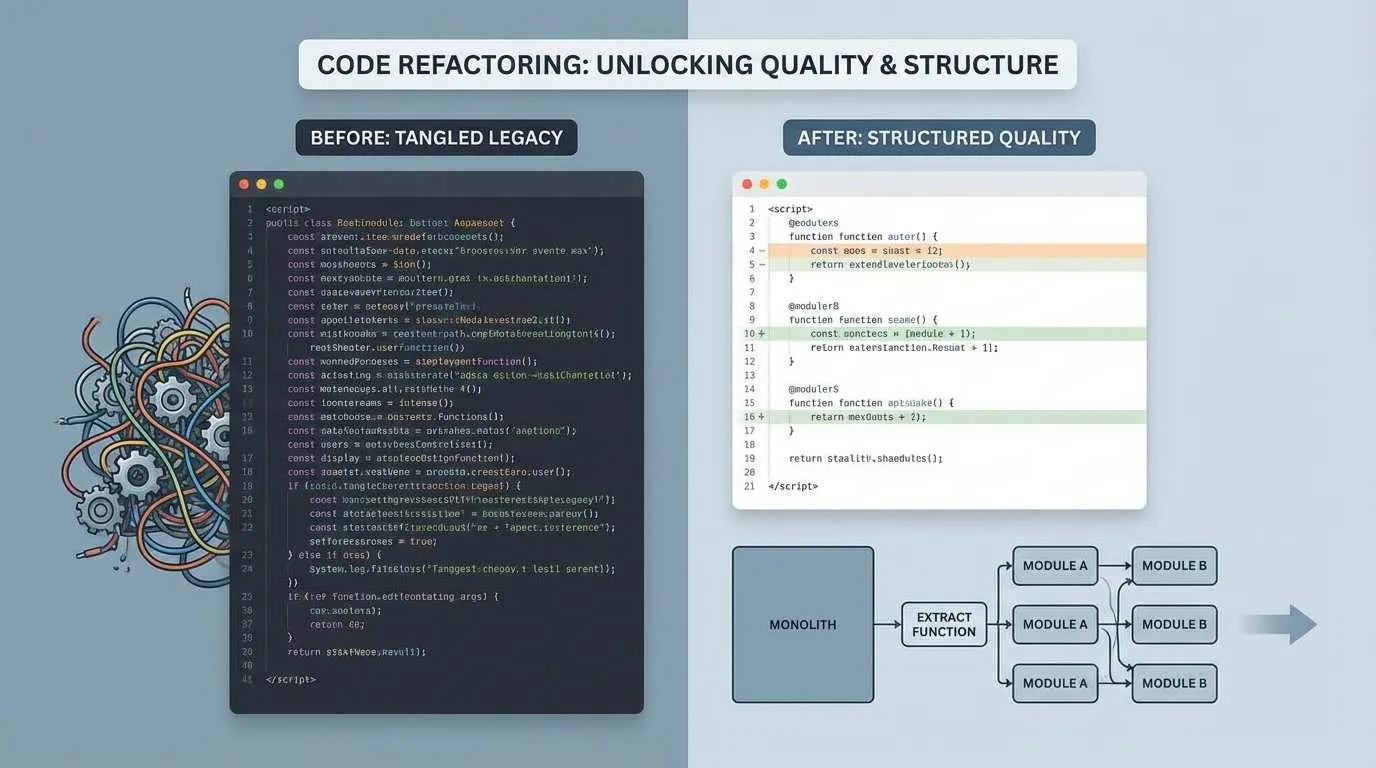
Have you ever encountered this situation?
You inherit a project, open a code file, and see a 200-line function with seven or eight nested if-else statements, with variable names like data1 and temp2. You mutter to yourself: “Who wrote this?” Then you check git blame and realize it was you three months ago…
You want to refactor it, but you’re afraid of introducing bugs. If you don’t refactor it, every requirement change feels like dancing in a minefield.

To be honest, I used to be the same way. Until I discovered Cursor’s code refactoring capabilities, I realized that AI can do more than just help you write code—when it comes to code refactoring, it might be more reliable than you think.
Today, let’s talk about how to use Cursor to refactor “legacy code” into something human-readable.
What Makes Cursor Refactoring So Powerful?
Before diving into the specifics, let me explain why I think Cursor is particularly well-suited for refactoring.
It Truly Understands Your Entire Codebase
Unlike traditional IDE refactoring tools that only perform syntax analysis, Cursor actually “comprehends” your code. When you rename a function, it not only changes where it’s called but also understands the function’s role in the entire system, giving you more reasonable refactoring suggestions.
Agent Mode Enables Cross-File Refactoring
This is my favorite feature. For example, if you want to move a utility function from file A to file B, the traditional approach is: copy code → delete old code → update all imports → pray you didn’t miss anything.
With Cursor Agent mode, you just tell it “move this function to utils.js,” and it automatically handles all reference updates. I was genuinely amazed the first time I used it.
Plan Mode: Think Before You Act
For complex refactoring, Cursor has a Plan mode (activated by pressing Shift+Tab). It analyzes your codebase first, asks clarifying questions, then gives you a detailed execution plan listing which files to change and how. Once you approve, it starts executing.
It’s like having a senior programmer help you with code review, proactively avoiding many pitfalls.
Case Study 1: Extract Functions for Clearer Responsibilities
Let me show you a real-world scenario.
I previously maintained an order processing system with a function that looked like this (simplified version):
function processOrder(order) {
  // Validate order
  if (!order.items || order.items.length === 0) {
    throw new Error('Order is empty');
  }
  if (!order.userId) {
    throw new Error('Missing user information');
  }

  // Calculate price
  let total = 0;
  for (let item of order.items) {
    let price = item.price;
    if (item.discount) {
      price = price * (1 - item.discount);
    }
    total += price * item.quantity;
  }

  // Check inventory
  for (let item of order.items) {
    const stock = db.getStock(item.productId);
    if (stock < item.quantity) {
      throw new Error(`${item.name} out of stock`);
    }
  }

  // Create order record
  const orderRecord = {
    id: generateId(),
    userId: order.userId,
    items: order.items,
    total: total,
    status: 'pending',
    createdAt: new Date()
  };

  db.saveOrder(orderRecord);
  return orderRecord;
}
This function has over 40 lines and does four things: validate, calculate, check inventory, and save. While the logic isn’t complex, it’s tiring to read and difficult to test.
Using Cursor to Extract Functions
Here’s what I did:
- Select the validation logic section (the first few if statements)
- Press the shortcut
Cmd/Ctrl + K(opens Cursor edit panel) - Enter the command:
Extract as validateOrder function
Cursor automatically generates:
function validateOrder(order) {
  if (!order.items || order.items.length === 0) {
    throw new Error('Order is empty');
  }
  if (!order.userId) {
    throw new Error('Missing user information');
  }
}
Then it replaces the original code with validateOrder(order);
Using the same method, I extracted three more functions: calculateTotal, checkStock, and createOrderRecord.
The final code becomes:
function processOrder(order) {
  validateOrder(order);
  const total = calculateTotal(order.items);
  checkStock(order.items);
  const orderRecord = createOrderRecord(order, total);
  db.saveOrder(orderRecord);
  return orderRecord;
}
Now this function has only 6 lines, but the business flow is immediately clear.
Key Considerations (Pitfall Avoidance Guide)
1. Give AI Clear Extraction Intent
If you just select code and press a shortcut, Cursor might not guess what you want. It’s better to be explicit: “Extract as validation function” or “Make this calculation logic an independent function.”
2. Review Function Names
AI-generated function names can sometimes be generic, like handleData or processItems. If the name isn’t clear enough, manually change it to something more specific, like calculateOrderTotal or validateUserPermissions.
3. Verify Parameters and Return Values
After extraction, check whether the function parameters are appropriate. Sometimes AI includes unnecessary variables as parameters.
Case Study 2: Optimize Nested Logic for Flatter Code
Deeply nested code is another common problem.
For example, this permission checking code:

function canUserEditPost(user, post) {
  if (user) {
    if (user.role === 'admin') {
      return true;
    } else {
      if (post.authorId === user.id) {
        if (post.status === 'draft') {
          return true;
        } else {
          return false;
        }
      } else {
        return false;
      }
    }
  } else {
    return false;
  }
}
This “arrow-shaped” code is particularly exhausting to read—you have to untangle the logic layer by layer.
Let Cursor Optimize It for You
My approach is to use Chat mode directly:
- Select this code segment
- Open Cursor Chat (
Cmd/Ctrl + L) - Enter:
This code is too deeply nested, help me refactor it using early return
Cursor’s optimized version:
function canUserEditPost(user, post) {
  if (!user) return false;
  if (user.role === 'admin') return true;
  if (post.authorId !== user.id) return false;
  return post.status === 'draft';
}
The code shrinks from 17 lines to 5, and the logic is crystal clear.
Optimization Technique Summary
Early Return
Return immediately when conditions aren’t met, avoiding deep nesting.
Guard Clauses
Handle exceptional cases and boundary conditions at the beginning of the function.
Extract Conditional Logic
If conditions are complex, extract them into independent functions, like:
function isPostEditable(post) {
  return post.status === 'draft';
}

function isPostOwner(user, post) {
  return post.authorId === user.id;
}
This makes the main logic clearer.
Case Study 3: Add Type Annotations for Safer Code
If you’re using JavaScript or Python without a type system, refactoring can easily cause problems. You might change a function’s return value, and the calling code might not even realize it.
This is where having Cursor add type annotations becomes very useful.
TypeScript Type Inference
Suppose I have a JavaScript function:
function getUserInfo(userId) {
  const user = db.getUser(userId);
  return {
    name: user.name,
    email: user.email,
    age: calculateAge(user.birthDate)
  };
}
I want to add TypeScript types:
- Select the function
- Enter in Cursor Chat:
Add TypeScript type annotations to this function
Cursor analyzes the code context and generates:
interface UserInfo {
  name: string;
  email: string;
  age: number;
}

function getUserInfo(userId: string): UserInfo {
  const user = db.getUser(userId);
  return {
    name: user.name,
    email: user.email,
    age: calculateAge(user.birthDate)
  };
}
It not only infers parameter and return types but also defines the UserInfo interface for you.
Python Type Hints
Same goes for Python. For code like this:
def calculate_discount(price, user_level):
    if user_level == 'vip':
        return price * 0.8
    elif user_level == 'premium':
        return price * 0.9
    else:
        return price
Have Cursor add types:
def calculate_discount(price: float, user_level: str) -> float:
    if user_level == 'vip':
        return price * 0.8
    elif user_level == 'premium':
        return price * 0.9
    else:
        return price
With type hints, your IDE can provide better code completion and check type compatibility during refactoring.
Case Study 4: Large-Scale Refactoring with Agent Mode
The previous examples were all single-file refactoring. But what if your refactoring involves multiple files?
For instance, I want to move a UserService class from services/user.js to services/user/UserService.js, and also split related helper functions into separate files.
This kind of cross-file refactoring is prone to omissions when done manually, and the code might not run after the changes.
Activate Agent Mode
This is when you should use Cursor’s Agent mode.
- Open Cursor Chat
- Click “Agent” mode (or enter
@agent) - Describe your refactoring goal:
Refactor UserService class into independent module:
- Move to services/user/UserService.js
- Move helper functions formatUserData, validateEmail to services/user/utils.js
- Update all references to these functions
Plan Mode Makes Refactoring More Controllable
For complex refactoring, I recommend using Plan mode. Press Shift+Tab in the Agent input box, and Cursor will switch to Plan mode.
It first analyzes your codebase, then provides an execution plan:
📋 Refactoring Plan

1. Create new file structure
   - services/user/UserService.js
   - services/user/utils.js

2. Move UserService class
   - From services/user.js to services/user/UserService.js
   - Add export default UserService

3. Move helper functions
   - formatUserData → services/user/utils.js
   - validateEmail → services/user/utils.js

4. Update references (detected 5 files need updating)
   - controllers/userController.js
   - routes/userRoutes.js
   - tests/userService.test.js
   - ...

Confirm execution? (y/n)
You can review this plan and even edit it directly. Once you confirm it’s correct, enter y, and Cursor will execute according to the plan.
The entire process is fully automated and synchronously updates all import statements.
Applicable Scenarios for Agent Mode
- Rename classes/functions/variables (across multiple files)
- Split or merge modules
- Migrate code to new file structure
- Batch replace certain patterns (e.g., change all
vartoconst)
Don’t Forget to Verify After Refactoring
No matter how smart AI is, you must verify the refactored code yourself.
My Checklist
1. Run All Tests
npm testIf tests fail, first check whether it’s a code issue or tests need updating.
2. Check Type Errors (TypeScript projects)
npm run type-check3. Code Review AI’s Changes
Use git diff to see what AI changed. Sometimes it changes things you didn’t want changed.
4. Manually Test Critical Paths
Especially for refactoring involving business logic, definitely run through the main flow manually.
5. Check for Missed Updates
Search for old function names and variable names to confirm everything was updated.
How to Avoid Bugs Introduced by AI Refactoring
Small Iterations
Don’t refactor too much at once. Refactor one function, pass tests, then move to the next.
Keep Git History Clean
Commit after completing each refactoring. If something goes wrong, you can quickly revert.
git add .
git commit -m "refactor: extract order validation logic into separate function"
Ask AI to Explain Its Changes
If AI makes a change you don’t quite understand, ask it:
Why did you make this parameter optional?AI will explain its reasoning process, helping you understand whether the change is reasonable.

Best Practices: Make Cursor Refactoring More Efficient
After using it for a while, I’ve summarized several efficiency-boosting tips:
1. Discuss the Approach First, Then Execute
Don’t just have AI change code right away. First use Ask mode (Cursor Chat’s default mode) to discuss the refactoring approach:
I want to refactor this 200-line function, what do you suggest?AI will give you some ideas. Once you’re satisfied, switch to Agent mode to execute.
2. Use @ to Reference Context
If refactoring involves multiple files, use @ to reference related code:
@services/user.js @controllers/userController.js
I want to move user authentication logic from controller to service, keeping the interface unchanged
This helps AI understand your intent more accurately.
3. Adjust Task Complexity
- If AI can handle it in one go, add more tasks
- If it frequently fails, break tasks into smaller parts
For example:
- Too simple: “Extract this function”
- Appropriate: “Refactor user authentication module, split into login, registration, and password recovery files”
- Too complex: “Refactor the entire backend system’s permission module”
4. Have AI Generate a Summary After Refactoring
After completing refactoring, you can have AI help generate a PR description:
Summarize what changes were made in this refactoringAI will give you a structured summary you can use directly in the Pull Request.
5. Save Plans for Complex Refactoring
For large refactoring, plans generated by Plan mode can be saved to the .cursor/plans/ directory.
Benefits of doing this:
- Other team members can see the refactoring approach
- You can resume work after interruptions
- You can reference it for similar refactoring in the future
Final Thoughts
After several months of refactoring code with Cursor, my biggest takeaway is: AI can really help you with a lot of “dirty work,” giving you more energy to think about architecture and design.
But remember, AI is an assistant, not a caretaker. How to design the refactoring approach, which code to split, and whether the final code meets expectations—these decisions are still in your hands.
One last piece of advice: start small. Don’t immediately refactor core modules—first practice on an unimportant utility function. Once you’re familiar with Cursor’s refactoring capabilities, gradually expand the scope.
After all, no matter how good the tool is, you still need to know how to use it.
What’s your experience using Cursor to refactor code? Feel free to share in the comments.
Typical Cursor Refactoring Workflow
From single-file function extraction to cross-file Agent refactoring
⏱️ Estimated time: 30 min
- 1
Step1: Extract function in one file
Select the code block to extract → Cmd/Ctrl+K to open edit panel → type "Extract as xxx function" → check function name, parameters, and return value. Best for functions over 40 lines. - 2
Step2: Flatten nested logic
Select the nested code → Cmd/Ctrl+L to open Chat → type "Refactor using early return" → get guard-clause style code. Optionally extract complex conditions into separate functions. - 3
Step3: Add type annotations
Select the function → in Chat type "Add TypeScript type annotations" or "Add Python type hints" → AI infers parameter and return types, and defines interfaces when needed. - 4
Step4: Cross-file refactor with Agent
Open Chat and switch to Agent mode → describe the goal (move/rename/split module) → for complex tasks press Shift+Tab to use Plan mode, review the plan, then execute. - 5
Step5: Verify and commit
Run npm test and type-check → git diff to review changes → manually test critical paths → commit in small steps, e.g. "refactor: extract order validation into separate function".
FAQ
How is Cursor refactoring different from traditional IDE refactoring?
What if AI picks a bad function name when extracting?
How do I do cross-file refactoring?
How do I verify refactoring didn't introduce bugs?
Can I save the plan from Plan mode?
9 min read · Published on: Jan 22, 2026 · Modified on: Mar 22, 2026

Related Posts
From Copilot to Antigravity: Mastering the Agent-First Development Paradigm

From Copilot to Antigravity: Mastering the Agent-First Development Paradigm
AI Keeps Writing Wrong Code? Master These 5 Prompt Techniques to Boost Efficiency by 50%

AI Keeps Writing Wrong Code? Master These 5 Prompt Techniques to Boost Efficiency by 50%
Cursor Advanced Tips: 10 Practical Methods to Double Development Efficiency (2026 Edition)

Comments
Sign in with GitHub to leave a comment