
AdSense Content Compliance Guide: What Content Gets Your Account Banned (2026 Latest Edition)
At 2 AM, my friend Lao Zhang sent me a screenshot on WeChat: “Account has been disabled.” His tech blog had been running for three years, with AdSense earning a stable $2000 per month. The ban email had just one sentence: “Violates AdSense Program Policies.”
What was the violation? He searched through all his articles but couldn’t find the answer.
I’ve seen this confusion too many times. Many bloggers’ understanding of AdSense policies stops at “don’t post porn, gambling, or drugs,” but the real minefields go far beyond that. Copyright gray areas, boundaries of health advice, even hate speech in user comments can become reasons for account bans.

Honestly, Google’s policy documents are dozens of pages long and take half a day to read. But the violation boundaries aren’t that complicated—knowing what are red lines, what are gray areas, and how to self-check your site can avoid 90% of risks.
This article will help you understand the latest 2026 AdSense content compliance standards in plain language. I’ll tell you:
- What content absolutely cannot be touched (red line list)
- What content is allowed but needs careful handling (gray areas)
- What mistakes people made in real cases
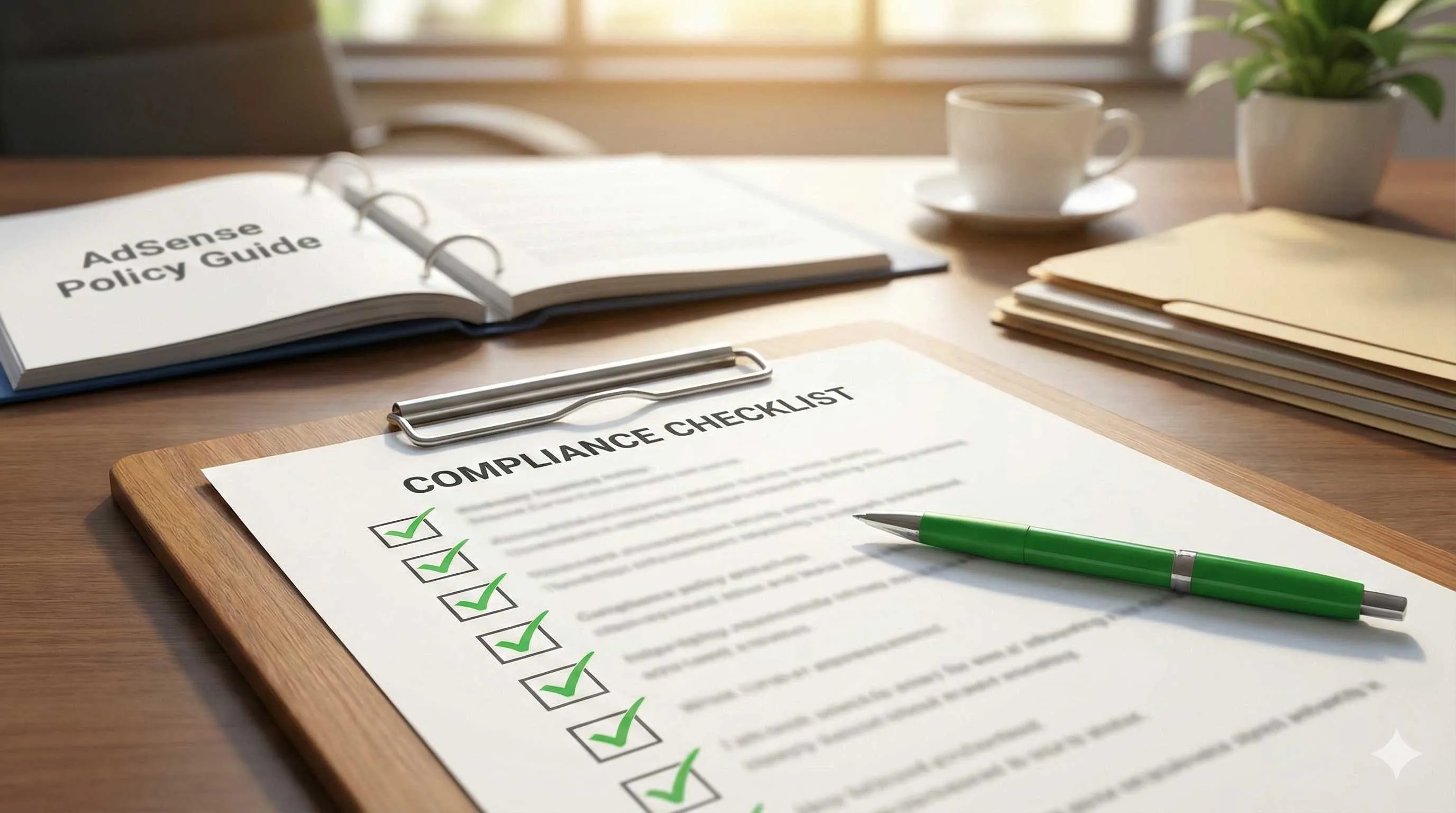
- A ready-to-use review checklist
- How to remediate and appeal after receiving warnings
Let me start with the conclusion: AdSense compliance isn’t difficult—the key is establishing clear review habits.
AdSense Content Policy Core Framework (2026 Edition)
First, understand how Google reviews your website.
AdSense content policies fall into three categories: Illegal Content, Harmful Content, and Improper Implementation. The first two determine if you can pass review, the third determines if you’ll get banned for ad placement.
How Google Reviews Your Content
Review happens in two steps:
- Automated Detection: Bots scan your website, detecting keywords, images, external links
- Manual Review: Suspicious content gets human review, especially during application and after reports
What does this mean? Wishful thinking doesn’t work. Violating content buried deep in articles, inconspicuous external links, even user comments can all be caught.
2026 Policy Changes
There are two important updates this year affecting all publishers:
-
Privacy Compliance Mandatory Upgrade: Before February 28, 2026, all publishers must upgrade to IAB Europe’s TCF v2.3 framework. This isn’t a content issue, but not upgrading will affect ad delivery.
-
US State Privacy Laws Effective: Data privacy laws in Tennessee, Minnesota, Maryland, Indiana, and other states take effect in 2026. Websites need to add corresponding privacy statements and user consent mechanisms.
These two don’t relate much to content review, but will affect your ad revenue—non-compliance will limit ad impressions.
Account Ban Reason Statistics
According to WPAdvanced Ads statistics, the main reasons for AdSense account bans in 2025-2026 are:
- Adult Content: 28%
- Improper Ad Placement: 23%
- Copyright Infringement: 19%
- Click Fraud/Invalid Traffic: 15%
- Malware: 8%
- Other Violating Content: 7%
Notice? Content issues account for more than half. And “Other Violating Content” is vague—could be hate speech, false information, illegal activity promotion—all easily overlooked minefields.
Clear Prohibited Content: Red Lines You Must Never Cross
This section is hard red lines—touch them and you’re done. Don’t take chances.
Adult Content
The definition is broader than you think. Not just porn sites, these all count:
- Sexually Suggestive Images: Swimsuit photos with overly provocative angles may be flagged
- Adult Product Promotion: Condoms, adult toys promotion and links
- Borderline Content: Clickbait titles like “Sex Tips,” “Bedroom Secrets”
Judgment standard: If you wouldn’t dare open this article in the office or in front of family, don’t put AdSense ads on it.
Real Case: A health blog wrote an article about “Couple’s Health Care.” The content was legitimate, but the featured image showed a couple hugging from behind, with the woman wearing a camisole. Result: Flagged as adult content, ads restricted.
Violence and Hate Content
Google has zero tolerance for this:
- Extreme Violence: Bloody scenes, abuse, self-harm content
- Hate Speech: Discriminatory statements based on race, gender, religion, sexual orientation
- Violence Against Public Figures: Even fictional violence against presidents, celebrities, politicians is not allowed
- Inflammatory Content: Articles encouraging violent or hateful behavior
Special note: User comments are also your responsibility. If users post hate speech in comments and you don’t delete it promptly, you’ll be flagged for violation.
Real Case: A news commentary site had numerous discriminatory comments targeting a specific ethnicity in user comments. The site owner didn’t clean them up in time, resulting in the entire account being banned.
Illegal Activity Promotion
This category is broad and easy to trigger:
- Fake Diplomas, Fake IDs: Promoting or providing services to make fake passports, fake degrees
- Firearms Trading (Legal in some US states, but AdSense completely prohibits)
- Drug-Related: Marijuana is legal in some regions, but AdSense still prohibits promotion
- Pirated Content: Cracked software, pirated movies, music download sites
- Hacking Tools: Even for “educational purposes” is not allowed
- Essay Writing Services: Academic cheating services, essay writing, exam cheating tools
Real Case: A tech blog wrote a tutorial on “How to Use Cracking Tools,” intending to educate readers about risks, but provided download links to cracking tools in the article. Result: Flagged as promoting illegal activities, account banned.
False Information and Fraud
This is a focus area for strengthened review in 2026:
- Fake News: Unverified conspiracy theories, false news reports
- Misleading Health Information: Unverified treatment methods, “cure-all” miracle drugs
- False Product Claims: “Lose 20 pounds in 7 days,” “Get rich overnight system”
- Phishing Sites: Sites disguised as banks or government websites to steal user information
Judgment standard: If content claims certain effects, it must be supported by reliable sources. Can’t rely solely on personal experience or unverified cases.
Real Case: A health blog promoted a “detox juice” claiming it could cure cancer. Although the blogger believed it was true, there was no medical evidence. Result: Flagged as false information, account disabled.
Copyright Infringement
This is one of the most common violation reasons:
- Unauthorized Video Content: Embedding pirated movie or TV show clips
- Plagiarized Articles: Copy-pasting others’ blog content
- Unauthorized Image Use: Random photos downloaded from Google Image Search
- Music Copyright: Using unauthorized background music in videos or web pages
Judgment standard: If you’re not the original creator and don’t have usage permission, don’t use it.
Key Point: Even just linking to pirated content sites may be flagged. Google considers this as directing traffic to pirated content.
Malware
This is relatively easy to avoid, but still needs attention:
- Viruses, Trojans, Spyware: Website hacked and injected with malicious code
- Forced Downloads: Automatically downloading unknown files when users visit
- Ad Hijacking: Ads redirecting to malicious sites
Prevention: Regularly scan your website, use security plugins, update CMS and plugin versions promptly.
Gray Area Content: How to Safely Handle Boundary Topics
This content isn’t absolutely prohibited, but needs careful handling. Handled well, it can be kept. Handled poorly, ads will be restricted or account banned.
Alcohol Content
Allowed:
- Educational content about wine culture, tasting knowledge
- Wine region introductions, brewing process education
- Alcohol industry news reports
Prohibited:
- Direct alcohol sales (e-commerce links)
- Alcohol brand promotion (sponsored content)
- Content encouraging drinking (“One glass a day is healthier”)
Handling Strategy: If your blog has alcohol content, you can keep educational articles, but should block alcohol ads in AdSense backend’s “Allow and Block Ads” settings to avoid being flagged as alcohol promotion.
Gambling Content
Allowed:
- Gambling harm education, addiction resources
- Gambling industry news reports (neutral and objective)
- Academic discussions on game theory, probability
Prohibited:
- Gambling website links or promotion
- Gambling tips, strategy sharing
- Online gambling platform reviews
Handling Strategy: Unless you’re a professional anti-gambling education site, I recommend completely avoiding this topic. Even positive content like “How to Identify Gambling Traps” may be misjudged.
Medical and Health Advice
This is the gray area easiest to step into.

Allowed:
- Citing research from authoritative medical institutions (WHO, CDC, Mayo Clinic, etc.)
- Educational health knowledge (“What is high blood pressure”)
- Personal health experience sharing (but must state “not medical advice”)
Prohibited:
- Unverified treatment methods (“Lemon water cures cancer”)
- Weight loss pills, health supplement promotion
- Diagnosis and treatment advice (“Your symptoms indicate XX disease, take XX medicine”)
Safe Practices:
- Add disclaimer to every health article: “This article is for reference only, does not constitute medical advice, please consult a professional doctor”
- Cite authoritative sources, note citations
- Avoid absolute statements (“definitely cures,” “100% effective”)
Real Case: A weight loss blog shared personal weight loss experience and recommended a meal replacement product. Although no promotion fee was received, it was flagged as promoting unverified weight loss methods, ads restricted.
Financial Investment Advice
Allowed:
- Financial education (“What is an index fund”)
- Investment risk education (“Risks to watch when trading stocks”)
- Personal finance experience sharing (“How I went from living paycheck to paycheck to saving 100,000”)
Prohibited:
- Investment return guarantees (“Follow me and you’ll definitely profit”)
- Stock recommendations, trading tips
- Cryptocurrency scams, ICO promotion
- P2P, high-yield financial product promotion
Safe Practices:
- Add risk warning: “Investments carry risks, enter the market with caution”
- Don’t recommend specific stocks or funds
- When sharing experience, emphasize “personal experience, not investment advice”
Data: According to Google Publisher Restrictions, gray area content accounts for about 30% of violation warnings. This content won’t directly cause account bans, but will trigger “Publisher Restrictions,” reducing ad impressions and revenue.
Two Handling Approaches
When encountering gray area content, you have two choices:
1. Restrict Ad Delivery
- Keep content, but set “Page Exclusion” in AdSense backend
- This article won’t have ad revenue, but won’t affect account safety
2. Modify or Remove Content
- Delete sensitive parts, keep compliant content
- Add disclaimers, cite authoritative sources
- Ensure content complies with policies before enabling ads
My advice: Better earn less than take risks. One gray area article might only bring a few dollars, but if it causes an account ban, you lose all account revenue.
Real Case Analysis: Why They Got Banned
Looking at real cases helps you see where the minefields are.
Case 1: Movie Blog’s Copyright Trap
Background: Xiao Li ran a movie review blog, mainly writing film reviews and TV show recommendations. Good traffic, AdSense earning around $1000 per month.
Violation: To make articles more attractive, Xiao Li embedded movie clips from YouTube in articles. These weren’t official uploads, but pirated clips uploaded by other users.
Ban Reason: Copyright infringement. Although Xiao Li didn’t upload the videos, embedding unauthorized content in articles made Google consider him as directing traffic to pirated content.
How It Could Have Been Avoided:
- Only embed official trailers or authorized clips
- Use screenshots instead of video embeds, note copyright source
- Link to legitimate streaming platforms (Netflix, Disney+, etc.)
Case 2: Health Blog’s False Information
Background: Sister Zhang was a health blogger sharing her wellness experience. She successfully lost weight by changing her diet and wanted to share with others.
Violation: Sister Zhang wrote an article “I Lost 30 Pounds in 3 Months Using This Method,” recommending a specific diet method and health supplement. The article said “This method works for everyone” and implied it could treat diabetes and high blood pressure.
Ban Reason: False information and misleading health advice. Although Sister Zhang’s experience was real, her statements were too absolute, lacked medical evidence, and promoted unverified health supplements.
How It Could Have Been Avoided:
- Add disclaimer: “This is my personal experience, results vary, please consult a doctor”
- Don’t make absolute promises
- Don’t recommend specific health supplements or medications
- Cite research from authoritative medical institutions to support points
Case 3: Tech Blog’s Illegal Activity Links
Background: Lao Wang ran a software tutorial blog, mainly writing tips for various software.
Violation: Lao Wang wrote a tutorial “How to Install Photoshop.” For reader convenience, he provided a cracked version download link in the article. He thought this was just “educational use.”
Ban Reason: Promoting illegal activities (pirated software).
How It Could Have Been Avoided:
- Only introduce legitimate software usage
- Recommend official trial versions or free alternatives (like GIMP)
- If you must discuss cracking, don’t provide download links, only warn about risks
Case 4: Forum Site’s User Content Moderation
Background: Xiao Chen ran a tech forum with thousands of active users. AdSense was the main revenue source.
Violation: Forum discussion area had users posting hate speech targeting a specific country, and users sharing pirated software links in help posts. Xiao Chen was busy with work, didn’t log in for days, didn’t clean up this content in time.
Ban Reason: Harmful content and illegal activity promotion. Although Xiao Chen didn’t post it, as site administrator, he’s responsible for moderating user-generated content.

How It Could Have Been Avoided:
- Set keyword filters to automatically block sensitive content
- Configure content moderation—user posts need admin approval or post-review
- Check user comments and forum discussions at least once daily
- Clearly prohibit hate speech, pirated content, etc. in site rules
- Delete violating content immediately and warn users
Lesson Summary:
These four cases have one thing in common: None were malicious violations, but unintentional mistakes due to unclear policy understanding.
Lao Zhang’s tech blog, Sister Zhang’s health blog, Xiao Li’s movie blog—their original intention was to share valuable content, but because they overlooked AdSense policy details, they paid the price of account bans.
This is why establishing content review processes is so important—not to limit your creative freedom, but to protect the income source you’ve worked hard to build.
Content Review Checklist: Self-Check Your Website
This checklist can be printed out and reviewed before publishing new content.
Pre-Publish Must-Check (12 Core Checkpoints)
Content Originality
- ☐ Content is 100% original, or reprint permission obtained
- ☐ Checked for plagiarism with Copyscape or other tools
- ☐ Cited sources when referencing others’ views
Images and Multimedia
- ☐ All images from legal sources (self-shot, purchased license, free stock photos)
- ☐ Video embeds from official channels or authorized
- ☐ Background music (if any) has usage permission
External Link Safety
- ☐ Check all external links point to legal websites
- ☐ No links to pirated, adult, gambling, hacking tool sites, etc.
- ☐ Affiliate links don’t violate AdSense policies
Sensitive Content Marking
- ☐ Articles contain no adult content, violence, hate speech
- ☐ Health advice has disclaimer added
- ☐ Financial advice has risk warning added
- ☐ Gray area content decision made on whether to exclude ads
Regular Review (Monthly or Quarterly)
Old Content Review
- ☐ Check old articles’ external link status (linked sites may have changed)
- ☐ Confirm old articles comply with latest AdSense policies
- ☐ Update outdated information
User-Generated Content
- ☐ Review comments, delete hate speech and spam
- ☐ Check forum or community discussion areas
- ☐ Confirm user-uploaded content complies with policies
Ad Display Check
- ☐ Ad placement won’t mislead users into clicking
- ☐ Ads and article content are clearly distinguished
- ☐ Ads not placed in prohibited positions (popups, floating layers, etc.)
Recommended Tools
Content Review Tools
- Copyscape: Check content originality, plagiarism detection
- TinEye / Google Reverse Image Search: Check image sources
- Google Search Console: Receive AdSense policy violation warnings
- Screaming Frog: Crawl all external links on site, batch check link status
Security Scanning Tools
- Sucuri: Website security scan, detect malware
- Wordfence (WordPress): Firewall and malicious code scanning
- VirusTotal: Check if suspicious files contain viruses
Content Moderation Plugins (WordPress)
- Akismet: Automatically filter spam comments
- WP Content Filter: Set keyword blacklist, automatically block sensitive content
Self-Check Frequency Recommendations
- Before Each Publish: Check new content’s 12 core checkpoints
- Weekly: Review user comments and new user-generated content
- Monthly: Check old articles’ external links, confirm ad display is normal
- Quarterly: Full site review, check all content against latest policies
Time Cost: New content check about 5-10 minutes, regular review about 1-2 hours/month. This small time investment can avoid huge losses from account bans.
Content Remediation Guide: What to Do After Receiving Violation Warnings
Receiving a violation warning isn’t the end of the world. Handle it properly, and there’s still a chance to recover.
Step 1: Don’t Panic, Understand the Notification First
Log into AdSense backend, go to Policy Center. Here you’ll see:
- URL or description of violating content
- Specific policy violated
- Processing deadline
Many people panic when they see warnings and immediately delete articles. Actually, first understand exactly what’s wrong, then decide how to fix it.
Step 2: Locate Violating Content
Google will provide problem URLs, but sometimes descriptions are vague, like “contains adult content.”
Location Tips:
- Open the page in browser incognito mode, view content from third-party perspective
- Use Ctrl+F to search for possible sensitive words
- Check all images and videos in the article
- Check external links’ target websites
- Check user comments section
If you really can’t find the problem, contact AdSense support team—they’ll provide more detailed explanation.
Step 3: Choose Remediation Measures
Based on violation severity, there are three handling approaches:
1. Completely Remove Content (Serious Violation)
Applies to: Adult content, violence, hate speech, serious false information
Directly delete the article or page. If it’s UGC (user-generated content), delete violating comments or posts.
2. Modify Content (Minor Violation)
Applies to: Gray area content, inappropriate wording, missing disclaimers
Specific actions:
- Delete sensitive paragraphs or images
- Add disclaimers and risk warnings
- Modify misleading statements
- Add authoritative source citations
- Replace problematic external links
3. Restrict Ad Delivery (Keep Content, No Ads)
Applies to: Content has value but can’t fully comply with policies
Set “Page Exclusion” in AdSense backend—this page won’t display ads. Content is kept, but doesn’t affect account safety.
Step 4: Submit Remediation and Appeal
After completing remediation:
- Confirm Remediation is Complete: Check again, ensure issues are resolved
- Wait for System Review: Some warnings are automatically revoked (usually 1-7 days)
- Actively Appeal (if needed):
- Log into AdSense backend
- Find “Account Disabled Appeal Form”
- Explain remediation measures taken
- Promise to comply with policies going forward
Appeal Points:
- Briefly explain violation reason (acknowledge mistake)
- Specifically describe remediation measures (list what changes were made)
- Express commitment to comply with policies (don’t defend or make excuses)
Appeal Success Rate: Based on violation severity, appeal success rate is 40-50%. Serious violations (like click fraud, large amounts of adult content) rarely pass. Minor violations (like individual article issues) have higher success rates.
Step 5: Establish Prevention Mechanisms
After completing remediation, don’t repeat the same mistakes:
- Establish pre-publish review process (use the checklist from previous section)
- Regularly review old content (monthly or quarterly)
- Follow AdSense policy updates (subscribe to Google AdSense Blog)
- When in doubt, ask first (contact AdSense support, don’t risk publishing)
Important Reminder: If your account has been disabled (not just warned), appeals are very difficult. Google’s decisions are usually final, and you can’t register a new account. So prevention is always more important than remediation.
Conclusion
After all this, AdSense content compliance really comes down to three points:
-
Know where the red lines are: Adult, violence, hate, illegal, false, infringement—these six categories are hard lines you must not cross.
-
Establish review habits: Use the checklist before each publish, review old content monthly. This isn’t a burden—it’s protection for your income.
-
Better be conservative than take risks: When encountering gray areas, if uncertain, don’t enable ads. A few dollars of income isn’t worth risking your entire account.
I’ve seen too many bloggers lose their entire account because of one article, three years of effort gone. It’s not worth it.
Take action now:
- Download this article’s checklist (or screenshot and save)
- Use it to review your website today
- Fix any issues immediately
- Starting with your next article, establish a pre-publish review process
AdSense compliance isn’t difficult—what’s difficult is forming the habit. Once the habit is formed, review becomes natural and won’t affect your creative efficiency.
Remember: Compliance isn’t a restriction, it’s protection. Protection so your hard work won’t be lost due to a small oversight.
FAQ
What content types are most likely to get AdSense accounts banned?
Special attention needed:
• Adult content definition is very broad—sexually suggestive images, borderline titles can all violate
• Copyright infringement includes not just direct content copying, but also linking to pirated sites
• Hate speech in user comments is also your responsibility and needs timely cleanup
Recommendation: Use checklist for self-check before publishing, focus on image copyright, external link safety, and user-generated content.
How can health blogs avoid being flagged for false information?
Must do:
• Add disclaimer to every article: "This article is for reference only, does not constitute medical advice, please consult a professional doctor"
• Cite research from authoritative medical institutions (WHO, CDC, Mayo Clinic, etc.) and note sources
• Avoid absolute statements like "definitely cures," "100% effective"
Cannot do:
• Promote unverified treatment methods or health supplements
• Provide diagnosis and treatment advice
• Claim a method "works for everyone"
Real case: A blogger shared weight loss experience and recommended a meal replacement product. Although no commercial promotion intent, ads were restricted due to overly absolute statements.
I only linked to other websites, why was I still flagged for violation?
Google's logic: You're directing traffic to violating content, indirectly promoting violations.
Prevention measures:
• Check all external link target websites before publishing
• Regularly review old articles' external links (linked sites may have changed later)
• Avoid linking to suspicious websites, even if content seems legal
• Use tools like Screaming Frog to batch check all external links on your site
Real case: A tech blog provided cracked software download links in a tutorial. Even though labeled "for educational purposes only," the account was still banned.
What should I do after receiving an AdSense violation warning?
Step 1: Understand the violation notification
• Log into AdSense backend's Policy Center
• View specific violation URL and violated policy
• Note the processing deadline
Step 2: Locate the problem
• Open the violating page in incognito mode, review from third-party perspective
• Check images, videos, external links, user comments
• If you can't find the problem, contact AdSense support for detailed explanation
Step 3: Choose remediation method
• Serious violation: Delete content
• Minor violation: Modify content, add disclaimers
• Gray area: Restrict ad delivery, keep content
Step 4: Submit appeal
• Explain remediation measures (specifically list what changes were made)
• Acknowledge mistake and promise to comply with policies
• Don't defend or make excuses
Appeal success rate is 40-50%, depending on violation severity and remediation quality.
How much time does AdSense content review take? Will it affect creative efficiency?
Pre-publish review for new content: 5-10 minutes
• Check originality with Copyscape (2 minutes)
• Confirm image sources are legal (2 minutes)
• Check external link safety (1-2 minutes)
• Confirm no sensitive content and disclaimers (1-2 minutes)
Regular review: 1-2 hours/month
• Weekly review of user comments (10-15 minutes)
• Monthly check of old articles' external links and ad display (1 hour)
• Quarterly full site review (1-2 hours)
This small time investment can avoid huge losses from account bans. Remember, account ban means all income goes to zero, and you can't register again.
Recommendation: Use the 12-item checklist provided in this article, print it and keep it by your desk, quickly review before each publish. Once it becomes muscle memory, review becomes a natural action that won't interrupt your creative flow.
17 min read · Published on: Jan 8, 2026 · Modified on: Mar 3, 2026

Related Posts
Beyond AdSense: Complete Guide to Mediavine, Ezoic & Affiliate Marketing (2026 Edition)

Beyond AdSense: Complete Guide to Mediavine, Ezoic & Affiliate Marketing (2026 Edition)
Complete Guide to AMP Page AdSense: Boost Mobile Ad Revenue by 48%

Complete Guide to AMP Page AdSense: Boost Mobile Ad Revenue by 48%
WordPress AdSense Optimization Guide: Plugin Selection & Configuration (2026 Edition)

Comments
Sign in with GitHub to leave a comment