
AdSense Wire Transfer with China Merchants Bank: SWIFT Code, Fees & Complete Guide
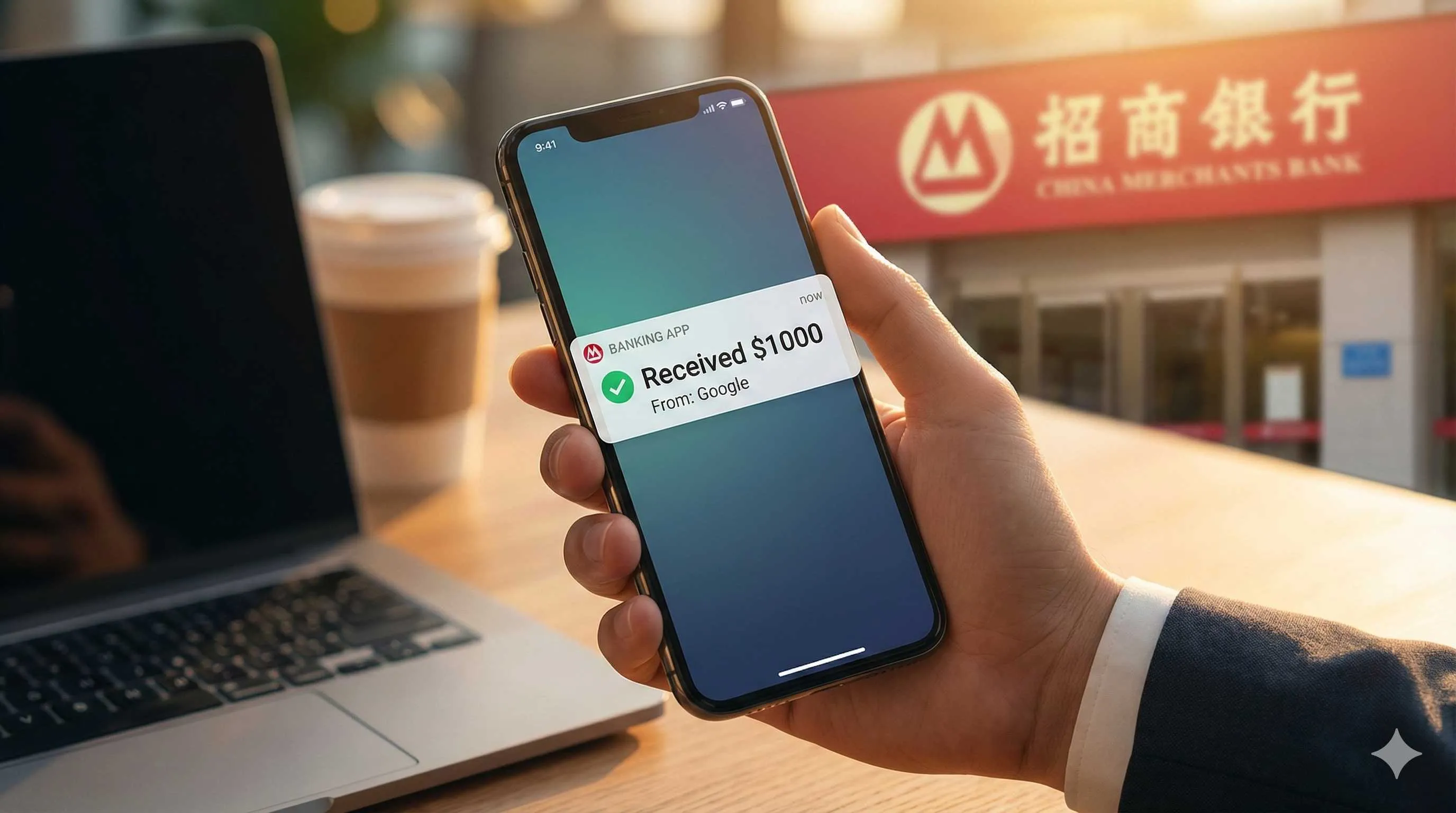
It was 10:30 PM when I was scrolling through my phone in bed, and Gmail suddenly popped up a notification: “Google AdSense - You’ve got a payment on the way.” My heart skipped a beat—after running my website for half a year, I’d finally hit the $100 payment threshold for the first time.
The excitement lasted about three seconds before the headache began: how do I actually receive the money?
The AdSense dashboard just said “Wire Transfer,” but it didn’t tell me which bank to use, how to fill in the information, what the fees would be, or how to handle the foreign exchange deposit—nobody tells you these things. I searched on Baidu and found articles from three years ago, with comment sections full of people saying “this bank doesn’t work anymore” or “that one requires contract proof, individuals can’t receive payments.”
I was genuinely confused.
After two days of hassle and consulting with three banks, I finally settled on China Merchants Bank (CMB)—no contract needed, simple procedures, fast deposits. My first AdSense payment arrived at about $95 after fees. That feeling of real money hitting your account beats watching numbers on a screen any day.
In this article, I’ll walk you through the complete process of receiving AdSense wire transfers with CMB—from opening an account to currency conversion. Everything here is based on real experience and pitfalls I’ve encountered. Basically, I’m going to show you exactly how to safely get your money from Google into your hands.
Why Choose China Merchants Bank
Theoretically, any bank with foreign exchange services can receive AdSense wire transfers. The real question is—which bank won’t give you a hard time?
I consulted with ICBC, Bank of China, and China Merchants Bank. Here’s the comparison (based on late 2024 policies, for reference):
China Merchants Bank
特性
- No contract proof required
- Fee 0.1% (minimum $10)
- 1-3 days arrival
- Declaration needed above $5000
- Direct app conversion
优点
- Simplest process
- No extra documents
- Mobile convenience
缺点
- Not the lowest fees
ICBC
特性
- Requires service contract/agreement
- Fee 0.1% (minimum $5)
- 2-5 days arrival
- Declaration needed above $3000
优点
- Lower fees
- Many branches
缺点
- Contract proof required
- Strict counter review
Bank of China
特性
- Requires income proof documents
- Fee 0.1%
- 1-4 days arrival
- Declaration needed above $5000
优点
- Wide branch coverage
缺点
- Longer process
- Inconsistent document requirements
See the difference? CMB’s biggest advantage is no contract proof required.
ICBC customer service told me: “Individuals receiving foreign exchange need to provide a service contract or agreement with the payer to prove the money’s legal source.” Where am I supposed to get a contract? Google AdSense doesn’t sign agreements with you. Some people online say you can print AdSense dashboard screenshots, but whether the counter staff accepts them is another story—you might make a wasted trip.
Bank of China has similar requirements. While some branches turn a blind eye, if you encounter a strict teller, you’ll have to go back and prepare documents.
CMB is much more hassle-free. When I called their customer service at 95555, they directly said: “AdSense wire transfer payments don’t require contracts, just have your bank card. When the foreign exchange arrives, there’ll be a phone confirmation about the income nature—just explain it’s advertising income.” Hearing that, the weight on my chest lifted.
Another practical point—CMB’s mobile app is well-designed. After foreign exchange arrives, you can convert it directly in the app (exchange to RMB) without visiting a branch and waiting in line. For someone like me who avoids going out whenever possible, this is incredibly user-friendly.
Fee-wise, CMB charges 0.1% (one per mille), minimum $10. For example, if you receive $500, the fee would be $0.5, but they charge the $10 minimum; if you receive over $1000, they calculate by actual percentage. While not the cheapest (ICBC’s 0.1% is lower), considering the simple process and no hassle, I think this fee is worth it.
Preparation Steps
After deciding on CMB, next comes the preparation phase. Actually, there’s not much to prepare, but everything’s essential.
CMB Debit Card
If you already have a CMB debit card, use it directly. If not, go to a CMB branch and open one—I recommend getting an All-In-One Card, CMB’s most common debit card type that supports all foreign exchange services.
Opening process is simple:
- Bring your ID to a CMB branch
- Tell the counter “I’d like to open an All-In-One Card debit card”
- Set password, bind mobile number
- Take card and leave
Whole process takes 10-15 minutes. No annual fee for opening (provided you have monthly transactions or meet balance requirements, ask the counter for specifics). Receiving AdSense payment counts as a transaction, so basically no worry about charges.
After opening, strongly recommend downloading the CMB app and logging in. You’ll need the app later to check FX deposits and handle currency conversion—get it set up in advance to avoid last-minute panic.
Query Bank Information
Receiving wire transfers requires filling in a bunch of bank information. Preparing in advance avoids mistakes. Open the CMB app and follow these steps:
Step 1: Query Receiving Bank Information
- Open CMB app
- Homepage click “My” → “All-In-One Card”
- Click your card number to enter card details
- Scroll down, find “Opening Branch” (e.g., “China Merchants Bank Shenzhen Branch XX Sub-branch”)
Note down the full branch name, you’ll need it later.
Step 2: Confirm SWIFT Code
CMB’s unified SWIFT code is: CMBCCNBS
This code is the internationally recognized bank identifier code, required for AdSense payments. No matter which city you opened your card in, CMB’s SWIFT code is always CMBCCNBS—it never changes.
❌ Common mistake: Some think different cities’ CMB branches have different SWIFT codes, but they’re all CMBCCNBS
✅ Correct approach: Just fill in CMBCCNBS, no need to look up anything else
Step 3: Prepare Personal Information
- ID card front and back photos (clear shots)
- Mobile number (the one registered with the bank)
- Bank card number (your All-In-One Card number)
- Payee name (name on ID, pinyin format: last name + first name, e.g., ZHANG SAN)
Save this information in your phone notes or screenshot it. You’ll need it when filling out the AdSense dashboard—accurate information avoids wire return (wire returns are super troublesome and incur fees).
Confirm AdSense Account Status
In the AdSense dashboard, confirm these points:
- Income has reached payment threshold ($100)
- Address verification completed (received PIN code and entered in dashboard)
- Tax information submitted (US tax form W-8BEN)
If these three aren’t done, Google won’t pay you. Especially the W-8BEN tax form—many people easily miss it. AdSense dashboard will have prompts, just follow and fill it out, not difficult.
Preparation work is pretty much done here. Basically three things: CMB card, bank information, AdSense account status confirmation. Next is formally setting up payment receipt.

Complete AdSense Dashboard Setup Process
After preparation is done, it’s time to add a payment method in the AdSense dashboard. This step is crucial—filling in wrong information will prevent money from arriving, and you’ll have to redo it.
I was nervous as hell the first time, terrified of filling in a wrong letter. Later I found it’s actually not hard, just follow the steps slowly.
Complete AdSense Wire Transfer Payment Setup Process
Detailed steps from account opening to AdSense dashboard configuration, including CMB information filling standards
⏱️ Estimated time: 30 min
- 1
Step1: Enter AdSense Payment Settings
Log into AdSense account and complete the following:
• Click "Payments" in the left menu
• Click "Manage payment methods"
• Click "Add payment method"
• Select "Wire transfer to bank account" - 2
Step2: Fill in Bank Information (Critical Step)
Form field filling standards:
Account holder name:
• Format: Full name in pinyin, all caps, space between last and first name
• Example: ZHANG SAN
• ❌ Wrong: Zhang San (capitalized first letters only)
• ✅ Correct: ZHANG SAN
Bank name:
• Fill: China Merchants Bank
• ❌ Wrong: China Merchent Bank (spelling error)
• ✅ Correct: China Merchants Bank
SWIFT-BIC code:
• Fill: CMBCCNBS
• Note: Must be exact, no spaces
• ❌ Wrong: CMBC CNBS (space in middle)
• ✅ Correct: CMBCCNBS
Account number:
• Fill: CMB All-In-One Card number
• Example: 6225881234567890
• Note: Fill numbers directly, no spaces or dashes
Bank account address:
• Fill opening branch address (English format)
• Example: Shenzhen Branch, Science Park Sub-branch
• Explanation: Branch level is sufficient, doesn't need to be too detailed
Payee address:
• Format: Detailed address → District → City → Province (reverse order)
• Example: Room 101, Building 5, XX Community, Nanshan District, Shenzhen, Guangdong
• Tip: Can use Google Translate to convert Chinese address to English - 3
Step3: Pre-submission Check
Before clicking submit, must verify the following:
✓ Is the bank card number correct (easiest to make mistakes)
✓ Is the SWIFT code CMBCCNBS
✓ Is the name pinyin all caps
✓ Screenshot and save a copy (convenient for future reference)
After checking everything is correct, click "Save" - 4
Step4: Verify Payment Method
Google will conduct a small test payment verification:
• Google will send a small test payment to your bank account (usually a few cents to a few dollars)
• Test payment arrives in 1-3 days
• You'll receive CMB SMS notification after arrival
• Log into CMB app to check FX account balance, note the test amount (e.g., $0.32)
• Return to AdSense dashboard, click "Verify" button for payment method
• Enter test payment amount (e.g., 0.32), verification passes and you're done
After verification passes, payment method is activated, next time you reach $100 threshold Google will automatically pay
Wire Transfer Fee Calculation
The fee situation is quite annoying—money leaves Google’s account to your CMB card, and gets deducted multiple times along the way. The first time I received payment, AdSense showed $105 paid, but only $94-something arrived. I thought something went wrong.
Later I figured it out—wire transfer fees have two parts: intermediary bank fees and CMB fees.
Fee Structure
Intermediary Bank Fees ($10-$20 variable)
Money from Google’s bank (usually a US bank) to CMB goes through one or more “intermediary banks” to complete the transfer. These intermediary banks charge fees, the specific amount isn’t fixed—sometimes $10, sometimes $15, even seen $20.
You can’t control this fee, and Google won’t cover it for you. Basically, it’s the unavoidable “toll fee” for international remittance.
CMB Fees (0.1%, minimum $10)
After money arrives at CMB, they charge a deposit fee, calculation formula is:
CMB fee = deposit amount × 0.1% (i.e., 1‰)But there’s a minimum threshold: if less than $10, charge $10.
For example:
- If amount arriving at CMB is $500, fee = $500 × 0.1% = $0.5, but charged at minimum $10
- If amount arriving at CMB is $2000, fee = $2000 × 0.1% = $2, still charged at minimum $10
- If amount arriving at CMB is $15000, fee = $15000 × 0.1% = $15, then charged at actual amount $15
Actual Deposit Amount Calculation
I’ll calculate a few real cases to help you estimate how much you’ll receive.
Case 1: AdSense Payment $100
- Google initiates payment: $100
- Intermediary bank deduction: -$12 (assumed)
- Arrives at CMB: $88
- CMB fee: -$10 (minimum charge)
- Your actual deposit: $78
Case 2: AdSense Payment $500
- Google initiates payment: $500
- Intermediary bank deduction: -$15 (assumed)
- Arrives at CMB: $485
- CMB fee: -$10 (minimum charge)
- Your actual deposit: $475
Case 3: AdSense Payment $1000
- Google initiates payment: $1000
- Intermediary bank deduction: -$18 (assumed)
- Arrives at CMB: $982
- CMB fee: -$10 (minimum charge)
- Your actual deposit: $972
See the pattern? Larger payment amounts mean smaller fee percentages. If your income just reaches $100, suggest waiting to accumulate $200 or more before withdrawing—fees will be more cost-effective proportionally.
Query Fee Details
After money arrives, the CMB app will display the deposit amount. You can also call CMB customer service at 95555 to query detailed information about this foreign exchange, including how much the intermediary bank deducted and how much CMB deducted—everything listed clearly.
I call to ask every time I receive payment, mainly to understand where the money went—although it can’t change the fees, at least I know what’s happening.
Here’s a tip: If you receive AdSense monthly, you can record fee data several times and calculate an average. For example, I found intermediary bank fees basically fluctuate between $12-$15, so I estimate based on that in the future—pretty close.
Foreign Exchange Deposit Processing
After money arrives at CMB, it first enters your foreign exchange account (not RMB account). At this point, the money is still in USD and can’t be spent directly. You need to understand two things: FX declaration and currency conversion.
FX Deposit Notification
After CMB receives foreign exchange, they’ll send you an SMS notification, content roughly like: “Your account ending in XXXX received overseas remittance of XXX USD, please check in time.” Seeing this SMS means money has arrived.
Meanwhile, CMB might also call you (95555 calling) to ask about the money’s nature and purpose. Don’t panic, this is normal foreign exchange management procedure, not investigating you.
When answering the phone, they’ll ask:
- “May I ask what nature of income is this foreign exchange?”
- “Who is the remitter?”
Just tell the truth:
- “This is my Google AdSense advertising income”
- “Remitter is Google LLC”
Customer service will record it in the system, then say “Okay, registered, foreign exchange will be deposited to your account within 1-2 business days.” Hang up and you’re done.

Some worry that saying “advertising income” will require providing contracts or proof documents—based on my experience, CMB won’t require it. I’ve received AdSense several times, each time just verbal confirmation, never been asked to provide any written materials.
FX Declaration: $5000 is the Dividing Line
Here’s a very important policy: Single FX deposits exceeding $5000 require declaration, below $5000 can be deposited directly.
Amount ≤$5000: No Declaration Required
If your AdSense payment amount is below $5000 (vast majority of individual users are in this situation), money will automatically deposit to your FX account, you don’t need to do anything.
Amount >$5000: Declaration Required
If a single amount exceeds $5000, CMB will have you go to a branch to handle “Balance of Payments Declaration.” Materials to bring:
- ID card
- Bank card
- AdSense dashboard income screenshot (proving this money is advertising income)
- May need to fill a “Foreign Income Declaration Form”
Go to branch counter and say “I need to handle Balance of Payments declaration,” staff will guide you to fill forms. When filling, select income nature as “labor income” or “other current account income”—both work. After declaration is complete, money will be deposited.
Honestly, most individual webmasters doing AdSense rarely have single payments exceeding $5000, so declaration rarely comes up. But if one day your site traffic explodes and income breaks ten thousand, remember this process.
Individual Annual Currency Conversion Quota
After FX arrives, you can exchange USD for RMB (this is called “currency conversion”). National regulations stipulate each person has an annual quota of $50,000 USD for currency conversion.
How is this quota calculated?
- Calculated by calendar year (January 1 to December 31)
- Cumulative conversion total not exceeding $50,000
- Unrelated to number of receipts, only total amount matters
Example:
- In 2025 you received AdSense 5 times, $800 each, total $4000 → uses $4000 quota, remaining quota $46,000
- If 2025 conversion total reaches $50,000, you can’t convert anymore before year end, must wait for January 1, 2026 when quota resets
Method to query remaining quota:
- Call CMB customer service 95555, say “query my annual currency conversion quota”
- Or in CMB app, enter “Currency Conversion” page, it will display remaining quota
For ordinary AdSense users, few can make $50,000 USD in a year, so quota is basically sufficient. But if you simultaneously have other FX income (like cross-border e-commerce, freelance income), need to be careful not to exceed.
Currency Conversion Operation Details
After FX arrives, time to exchange USD for RMB. CMB app can handle it directly, no need to visit branches, super convenient.
App Conversion Steps
Open CMB app, follow these steps one by one:
Step 1: Enter Conversion Page
- Open CMB app
- Click “Home” in bottom menu bar
- On homepage find “All” → “Cross-border Finance” → “Currency Conversion”
- Click “Currency Conversion” (exchange foreign currency to RMB)
Step 2: Select Currency and Account

- Currency selection: US Dollar (USD)
- FX account: Will automatically display your FX account balance (e.g., $95.50)
- Receiving account: Select your RMB account (usually same card)
Step 3: Enter Conversion Amount
- Enter USD amount you want to exchange (can exchange all or partial)
- System will display in real-time how much RMB you can get at current rate
- Example: $95.50 × rate 7.12 = ¥679.96
Step 4: Confirm Rate and Amount
- Carefully check the rate (whether within reasonable range)
- Confirm RMB amount is correct
- Click “Next”
Step 5: Complete Conversion
- Enter transaction password (6 digits)
- Click “Confirm”
- System prompts “Conversion successful”
Whole process takes less than 1 minute. After conversion completes, RMB arrives immediately, your FX account balance decreases accordingly.
Currency Conversion Rate Tips
Rates change daily, even hourly. If you’re not in a hurry for money, you can observe rates for a few days before exchanging—can get a few dozen yuan more.
I’ve summarized some patterns (for reference only, not guaranteed accurate):
Time Period Selection
- Morning 9:00-10:00: Banks just opened, rates relatively stable, usually better than afternoon
- Friday afternoon: Rates sometimes have small fluctuations, can wait and see
- Avoid major news release periods: like Fed interest rate meetings, China GDP data releases, rates fluctuate greatly during these times
Rate Reference Values
- 2024-2025, USD to RMB rate roughly fluctuates between 7.0-7.3
- If you see rate at 7.15 or above, can consider converting
- If rate below 7.0, can wait a few days
Rate Checking Tools
- CMB app directly displays real-time rates
- Or open Alipay → “Currency Conversion,” compare rates across banks
Honestly, ordinary people aren’t professional FX traders, no need to watch too closely—rate difference of 0.1, one hundred USD is just a ten yuan difference. When you see a decent rate just convert, don’t wait too long for a few yuan—money in account is real.
Conversion Arrival Time
After conversion succeeds, RMB arrives immediately to your CMB card. You can see balance increase in the “All-In-One Card” account in the app.
After conversion completes, system sends an SMS notifying you: “Your account ending in XXXX converted XXX USD, equivalent to XXX RMB deposited.” Seeing this SMS you can rest easy.
FAQ
How long after Google initiates payment can I receive the money?
• Google initiates payment (usually around 21-26th of each month)
• Money departs from US bank (1-2 days)
• Goes through intermediary bank transfer (1-2 days)
• Arrives at China Merchants Bank (1 day)
• CMB confirms deposit (1 day)
If still not arrived after 7 business days, can call CMB customer service 95555 to inquire, or log into AdSense dashboard to check payment status.
Can I use other banks' cards to receive payments?
Do I need to pay taxes after receiving the money?
What if I filled in wrong information in AdSense dashboard?
Why is the deposit amount so much less than AdSense shows?
CMB calls asking about money source, how to answer?
How many times per year can I receive AdSense? Any limits?
Can I keep USD in account without converting to RMB?
But note:
• CMB's FX account has no interest (or extremely low interest)
• If account inactive for long time, may have account management fees
• Keeping USD without converting, exchange rate fluctuation risk is your own
My personal suggestion: If you don't particularly understand exchange rates, convert when you receive money, cash in pocket is safe.
Summary
From the excitement of seeing the AdSense payment notification to money actually sitting in your CMB card, this process isn’t long or short—but as long as you follow the process in this article, you basically won’t encounter pitfalls.
Quick summary of core points:
- Choose CMB: No contract proof required, simple process, mobile app handles conversion
- SWIFT code: CMBCCNBS, don’t fill wrong
- Fee budget: About $20-$25 deducted (intermediary bank + CMB), higher income means lower percentage
- FX declaration: Single amount ≤$5000 don’t worry, >$5000 go to branch to declare
- Conversion timing: Morning 9-10 AM rates relatively good, don’t wait too long
Honestly, I was nervous the first time receiving AdSense too—afraid money wouldn’t arrive, afraid bank would give me trouble, afraid fees would deduct half. Later found out, as long as information is filled correctly, the rest is just waiting to receive money, not that complicated.
Finally, here’s an action recommendation: Go open a CMB card now. Regardless of whether your AdSense income has reached $100, get the card opened in advance, information checked, dashboard set up—when money reaches payment threshold, you won’t be scrambling at the last minute.
Wish you receive your first AdSense payment soon. That feeling of real money arriving in account is way better than watching dashboard numbers grow—I guarantee it.
15 min read · Published on: Jan 9, 2026 · Modified on: Mar 3, 2026

Related Posts
Beyond AdSense: Complete Guide to Mediavine, Ezoic & Affiliate Marketing (2026 Edition)

Beyond AdSense: Complete Guide to Mediavine, Ezoic & Affiliate Marketing (2026 Edition)
Complete Guide to AMP Page AdSense: Boost Mobile Ad Revenue by 48%

Complete Guide to AMP Page AdSense: Boost Mobile Ad Revenue by 48%
WordPress AdSense Optimization Guide: Plugin Selection & Configuration (2026 Edition)

Comments
Sign in with GitHub to leave a comment