
Ollama Model Quantization Guide: GGUF Format and Accuracy Loss Analysis
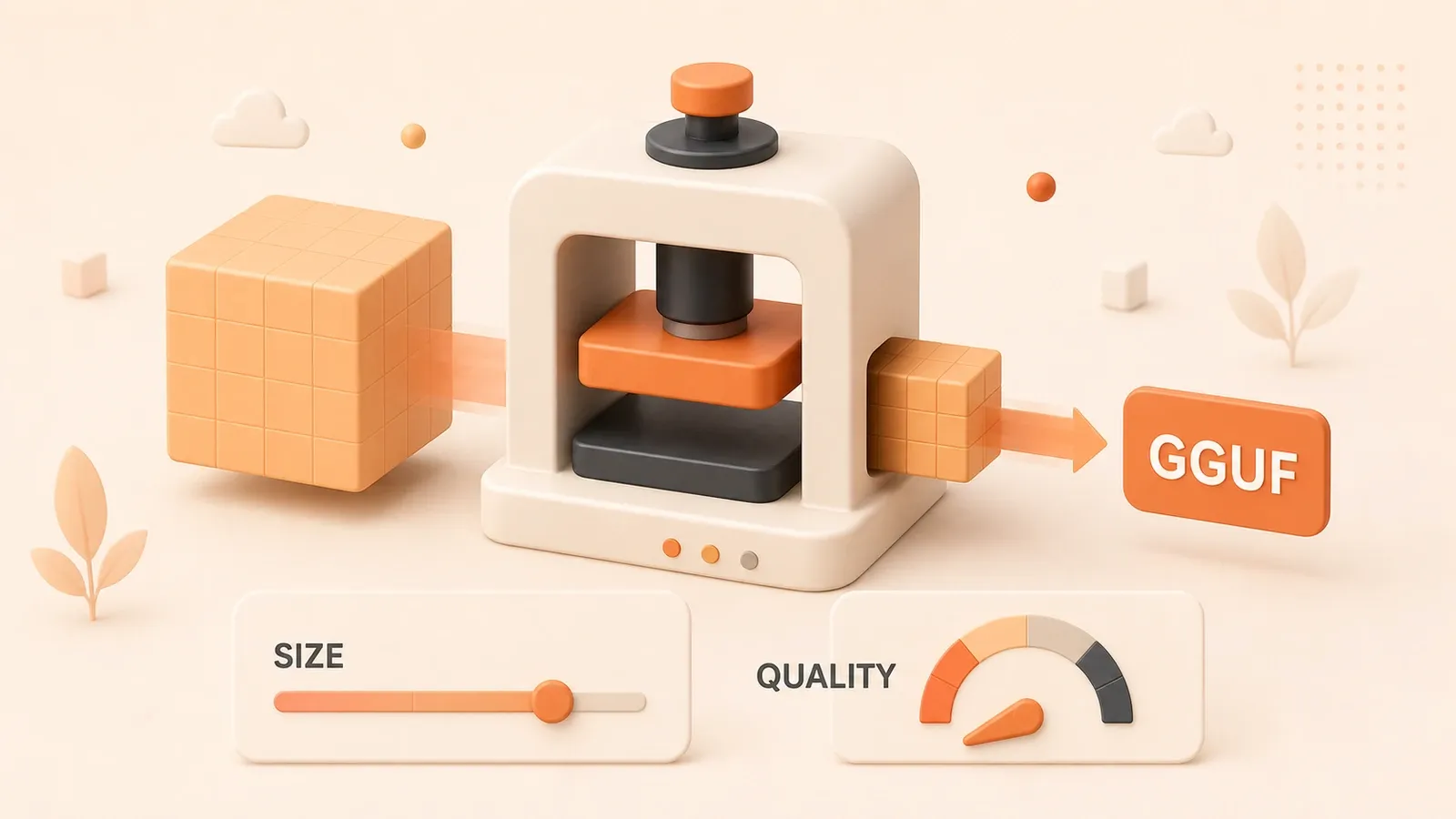
On an RTX 3060 with 12GB VRAM, running Llama 3 70B hits CUDA out of memory—14B will not fit either. Quantization compresses a 70B model from about 140GB to 40GB, but how much accuracy do you lose?
Red Hat’s 500,000+ evaluations give a concrete answer: 8-bit quantization recovers over 99% accuracy; 4-bit reaches 98.9%. In daily use the gap is hard to notice—only extreme academic benchmarks show a measurable difference.
This article explains GGUF quantization, compares precision across levels, and offers sizing advice for consumer GPUs. If VRAM is your bottleneck or you doubt quantized model quality, start here.
1. What is Quantization: Making Large Models “Slimmer”
Think about this: a high-resolution photo of 10+ MB gets compressed to a few hundred KB when sent via WeChat. Quality loss? Yes. Can you still see it clearly? Yes.
Model quantization is essentially the same principle.
1.1 The Essence of Quantization
Large model weights are stored in FP16 (16-bit floating point). A 7B parameter model in FP16 requires about 14GB memory—each parameter takes 2 bytes.
Quantization simply converts these high-precision values to lower-precision formats. For example, INT4 (4-bit integer) where each parameter only takes 0.5 bytes. This compresses a 14GB model to around 3.5GB.
To put it simply: FP16 records each parameter with “very precise decimals,” like 0.12345678; quantized to INT4, it just records a “rough integer,” like 3. Precision lost, but information retained.
1.2 How Significant is the Compression?
I compiled data from Will It Run AI’s measurements showing 7B model memory usage at different quantization levels:
| Quantization Level | VRAM Required | Memory Saved | Quality Rating |
|---|---|---|---|
| F16 (Original) | 14.0 GB | Baseline | Best |
| Q8_0 | 7.4 GB | 47% | Excellent |
| Q5_K_M | 4.8 GB | 65% | Good |
| Q4_K_M | 3.9 GB | 72% | Acceptable |
| Q3_K_M | 3.1 GB | 78% | Poor |
| Q2_K | 2.6 GB | 81% | Very Poor |
See that? Q4_K_M cuts memory usage by 72%. What does this mean? A model originally requiring 14GB VRAM now runs on a 4GB GPU.
When I first successfully ran a 7B model on my RTX 3060, it felt like fitting a turbocharger to an old car. Originally could only run 3B small models, now 7B medium models work.
1.3 What’s the Cost of Quantization?
Compression has costs, just like photo compression. Over-compressed photos become blurry with noise. Model quantization is similar:
- Accuracy loss: Low-precision values cannot precisely represent original values, introducing errors
- Continuity loss: INT4 is discrete integers, FP16 is continuous decimals; some subtle variations may be lost
But the key question is: How big is this loss? Is it worth it?
This is what I’ll discuss next—using data from 500,000+ evaluations to give you the answer. Don’t worry yet, let’s continue.
2. GGUF Format: Why It’s the Standard for Quantized Models
When downloading quantized models, you might notice the file extension is .gguf. What’s special about this format?
2.1 What is GGUF?
GGUF stands for GPT-Generated Unified Format. The name sounds complicated, but it’s simply a model packaging format designed specifically for inference.
Created by the llama.cpp team. Their thinking was practical: trained models need a convenient format to run. So GGUF was born.

The format has three core advantages:
Single-file packaging. Previously, downloading a model meant pulling a bunch of files from Hugging Face—weight files, tokenizer, config.json… GGUF packages everything into one file. Just download one .gguf file, no need to worry about missing components.
Memory-mapped loading (mmap). This sounds fancy but the principle is simple: map the file directly to memory addresses, the system reads as needed. The benefit? No need to load the entire model into memory first; read only what’s needed. For large models, this is crucial—a 70B model full load takes dozens of seconds, with mmap inference might start in seconds.
Cross-platform universal. The same GGUF file runs on Ollama, LM Studio, llama.cpp, KoboldCPP, and other tools. Switching tools doesn’t require re-downloading the model, convenient.
2.2 GGUF vs Other Formats
There are several model formats, easy to confuse. Here’s a simple comparison:
| Format | Usage | Features | Tool Support |
|---|---|---|---|
| GGUF | Inference | Single file, quantization-friendly | Ollama, LM Studio, llama.cpp |
| Safetensors | Training/Fine-tuning | Safe, no pickle risk | PyTorch, Hugging Face |
| GGML | Inference (Old) | Deprecated | llama.cpp (Old versions) |
| PyTorch (.pt/.bin) | Training | Flexible but unsafe | PyTorch |
Simply put: GGML is GGUF’s predecessor, now deprecated. Safetensors is for training, requiring conversion for inference. GGUF is optimized specifically for inference, Ollama uses it by default.
If you just want to run models for inference, don’t struggle with choices—GGUF is the correct answer.
2.3 Relationship Between Ollama and GGUF
Ollama uses llama.cpp in the backend to run models. llama.cpp only recognizes GGUF format. So all Ollama models are essentially GGUF format.
When you use ollama pull llama3, Ollama actually downloads a GGUF file from the model repository. Official library models are pre-quantized—default is Q4_K_M.
Later I’ll explain how to pull other quantization levels from Hugging Face. First understand the format, then operations will be clearer.
3. Quantization Levels Explained: Q2 to Q8, Which Fits You
This section is key. How to choose quantization level? Q4_K_M or Q5_K_M? What do S, M, L suffixes mean? I’ll clarify each.
3.1 Quantization Level Comparison Table
First, look at this table (data from Will It Run AI, tested on Llama 3 8B model):
| Quantization Level | VRAM Required | Quality Rating | Use Case |
|---|---|---|---|
| Q8_0 | ~8.5 GB | Excellent | Sufficient VRAM, pursuing highest quality |
| Q6_K | ~6.1 GB | Very Good | Balanced choice, quality close to original |
| Q5_K_M | ~5.3 GB | Good | Sweet spot, recommended first choice |
| Q5_K_S | ~5.0 GB | Good | More aggressive than Q5_K_M, saves memory |
| Q4_K_M | ~4.4 GB | Acceptable | Mainstream choice, high value |
| Q4_K_S | ~4.1 GB | Acceptable | More aggressive, slightly lower quality |
| Q3_K_M | ~3.5 GB | Poor | Last resort, obvious quality loss |
| Q3_K_S | ~3.2 GB | Poor | Not recommended unless VRAM really insufficient |
| Q2_K | ~2.7 GB | Very Poor | Basically not recommended, obvious quality loss |
The two bolded levels are my key recommendations: Q5_K_M and Q4_K_M. I’ll explain why later.
3.2 What is K-quant? How to Choose S/M/L Suffix?
You might notice the letter K in quantization levels. K stands for k-quant, a mixed-precision quantization strategy.
The principle sounds complex, but the core idea is simple: not all parameters use the same precision. Some layers are precision-sensitive (like attention layers), use slightly higher precision; some layers are less sensitive (like FFN layers), use low-precision compression.
Suffixes S, M, L represent three different aggression levels:
- S (Small): Most aggressive, most compression, largest quality loss
- M (Medium): Balanced, recommended use
- L (Large): Conservative, best quality, but larger file
So Q5_K_M and Q5_K_S are both Q5 level, but Q5_K_M has better quality and larger file.
How to choose? My suggestion:
Use M suffix in most cases. S is too aggressive and prone to issues, L is too conservative wasting memory. M is the balance point—quality sufficient, memory not excessive.
3.3 Task Sensitivity to Quantization
Another factor to consider: What task are you using the model for?
Different tasks have different sensitivity to model precision. Will It Run AI ranked them (from most to least sensitive):
- Coding: Most sensitive. Writing code requires rigorous logic; one parameter error might break the entire code. Recommended Q5_K_M or higher.
- Reasoning/Math: Very sensitive. Logical reasoning and math calculations require high precision. Recommended Q5_K_M or higher.
- Creative writing: Medium sensitive. Creative writing has tolerance for errors, Q4_K_M acceptable.
- Chat: Least sensitive. Daily conversation has lowest precision requirements, Q4_K_M completely fine.
- Summarization: Least sensitive. Summarization mainly requires understanding, insensitive to precision, Q4_K_M usable.
Simply put: For coding and math reasoning, use high precision (Q5+); for chat and summarization, low precision (Q4) works fine.
My experience: Using Q4_K_M models for coding occasionally produces strange errors—misspelled function names, confused logic. Switching to Q5_K_M significantly reduced such issues. But for chat, Q4 and Q5 feel similar.
4. Accuracy Loss Truth: 500K+ Evaluation Data Tells the Answer
This section gets hardcore. Many worry quantization makes models “dumb,” I had this concern too. But after seeing Red Hat’s evaluation report, this concern largely disappeared.
4.1 What Did Red Hat Do?
Red Hat published a report in October 2024: “We ran over half a million evaluations on quantized LLMs.” They used over 500,000 evaluations comparing quantized models with original models.

"We ran over half a million evaluations on quantized LLMs to determine the impact of quantization on model quality across multiple benchmarks and real-world tasks."
This wasn’t running a few tests and drawing conclusions—it was systematic large-scale evaluation. They used multiple evaluation frameworks:
- Academic benchmarks: OpenLLM Leaderboard v1/v2 (MMLU, HellaSwag, ARC, etc.)
- Real-world tasks: Arena-Hard (simulating real user conversations), HumanEval (code generation), HumanEval+ (code testing)
- Text similarity: ROUGE, BERTScore, STS (semantic similarity)
Models tested ranged from small to large: Llama 2 7B, 13B, 70B; Mixtral 8x7B MoE; Qwen series…
4.2 Core Finding: Accuracy Recovery Rate
The conclusion is clear. Look at these numbers (for llama.cpp quantization methods):
| Quantization Level | Average Accuracy Recovery | Evaluation Confidence |
|---|---|---|
| 8-bit | >99% | 95% CI overlaps with BF16 |
| 4-bit | 98.9% | Slightly below baseline but small gap |
| 3-bit | ~96% | Obvious decline, but still usable |
Core conclusion: 8-bit quantization is nearly lossless, 4-bit quantization recovers 98.9% accuracy on average.
What does “95% CI overlaps with BF16” mean? Statistically, 8-bit quantized model performance has no significant difference from original BF16 models. Run many tests, result distributions are nearly identical.
4.3 Large vs Small Models: Quantization Impact Differs
The report has an interesting finding: the larger the model, the smaller quantization’s impact on accuracy.
70B parameter large models perform almost as well after 4-bit quantization as original. But 7B models show perceptible decline with 4-bit quantization.
Reason is simple: large models have more parameters, higher redundancy. Compress some precision away, still have enough parameters to “compensate” for the loss. Small models have fewer parameters to start with, more prone to issues after compression.
This gives us insight:
- Running large models with Q4 is fine: 70B Q4_K_M differs little from original
- Running small models suggests Q5+: For 7B models, if VRAM allows, choose Q5_K_M or Q6_K for stability
4.4 Community Misunderstanding: Why Many Say Quantization Makes Models “Dumb”?
Many online claim quantized models show obvious quality decline. Red Hat’s report analyzed this phenomenon, concluding: The problem isn’t quantization itself, but evaluation methods.
Many test with single academic benchmarks (like MMLU) then claim “quantized MMLU dropped 5%, model is dumb.” But single benchmarks don’t represent real usage scenarios.
Red Hat used multiple evaluation frameworks including real-world tasks (Arena-Hard, HumanEval). On these real tasks, quantized models perform almost as well as originals.
In other words: In daily use (chat, coding, summarization), you almost can’t feel quantization’s quality loss. Only on certain extreme academic benchmarks can differences be measured.
My personal testing feels similar: Q4_K_M models chat and summarize smoothly, occasionally coding has issues. But not “dumb” problems—more detailed logical errors. Switching to Q5_K_M improved things.
5. Ollama Practice: How to Choose and Run Quantized Models
Theory covered, now practical operations. How to choose different quantization levels in Ollama?
5.1 Ollama’s Default Behavior
Directly using ollama pull or ollama run to fetch official models defaults to Q4_K_M quantization.
For example:
ollama pull llama3This command downloads Llama 3 8B’s Q4_K_M version. Ollama official considers Q4_K_M the best value choice—reasonable memory usage, acceptable quality.
If unsatisfied with default Q4_K_M, want other quantization levels, what to do?
5.2 Pulling Specific Quantized Models from Hugging Face
Ollama supports directly pulling GGUF format models from Hugging Face. Syntax is:
ollama run hf.co/{username}/{repo}:{quantization}For example, pulling Q8_0 version of Llama 3.2 3B:
ollama run hf.co/bartowski/Llama-3.2-3B-Instruct-GGUF:Q8_0This command downloads the Q8_0 quantization version from bartowski’s Hugging Face repository. bartowski is an active quantized model publisher on Hugging Face, his repository has various models and quantization levels.
To find GGUF models on Hugging Face, keyword is GGUF. For example, search Llama-3 GGUF to find many quantized versions.

Common quantized model repositories:
- bartowski: Fast updates, many models
- MaziyarPanahi: Many large models (70B+)
- TheBloke: Veteran quantization publisher (some models discontinued)
5.3 Hardware Configuration Recommendations
VRAM size is the core factor determining quantization level. Here’s my reference by VRAM capacity (for NVIDIA GPUs):
| VRAM Capacity | Recommended Model | Recommended Quantization | Notes |
|---|---|---|---|
| 4 GB | 3B model | Q4_K_M | Small model low quantization, barely sufficient |
| 6 GB | 7B model | Q4_K_M (tight) | 3B with Q5_K_M more stable |
| 8 GB | 7B model | Q5_K_M | 8B with Q4_K_M, leave some margin |
| 12 GB | 7B model | Q6_K / Q8_0 | 14B with Q5_K_M |
| 16 GB | 14B model | Q6_K | 7B with Q8_0, 30B MoE with Q4_K_M |
| 24 GB | 30B+ model | Q5_K_M | 70B with Q4_K_M (requires quantization) |
Several notes:
- VRAM fluctuates: Inference includes not just model but KV cache and context buffer. Leave 10-20% margin for safety.
- Context length affects memory: Long contexts need more KV cache. If frequently using long contexts, increase VRAM budget.
- MoE models special: Mixtral 8x7B MoE models, despite 47B total parameters, only use partial parameters per inference, memory usage smaller than equivalent dense models.
5.4 Core Principle: Small Model + High Quantization Beats Large Model + Low Quantization
This principle is important. For example:
Assume you have 8GB VRAM. Possible configurations:
- 7B model Q5_K_M (~5.3 GB)
- 13B model Q2_K (~5.0 GB)
Which performs better?
Answer: 7B Q5_K_M > 13B Q2_K.
Reason: 13B Q2_K quantization is too aggressive, obvious accuracy loss. Though more parameters, quality is already “broken” by compression. 7B Q5_K_M has fewer parameters but preserves accuracy well, overall performance is better.
So my suggestion: Prioritize quantization level, then model size. Can run Q5, don’t drop to Q3; can run 7B Q5, don’t try 13B Q2.
5.5 My RTX 3060 Configuration Tested
My card is RTX 3060 12GB. Common configurations:
- Daily chat: Llama 3.2 3B Q8_0 (memory sufficient, pursuing quality)
- Coding: Llama 3 8B Q5_K_M (quality priority)
- Testing large models: Mixtral 8x7B Q4_K_M (MoE architecture, 12GB just enough)
This configuration feels comfortable in practice. Q8_0 3B model chat fluency is better than Q4_K_M 8B (possibly small model + high quantization advantage). Coding with Q5_K_M, error rate significantly lower than Q4.
Conclusion
After all this, let’s summarize the key points.
Quantization’s essence is enabling large models to run on consumer hardware. 70B models originally requiring 140GB VRAM compress to around 40GB—core technology letting ordinary users use large models.
Accuracy loss concerns can be放下放下放下放下放下. Red Hat’s 500,000 evaluations tell us: 8-bit nearly lossless (>99% accuracy recovery), 4-bit loss可控 (98.9%). In daily usage scenarios, you almost can’t feel the difference.
Core principles for choosing quantization level:
- Within VRAM budget, prioritize high quantization: Can run Q5, don’t drop to Q3
- Adjust by task sensitivity: Coding use Q5+, chat Q4 works too
- Large models can use lower quantization: 70B Q4 is more stable than 7B Q4
My suggestion: Try Q5_K_M first. This is a sweet spot—memory only 20% more than Q4, quality明显 better. Experience quantization effects, then adjust based on your needs.
For deeper learning, check other articles in this series: Ollama Introduction Guide and Modelfile Parameters Explained. Modelfile can also customize quantization levels, combining with this article’s knowledge, you can configure models more flexibly.
Quantization isn’t black magic, it’s a balancing technique—finding optimal solutions between memory and quality. Mastering this, your GPU can run larger models and do more things.
FAQ
Does quantization make models dumb?
Which is better, Q4_K_M or Q5_K_M?
• Memory only ~20% more than Q4
• Quality明显 better, coding error rate lower
• Fits most scenarios, high value
If VRAM is tight, Q4_K_M also acceptable, chat scenarios completely fine.
What quantization level should I use for different GPUs?
• 4-6GB: 3B model Q4_K_M or Q5_K_M
• 8GB: 7B model Q5_K_M
• 12GB: 7B model Q6_K/Q8_0, or 14B Q5_K_M
• 24GB+: Can try 70B model Q4_K_M
Leave 10-20% VRAM margin for KV cache and context.
Which is better: small model + high quantization or large model + low quantization?
What's the difference between K-quant S/M/L suffixes?
• S (Small): Most aggressive, most compression, largest quality loss
• M (Medium): Balanced, recommended use
• L (Large): Conservative, best quality but larger file
Use M suffix in most cases, quality sufficient, memory not excessive.
How to pull specific quantization level models from Hugging Face?
```bash
ollama run hf.co/bartowski/Llama-3.2-3B-Instruct-GGUF:Q8_0
```
Replace {quantization} with target level (Q4_K_M, Q5_K_M, Q8_0, etc.).
13 min read · Published on: Apr 22, 2026 · Modified on: Jul 14, 2026

Ollama: Local LLM Setup, Configuration, and Integration
If you landed here from search, the fastest way to build context is to jump to the previous or next post in this same series.
Previous
Ollama Embedding in Practice: Local Vector Search and RAG Setup
Build a local RAG system with Ollama: mxbai-embed-large vs nomic-embed-text model comparison, ChromaDB/FAISS/Milvus vector database selection, complete Python code tutorial
Part 15 of 18
Next
Ollama Production Monitoring: Logging Configuration and Prometheus Alerting in Practice
A complete Ollama production deployment monitoring solution, including logging configuration, Prometheus metrics collection, AlertManager rules, and Grafana dashboard setup for multi-GPU monitoring and automated fault recovery
Part 17 of 18


Comments
Sign in with GitHub to leave a comment