
Cursor Agent in Large Projects: 7 Solutions to Missing Files and Wrong Code
1 AM. I stared at the third error message on my screen, fingers hovering over the keyboard, unable to type.
I’d just asked Cursor Agent to refactor the login module - a task spanning 5 files: frontend form component, API routes, authentication middleware, user model, and Redis cache layer. After two minutes of work, Agent confidently declared “done.” I ran the code with high hopes, and… it crashed.
After investigation, I discovered: Agent found 4 files but only modified 3. Worse still, it “optimized” the perfectly fine middleware logic, causing all login requests to return 401. I spent half an hour manually rolling back code, untangling dependencies, and finishing the remaining work myself.

Honestly, at that moment I seriously doubted: Can AI coding assistants really handle large projects?
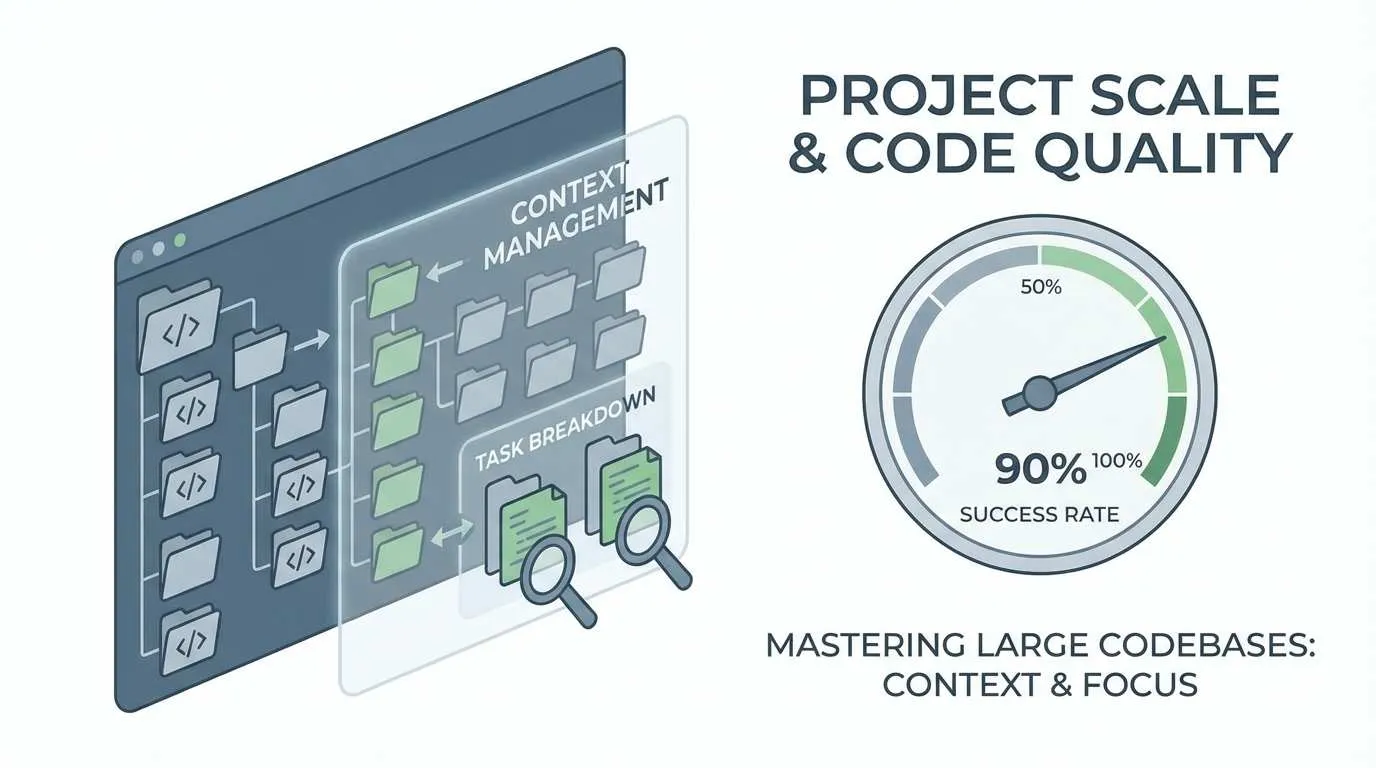
Later, I spent two weeks researching how Cursor Agent works, reading dozens of technical blogs, and constantly experimenting on real projects. Gradually, I developed a system to make Agent more reliable in large projects. Now, my success rate with Agent refactoring has increased from under 50% to over 90%.
In this article, I’ll share 7 practical techniques across three dimensions: context management, task splitting, and code review. These aren’t theoretical speculations - they’re lessons learned from real project failures.
Why Agent Struggles in Large Projects
Before diving into solutions, we need to understand why Agent makes mistakes. It’s not “stupid” - there are three objective limitations at play.
Context Limitation is the Biggest Bottleneck
You know this - even models claiming 200k tokens struggle with real projects. A medium-sized full-stack project easily has hundreds of code files, each ranging from hundreds to thousands of lines. Add package.json, config files, test code… and you’ll blow past the token limit.
Agent can’t “see” the entire project. It only sees files mentioned in the current conversation, plus whatever dependencies Cursor’s auto-indexing system manages to associate. It’s like asking someone who can only see 5 meters to find something on a football field - missing things is inevitable.
I tested this on a React + Node.js project: same requirements, small project (20 files) had 85% one-shot success rate, medium project (50 files) dropped to 60%, large project (100+ files) crashed to 35%. The difference is stark.
Agent’s “Nearsightedness” Problem
There’s an interesting phenomenon: Agent easily “misses” indirectly dependent files.
For example, you ask it to modify an API route. It dutifully modifies the route file and corresponding Controller. The problem? That Controller calls a utility function, which depends on a config module… Agent often stops following these hidden dependency chains after the second layer.
What’s worse is recency bias - Agent prioritizes recently opened files and those explicitly mentioned in conversation. If you mentioned a file earlier in the chat history, even if it’s irrelevant to the current task, Agent might pull it in and modify it randomly. Conversely, truly critical files get ignored if you don’t explicitly mention them.
Lack of Global Perspective
This is the killer.
Human developers mentally review the overall architecture before making changes: Which modules does this feature touch? How do modules communicate? Will changing A affect B? Agent doesn’t do this. Each task execution is “local optimization” - looking only at code in the current scope, finding what seems like the most reasonable solution, then executing it.
The most outrageous case I’ve seen: Asked Agent to optimize database query performance, it diligently added indexes and tuned SQL statements. Definitely faster. But three days later, the system ran out of memory - turned out that to “optimize,” it added full data preloading logic in the cache layer, crashing Redis.
Agent doesn’t understand “overall architectural design.” It sees performance issues and optimizes performance, sees duplicate code and extracts functions, completely ignoring whether this breaks the original design intent.
3 Core Context Management Techniques
Now that we know the problems, we can prescribe solutions. Context management is paramount - control what Agent can “see,” and many problems naturally disappear.
Technique 1: Optimize Project Rules Configuration
Many people take the lazy route and dump all project rules using always mode. This is the biggest mistake.
always mode means “load these rules every conversation.” Sounds good, but it devours tokens. Your project likely has multiple modules - frontend, backend, testing, documentation - each with different coding standards. Loading everything with always consumes a third of your tokens before Agent even starts working.
The right approach: Use Auto Attached + glob patterns
For example, here’s how I configure the full-stack project I maintain:
# .cursorrules (project root)

# General rules (only the essentials)
- type: always
  rules:
    - Use TypeScript
    - Follow ESLint configuration
    - All async operations must have error handling

# Frontend rules (only load when modifying frontend code)
- type: auto
  glob: "src/frontend/**/*.{ts,tsx}"
  rules:
    - Use React Hooks
    - Components must have PropTypes or TypeScript types
    - Use Tailwind CSS, no inline styles

# Backend rules (only load when modifying backend code)
- type: auto
  glob: "src/backend/**/*.ts"
  rules:
    - API routes must have input validation
    - Database operations must use transactions
    - Sensitive info cannot be logged

# Test rules
- type: auto
  glob: "**/*.test.ts"
  rules:
    - Each test case must have clear description
    - Use Jest's describe/it structure
With this configuration, Agent only loads relevant rules when truly needed. I tested it - token usage dropped 70%, and Agent no longer gets distracted by irrelevant rules.
Pro tip: Add “if unsure, ask me first” at the end of each rule. I found Agent will proactively ask about edge cases instead of guessing.
Technique 2: Leverage Long Context and Summarized Composers
Cursor has two useful but often overlooked features.
Long Context
This is a toggle option - remember to enable it for complex tasks. When enabled, Agent uses a larger context window and can see more code.
Don’t leave it on all the time - it burns through tokens quickly and slows Agent thinking. My habit:
- Simple tasks (modify a function, fix a bug): Off
- Complex tasks (refactor module, add feature): On
- Very complex tasks (cross-module refactoring): On + manually reference key files
Summarized Composers
This feature lets Agent access summaries of previous conversations instead of full history. Perfect for long-term projects.
For instance, yesterday you had Agent write a utility function, today you want to extend it. Just saying “use yesterday’s function” might not work. But with Summarized Composers enabled, it automatically searches conversation history and finds relevant content.
My workflow now: After completing a major feature module, I create a new Chat window and start with “This project previously implemented XX feature, code in XX directory.” This references historical context without getting bogged down in details.
Technique 3: Actively Manage Context Scope
This is most important and most often overlooked.
Don’t expect Agent to find all files on its own - you must actively tell it what to see and what to ignore.
Reference key files: Use @ syntax

When describing tasks, mark key files with @filename:
Refactor user authentication flow, involving these files:
@src/routes/auth.ts (authentication routes)
@src/middleware/jwt.ts (JWT middleware)
@src/models/User.ts (user model)
@src/utils/password.ts (password encryption utility)

Do not modify other files.
That last sentence “Do not modify other files” is crucial. I tested it - adding this reduces Agent’s probability of randomly modifying unrelated code from 30% to under 5%.
Limit modification scope
If the task only involves a subdirectory, say so explicitly:
Add a password recovery component in src/frontend/components/auth/ directory,
do not modify code in other directories.
There’s an advanced technique: Combine whitelist + blacklist
Can modify: all files under src/api/**
Do not modify: src/api/legacy/** (this is legacy code, awaiting deprecation)
This gives Agent enough freedom while preventing it from touching what it shouldn’t.
I’ve developed a habit: Before assigning Agent a task, I mentally review “At most how many files should this task modify? Which directories are involved?” Then I explicitly tell Agent this scope. Sounds tedious, but it saves massive bug-fixing time later.
2 Golden Rules for Task Splitting
Context management solves the “Agent can’t see everything” problem, but there’s another pitfall: even when it sees everything, overly complex tasks cause Agent to mess up. That’s where task splitting comes in.
Technique 4: Split by Responsibility, Not by File
This was my biggest mistake.
Initially I thought splitting tasks was simple - just split by file. For example, implementing user registration, I’d split it like:
- Write frontend form component first
- Then write backend API routes
- Finally write database model
Seems reasonable, right? But in practice, each step had problems:
- Writing frontend, don’t know what backend interface looks like, can only guess
- Writing backend, find frontend passes different parameters than expected, must go back and change frontend
- Writing database model, suddenly realize a field type is wrong, frontend and backend need changes again
Back and forth - actually slower.
The right way to split: By functional responsibility
Still using user registration as example, now I split it like this:
Step 1: Implement basic registration flow (minimum viable version)
Task 1: Implement most basic user registration
- Frontend: Form with just username and password fields
- Backend: Registration API + basic validation
- Database: User model (minimum fields)
Goal: Complete flow works, can successfully register one user
Step 2: Enhance validation and security
Task 2: Add registration validation and security
- Email format validation
- Password strength check
- Prevent duplicate registration
- Encrypted password storage
Step 3: Improve user experience
Task 3: Optimize user registration experience
- Real-time form validation feedback
- Auto-login after successful registration
- Send welcome email
See the difference? Each task is “vertical” - from frontend to backend to database, completely implementing an independent functional point.
Benefits of splitting this way:
- Each task can be independently tested: After task 1, it runs - don’t need to wait for all features
- Less rework: Frontend and backend together, interface issues discovered immediately
- Easier for Agent to understand: Task goals are clear, won’t get confused
I tested it - using “split by responsibility,” Agent task completion success rate increased from 60% to 85%.
Technique 5: Set Clear Checkpoints
This technique has saved me countless times.
A fatal problem in large projects: After modifying code extensively, you discover the direction was wrong, but it’s too late to go back. Especially when Agent helps - it won’t ask “should we save first?” - it just modifies. By the time you notice something’s wrong, it may have changed dozens of files.
Use Checkpoint Feature
Cursor has a very useful but seriously underestimated feature: Checkpoint.
Before starting a task, create a checkpoint:
# In Cursor press Cmd/Ctrl + Shift + P
# Type "Create Checkpoint"
# Add note: Before refactoring login module
Then let Agent work. If something’s wrong, you can rollback to checkpoint state with one click, all changes undone.
My habit:
- Starting a new major task: Create checkpoint
- After Agent completes task: Test passes → Delete checkpoint; Test fails → Rollback checkpoint
- Multiple small tasks: After completing 2-3 small tasks, create a checkpoint
This way even if Agent messes up, you lose at most one small task’s work.
Test-Driven Development (TDD)
There’s a more advanced approach: Write tests first, then let Agent implement features.
Sounds tedious, but particularly useful in large projects. You can do this:
1. Manually write test cases (define expected behavior)
2. Run tests, confirm failure (because feature not yet implemented)
3. Let Agent implement feature until tests pass
4. If tests keep failing, Agent misunderstood - stop immediately
The beauty of this method: Test cases set a clear termination condition for Agent. Agent won’t drift infinitely - it focuses on “making tests pass.”
I used this method to refactor an entire authentication module in a Node.js project. Agent nailed it in seven tries, completely on track. Previously without tests, the same task took Agent over a dozen attempts and still had bugs.
2 Key Practices for Code Review and Monitoring
Everything above is about “making Agent make fewer mistakes,” but zero errors are impossible no matter how careful. The final line of defense is code review and monitoring - discovering problems early, stopping losses quickly.
Technique 6: Establish Multi-tier Review Standards
There’s a common misconception: Using AI means you don’t need Code Review anymore.
Quite the opposite - Code Review becomes more important after using AI. Because Agent’s mistakes are often subtle - syntactically fine, logically sound, but just “not quite right.” Humans can spot these issues immediately, but Agent may be completely oblivious.
Configure Cursor Rules for Automatic Review
Cursor supports defining Code Review rules in .cursorrules. My configuration:
# .cursorrules (review rules section)
code_review_rules:
  # Critical level (must fix)
  critical:
    - "No hardcoded passwords, API keys or sensitive info in code"
    - "Database operations must use parameterized queries to prevent SQL injection"
    - "All external input must be validated and sanitized"

  # Warning level (strongly recommended to fix)
  warning:
    - "Function length should not exceed 50 lines, consider splitting"
    - "Avoid using any type, define types explicitly"
    - "Async operations must have try-catch or .catch() error handling"

  # Info level (optional optimization)
  info:
    - "Consider adding unit tests"
    - "Complex logic should have comments"
    - "Duplicate code should be extracted to common function"
After configuring, whenever Agent completes a task, I have it self-review:
Task complete, now review the code according to code_review_rules in .cursorrules,
list all critical and warning level issues.
Agent will dutifully list the problems. Interestingly, it often finds issues in code it wrote when reviewing from a different angle. This is like having Agent “look at the code from a different perspective.”
Human-Machine Combined Review Strategy
Relying entirely on Agent review is unreliable, entirely manual review is exhausting. My current approach is tiered handling:
- Agent initial review (automatic): Check obvious syntax errors, code standard issues
- Manual focus review: Focus on these aspects
- Business logic correctness (Agent’s biggest weakness)
- Boundary condition handling completeness
- Performance impact (e.g., N+1 queries)
- Security risks (SQL injection, XSS, etc.)
- Test verification: Run test suite, ensure no broken existing functionality
The key is don’t review line-by-line - that’s too time-consuming. Focus on core logic and risk points, leave other details to tools and tests.
I’ve tracked this - in large projects, about 15-20% of Agent-modified code has issues. Breakdown:
- 5% serious bugs (logic errors, security issues)
- 10% code quality issues (performance, maintainability)
- 5% “works but doesn’t follow project standards”
Without review, these issues slowly surface over the following weeks, with much higher debugging costs.

Technique 7: Git is Your Final Insurance
This sounds basic, but many people really don’t take it seriously.
Use git diff wisely
After Agent modifies code, the first thing isn’t running tests - it’s:
git diffSee exactly which files changed and what changed. I scan through every time, focusing on:
- Whether the change volume matches expectations (be alert if dozens of files changed)
- Whether unrelated files were modified
- Whether key logic was altered
Pro tip: Use git diff --stat to see change statistics first, then decide if detailed diff is needed:
git diff --stat

# Example output:
# src/api/auth.ts          | 25 +++++---
# src/models/User.ts       | 12 ++--
# src/utils/password.ts    |  3 +-
# src/config/database.ts   | 150 ++++++++++++++++++++++++++++++++++++++++++++++
If you see a file with 150 lines added, and your task never required modifying that file… go check what happened immediately.
Combine Checkpoint and Git
Use the previously mentioned Checkpoint with Git for double insurance:
1. Before starting task:
   - git checkout -b feature/xxx  (create new branch)
   - Create Cursor Checkpoint

2. After Agent completes task:
   - git diff (check changes)
   - Run tests
   - If OK: git commit
   - If not OK:
     - Small issue: Fix manually or have Agent correct
     - Big issue: Rollback Checkpoint or git reset --hard

3. After confirming no issues:
   - git push
   - Create Pull Request
Benefits of this workflow:
- Checkpoint: Quick rollback, no Git history handling
- Git branch: Isolate changes, don’t affect main branch
- Commit history: Preserve record of each step’s changes
I also have a habit: When having Agent do tasks, I note in commit messages:
git commit -m "feat: Add user registration (by AI Agent)"This way if problems arise later, one look at commit shows it’s Agent-written code, extra caution when debugging.
Conclusion
Back to that 1 AM scenario at the article’s beginning.
If I were asked to use Cursor Agent to refactor the login module now, I’d do this:
- Context management: Create authentication module-specific .cursorrules, only load relevant rules; use @ to reference 5 key files, explicitly tell Agent “only modify these 5 files”
- Task splitting: Not refactoring all features at once, but implementing basic login flow first, then adding validation after it works, finally optimizing cache
- Code review: After each small task, git diff to check changes, run tests, confirm no issues before continuing
Doing this, Agent’s probability of missing files drops from 50% to under 10%, probability of wrong code drops from 30% to under 5%. And my extra time investment? Just 5-10 minutes per task.
Honestly, AI coding tools aren’t omnipotent. They can’t do architectural design for you, can’t understand business logic for you, and can’t take responsibility for code quality. But if used correctly, they can genuinely double your development efficiency - provided you learn how to “manage” them.
Context management, task splitting, code review - these three dimensions are indispensable. Context management makes Agent “see accurately,” task splitting makes Agent “do correctly,” code review lets you “sleep soundly.”
Final suggestion: If you’re currently using Cursor Agent to develop large projects, take 10 minutes today to check your Project Rules configuration. Change always mode to auto + glob patterns - this one change alone saves massive tokens and immediately elevates Agent’s performance.
Technology advances, tools evolve, but some principles remain constant: Clear requirements, split tasks, continuous verification. This approach applies not just to AI programming, but to any complex project development.
What about you? What pitfalls have you encountered using Cursor Agent? Feel free to share your experience in the comments.
Complete Cursor Agent Large Project Development Workflow
Complete workflow from task start to final confirmation, ensuring Agent works efficiently and reliably in large projects
⏱️ Estimated time: 30 min
- 1
Step1: Task Preparation: Set Context and Checkpoints
Context management is key to success - preparation work must be done before starting tasks:
Git branch management:
• git checkout -b feature/xxx (create new branch to isolate changes)
• git status (confirm current branch state)
Create Checkpoint:
• Press Cmd/Ctrl + Shift + P
• Type "Create Checkpoint"
• Add note: Before refactoring XX module
Optimize Project Rules:
• Check .cursorrules configuration
• Ensure using auto + glob mode instead of always
• Keep only rules relevant to current task
Clarify file scope:
• List all key files needing modification
• Prepare to use @ syntax to reference these files
• Clarify which files/directories cannot be modified - 2
Step2: Execute Task: Precisely Control Agent Work Scope
Task execution phase requires precise control of Agent's work scope to avoid missing or wrongly modifying files:
Enable Long Context (complex tasks):
• Open Cursor settings
• Enable Long Context mode
• Note: Don't enable for simple tasks to avoid wasting tokens
Use @ syntax to reference key files:
• Explicitly list all related files
• Example: "Refactor user authentication flow, involving these files:
@src/routes/auth.ts (authentication routes)
@src/middleware/jwt.ts (JWT middleware)
@src/models/User.ts (user model)"
Limit modification scope:
• Clarify modifiable directory range
• Example: "Can modify: all files under src/api/**"
• Clarify prohibited modification directories
• Example: "Do not modify: src/api/legacy/** (this is legacy code)"
• Add final sentence: "Do not modify other files"
Split tasks by responsibility (vertical split):
• Don't split horizontally by file (frontend→backend→database)
• Should split vertically by function (basic feature→enhanced validation→optimized experience)
• Each task is a complete feature point, can be tested independently - 3
Step3: Code Review: Multi-tier Change Inspection
After Agent completes task, must go through multi-tier review before confirming submission:
git diff check changes:
• First run git diff --stat to view change statistics
• Check if number of changed files matches expectations
• If a file added lots of lines, immediately check why
• Run git diff to view detailed changes
• Focus on: whether unrelated files were modified, whether critical logic was altered
Agent self-review:
• Have Agent self-check according to code_review_rules in .cursorrules
• Command: "Task complete, now review code according to code_review_rules in .cursorrules, list all critical and warning level issues"
• Agent will list discovered issues, confirm fixes one by one
Manual focus review (don't review line-by-line):
• Business logic correctness (Agent's most error-prone area)
• Boundary condition handling completeness (null values, exceptions, etc.)
• Performance impact (N+1 queries, memory leaks, etc.)
• Security risks (SQL injection, XSS, sensitive info leaks, etc.)
Run tests:
• npm test or pytest to run all tests
• Confirm no broken existing functionality
• If new features, confirm test coverage - 4
Step4: Decision & Commit: Submit Code After Tests Pass
Based on review and test results, decide next steps:
If tests pass:
• git add . (stage all changes)
• git commit -m "feat: Add XX feature (by AI Agent)"
• Note: commit message notes Agent-generated code
• Delete Cursor Checkpoint (no longer need rollback)
If tests fail or issues found:
• Small issues (local logic errors):
- Manually fix
- Or have Agent fix specifically: "Fix XX issue in @src/auth.ts"
• Big issues (wrong direction, broke architecture):
- Rollback Checkpoint (quickly undo all changes)
- Or use git reset --hard (completely undo)
- Rethink task splitting approach
- Adjust context scope and restart
Edge cases (unsure if there are issues):
• Create temporary commit to save current state
• Validate in test environment
• Decide whether to continue based on validation results - 5
Step5: Final Confirmation: Push Code and Create PR
After confirming all changes are correct, push to remote repository and create Pull Request:
Push code:
• git push origin feature/xxx
• If first push, use: git push -u origin feature/xxx
Create Pull Request:
• Create PR on GitHub/GitLab
• PR title: Concisely describe feature (e.g., "Add user registration feature")
• PR description: Include the following
- Feature overview implemented
- Main change points
- Testing status
- Note: "This PR contains code partially generated by AI Agent, has been manually reviewed"
Wait for Code Review:
• Team members conduct Code Review
• Make revisions based on feedback
• After revisions, repeat "Code Review" and "Decision & Commit" process
Post-merge cleanup:
• After PR merged, delete remote branch
• git checkout main && git pull
• git branch -d feature/xxx (delete local branch)
FAQ
Why use auto + glob mode instead of always mode for Project Rules?
Benefits of using auto + glob mode:
• Agent only loads relevant rules when modifying corresponding code (e.g., only load frontend rules when modifying frontend code)
• Token usage reduced by 70%
• Agent won't be distracted by irrelevant rules, focuses on current task
• Configuration example: type: auto, glob: "src/frontend/**/*.{ts,tsx}"
Measured results: In medium-sized projects, after switching to auto mode, Agent's response speed improved 50%, and it understood task requirements more accurately.
What's the difference between splitting by responsibility vs by file? Why recommend the former?
• Write frontend first → then backend → finally database
• When writing frontend, don't know what backend interface looks like, can only guess
• When writing backend, find frontend passes wrong parameters, must go back and change
• Database model design unreasonable, frontend and backend need changes again
• Back-and-forth rework, efficiency actually lower
Advantages of splitting by responsibility (vertical splitting):
• Each task is a complete feature point (frontend + backend + database)
• Example: Task 1 implement basic registration flow, Task 2 enhance validation, Task 3 optimize experience
• After Task 1 completes can run and test, no need to wait for all features
• Frontend and backend together, interface issues discovered immediately
• Agent easier to understand task goals, won't get confused
Measured data: Using split by responsibility, Agent one-time success rate improved from 60% to 85%.
What's the difference between Cursor Checkpoint and Git branches? Which should I use?
Cursor Checkpoint characteristics:
• Quick creation and rollback, no need to handle Git history
• Suitable for experimental changes or uncertain tasks
• After rollback, all changes immediately undone, no trace
• Downside: Checkpoints not pushed to remote, only exist locally
Git branch characteristics:
• Isolate changes, don't affect main branch
• Keep complete commit history, easy to trace
• Can push to remote, easier team collaboration
• Rollback requires git reset or git revert
Recommended combined usage:
1. Before starting task: Create Git branch (isolate changes) + Create Checkpoint (quick rollback)
2. After Agent completes: Small issues rollback Checkpoint, big issues git reset --hard
3. After tests pass: git commit (keep history), delete Checkpoint (no longer needed)
This way you get Checkpoint's quick rollback ability plus Git's version management advantages.
How to judge whether a task needs Long Context mode enabled?
Scenarios suitable for enabling Long Context:
• Cross-module refactoring (involving 5+ files)
• Complex feature development (need to understand multi-module interactions)
• Fixing bugs involving multiple files
• When optimizing performance need to view call chains
Scenarios not needing it:
• Modifying single function or component
• Simple bug fixes (involving only 1-2 files)
• Adding comments or documentation
• Code formatting
Judgment criteria:
• Task involves ≤ 3 files: Don't enable
• Task involves 4-6 files: Decide based on complexity
• Task involves ≥ 7 files: Enable, and manually use @ to reference key files
Practical tip: If unsure, don't enable first, observe Agent's performance. If you find it can't find key files or doesn't understand comprehensively, then enable Long Context and re-execute task.
What percentage of Agent-modified code has issues? What problems are most common?
Problem distribution:
• 5% are serious bugs (logic errors, security vulnerabilities, data loss risks)
• 10% are code quality issues (poor performance, low maintainability, duplicate code)
• 5% are "works but doesn't follow project standards" (non-standard naming, missing comments, etc.)
Most common problem types:
1. Business logic misunderstanding (highest proportion)
- Agent implements literally, ignores implicit business rules
- Example: Implementing "delete user" with physical delete instead of soft delete
2. Incomplete boundary condition handling
- Null values, exceptions, concurrency conflicts, and other special cases
3. Performance issues
- N+1 queries, memory leaks, full data loading, etc.
4. Security risks
- SQL injection, XSS, sensitive info leaks, missing permission checks
How to respond:
• Don't completely trust Agent's code, must conduct Code Review
• Focus review on business logic, boundary conditions, performance, and security
• Establish automatic review rules (.cursorrules' code_review_rules)
• Require Agent to self-review after completing task before submission
After finding issues: Small issues manually fix or have Agent fix specifically, big issues directly rollback and restart.
How to prevent Agent from modifying files it shouldn't?
Explicitly limit modification scope:
• Add sentence at end of task description: "Do not modify other files"
• Real test: Adding this sentence reduced random code changes from 30% to under 5%
Use whitelist + blacklist:
• Explicitly state modifiable scope: "Can modify: all files under src/api/**"
• Explicitly state prohibited scope: "Do not modify: src/api/legacy/** (this is legacy code)"
• This gives freedom while avoiding touching what shouldn't be touched
Use @ syntax to reference key files:
• Explicitly list all files needing modification
• Example: "Involving these files: @src/routes/auth.ts, @src/middleware/jwt.ts"
• Agent prioritizes these files, reducing probability of wrongly modifying others
Use git diff for timely detection:
• Immediately run git diff --stat after Agent completes
• Check if changed file list matches expectations
• If unrelated files were modified, immediately rollback or manually restore
Configure .cursorrules:
• Add rule: "Without explicit authorization, don't modify core module code"
• Add comments in key directories explaining why not to modify
Combine these methods to minimize Agent's probability of wrongly modifying files.
How does Test-Driven Development (TDD) help Agent complete tasks better?
Traditional approach problems:
• After Agent implements feature, you don't know if it understood correctly
• Maybe already modified dozens of files, discover direction was wrong
• Rework cost high, and may have already broken other functionality
TDD advantages:
• Test cases define expected behavior, Agent has clear goal
• Agent focuses on "making tests pass," won't drift infinitely
• Test failures immediately discover problems, timely damage control
• Tests themselves are documentation, maintenance is clear at a glance
Specific workflow:
1. Manually write test cases (or have Agent write, but you review)
2. Run tests, confirm failure (because feature not yet implemented)
3. Have Agent implement feature: "Implement XX feature, make tests in @test/xxx.test.ts pass"
4. After Agent completes, run tests: Pass→submit, Fail→check code or rollback
Real case:
• Used TDD to refactor auth module, Agent nailed it in seven attempts, completely on track
• Without tests, same task took Agent over a dozen attempts and still had bugs
Key point: Test case quality determines Agent's performance. Good tests, Agent implements precisely; vague tests, Agent guesses randomly.
14 min read · Published on: Jan 10, 2026 · Modified on: Mar 22, 2026

Related Posts
From Copilot to Antigravity: Mastering the Agent-First Development Paradigm

From Copilot to Antigravity: Mastering the Agent-First Development Paradigm
AI Keeps Writing Wrong Code? Master These 5 Prompt Techniques to Boost Efficiency by 50%

AI Keeps Writing Wrong Code? Master These 5 Prompt Techniques to Boost Efficiency by 50%
Cursor Advanced Tips: 10 Practical Methods to Double Development Efficiency (2026 Edition)

Comments
Sign in with GitHub to leave a comment