
Cloudflare D1 in Practice: SQLite Edge Database with Global Replication
0.01 milliseconds.
That’s the time it takes for SQLite to read a single row locally. The same query on Cloudflare D1 takes about 0.5 milliseconds, while PostgreSQL cross-region access might take 1-3 milliseconds—doesn’t seem like much difference? But if your user is in Tokyo and your database is in Virginia, the network round-trip alone will eat up over 100 milliseconds.
Last year, while working on a globally deployed project, I hit this wall. Traditional databases either forced me to tolerate high latency or implement complex read-write splitting. It wasn’t until Cloudflare announced D1’s global replication feature during Developer Week 2025 that things got interesting.
In this article, I’ll discuss how D1 actually brings SQLite to the edge, what those fancy concepts—Durable Objects, Lamport timestamps, Sessions API—feel like in practice, and when you should choose it versus when you should look elsewhere.
1. What is D1: SQLite Running at the Edge
Simply put, D1 is Cloudflare’s implementation of SQLite on their edge network, allowing you to read and write databases across nodes in over 300 cities worldwide.
But if you think it’s just “SQLite + CDN,” you’re underestimating its ambitions. Traditional SQLite has several fatal flaws that make it difficult for production use: single-file storage prevents distributed deployment, no built-in failover, and write operations lock the entire database. D1 redesigned around these issues.
How It Differs from Traditional SQLite
First is the integration method. D1 runs directly inside Cloudflare Workers, letting you operate the database like calling regular functions:
// wrangler.toml
[[d1_databases]]
binding = "DB"
database_name = "my-database"
database_id = "xxxx-xxxx-xxxx"

// Query in Worker
export default {
  async fetch(request, env) {
    const { results } = await env.DB.prepare(
      "SELECT * FROM users WHERE id = ?"
    ).bind(1).all();
    return Response.json(results);
  }
}
Second is Time Travel. D1 automatically saves database history, letting you roll back to any point in time—a luxury for SQLite. Free accounts retain 30 days, paid accounts can go longer.
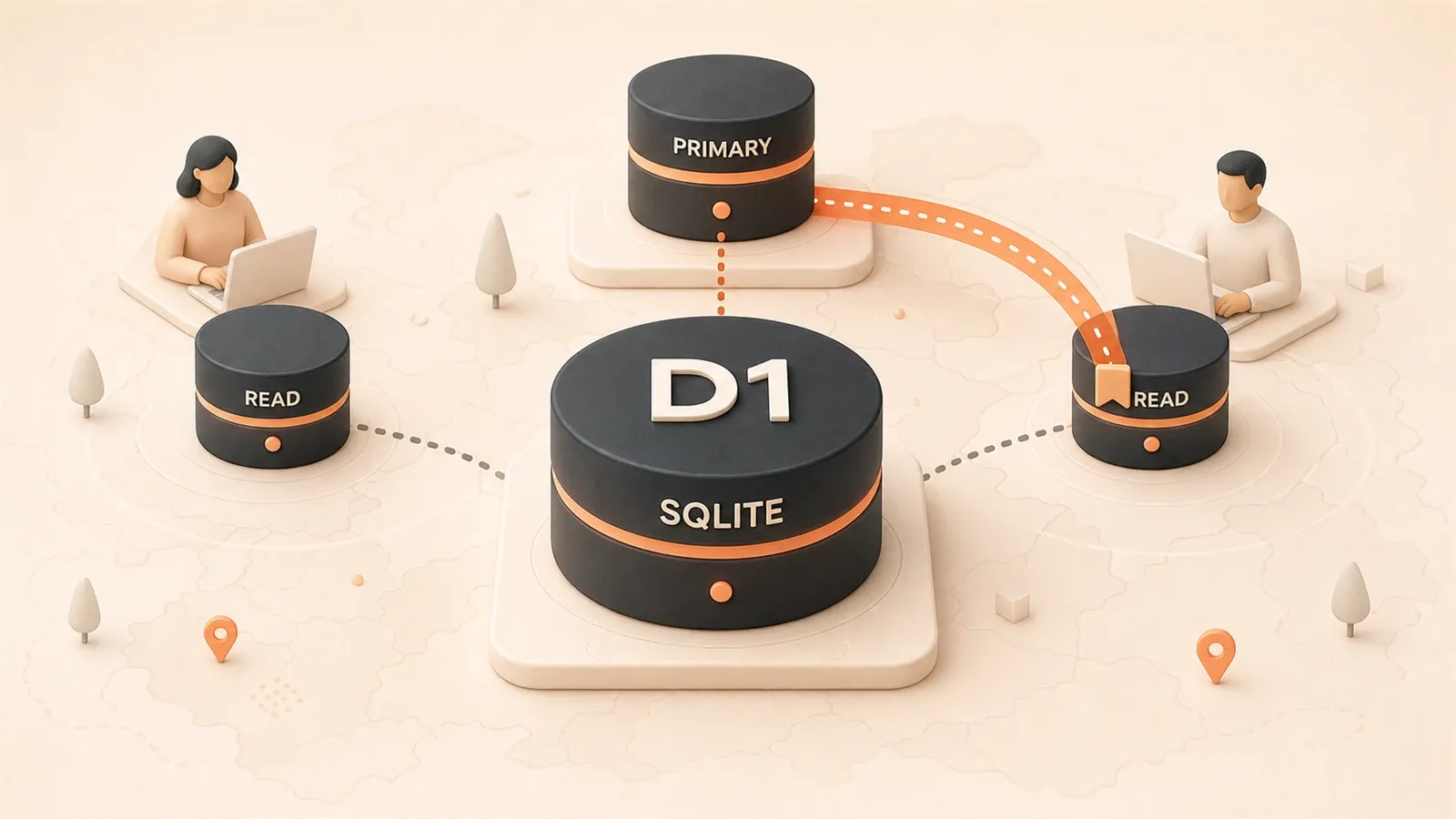
Third is global replication (the major 2025 update). Your database’s primary node lives in one region, but read replicas automatically sync globally. A user accessing from Singapore reads from the Singapore replica, dropping latency from three digits to single digits.
But It Has Hard Limits
D1 isn’t a silver bullet. It has several constraints you must understand before choosing it:
Single database 10GB limit. Exceed this and you need to shard or consider alternatives. One account supports up to 50,000 databases—plenty for most projects, but if your business model is “one database per user,” do the math.
Single-writer architecture. Only one node can process writes at a time, capping write throughput. Real-world testing shows 500-2000 writes/sec, nowhere near PostgreSQL’s 10K-50K. If your business involves high-frequency writes (real-time bidding, log pipelines), D1 might not keep up.
Sequential consistency, not strong consistency. I’ll explain this in detail later, but essentially data you just wrote might not be visible in the next second’s read—but if you use Sessions API correctly, this problem can be perfectly solved.
Honestly, D1 is best suited for read-heavy web applications. Most websites have 90%+ read operations, and D1’s global read replication serves these requests from nearby nodes, delivering tangible experience improvements.
2. D1 Architecture: Durable Objects and Global Replication
This chapter is fairly technical, but if you want to use D1 well, these concepts are unavoidable.
Durable Objects: One “Butler” Per Database
At D1’s core are Durable Objects. Think of it as each database having a dedicated “butler process” responsible for:

- Guaranteeing global uniqueness: All writes must go through it, preventing conflicts from two people modifying the same data simultaneously
- Maintaining transaction logs: Every write is recorded for failover and replica synchronization
- Coordinating read replicas: Telling replicas worldwide “time to update”
This design is clever. Traditional distributed databases require coordination between multiple nodes, where network latency and node failures cause various problems. D1’s approach: pick one primary node, all writes queue there for sequential processing, then asynchronously sync to replicas.
Snapshot Isolation: Reads Don’t Block
When you execute a SELECT query on D1, it doesn’t queue at the primary node. Instead, it reads a “snapshot” directly from the nearest replica.
What does this mean? Suppose your database has a primary node in Beijing with replicas in Tokyo, Singapore, and Sydney. When a Tokyo user initiates a read request, D1 routes to the Tokyo replica, returning data state at that moment. This snapshot is determined at the instant the query starts—even if the primary is writing new data simultaneously, your read won’t be blocked.
But there’s a problem: if you just wrote data and immediately read, you might not see it. The replica hasn’t synced yet.
That’s why D1 provides Sessions API.
Lamport Timestamps: Making Order Meaningful
In 1978, Leslie Lamport proposed a method for ordering events in distributed systems, later called Lamport timestamps. The core idea is simple: each event has a logical clock, and subsequent events’ timestamps are always larger than previous ones.
D1 uses this mechanism to guarantee “sequential consistency”: if you write then read within one session, D1 ensures you read data after the write, not some unsynced old replica.
How? After each write completes, D1 returns a “bookmark” (commit token). This bookmark marks a point telling you “all modifications before this point have taken effect.” Bring this bookmark on your next query, and D1 ensures the data you see is at least as new as this point.
User → Write order → Get commit token "abc123"
User → Query order (with token "abc123") → Ensure seeing just-written data
How Global Replication Works
When you create a D1 database, it chooses a “primary location.” Default is your nearest Cloudflare data center, or you can specify manually.
Write flow:
- Write request reaches nearest edge node
- Routes to primary region’s Durable Object
- Writes to primary database file
- Asynchronously replicates to global replicas
Read flow:
- Read request reaches nearest edge node
- Reads from that region’s replica
- If sessioned read, ensures consistency bookmark is effective
Cloudflare officially states global replication has no extra charge—quite generous, since data transfer costs are substantial. But note that writes still route to the primary region, with latency depending on physical distance between you and primary. So if your primary is in the US but most users are in Asia, they’ll notice latency during writes.
3. Sessions API in Practice: Implementing Sequential Consistency
Theory done, let’s look at code.
Sessions API is D1’s 2025 feature, specifically solving the “read-after-write” consistency problem. If you’ve used MongoDB’s causal consistency or CockroachDB’s follower reads, the concept is similar—using some marker to track causality.
Basic Usage
// Create a Session
const session = env.DB.withSession();

// Normal read query, routes to nearest replica
const { results } = await session.prepare(
  "SELECT * FROM products WHERE category = ?"
).bind("electronics").all();

// Write query, automatically routes to primary
await session.prepare(
  "INSERT INTO orders (user_id, product_id, quantity) VALUES (?, ?, ?)"
).bind(userId, productId, 2).run();

// Get current Session's consistency bookmark
const bookmark = session.latestCommitToken;
The key here is withSession(). It creates a “session context” where all operations share the same consistency view.
Three Consistency Modes
Sessions API offers three modes for different scenarios:
1. first-unconstrained (default)
const session = env.DB.withSession("first-unconstrained");The most relaxed mode. Reads go directly to nearest replicas regardless of whether they’re up-to-date. Suitable for scenarios with low real-time requirements, like product listings or blog post displays.
2. first-primary
const session = env.DB.withSession("first-primary");First read routes to primary, subsequent reads go to replicas. This ensures you see data at least as recent as when the Session was created. Good for scenarios where you need to see “just-written data” but don’t want to query primary every time.
3. Continue previous session using bookmark
// Get previous bookmark from request header
const previousToken = request.headers.get("x-d1-token") ?? "first-unconstrained";

// Create Session, continuing previous session
const session = env.DB.withSession(previousToken);

// Execute operations...

// Return new bookmark
response.headers.set("x-d1-token", session.latestCommitToken);
This is the most powerful usage. You can store bookmarks client-side (like browser cookies or request headers), bringing them on each request, maintaining consistency across multiple requests.

Real-World Scenario: E-commerce Order System
Suppose you’re building a global e-commerce platform. When users browse products, you want reads from nearest replicas for lowest latency. But after placing orders, they must see their just-placed orders.
export default {
  async fetch(request, env) {
    const url = new URL(request.url);

    // Get session token from request header (null for first request)
    const token = request.headers.get("x-d1-token") ?? "first-unconstrained";
    const session = env.DB.withSession(token);

    // Case 1: Browse product list (doesn't need strong consistency)
    if (url.pathname === "/api/products") {
      const { results } = await session.prepare(
        "SELECT * FROM products WHERE status = ?"
      ).bind("active").all();

      return new Response(JSON.stringify(results), {
        headers: {
          "Content-Type": "application/json",
          "x-d1-token": session.latestCommitToken
        }
      });
    }

    // Case 2: Create order (write operation, auto-routes to primary)
    if (url.pathname === "/api/orders" && request.method === "POST") {
      const body = await request.json();

      await session.prepare(`
        INSERT INTO orders (user_id, total_amount, status)
        VALUES (?, ?, ?)
      `).bind(body.userId, body.total, "pending").run();

      // Immediately query after write, ensure reading just-written data
      const order = await session.prepare(`
        SELECT * FROM orders WHERE user_id = ?
        ORDER BY created_at DESC LIMIT 1
      `).bind(body.userId).first();

      return new Response(JSON.stringify(order), {
        headers: {
          "Content-Type": "application/json",
          "x-d1-token": session.latestCommitToken  // Return new token
        }
      });
    }

    // Case 3: View order details (use previous token, ensure consistency)
    if (url.pathname.startsWith("/api/orders/")) {
      const orderId = url.pathname.split("/")[3];

      // If user just placed order, token ensures reading latest data
      const order = await session.prepare(
        "SELECT * FROM orders WHERE id = ?"
      ).bind(orderId).first();

      return new Response(JSON.stringify(order), {
        headers: {
          "Content-Type": "application/json",
          "x-d1-token": session.latestCommitToken
        }
      });
    }
  }
}
This design is practical. Use first-unconstrained when browsing products for best performance. After ordering, the client saves the token and brings it on subsequent order views, guaranteeing consistency.
How Clients Cooperate
Frontend needs to do very little: store x-d1-token and send it with each request.
// Frontend example
let d1Token = localStorage.getItem('d1-token') ?? 'first-unconstrained';

async function fetchProducts() {
  const response = await fetch('/api/products', {
    headers: { 'x-d1-token': d1Token }
  });
  d1Token = response.headers.get('x-d1-token');
  localStorage.setItem('d1-token', d1Token);
  return response.json();
}

async function createOrder(data) {
  const response = await fetch('/api/orders', {
    method: 'POST',
    headers: {
      'Content-Type': 'application/json',
      'x-d1-token': d1Token
    },
    body: JSON.stringify(data)
  });
  d1Token = response.headers.get('x-d1-token');
  localStorage.setItem('d1-token', d1Token);
  return response.json();
}
See, not much code, but it solves a big problem. Without this mechanism, users might see an empty order list right after placing an order—terrible experience.
4. Performance Benchmarks and Competitor Comparison
Numbers don’t lie. Here’s a comparison of mainstream solutions, data from official docs and community testing.
Latency Comparison
| Solution | Read Latency (p50) | Read Latency (p99) | Write Latency (p50) | Notes |
|---|---|---|---|---|
| D1 | ~0.5ms | ~2-5ms | ~5-30ms | Reads from edge replicas, writes from primary |
| Turso | ~0.02ms | ~0.1ms | ~15-50ms | Embedded reads, insanely fast |
| PlanetScale | ~3-8ms | ~10-20ms | ~3-8ms | MySQL compatible, read/write through proxy |
| PostgreSQL (Neon) | ~3-10ms | ~20-50ms | ~1-5ms | Traditional architecture, slow cold start |
Key observations:
Turso’s read latency is genuinely fast. 0.02 milliseconds, basically local memory access speed. Because it uses embedded SQLite, database files replicate directly to your edge nodes, making reads completely local. But this has a cost—data sync needs extra handling, and write latency is actually higher.
D1’s read latency is also excellent. 0.5 milliseconds is top-tier for edge databases. But write latency gap is noticeable—writes must route to primary, and physical distance determines the latency floor. If your primary is in US West and users are in Singapore, writes must cross the Pacific, 30 milliseconds minimum.
PlanetScale and Neon fit traditional apps better. Their latency numbers might not look as impressive as D1 and Turso, but they win on mature ecosystems and complete features. If you need complex SQL (stored procedures, triggers, rich index types), these two are better choices.
Throughput Comparison
| Solution | Read Throughput (QPS) | Write Throughput (QPS) | Notes |
|---|---|---|---|
| D1 | 10K-100K | 500-2K | Single database limit |
| Turso | Unlimited (local read) | Limited by sync | Each edge node reads independently |
| PlanetScale | 10K-50K | 5K-20K | Scalable via sharding |
| PostgreSQL | 10K-100K | 10K-50K | Depends on instance size |
D1’s write throughput is a weak point. Single-writer architecture determines the ceiling. If your app needs 5000+ writes per second, D1 becomes a bottleneck. Either consider database sharding (but adds complexity) or choose another solution.
Free Tier Comparison
| Solution | Storage | Read Quota | Write Quota | Notes |
|---|---|---|---|---|
| D1 | 5GB | 25B rows/month | 50M rows/month | 10GB/database limit |
| Turso | 9GB | 1B rows/month | 25M rows/month | Includes replication traffic |
| PlanetScale | 1GB | 10B rows/month | 10B rows/month | No write limit |
| Neon | 0.5GB | 100M units/month | 100M units/month | Unit = read or write |
Looking at free tiers, D1 is quite generous. 25 billion rows read is plenty for personal projects and small applications. But note D1’s write limit—50 million rows/month, averaging 1.66 million rows/day. For high-frequency write scenarios like log collection or event tracking, it’s easy to exceed.
Pricing Model
D1’s pricing is simple: pay-as-you-go, no minimum. After exceeding free tier, $0.001 per million rows read, $0.10 per million rows written. Storage is $0.75/GB/month.
Turso’s pricing is somewhat complex, involving “rows read” and “replication traffic” dimensions—if data updates frequently, replication costs can get high.
PlanetScale pricing is based on “rows read” and “rows written,” write costs lower than D1, read costs slightly higher.
My recommendation: if you’re deep in the Cloudflare ecosystem (Workers, KV, R2), D1’s billing integration makes invoices clearer. For independent projects, try all three and decide with real data.
5. Decision Tree: When to Choose D1
Having said all this, should you choose D1? Here’s a simple decision tree.
Scenarios Suitable for D1
Your application is read-heavy. Content sites, e-commerce platforms (mainly browsing), blogs, documentation systems. These applications have 90%+ read operations, and D1’s global read replication can drop latency to single-digit milliseconds.
Your users are globally distributed. Traditional single-region databases require cross-ocean trips for distant users. D1 brings data “to users’ side,” delivering immediate experience improvements.
You’re already using Cloudflare Workers. D1 and Workers integration is native—configure a few lines of code and you’re set. No separate connection pool, no cold start worries, smooth development experience.
Your database size is under 10GB. D1’s single database limit is 10GB, exceeding requires sharding. If your business is naturally “one database per tenant,” this limit doesn’t matter.
Scenarios Not Suitable for D1
High-frequency write applications. Real-time bidding systems, log pipelines, IoT data collection—these scenarios might generate tens of thousands of writes per second, and D1’s single-writer architecture becomes a bottleneck. PostgreSQL, ClickHouse, or TimescaleDB would be more appropriate.

Need complex transactions. D1 currently supports SQLite’s transaction level. If you need SERIALIZABLE isolation, cross-database transactions, or complex stored procedures, it won’t satisfy.
Data volume exceeds 10GB. Sharding is possible but adds operational complexity. If your data is naturally large (time-series data, log archives), better to choose other solutions from the start.
Need strong consistency. D1 is an eventually consistent system—reads immediately after writes might not see latest data (unless using Sessions API). If your business requires reading latest data at any time from any location, consider other solutions.
Considerations for Migrating from PostgreSQL
If you want to migrate an existing PostgreSQL application to D1, consider these things:
1. SQL Dialect Differences
SQLite doesn’t support some PostgreSQL features:
- No
RETURNINGclause (need two steps: insert then query) - No
SERIALtype (useINTEGER PRIMARY KEY AUTOINCREMENT) - No
JSONBtype (useTEXTto store JSON, withjson_extract()function) - No
ARRAYtype (need relational table)
2. Data Migration Tools
Cloudflare officially provides migration tools, supporting SQL export from PostgreSQL then import to D1:
# Export PostgreSQL data
pg_dump --format=insert mydb > dump.sql

# Import to D1
npx wrangler d1 execute my-d1-database --file=dump.sql
But complex schemas may need manual adjustment.
3. Connection Method Changes
Traditional databases use persistent connections, D1 is stateless function calls. Your ORM may need adjustment, or use raw SQL directly. Prisma has a D1 adapter, but features are still being refined.
Quick Decision
If you’re still unsure, try this simple test:
Your application write frequency > 1000/sec?
├─ Yes → Don't choose D1
└─ No
    └─ Need strong consistency?
        ├─ Yes → Don't choose D1 (or use with Sessions API)
        └─ No
            └─ Data volume > 10GB?
                ├─ Yes → Consider carefully
                └─ No → D1 is a good fit
Summary
D1’s core value can be summarized in three sentences: edge deployment drops latency to single-digit milliseconds, serverless architecture means no operational worries, Sessions API elegantly solves distributed systems’ most troublesome consistency problem.
But this doesn’t mean it suits all scenarios. High-frequency writes, complex transactions, massive data scale—PostgreSQL and specialized time-series databases remain better choices. There are no silver bullets in technology selection, only tradeoffs.
If you’re building a globally distributed, read-heavy web application and already using Cloudflare Workers, D1 is worth a try. Creating a test database takes just minutes:
# Create database
npx wrangler d1 create my-first-db

# Create table
npx wrangler d1 execute my-first-db --command="CREATE TABLE users (id INTEGER PRIMARY KEY, name TEXT)"

# Insert data
npx wrangler d1 execute my-first-db --command="INSERT INTO users (name) VALUES ('test')"
Run it yourself, feel the latency difference from Tokyo to a West Coast database, and you’ll know if it’s right for your project.
"D1 is Cloudflare’s SQLite edge database, offering global read replication and serverless experience. Its Sessions API achieves sequential consistency through Lamport timestamps, solving the common read-after-write consistency problem in distributed systems."
References
- Building D1: a Global Database — Cloudflare Official Blog, 2024
- D1 Global Read Replication Beta — Cloudflare Official Blog, 2025
- D1 Getting Started — Cloudflare Official Documentation
- The SQLite Renaissance — DEV Community, 2026
- Database Free Tier Comparison 2026 — Agent Deals
Cloudflare D1 Database Quick Start
Complete process from creating database to implementing Sessions API consistent reads
⏱️ Estimated time: 15 min
- 1
Step 1: Create D1 Database
Use wrangler CLI to create a database:
```bash
npx wrangler d1 create my-first-db
```
After creation, it returns database_id, configure in wrangler.toml:
```toml
[[d1_databases]]
binding = "DB"
database_name = "my-first-db"
database_id = "your-database-id"
``` - 2
Step 2: Create Data Tables
Execute SQL to create table structure:
```bash
npx wrangler d1 execute my-first-db --command="CREATE TABLE users (id INTEGER PRIMARY KEY, name TEXT, created_at DATETIME DEFAULT CURRENT_TIMESTAMP)"
```
Or use SQL file for batch execution:
```bash
npx wrangler d1 execute my-first-db --file=./schema.sql
``` - 3
Step 3: Use Sessions API in Worker
Create database connection with session to achieve read-after-write consistency:
```typescript
export default {
async fetch(request, env) {
// Get session token from request header
const token = request.headers.get("x-d1-token") ?? "first-unconstrained";
const session = env.DB.withSession(token);
// Write data
await session.prepare("INSERT INTO users (name) VALUES (?)")
.bind("test").run();
// Ensure consistency when reading
const { results } = await session.prepare("SELECT * FROM users")
.all();
return new Response(JSON.stringify(results), {
headers: { "x-d1-token": session.latestCommitToken }
});
}
}
``` - 4
Step 4: Configure Global Read Replication
Specify primary region in wrangler.toml:
```toml
[[d1_databases]]
binding = "DB"
database_name = "my-first-db"
database_id = "your-database-id"
primary_location_hint = "apne1" # Tokyo region
```
Available region codes:
- apne1: Tokyo
- sfo1: San Francisco
- eur3: Frankfurt
FAQ
What's the difference between Cloudflare D1 and Turso?
• D1: Single-writer architecture, writes route to primary, read latency ~0.5ms, suitable for read-heavy scenarios
• Turso: Embedded reads, lower latency (~0.02ms), but more complex data sync
D1's advantage is native integration with Cloudflare Workers, larger free tier (25B rows read/month); Turso's advantage is extreme read performance, suitable for latency-sensitive scenarios.
How to overcome D1's 10GB single database limit?
• Database sharding: Split by business module, one database per module
• Tenant isolation: One database per tenant, D1 supports up to 50,000 databases
• Hybrid storage: Hot data in D1, cold data migrated to R2 or other object storage
If data continuously grows beyond 10GB, consider evaluating other solutions like PlanetScale or traditional PostgreSQL.
How to choose between Sessions API's three modes?
• first-unconstrained (default): Suitable for product listings, blog displays where real-time isn't critical
• first-primary: Suitable when needing to see "just-written data" but not wanting to query primary every time
• commit token mode: Suitable for e-commerce orders, order views needing cross-request consistency
E-commerce recommendation: Use first-unconstrained when browsing, save token after ordering, bring it on subsequent requests.
Is D1 suitable for high-frequency write scenarios?
If your application has these characteristics, consider other solutions:
• Real-time bidding systems
• Log pipelines, event tracking
• IoT data collection
• More than 1000 writes per second
These scenarios are better suited for PostgreSQL, ClickHouse, or TimescaleDB.
What to consider when migrating from PostgreSQL to D1?
• SQL dialect: SQLite doesn't support RETURNING, SERIAL, JSONB, ARRAY types
• Connection method: From persistent connection to stateless function calls
• ORM adaptation: Prisma has D1 adapter, but features still being refined
Migration steps:
1. Use pg_dump to export data
2. Manually adjust incompatible SQL syntax
3. Use wrangler d1 execute to import
Recommend testing with small-scale data first, confirm functionality before full migration.
Does D1 charge extra for global replication?
But note:
• Writes still route to primary, latency depends on physical distance to primary
• If primary is in US, users in Asia, write latency ~30ms+
• Read free tier is generous (25B rows/month), write quota 50M rows/month
Recommend deploying primary in region with most concentrated users to optimize write experience.
15 min read · Published on: May 5, 2026 · Modified on: Jul 14, 2026

Cloudflare Guides: Pricing, DNS, CDN, SSL, and Security Setup
If you landed here from search, the fastest way to build context is to jump to the previous or next post in this same series.
Previous
Cloudflare Dynamic Workers: The Secret to 100x Faster AI Agent Sandboxes Than Containers
Cloudflare Dynamic Workers uses V8 Isolates to implement AI Agent sandboxes, achieving 100x faster startup than containers and 10-100x better memory efficiency. This article provides an in-depth analysis of technical principles, security mechanisms, API practices, and cost-benefit analysis, offering complete guidance for technology selection.
Part 20 of 23
Next
Cloudflare Free Tier Limits Checklist: Are CDN, DNS, WAF, and Workers Enough?
Complete checklist of Cloudflare free tier limits: Workers 100K requests/day, Pages 500 builds/month, DNS 1000 records, R2 10GB storage. A quick guide to determine if your project fits within limits, with scenario decision tables and upgrade guidance.
Part 22 of 23


Comments
Sign in with GitHub to leave a comment