
AI Agent Memory Management: Long-term Memory and Knowledge Governance in Practice
Updated 2026-06-08: rechecked the LOCOMO benchmark and framework details (Mem0 / Letta / Zep / Cognee are all current), replaced a dated model-pricing reference with general phrasing, and added on-topic further reading. Frameworks and benchmarks move fast — treat the numbers as a snapshot and confirm on official sources.
Updated 2026-06-08: rechecked the LOCOMO benchmark and framework details (Mem0 / Letta / Zep / Cognee are all current), replaced a dated model-pricing reference with general phrasing, and added on-topic further reading. Frameworks and benchmarks move fast — treat the numbers as a snapshot and confirm on official sources.
“What happened with that order you looked up for me last time?”
The support Agent froze. Nothing about “order” appeared in the current thread—the lookup was yesterday, in another session.
Not a bug. Amnesia.
The first time this bit me, the Agent sounded great—until the user switched tabs, closed the browser, or came back hours later. Preferences gone, prior decisions gone, reasons gone.
Bigger context windows do not fix it. They can make Agents worse—“context rot”: noise dilutes attention, retrieval cost explodes, latency jumps from hundreds of ms to tens of seconds.
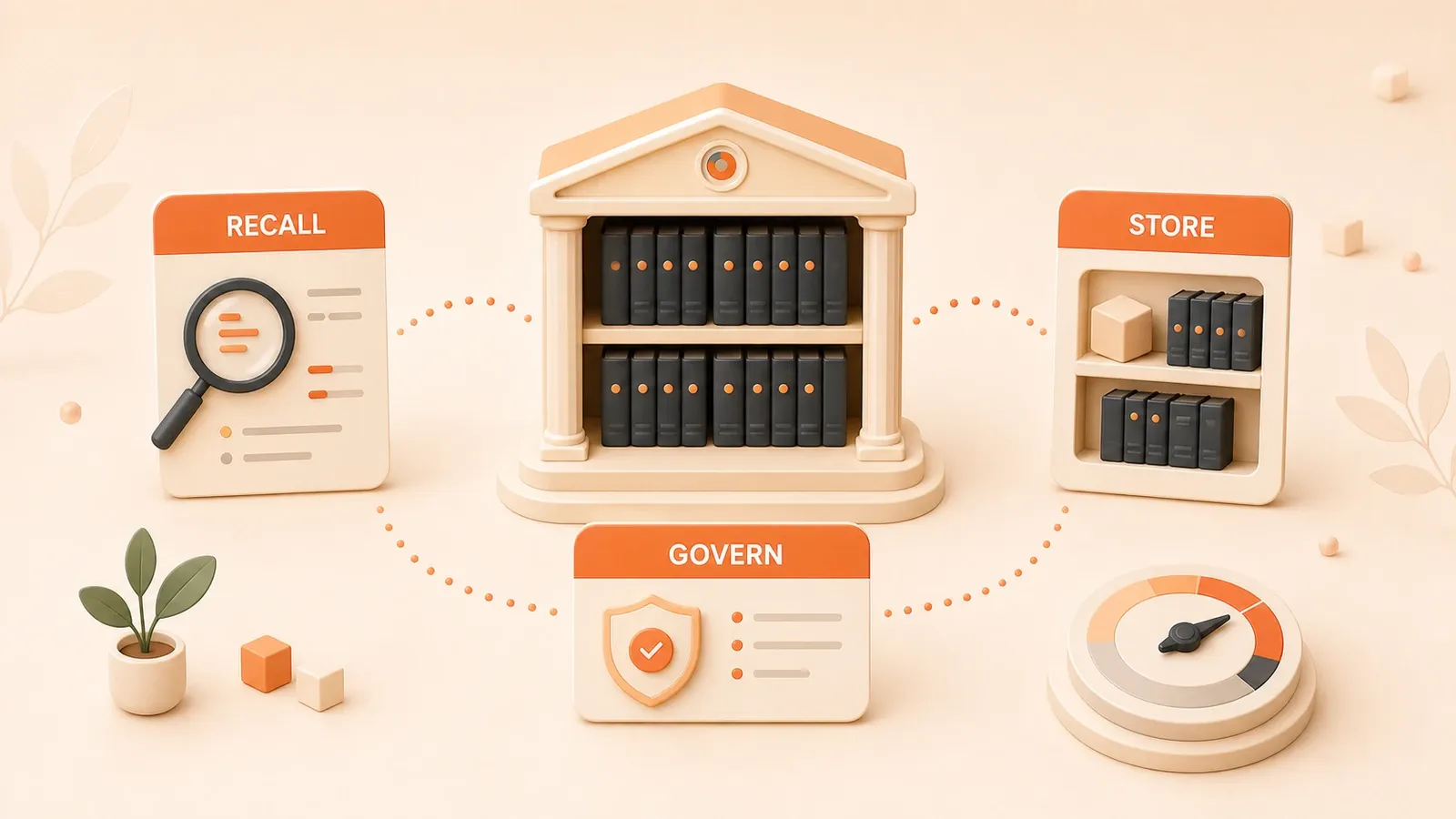
Real memory is not “dump chats in a database.” It is remembering what matters, dropping trivia, recalling when needed, and tracing why a decision was made.
We break down Agent memory design: three memory types (most people only know two), six framework options, how knowledge graphs patch vector blind spots, and traps from production.
Why Agents Need Independent Memory Systems
Context Decay: Larger Windows Actually Make Things Worse
Let’s look at some data from the LOCOMO benchmark (an authoritative dataset specifically designed to evaluate Agent memory capabilities):
On the surface, Full-context has higher accuracy. But would you wait 10 seconds? More critically, the Token consumption differs by 13x. At mainstream model pricing, context alone can burn several cents per conversation.
Why might larger windows actually lead to worse results?
Think of it this way. You’re looking for a book in a library. When the library has only 10 books, you find it with a glance. When it has 100,000 books—even if you could see all the covers at once—it would take you a long time to find the one you want.
The model’s attention mechanism works similarly. The more information crammed into the context window, the less attention the model allocates to each piece. Irrelevant historical conversations, outdated task states, already-solved problems… all squeezed together, making it harder for the model to distinguish what’s important.
This is context decay. More information, lower signal-to-noise ratio.
I once ran an experiment: having an Agent answer a detail mentioned in round 1 after 100 rounds of conversation. The result? Full-context accuracy dropped from 90% to 60%. With a memory system, accuracy stayed stable at 85%+.
From “Tool” to “Partner”: Memory Across Session Boundaries
An Agent without memory is, at best, an advanced tool. You use it, it forgets you.
An Agent with memory can truly become a “partner.” It remembers you prefer concise answers, remembers you asked similar questions before, knows you use React not Vue in your project. You don’t need to repeat this every time.
The Letta team (the company behind MemGPT) gave a great example: a long-running coding assistant. It remembers your project’s code style, remembers bugs you’ve encountered and their solutions, even remembers the third-party libraries you commonly use. When you ask “help me write a similar function again,” it knows what “similar” means—because it remembers the function you wrote last time.
This cross-session continuity is the foundation for Agents evolving from “tools” to “partners.”
Three Core Memory Types: Short-term, Long-term, Reasoning (Most People Overlook the Third)
When it comes to Agent memory, many only know about short-term and long-term memory. But there’s actually a third type—Reasoning Memory—and this is what most systems lack.
Let me explain each:
Short-term Memory: The current context window. Characterized by limited capacity, fresh information, disappearing when the session ends. Think of it as RAM—gone when power is cut.
Long-term Memory: Information stored externally, whether in vector databases, relational databases, or knowledge graphs. Characterized by large capacity, persistence, and retrieval support. Like a hard drive, readable and writable at any time.
Reasoning Memory: This is the most easily overlooked. It records the Agent’s decision-making process—why A was chosen over B, what the constraints were at the time, what the intermediate reasoning chain looked like. Without reasoning memory, an Agent makes decisions but can’t explain “why.” This is crucial for explainability, debugging, and continuous learning.
A Neo4j technical blog put it well: “An Agent that can only execute but can’t explain its decision process is like an employee who can only do work but never reviews. Fine short-term, bound to have problems long-term.”
Among the frameworks I’ve seen, only a few (like Letta, Zep) implement reasoning memory. Most are still stuck at the “store conversations in a vector database” stage.
Agent Memory Cognitive Architecture
Four-Layer Memory Model
Drawing from operating systems and cognitive science design, modern Agent memory systems typically employ a layered architecture. The most classic is Letta/MemGPT’s four-layer model:
Layer 1: Message Buffer
    ↓ Overflow triggers compression
Layer 2: Core Memory
    ↓ Active writing
Layer 3: Recall Memory
    ↓ On-demand retrieval
Layer 4: Archival Memory
Message Buffer: The current conversation’s context window, with limited capacity (e.g., 4K or 8K tokens). When the buffer is nearly full, the system compresses old messages into summaries, making room for new ones.
Core Memory: A carefully maintained “working memory” block storing information most relevant to the current task. Things like user preferences, current goals, recent decisions. Capacity is a few hundred to a few thousand tokens, kept within the context window so the model sees it with every generation.
Recall Memory: Vector storage of historical conversations. When the Agent needs to recall “what the user asked last time,” it retrieves from here. Retrieval can be based on semantic similarity, time range, keywords, etc.
Archival Memory: Long-term archive storage for “might be useful later but not needed now” information. Like conversations from six months ago, records of completed tasks.

What’s the benefit of this layered design? An analogy: when you’re coding, Core Memory is your brain and the few files open in your editor, Recall Memory is your Git history and project documentation, Archival Memory is other projects on your computer and online resource libraries. The closer the layer, the faster the access but smaller the capacity; the farther the layer, the larger the capacity but slower the access.
MemGPT’s Operating System-Style Management
MemGPT (now Letta) has an interesting design philosophy: analogizing Agent memory management to operating system memory management.
In an operating system, RAM is limited, disk is unlimited. When RAM isn’t enough, the system swaps some data to disk, loading it back when needed.
MemGPT does something similar:
- RAM = Context window (limited, expensive, fast)
- Disk = External storage (unlimited, cheap, slower)
The Agent has a “self-management” mechanism: it maintains a “Core Memory Block” in the context window, like an OS maintains page tables. When Core Memory is full, the Agent actively “evicts” some information to external storage; when archived information is needed, the Agent actively “recalls” from external storage.
The key to this design: the Agent itself decides what to keep, what to delete, what to query. Not hardcoded rules, but the Agent dynamically adjusting based on current tasks.
Here’s a concrete example. The Core Memory Block data structure looks like this:
{
  "label": "user_preferences",
  "description": "User preference settings",
  "value": "Prefers concise answers, prefers Chinese, commonly uses React stack",
  "limit": 2000
}
When the limit is nearly reached, the Agent can choose: compress (extract key information), split (break into multiple blocks), or evict (move to Archival Memory).
Sleep-time Compute: Asynchronous Memory Processing Without Blocking Responses
This is a clever design proposed by Letta.
Traditional approach: After each conversation ends, immediately process memory—extract key information, update vector indices, generate summaries. This blocks the response; the user has to wait.
Sleep-time Compute approach: During conversation, first throw raw data into a queue and immediately return the response. When the Agent is “idle” (sleeping), then slowly process memory.
The benefits are clear:
- Significantly reduced perceived latency for users
- More complex memory processing possible (like knowledge graph construction) without worrying about timeouts
- Higher batch processing efficiency, lower cost
Of course, the trade-off is delayed memory updates. For most scenarios (customer service, assistants, coding partners), delays of seconds to minutes are acceptable. But for scenarios requiring real-time memory (like emotion recognition during live conversation), it’s less suitable.
Memory Eviction and Recursive Summarization: Preserving 70% Ensures Continuity
When the context window is full, how do you decide what to delete and what to keep?
One simple strategy: recursive summarization. Compress old conversations into a summary, keeping core information while discarding details.
But here’s the question: how much compression is appropriate? Compress too much, and key information is lost; compress too little, and space is still tight.
Letta team’s experimental data offers a reference: preserving 70% of information content is the optimal balance between continuity and compression rate.
How specifically? Suppose the current context window has 100 messages and is full:
- Compress the first 50 messages into a 500-token summary
- Summary preserves: user goals, key constraints, important decisions, pending problems
- Original data moves to Archival Memory, available for lookup later
- New context window = summary + last 50 messages + new messages
This ensures continuity (the Agent knows what happened before) while freeing space (conversation can continue).
Knowledge Governance: Memory Lifecycle Management
Memory isn’t just “store it and you’re done.” It has a lifecycle: capture, compress, store, retrieve, decay, clean. Each step needs strategy.
TTL Strategies for Three Memory Types: User Preferences vs Task State vs Operation Logs
TTL (Time To Live) is a core parameter in memory management. Different types of memory have completely different TTLs.
User Long-term Memory: TTL is infinite or very long (years). Things like user name, preferences, commonly used tools, tech stack choices. This information rarely changes and should be preserved long-term.
Task Memory: TTL is configurable (hours to days). Things like current project context, recent bug records, ongoing decisions. When the task ends, the memory can be cleaned or archived.
Event Memory: TTL is short (minutes to hours). Things like current conversation turn, temporary calculation results, just-retrieved information. Can be discarded after use.
I’ve seen many projects that store all memory in the same vector database without any TTL differentiation. The result: the vector database grows larger and larger, retrieval gets slower and slower, and recalls a bunch of outdated, irrelevant information.
The sensible approach: use three different storage systems, each with different TTL and cleanup strategies.
User long-term memory → Vector database (no TTL, periodic compression)
Task memory → Relational database + vector (TTL based on task cycle)
Event memory → Memory or Redis (short TTL, auto-expire)
The Art of Summary Compression: 200-Character Structured Summaries
Compressing 100 rounds of conversation into a summary sounds simple, but there are many details.
Too simple, and information is lost. Too complex, and the model can’t read it.
Letta’s practice offers a structured template that works well:
{
  "goals": ["What the user wants to accomplish"],
  "constraints": ["User constraints"],
  "decisions": ["What decisions the Agent made"],
  "open_questions": ["Unresolved problems"],
  "evidence_index": ["Source index for important information"]
}
At the end of each conversation, the Agent generates such a structured summary of about 200 characters. The benefits:
- Clear structure: The model knows what each part is when reading
- High information density: Only keep the core, drop the fluff
- Traceable: evidence_index points to original data, details can be checked
I tried unstructured summaries before, like “This is a conversation about user order inquiry…” Much worse results. The model struggles to quickly locate key information when reading, and it’s not useful for retrieval either.
Retrieval Injection Strategy: When to Actively Inject, When to Passively Retrieve
Memory retrieval has two modes: active injection and passive retrieval.
Active injection: Before each generation, automatically inject relevant memories into context. Suitable when memory volume isn’t large and real-time requirements are high. The downside is if there’s too much memory, it crowds the context space.
Passive retrieval: Only query when needed. The model generates a “retrieval request,” then searches the vector database or knowledge graph. Suitable when memory volume is large and latency is sensitive. The downside is adding a retrieval latency.
Letta’s recommendation: Active injection for Core Memory, passive retrieval for Recall/Archival Memory.
What does this mean? Information in Core Memory (user preferences, current goals) must be known for every generation, so it’s actively injected into context. Historical information in Recall and Archival is only retrieved when the model judges “I need to recall something.”
This requires the model to have “self-awareness”—knowing when it needs to look things up. Frontier models like GPT-5 and Claude perform well in this regard, guided by prompts. Smaller models need more explicit rules.
Memory Decay and Cleanup: Avoiding “Memory Bloat”
Memory bloat is a real problem. The longer a user uses the system, the more memories accumulate, the slower retrieval becomes, and the more cluttered the recalled information.
The solution: decay and cleanup.
Decay: Each memory has an “importance score” that gradually decreases over time. If it’s not retrieved or used for a long time, the score drops below a threshold, triggering archival or deletion.
Cleanup: Periodically scan the memory database, delete expired, duplicate, low-value memories.
Specific implementation can reference this memory index design:
{
  "memory_id": "mem_001",
  "content": "User prefers React tech stack",
  "importance": 0.85,
  "last_accessed": "2026-04-12",
  "access_count": 23,
  "decay_rate": 0.01
}
Run a cleanup task every night:
- importance < 0.2 → delete
- duplicate memories → merge
- expired TTL → archive
The benefit: the memory database stays at a manageable size, retrieval efficiency is stable, and it doesn’t bloat over time.
Technology Selection: Vector Database vs Knowledge Graph
Vector Database Advantages and Limitations: Semantic Search Can’t Reconstruct Relationships
Vector databases are currently the most mainstream memory storage solution. Pinecone, Weaviate, Milvus, Qdrant… you’ve certainly heard these names.
Its core capability: semantic similarity search. Convert text to vectors, find nearest neighbors.
“The user likes concise answers” and “the user prefers short replies”—these two sentences are close in vector space and can recall each other. This is the strength of vector databases.
But vector databases have a fatal blind spot: they can’t find “relationships.”

For example. The conversation history has:
- “I’m working on an e-commerce project”
- “The project uses Next.js”
- “Backend is Supabase”
- “Recently handling the payment module”
A vector search for “project tech stack” might only recall “uses Next.js” but miss “backend is Supabase”—because these two sentences aren’t semantically similar enough. But actually they’re related: both are tech choices for the project.
This is where knowledge graphs come in.
Graph RAG: Letting Agents Understand Connections
Knowledge graphs store entities and relationships.
In the example above, in a knowledge graph it looks like:
(User) --[working on]--> (E-commerce Project)
(E-commerce Project) --[frontend]--> (Next.js)
(E-commerce Project) --[backend]--> (Supabase)
(E-commerce Project) --[current module]--> (Payment Module)
When the Agent asks “what’s the project’s tech stack,” it can traverse the graph to find all related tech choices.
Neo4j’s technical blog gave a complete Agent memory implementation solution, with three core graphs:
- User Graph: User profile, preferences, historical behaviors
- Task Graph: Current tasks, subtasks, dependencies
- Knowledge Graph: Domain knowledge, concept associations
The power of graph queries lies in multi-hop retrieval. Vectors can only find “similar,” graphs can find “related.”
For example, querying “what problems has the user encountered in this project,” the graph can:
- Start from the “User” node
- Find “participated projects”
- Find “problems” related to the project
- Find “solutions” to the problems
This multi-hop association, vector databases can’t do.
Reasoning Memory: The Key to Decision Tracing
Let’s talk about reasoning memory—this is a critical capability overlooked by most frameworks.
Reasoning memory doesn’t record “what happened,” but “why this was done.”
For example:
- User asks: “Help me write a login page”
- Agent asks: “Do you need third-party login?”
- User answers: “No, just email login”
- Agent decides: Use NextAuth, don’t integrate OAuth
Reasoning memory would record:
{
  "decision": "Use NextAuth, don't integrate OAuth",
  "reasoning": "User only needs email login, doesn't need third-party login",
  "constraints": ["Don't introduce OAuth"],
  "alternatives_considered": ["Clerk", "custom auth"],
  "chosen_because": "NextAuth is lightweight, meets requirements"
}
Where’s the value of this memory?
- Explainability: User asks “why not Clerk?”, Agent can answer
- Debugging: Can trace decision chains when problems arise
- Continuous learning: Next time in a similar situation, can reference previous decisions
In Neo4j’s implementation, reasoning memory is modeled as “decision nodes,” connected to related “constraint nodes” and “result nodes.” This way the complete cause and effect of a decision can be traced.
Hybrid Solution: Vector + Graph + Structured Storage
After all this, which one should you choose?
The answer: a hybrid solution.
Using only vector databases, you lose relationships. Using only knowledge graphs, construction cost is high and semantic retrieval is weak. Using only relational databases, flexibility and recall capability are insufficient.
The best combination in practice:
- Vector database: Store conversation text, do semantic retrieval
- Knowledge graph: Store entity relationships, do multi-hop reasoning
- Relational database: Store structured data (user info, task status)
The collaboration pattern of the three:
- User question first goes to vector retrieval, recalls semantically related conversation segments
- Extract entities from segments, query associated information in the graph
- Structured data queries the relational database directly
This preserves the flexibility of semantic retrieval, gains the association capability of graphs, and also has efficient structured data queries.
Six Frameworks Practical Comparison
Now that we’ve covered the theory, let’s look at how to choose actual frameworks.
Mem0: Quick Integration, Multi-level Memory
Mem0 is currently one of the most popular Agent memory frameworks. Its positioning is “memory as a service”—you don’t need to manage memory storage and retrieval yourself, just call the API.
Core Features:
- Managed service, no infrastructure setup needed
- Supports 21 framework integrations (LangChain, LangGraph, LlamaIndex, CrewAI, etc.)
- Automatic memory extraction, update, retrieval
- Supports multi-tenant, multi-session
LOCOMO Benchmark Data:
- Accuracy: 66.9%
- Latency: 0.71s
- Token consumption: ~2K
Use Cases:
- Rapid prototype development
- Voice Agents (latency sensitive)
- Projects needing multi-framework integration
Limitations:
- Managed service, data not in your hands
- Limited support for advanced features (like reasoning memory)
- Less customization capability than self-built solutions
Code example:
from mem0 import Memory

m = Memory()

# Add memory
m.add("User likes concise answers", user_id="user_001")

# Search memory
results = m.search("user preferences", user_id="user_001")

# Returns: ["User likes concise answers"]
Ridiculously simple. This is Mem0’s biggest advantage: low barrier to entry.
Letta: Top Choice for Long-running Agents
Letta (formerly MemGPT) takes a different approach: it designs memory management as an OS-style layered architecture, emphasizing the Agent’s “self-management” capability.
Core Features:
- OS-style layered memory: RAM (context) + Disk (external storage)
- Agent autonomously decides memory read/write, eviction, recall
- Sleep-time Compute asynchronous processing
- Complete reasoning memory support
Use Cases:
- Long-running Agents (like coding assistants, personal assistants)
- Projects needing complete decision tracing
- Scenarios requiring high autonomy
Limitations:
- Steeper learning curve
- Need to deploy and manage yourself
- Requires model capability (smaller models may not “self-manage” well)
Architecture diagram:
┌─────────────────────────────────────┐
│          Agent (LLM)                │
│  ┌───────────────────────────────┐  │
│  │      Core Memory (RAM)        │  │
│  │  - Self Block: I am...         │  │
│  │  - User Block: User likes...   │  │
│  │  - Task Block: Current task... │  │
│  └───────────────────────────────┘  │
└─────────────────────────────────────┘
         ↓ Active management
┌─────────────────────────────────────┐
│    External Storage (Disk)          │
│  - Recall Memory (Vector DB)       │
│  - Archival Memory (Archive)       │
└─────────────────────────────────────┘
If you’re building an Agent that needs long-term companionship with users, Letta is currently the most mature choice.
Zep: Conversation Memory Specialist
Zep focuses on memory management for conversation scenarios. Its core capability is “progressive summarization”—as conversation proceeds, continuously compress history to maintain context window usability.
Core Features:
- Progressive summarization: longer conversations, more refined summaries
- Semantic + temporal hybrid retrieval
- Fact extraction: automatically extract entities and relationships from conversations
- Supports multi-modal (text, images)
Use Cases:
- Customer service bots
- Conversational AI applications
- Scenarios requiring long conversation history
Limitations:
- More focused on conversation scenarios, limited support for general Agent scenarios
- Open-source version has limited features, enterprise version is pricey
A highlight of Zep: it can automatically detect “facts” in conversations, like “user’s name is Zhang San,” “user lives in Beijing,” and store them as structured data. Next conversation, no need to search through history.
Cognee: Knowledge Graph Solution
Cognee is a framework specifically for knowledge graph memory. If you need powerful relationship reasoning capabilities, it’s the top choice.
Core Features:
- Automatic knowledge graph construction
- Supports multiple graph databases (Neo4j, NetworkX, etc.)
- Entity extraction + relationship extraction pipeline
- Supports incremental updates
Entity Extraction Cost Comparison:
| Method | Latency | Quality | Cost |
|---|---|---|---|
| spaCy | ~5ms | Medium | Low |
| GLiNER2 | ~50ms | High | Medium |
| LLM | ~500ms | Highest | High |
Use Cases:

- Knowledge-intensive Agents (like research assistants, knowledge base Q&A)
- Scenarios requiring multi-hop reasoning
- Scenarios with requirements for relationship networks
Limitations:
- High construction cost, especially with LLM entity extraction
- Requires graph database infrastructure
- Possibly over-engineered for simple scenarios
Selection Decision Matrix
After all this, how to choose? I’ve compiled a decision matrix:
| Scenario | Recommended Framework | Reason |
|---|---|---|
| Rapid prototype / MVP | Mem0 | Easiest to start, no infrastructure |
| Voice Agent | Mem0 | Low latency, stable managed service |
| Long-term companion Agent | Letta | OS-style management, complete reasoning memory |
| Enterprise customer service | Zep | Professional conversation memory, automatic fact extraction |
| Knowledge-intensive Agent | Cognee | Strong graph capabilities, strong relationship reasoning |
| Self-built infrastructure | Letta + self-selected vector DB | Most flexible, controllable cost |
If I had to give a general recommendation:
- Start with Mem0 to build a working prototype
- When you have long-term memory needs, migrate to Letta
- When you have complex relationship reasoning needs, add Cognee or Neo4j
Practical Cases and Best Practices
Voice Agent Memory Solution
Voice Agents are extremely sensitive to latency. If there’s no response within 200ms after the user speaks, they perceive lag.
This means memory retrieval must complete within 100ms (leaving 100ms for speech synthesis and transmission).
Mem0’s solution:
- Preload Core Memory: User preferences, common settings, loaded into memory at session start
- Passive retrieval of Recall Memory: Only query when explicitly needed, use efficient vector indexing
- Asynchronous updates: Update memory asynchronously after conversation ends, don’t block response
ElevenLabs’ voice Agent integrated with Mem0 has measured data: end-to-end latency controlled within 300ms, users perceive it as responsive.
Enterprise Customer Service Agent
The core requirement for enterprise customer service is: long-term user memory, ability to explain decision processes.
A typical architecture:
User message
    ↓
Intent recognition
    ↓
┌─────────────────┬─────────────────┐
│  Core Memory     │  Recall Memory  │
│  (User profile)   │  (History)      │
└─────────────────┴─────────────────┘
    ↓
Knowledge base retrieval (RAG)
    ↓
Generate answer
    ↓
Reasoning memory record (why this answer)
Zep performs well in this scenario: automatic fact extraction remembers user basic info, progressive summarization handles long conversations.
Personal Assistant: Cross-session Learning
The core capability of a personal assistant is: learning user preferences, maintaining continuity across sessions.
Key design:
- User profile memory: Long-term storage, recording user preferences, habits, commonly used tools
- Project context memory: Isolated by project, load corresponding context when switching projects
- Reasoning memory: Record why a solution was recommended, why an option was abandoned
Letta’s design fits this scenario well: Core Memory stores user profile, Recall Memory stores project history, Archival Memory stores archived projects.
Pitfall Guide
Pitfalls I’ve encountered, sharing with you:
Pitfall 1: Stuffing all memory into vector database
Problem: Vector databases are only good at semantic retrieval, not precise queries and relationship reasoning.
Solution: Hybrid storage. Structured data (user IDs, project status) in relational databases, semantic memory in vector databases, relationship memory in graphs.
Pitfall 2: No TTL strategy
Problem: More and more memories, slower and slower retrieval, recalls a bunch of expired information.
Solution: Set TTL by memory type. Event memory expires in hours, task memory cleans up when task ends, user profile preserved long-term.
Pitfall 3: Ignoring reasoning memory
Problem: Agent makes decisions but can’t explain why. Difficult to debug, users question.
Solution: Explicitly record decision chains. For each important decision, record: what was chosen, why, what options were abandoned.
Pitfall 4: Over-relying on LLM for memory management
Problem: Letting small models decide what to remember and what to delete works poorly.
Solution: For small models, use rules to assist. Like: clear entity extraction rules, fixed memory templates, preset importance weights.
Conclusion
After all this, the core points are just a few:
First, memory is the Agent’s “second brain,” not an optional feature, but core architecture. An Agent without memory is like a computer without a hard drive—power loss means memory loss, starting from zero every time. For an Agent to evolve from “tool” to “partner,” the memory system is a hurdle that can’t be bypassed.
Second, three memory types are all essential. Short-term memory supports context, long-term memory supports persistence, reasoning memory supports explainability. Most frameworks only implement the first two; reasoning memory is a seriously underestimated capability.
Third, framework selection depends on scenario, there’s no silver bullet. Voice Agents choose Mem0 (low latency), long-term tasks choose Letta (OS-style management), knowledge-intensive chooses Cognee (strong graphs), customer service chooses Zep (conversation specialist).
Fourth, vector databases aren’t omnipotent. Semantic retrieval finds “similar,” knowledge graphs find “related,” structured storage finds “precise.” Combining all three is the answer.
Fifth, memory needs governance, not just store-and-done. TTL strategies, decay mechanisms, periodic cleanup—all essential. Otherwise the memory database will bloat into a garbage dump.
Action items for you:
- Start with LOCOMO benchmark data to understand memory system performance metrics
- Use Mem0 or neo4j-agent-memory to quickly build a prototype, get it running first
- Pay attention to Reasoning Memory—this is the core differentiator for the next stage of Agent capability competition
The future of Agents isn’t just “smarter models,” but “more persistent memory.” When an Agent can remember what you said a month ago, understand why you made that decision, and continue context in the next conversation—that’s true “intelligence.”
Related Reading
- AI Agent architecture in practice
- LangGraph state management: checkpoints and failure recovery
- Choosing a vector database for RAG
Related Reading
- AI Agent architecture in practice
- LangGraph state management: checkpoints and failure recovery
- Choosing a vector database for RAG
References
- State of AI Agent Memory 2026 - Mem0 official blog, LOCOMO benchmark data source
- Agent Memory: How to Build Agents that Learn and Remember - Letta official blog, OS-style memory management
- Meet Lenny’s Memory: Building Context Graphs for AI Agents - Neo4j official blog, knowledge graph memory implementation
- The 6 Best AI Agent Memory Frameworks - Framework comparison
- AI Agent Landing Fails? Long-term Memory’s 3 Types + 3 Stages Pipeline is Key - Chinese deep analysis
FAQ
Why do AI Agents need independent memory systems? Isn't the context window enough?
What's the difference between short-term memory, long-term memory, and reasoning memory?
• Short-term memory: The context window, limited capacity, disappears when session ends, like RAM
• Long-term memory: External storage (vector DB/graph), large capacity, persistent, like a hard drive
• Reasoning memory: Records decision processes (why choose A over B), for explainability and debugging
Most frameworks only implement the first two; reasoning memory is a seriously underestimated capability.
How to choose between Mem0, Letta, Zep, and Cognee?
• Mem0: Rapid prototypes, voice Agents (low latency 0.71s)
• Letta: Long-term companion Agents (OS-style management, complete reasoning memory)
• Zep: Enterprise customer service (progressive summarization, fact extraction)
• Cognee: Knowledge-intensive Agents (strong graphs, multi-hop reasoning)
Recommend starting with Mem0 to build a working prototype, then migrate to Letta or Cognee based on needs.
How should vector databases and knowledge graphs work together?
Will memory systems cause memory bloat? How to govern?
• TTL strategy: Set expiration by type (event memory hours, task memory by cycle, user profile long-term)
• Decay mechanism: Importance scores decrease over time, below threshold triggers archival
• Periodic cleanup: Delete expired, duplicate, low-value memories
Letta recommends preserving 70% information content as the optimal balance between continuity and compression rate.
What is Reasoning Memory? Why haven't most frameworks implemented it?
22 min read · Published on: Apr 13, 2026 · Modified on: Jul 14, 2026

AI Agent Engineering: Architecture, Evaluation, and Recovery
If you landed here from search, the fastest way to build context is to jump to the previous or next post in this same series.
Previous
Agent Memory System Design: From Session to Long-Term Memory
Building an Agent memory system from scratch: Four memory types selection, five-stage pipeline implementation, Mem0/Zep/LangMem framework comparison, and production-grade cost optimization strategies
Part 3 of 22
Next
Agent Tool Calling in Practice: Let AI Call External APIs and Services
From Function Calling to MCP, a deep dive into Claude and OpenAI's tool calling mechanisms with complete code examples and best practices to build AI Agents with API calling capabilities
Part 5 of 22


Comments
Sign in with GitHub to leave a comment