
Codex Cloud Guide: Hand a GitHub Task to a Cloud Agent and Review the Result
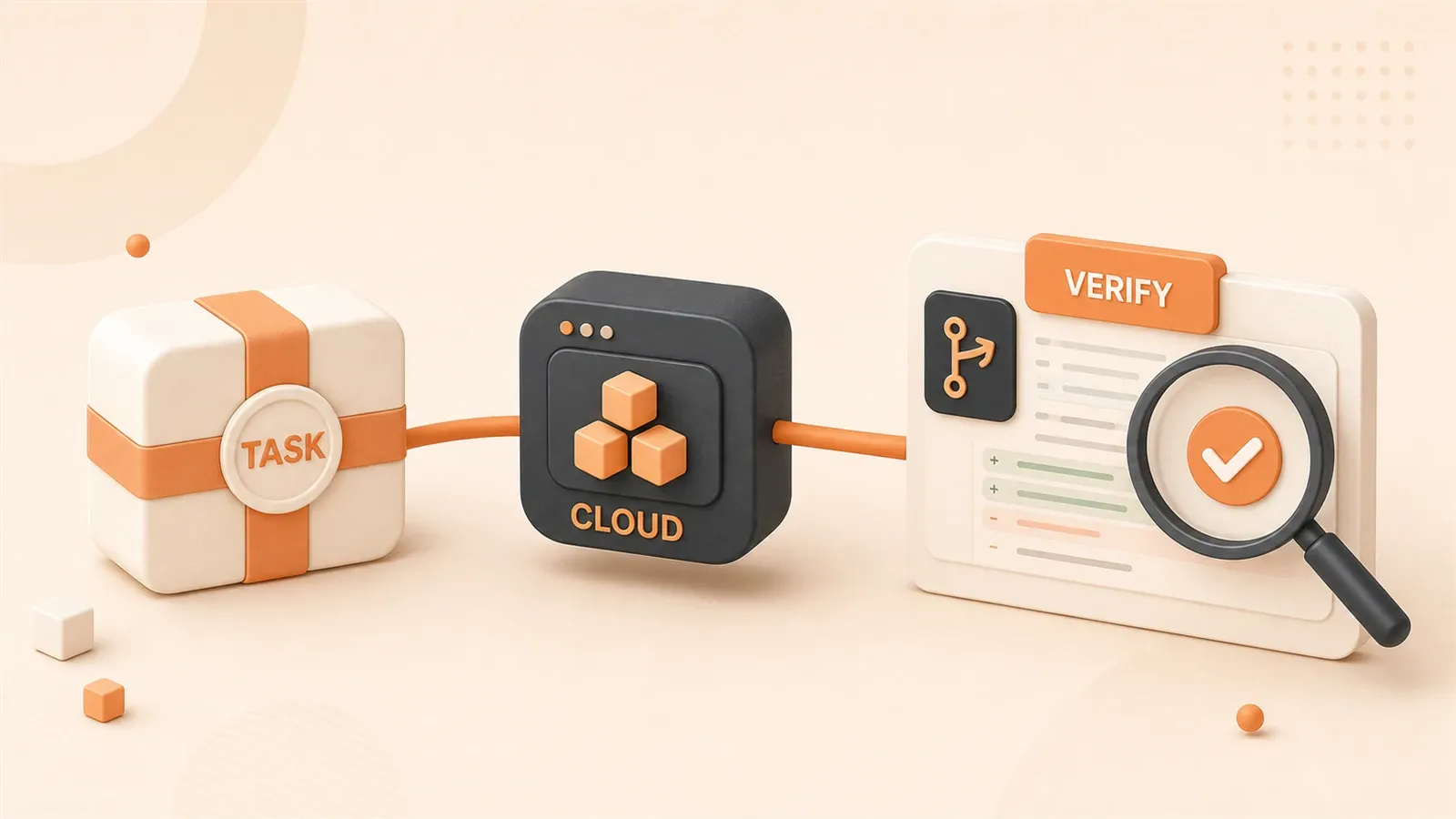
"OpenAI's Codex Cloud environments documentation was used to verify the Cloud task lifecycle, setup scripts, env vars, secrets, cache behavior, diffs, and PR flow."
A GitHub issue says, “The webhook test is failing in CI, but I cannot run the full environment locally right now.” You want Codex Cloud to fix it in the cloud repository, then hand you only the diff, test log, and PR for review.
The point is not that “cloud” means more automatic. The point is that a Cloud task runs in a clean, reproducible repository environment away from your laptop. It will not read your uncommitted local files, browser session, or local .env; that boundary is both a limitation and a useful guardrail.
Here is the workflow I use: decide whether the task belongs in Cloud, configure the environment, write the prompt, inspect the result, then choose whether to open a PR, bring the diff back locally, or run @codex review as a second check.
Decide first: should this task run in Cloud or stay local?
The boundaries between Local, Worktree, Cloud, and SSH host
Codex’s entry points solve different problems. They are not just stronger or weaker versions of each other.
| Scenario | Best entry point | Why | Main validation artifact |
|---|---|---|---|
| Small local fix, depends on uncommitted files or localhost | CLI / IDE / Local | Can access the local workspace, browser, and local services | Local diff, test output |
| Two or three independent approaches in parallel | Codex app Worktree | Isolates Git state and dependency directories | Worktree diff, review queue |
| GitHub issue, CI failure, documentation update, reproducible repository task | Codex Cloud | Remote checkout, can run while you leave your machine | Cloud summary, diff, PR |
| Second check on a PR | GitHub @codex review | Publishes a standard review based on the PR diff | GitHub review comments |
| Project lives on a devbox or internal machine | Remote connection / SSH host | Uses the remote host’s files, shell, credentials, and tools | Remote diff, terminal output |
Cloud is not a “stronger Worktree.” Worktree still runs on your own machine; it only separates the Git directory. Cloud is a configured cloud environment that checks out the GitHub repository and runs the task inside a remote container.
A good Cloud task usually has four properties: a clear target, a reproducible repository state, a scriptable environment, and a Done when that can be validated by a command or diff. Fixing a CI failure, updating docs, following up on a PR review, or adding tests to one module all fit that shape.
Tasks you should not hand to Cloud
Some tasks are useful for an AI assistant, but they should not leave your local environment.
- Depends on local uncommitted files: Cloud only sees the state checked out from the remote repository.
- Depends on a browser session or local dev server: the Cloud container will not automatically access your Chrome session, localhost, or desktop app.
- Requires production secrets during the agent phase: secrets should not be exposed to the agent loop.
- Vague large refactor: without a validation command, Cloud only moves the uncertainty farther away.
- Requires product judgment or team trade-offs: Codex can help analyze them, but it should not directly rewrite the whole direction.
My default is to make the first Cloud task small. If you cannot write down “run this command to know it is done,” the task is not ready for Cloud yet.
Before starting a Cloud task, make the environment reproduce the repository
The Cloud task lifecycle
A Cloud task roughly runs in this order:
- Create a remote container.
- Check out the branch or commit SHA you selected.
- Run the setup script; if a cached container is restored, optionally run the maintenance script.
- Apply the network policy.
- Let the agent read files, edit code, run checks, and validate in a terminal command loop.
- Return an answer, summary, and diff; you can follow up or create a PR.
Many Cloud task failures are not caused by the agent being unable to write code. The environment simply does not reproduce the repository: dependencies fail to install, a test database is missing, the lockfile does not match the runtime, or the setup script assumes a file that only exists on your laptop.

Setup script, maintenance script, and cache
The setup script should move the container from “fresh checkout” to “ready to run the validation command.” A minimal example can be short:
pnpm install
pnpm run typecheck
pnpm test -- --runInBand
This is not a universal template. It is a reminder that the Cloud environment needs to know how to install dependencies, prepare the test environment, and run at least one check that can expose the problem.
Common setup work includes:
- Installing dependencies, linters, formatters, typecheckers, and test tools.
- Initializing a test database or generating safe local configuration substitutes.
- Preparing one-time authentication for private package installation.
- Putting persistent non-sensitive values in environment settings instead of relying on a temporary
exportinside the script.
Cache reduces repeated dependency installation time, but it also adds one more thing to check during debugging. Changes to the setup script, maintenance script, env vars, or secrets invalidate the cache and trigger a fresh run. If dependencies suddenly behave differently, resetting the cache is also a reasonable step.
Secrets, environment variables, and networking: three easy places to get it wrong
The lifecycle of secrets and environment variables
The main difference between secrets and environment variables is not the name. It is when they are visible.
| Setting | When to use it | What not to put there | Validation question |
|---|---|---|---|
| environment variable | Non-sensitive runtime configuration | Tokens, private keys, production connection strings | Does the agent really need to read it? |
| secret | Pulling dependencies or installing tools during setup | Values the agent needs to read directly | Has it been removed after setup? |
| setup internet | Installing dependencies or pulling private packages | Arbitrary execution of untrusted scripts | Is the lockfile stable? |
| agent internet access | The task must access a public API or documentation | Unrestricted internet | Are the allowlist and methods minimal? |
Secrets fit the setup phase, such as installing private dependencies or pulling internal packages. They should be removed before the agent phase begins. In other words, do not design a Cloud task that requires the agent to read a production token while editing code.
Environment variables last for the whole task. They are a better fit for non-sensitive values such as NODE_ENV=test, a public API base URL, or a feature flag.
Enable agent internet access only when the task needs it
The setup script can use the internet to install dependencies, but the agent phase has no network access by default. That default matters because the risk changes when the agent reads external pages or APIs.
If you must enable agent internet access, do it conservatively:
- Allowlist specific domains instead of opening the whole internet.
- Limit HTTP methods when possible, for example to
GET,HEAD, andOPTIONS. - Do not let the agent read, concatenate, or upload sensitive files.
- Write down the exact facts that need network verification so the agent does not roam.
Common risks include prompt injection, code or secret exfiltration, malicious dependency downloads, and license issues. Turning on unrestricted networking to save one step usually is not worth it.
Write the Cloud prompt like an issue
A prompt template you can actually run
A Cloud prompt should not be a wish. It should look like a small GitHub issue with a goal, context, scope, environment, validation, and stop conditions.
Goal: Fix the failing webhook.test.ts test in GitHub Actions.
Context: The failure log is below; the relevant code is probably in src/webhooks/ and tests/webhooks/.
Scope: Only fix Stripe webhook signature verification. Do not change the payment public API or refactor the test framework.
Environment: The Cloud environment has pnpm dependencies installed. Please run pnpm test tests/webhooks/webhook.test.ts first.
Done when: The target test passes; list changed files, commands you ran, checks you did not run, and risks I need to confirm manually.
Stop if: You need to add a new secret, change the database schema, modify shared/http-client.ts, or cannot reproduce the failure.
The format is not the important part. The important part is giving Codex boundaries it can follow. The more the Cloud task looks like an issue, the more likely it is to return a reviewable diff.
Stop if is more useful than “be careful”
“Be careful” is too abstract. The agent cannot know what counts as crossing the line. Stop if turns the risk into concrete conditions.

You can write:
- Stop if you need to add a new secret.
- Stop if you need to change the database schema.
- Stop if you must touch the shared auth middleware.
- Stop if the target test cannot be reproduced.
- Stop if the task requires broad renaming or file migration.
That makes the Cloud task more likely to stop and explain the risk instead of expanding the diff.
After the Cloud task finishes, inspect the summary, diff, and command log
When to follow up and when to open a PR
When Cloud finishes, do not stop at “done.” Read four things first:
- Whether the summary accurately restates the goal and changes.
- Whether the diff stays within scope.
- Whether the command log includes the test, lint, or typecheck you asked for.
- Whether skipped checks and human risks are clearly listed.
If the diff touches files outside the scope, ask before moving on:
The diff touches shared/http-client.ts, which was outside scope. Explain why it was necessary. If not necessary, revert that part and keep the webhook fix minimal.If the target test did not run, ask that first:
You did not run the target test. Run pnpm test tests/webhooks/webhook.test.ts and summarize the result before opening a PR.Move toward a PR only when the changed scope is clear, the validation command is credible, and the remaining risks are named.
What to check when you bring the result back locally
Both paths can work:
- Small change: Create a PR and let GitHub review, CI, and your team process handle it.
- Higher-risk change: check it out locally first, then verify it with your local tools, the Codex app review pane, or your IDE.
At minimum, check these when you bring the result back:
- Whether
git statusis clean, or whether you are on an isolated branch / worktree. - Whether the diff only contains the Cloud task’s target.
- Whether the target test, lint, and typecheck also pass locally.
- Whether
.env*, secrets, CI config, lockfiles, or generated files changed. - Whether this lesson should become a rule in
AGENTS.md.
A Cloud diff is not a merge button. It is one remote attempt handed back to you for review.
@codex review in GitHub: a second gate, not merge permission
Manual trigger and automatic reviews
In a GitHub PR where Codex Cloud and Code review are configured, one comment can trigger review:
@codex reviewYou can also focus it:
@codex review for security regressionsCodex review reads the PR diff, follows the nearest AGENTS.md guidance for the changed files, and focuses on high-priority issues by default. Teams can also enable automatic reviews so review runs when a PR is opened for review.
Automatic review is not automatic merge. It can help surface P0/P1-style issues faster, but it cannot replace the business owner, CI, or final human judgment.

| What Codex review is good at | What humans still decide |
|---|---|
| Finding obvious regressions, missing checks, and risky permission changes | Whether the requirement is correct and the trade-off is acceptable |
| Checking the PR diff against AGENTS.md review guidelines | Architecture direction, product meaning, release timing |
| Posting high-signal comments on P0/P1 issues | Whether to accept the risk and merge |
If review finds an issue, you can ask Codex to fix it from the PR context, for example by commenting @codex fix the P1 issue. That starts a Cloud task flow, and you still need to review the resulting diff.
If @codex does not respond, debug in order
Do not keep posting the same comment in the PR. Check these in order:
- Whether the repository has Codex Cloud configured.
- Whether Code review is enabled for that repository in Codex settings.
- Whether the comment exactly includes
@codex review. - Whether automatic review is enabled and the event matches.
- Whether the GitHub app / repository permission can read the PR diff, comments, and push branch.
- Whether workspace/admin policy, GitHub Enterprise, or private repository access adds restrictions.
- Whether usage limits have been reached, especially because code review limits may differ from ordinary chat usage.
If Cloud tasks, review comments, and non-review @codex comments behave differently, record the task, comment, repository, and time before checking official support or your workspace admin.
Remote devbox / SSH host is not Cloud
When to use a remote connection instead
Some tasks fit neither local Local mode nor Cloud: the project already lives on a devbox, GPU machine, internal network, or enterprise remote development host.
Here is the distinction:
- Codex Cloud: an OpenAI managed / configured cloud environment that checks out a GitHub repository. It is suited to repository tasks and PR workflows away from your machine.
- Remote connection / SSH host: the Codex app connects to your remote host and uses that machine’s files, credentials, permissions, plugins, browser setup, and local tools.
If the task needs an internal service, GPU, remote database, or tools already configured on a devbox, a remote connection is closer to the real environment. Its security boundary is different too: the permissions, credentials, and tools available on that host are the boundary you give Codex.
The conservative setup is to use trusted SSH keys and least-privilege accounts, avoid exposing app-server transport to the public internet, and prefer a VPN or mesh network for cross-network access.
A conservative Codex Cloud SOP
For a first Codex Cloud setup, use this sequence:
- Pick a small task with a reproducible repository state, not a large refactor.
- Configure the Cloud environment for the repository.
- Write a setup script so dependency installation and the target check are repeatable.
- Put only setup-phase sensitive values in secrets; put only non-sensitive configuration in env vars.
- Keep agent internet access off by default; when you must enable it, allowlist only required domains and methods.
- Write the task prompt like an issue: Goal, Context, Scope, Environment, Done when, Stop if.
- Watch the plan, commands, and failures while the task runs.
- After completion, read the summary, diff, test results, and skipped checks.
- Create a PR for a small change; check out higher-risk changes locally first.
- Use
@codex reviewin the PR as a second check. - Let humans, CI, and your team process decide whether to merge.
- Turn repeated review lessons into rules in
AGENTS.md.
What makes Cloud reliable is not a higher level of automation. It is a clear boundary at each step: the environment can reproduce the repo, the prompt can be executed, the diff can be reviewed, and the review trail is accountable. That is how you hand a specific requirement to a cloud agent instead of sending uncertainty somewhere farther away.
Run a GitHub issue fix with Codex Cloud
Pick a small reproducible task, configure the cloud environment, submit a precise prompt, inspect the diff and test log, then use a PR and @codex review as a second validation pass.
⏱️ Estimated time: 45 min
- 1
Step 1: Pick a task you can validate
Start with a GitHub issue, CI failure, documentation update, or small bugfix. Do not start with a large refactor. - 2
Step 2: Configure the Cloud environment
Prepare a setup script for the repository so dependency installation, test databases, or safe local configuration substitutes can be reproduced in the container. - 3
Step 3: Separate env vars from secrets
Put non-sensitive configuration in environment variables. Put sensitive values in secrets only when setup needs them. - 4
Step 4: Keep agent networking minimal
Keep agent internet access off by default. If the task truly needs external network access, allowlist only the required domains and methods. - 5
Step 5: Write the prompt like an issue
Include Goal, Context, Scope, Environment, Done when, and Stop if so the agent does not expand the task on its own. - 6
Step 6: Inspect the summary, diff, and command log
Confirm that the diff stays within scope, the target test or lint command ran, and any skipped checks or human risks are listed. - 7
Step 7: Choose PR or local handoff
Create a PR for a small change. Check out high-risk changes locally first, especially if they touch critical paths, configuration, or lockfiles. - 8
Step 8: Use @codex review as a second check
Trigger @codex review in a PR where Codex Cloud and Code review are configured, but let humans and CI make the merge decision.
FAQ
How is Codex Cloud different from Codex CLI?
What tasks are a good fit for Codex Cloud?
Can the Codex Cloud agent phase access the internet?
Can the agent read secrets in Codex Cloud?
How do I trigger @codex review?
Can Codex review replace human review?
13 min read · Published on: Jul 8, 2026 · Modified on: Jul 14, 2026

OpenAI Codex: CLI, Desktop, Cloud, and Team Workflows
If you landed here from search, the fastest way to build context is to jump to the previous or next post in this same series.
Previous
Codex Worktree Guide: Run Multiple AI Coding Tasks Without Polluting Your Repo
Understand Local, Worktree, and Cloud modes in the Codex app, use Git worktrees to isolate Codex tasks by directory and branch, and handle .env files, dependencies, Handoff, review, merge order, and cleanup.
Part 3 of 15
Next
Codex Code Review: How to Let AI Review PRs Without Letting It Rewrite Everything
A practical guide to Codex GitHub code review: @codex review, AGENTS.md Review guidelines, commit and PR templates, triaging review findings, and keeping humans in charge of merges.
Part 5 of 15


Comments
Sign in with GitHub to leave a comment