
Rapid SaaS Global Launch: How to Validate MVP Selling Points on a Budget with ChatGPT + Adsterra
Disclosure: this article contains sponsored links.
You’ve built a product. Feels pretty good.
The team discussed it in circles: someone said focus on “saving time,” someone else said emphasize “discovering high-frequency needs,” another thought “generating product roadmaps” was more compelling, and someone insisted “reducing misjudgments” was the core value.
Every argument has merit.
But users clicking ads, leaving emails, willing to pay—that only happens for one reason.
The problem is, you don’t know which one.
When a product is first built, the hardest thing to judge isn’t whether features can be implemented. It’s: will users actually be compelled by this product?
In the past, these questions typically relied on internal team discussions, user interviews, surveys, or slowly observing data after product launch. But these methods are either time-consuming, have limited samples, or are easily influenced by subjective judgment.
Actually, there’s a lighter method: use ChatGPT to quickly generate multiple selling point hypotheses, then test these hypotheses with real users through an advertising platform.
This article will use a specific case study to break down how to build a validation process from selling point generation, ad copy, landing pages to data feedback using ChatGPT and Adsterra.
It’s not about teaching you to “make money automatically with AI,” but providing a more pragmatic product validation method: using small cost, short cycle, and real data to judge whether your product selling points actually interest anyone.
Why Do Product Selling Points Need Validation?
Honestly, many teams don’t distinguish between “features” and “selling points” at first.
For example, a product might have these features:
- Automatically organize user feedback
- Categorize by topic
- Summarize high-frequency needs
- Generate product roadmap suggestions
Looks fairly complete. But these are features, not selling points.
What users actually care about might be:
- “I spend too much time reading user feedback every day. Can you help me save some time?”
- “I don’t know which feature to prioritize next. Is there a tool to help me decide?”
- “Our team makes product decisions by gut feeling. Is there data to support this?”
- “User feedback is too scattered. No one really reads through it. Is there a way to organize it?”
- “I want to know what users keep complaining about. Can it be extracted?”
These are closer to selling points.
The problem is, teams often don’t know which selling point is most effective at the beginning.
Internal discussions easily fall into “I think users will care about this” mode. For instance, one team member says: “I think ‘saving time’ is definitely most important.” Another counters: “No, users care more about ‘discovering high-frequency needs.’” A third interjects: “Actually, ‘generating roadmaps’ is the core value.”
Everyone uses their own understanding to speculate about user needs.
But real users may not think that way.
You might think a feature is particularly important, but users don’t care at all. The product selling point that truly attracts users might be completely different from what you initially imagined.
Relying only on interviews and subjective judgment has limited samples and is easily influenced by your own biases. SEO and content marketing take time to show results and aren’t suitable for quick validation. Large-scale direct advertising is high-risk and easy to waste budget.
So, before investing more in development, content production, or large-scale advertising, doing a small-scale selling point validation is valuable.
A good selling point validation isn’t asking users “do you like this feature,” but observing whether users are willing to:
- Click this ad
- Enter the landing page and continue reading
- Click the CTA button
- Leave an email
- Fill out a feedback form
- Schedule a demo
- Sign up for a trial
These behaviors are closer to real demand than verbal feedback.
Users might say “this feature is interesting” verbally, but that doesn’t mean they’re actually willing to spend time or money on it. But when they see an ad and are willing to click, enter a landing page and are willing to leave an email—that’s a real signal of intent.
What Is the “Product Selling Point Validation Process”?
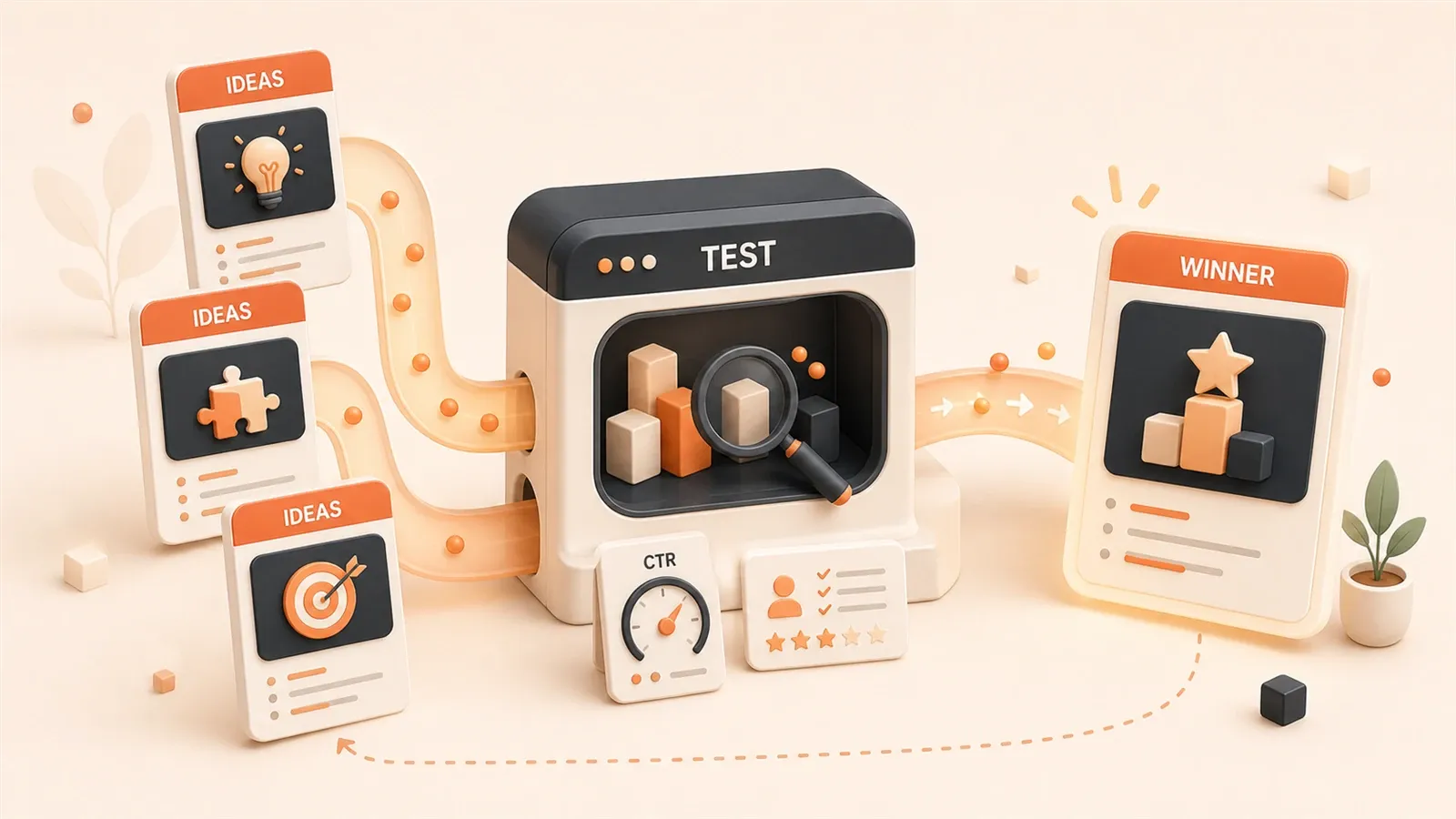
Simply put, this process wraps different product value propositions as different ads and landing pages, tests whether users are willing to click, register, leave information, or provide feedback with real traffic, then decides based on data which selling point is worth scaling.
The entire process can be broken into 7 steps:
Product idea / MVP
→ Selling point hypothesis
→ Ad copy
→ Lightweight landing page
→ Small-budget campaign
→ Clicks / Registrations / Leads / Feedback
→ Data analysis and next iteration
There are three roles here:
ChatGPT is responsible for quickly generating selling points, ad copy, landing page headlines, CTAs, and feedback questions.
Adsterra is responsible for providing a real traffic testing environment. You can create campaigns through the Adsterra advertiser platform and launch small-budget tests by country, device, ad format, and other dimensions.
Landing page and data analysis are responsible for capturing user intent and judging which selling point is actually effective.
This isn’t like pure AI copywriting, nor like pure ad placement. It’s more like combining AI, traffic, and data analysis to form a market validation system.
Each step has clear goals:
- First use ChatGPT to quickly produce multiple selling point hypotheses, don’t rush to judge which is best
- Turn each hypothesis into specific ad copy and landing page content
- Get real traffic through Adsterra, observe user behavior
- Analyze data to see which selling point brings higher CTR, conversion rate, and feedback quality
- Feed data back to ChatGPT, enter the next iteration
This way, you’re not guessing which selling point works, but validating with real data.
For MVPs, SaaS products, apps, tool websites, or content products, the significance of this process isn’t finding the perfect answer in one test, but making every promotion a learnable, reviewable, adjustable experiment.
What Roles Do ChatGPT and Adsterra Each Play?
ChatGPT is more like a creative and analysis assistant in this process.
It’s suitable for these tasks:
- Break down target user pain points
- Generate multiple selling point hypotheses
- Write different versions of ad headlines and descriptions
- Generate landing page main headlines, CTAs, and FAQs
- Design user feedback form questions
- Propose next iteration directions based on test data
But ChatGPT has an obvious limitation: it can generate reasonable-looking ideas, but can’t prove these ideas actually work.

It will tell you “this selling point might work,” but won’t tell you “users will actually click this ad because of this selling point.” It will generate 5 sets of ad copy, but won’t tell you which set has the highest CTR.
That’s when you need real traffic.
Adsterra’s value in this process isn’t simply “buying ads,” but providing a controllable traffic testing environment.
You can use it to:
- Create ad campaigns
- Choose ad formats, like Social Bar, Popunder, Native, etc.
- Set target countries or regions
- Distinguish between mobile and desktop
- Upload multiple sets of ad creatives
- Set small budgets for testing
- Observe CTR, conversion rates, device performance, and regional performance
In other words, ChatGPT helps you quickly propose hypotheses, Adsterra helps you validate hypotheses with real users.
ChatGPT provides speed, Adsterra provides real traffic.
Combined, you can use data to judge which selling point actually works, rather than relying only on AI’s theoretical analysis or team’s subjective judgment.
For early validation, what matters most for an ad platform isn’t complex brand advertising capabilities, but whether you can quickly create campaigns, control budgets, segment by GEO/device/ad format, and get click and conversion data as soon as possible. Adsterra’s value is precisely in being suitable for this kind of lightweight testing: you can first run a round of selling point experiments with a smaller budget, then decide whether to continue scaling based on CTR, conversion, and feedback quality. No complex preparation needed—one selling point, one landing page, one campaign, and you can start.
Case Setup: Validating Core Selling Points for an AI Customer Feedback Tool
To make the process more concrete, we’ll use a case study that runs through the entire article.
Suppose you’re promoting a SaaS product: an AI customer feedback organization tool.
Its function is to automatically categorize and summarize user feedback from emails, forms, customer service records, and comments, and extract high-frequency needs to help teams decide what feature to build next.
Target users include:
- Small SaaS teams
- Independent developers
- Product managers
- Startup teams
- Operations teams that need to handle large amounts of customer feedback
The problem now is: you’re not sure which selling point this product should emphasize.
There are 5 possible selling points:
| Selling Point Direction | Core Hypothesis |
|---|---|
| Save Time | Users’ biggest pain is that manually organizing feedback is too time-consuming |
| Discover High-Frequency Needs | Users want to know what questions customers keep raising |
| Product Roadmap | Users need to turn chaotic feedback into clear roadmaps |
| Reduce Misjudgments | Users don’t want to decide the next feature based on gut feeling |
| Team Collaboration | Users want the team to share a unified feedback view |
All 5 directions sound reasonable, but which one resonates most with real users?
You need to test.
Testing goal: Validate which selling point most attracts real users to click and leave further intent.
Core metrics:
- Ad CTR (click-through rate)
- Landing page CTA click rate
- Email signup rate
- Feedback form completion rate
- Cost per valid lead
Next, we’ll break down step by step how to use ChatGPT to generate ad creatives for these selling points, how to use Adsterra to launch tests, and how to use data to judge which selling point is worth continuing to scale.
Step 1: Generate Multiple Selling Point Hypotheses with ChatGPT
First, tell ChatGPT about the product, target users, and validation goals, and let it generate multiple testable selling points.
Remember, the goal here isn’t to get AI to give you a “best answer,” but to quickly produce multiple testable directions.
You can use a prompt like this:
I'm validating a new SaaS product selling point.

Product: An AI customer feedback organization tool.
Target users: Small SaaS teams, independent developers, product managers.
Product features: Automatically collect, categorize, and summarize user feedback, and extract high-frequency needs.
Current goal: Validate which selling point most attracts users to click and leave their email.

Please help me generate 5 different promotional selling points.

Each selling point should include:
1. Target user pain point
2. Core value proposition
3. Ad headline
4. Ad description within 50 words
5. Landing page main headline
6. CTA button copy
ChatGPT will output a structure like this:
| Selling Point Direction | User Pain Point | Ad Headline | Landing Page Headline | CTA |
|---|---|---|---|---|
| Save Time | Manually organizing feedback is too time-consuming | Stop Sorting Feedback Manually | Save Hours on Customer Feedback Analysis | Try It Free |
| Discover Needs | Don’t know what users want most | Find What Your Users Really Want | Discover Repeated Customer Requests Automatically | Join Waitlist |
| Product Roadmap | Feedback is chaotic, can’t guide planning | Turn Feedback into a Product Roadmap | Build Your Roadmap from Real User Signals | Get Early Access |
| Reduce Misjudgments | Team builds features based on gut feeling | Build What Users Actually Need | Stop Guessing What to Build Next | See Demo |
| Team Collaboration | Feedback scattered across different tools | Align Your Team Around Feedback | Keep Customer Feedback Organized in One Place | Start Testing |
The core here isn’t finding the “best selling point,” but preparing multiple hypotheses.
Selling point validation is most afraid of betting on one direction at the start. A better approach is to prepare multiple hypotheses and let real data tell you which is closer to user needs.
You might think “save time” is definitely most important, but data might tell you users care more about “discovering high-frequency needs.” You might think “generate roadmap” is more attractive, but test results might show “reduce misjudgments” has higher conversion.
Don’t just guess. Use ChatGPT to quickly generate multiple directions, then validate with real traffic.
Step 2: Convert Selling Point Hypotheses to Ad Copy
After having selling point directions, you need to turn them into ad creatives suitable for placement.
Different ad formats suit different expressions:
- Social Bar: Shorter, more direct, suitable for testing strong pain points
- Native Ads: Can explain product value a bit more, suitable for testing content-based selling points
- Popunder: Relies more on landing page承接, suitable for bringing users to complete explanation pages
For example, when advertising on Adsterra, you can choose different formats based on testing goals. If you want to test the “save time” strong pain point, you can use Social Bar for concise expression; if you want to test selling points like “product roadmap” that need more explanation, you can use Native Ads to explain the value more clearly.
Taking the product just mentioned as an example, you can prepare several sets of ad copy.
Selling Point A: Save Time
Headline:
Stop sorting user feedback manuallyDescription:
Let AI summarize customer feedback and highlight what matters.Selling Point B: Discover High-Frequency Needs
Headline:
Find what your users really wantDescription:
Turn messy feedback into clear product insights in minutes.Selling Point C: Product Roadmap
Headline:
Turn feedback into a product roadmapDescription:
Prioritize your next feature with real customer signals.Selling Point D: Reduce Misjudgments
Headline:
Build what users actually needDescription:
Use AI to spot repeated requests before planning your next sprint.Selling Point E: Team Collaboration
Headline:
Organize all customer feedback in one placeDescription:
Help your team understand user needs without digging through threads.Here’s a detail to note: don’t just test different text, but test different “reasons to buy.”
The same product, if you just change the headline from A to B, has limited value. What’s really worth testing is: do users click because of “saving time” or because of “knowing what feature to build.”
Each selling point has different user motivations behind it.
“Save time” attracts people who already feel organizing feedback is painful. “Discover high-frequency needs” attracts people who want to know what users keep complaining about. “Reduce misjudgments” attracts people who don’t want to make decisions based on gut feeling.
These motivations don’t necessarily overlap. So, when preparing multiple sets of ad copy, ensure each set tests different user needs, not different expressions of the same need.
Step 3: Prepare Lightweight Landing Pages for Each Selling Point
Ad clicks are just the first layer of interest. Real validation happens on the landing page.
If an ad has high CTR, but users don’t take any action after entering the page, it means the ad might just attract clicks, but the selling point didn’t create real intent.
A lightweight landing page for selling point validation doesn’t need to be complex. It’s recommended to include these modules:
- Hero Headline: Directly corresponds to the current testing selling point
- One-sentence value proposition: Explains who the product helps, in what scenario, solve what problem
- Three core benefits: Expand around the current selling point, don’t pile on all features
- Product screenshot/Demo/Mockup: Even if the MVP isn’t complete, you can use prototype images
- Main CTA: For example, Join Waitlist, Request Early Access, Try Demo
- User feedback entry: Use a simple form to collect deeper needs
- FAQ: Answer price, launch time, privacy, security, and applicable scenarios
Minimum Viable Landing Page Template
If you don’t know where to start building, you can directly use this structure:
Hero:
[A main headline only corresponding to the current selling point]

Subheading:
[Product helps who, in what scenario, solve what problem]

3 Benefits:
- Benefit 1: Specifically explain the benefit to users
- Benefit 2: Specifically explain the benefit to users
- Benefit 3: Specifically explain the benefit to users

Proof / Mockup:
[Screenshot, prototype image, demo GIF, or a sentence explaining current status, e.g., "Currently in beta testing, 10 teams are using"]

CTA:
[Join Waitlist / Try Demo / Request Early Access]

Feedback Form (3-4 questions is enough, don't exceed 5):
1. How do you currently solve this problem?
2. What's the most painful part?
3. Would you be willing to try this tool?
4. Would you leave your email?
Key Principle: Each landing page only tests one selling point. Don’t write “save time” and “discover needs” on the same page. If selling points are mixed together, data can’t be attributed, and you won’t know what actually compelled users.
Suppose you’re testing the “discover high-frequency needs” selling point, the landing page can be designed like this:

Hero:
Find what your users really wantSubheading:
Use AI to turn messy customer feedback into clear product insights, repeated requests, and feature priorities.Benefits:
- Automatically group similar feedback
- Identify repeated customer pain points
- Prioritize features based on real user signals
CTA:
Join the early access listFeedback Form:
- How do you currently organize customer feedback?
- What is the most time-consuming part?
- Would you pay for a tool that summarizes repeated requests?
- What tools are you using now?
- Leave your email if you want early access.
This feedback entry is important.
CTR tells you whether users are attracted by the headline; the feedback form tells you why users are interested and whether they actually have similar problems now.
For early products, the latter is often more valuable than the former.
You can understand through the feedback form:
- How users currently organize feedback
- What’s their most painful part
- Whether they’re willing to pay for this
- What tools they currently use
- Whether they have clear improvement needs
This information will help you judge whether the product selling point is valid, and what feature to build next.
If the user feedback form has a high completion rate and answers are specific, it means there’s real demand behind this selling point. If almost no one fills out the feedback form, even with high CTR, it only means the headline is attractive, but the product itself didn’t compel users.
Add UTM Parameters for Each Selling Point
This is a step many people miss, but it determines whether you can truly know “which selling point brought conversions.”
The ad backend shows 1000 clicks, the landing page form receives 30 emails—but without UTM, you can’t judge which selling point, ad format, or region these 30 emails came from. You have data, but no attribution.
Recommend configuring UTM parameters separately for each selling point:
/landing/feedback-ai?utm_source=adsterra&utm_medium=social_bar&utm_campaign=value_test&utm_content=pain_time_saving
/landing/feedback-ai?utm_source=adsterra&utm_medium=social_bar&utm_campaign=value_test&utm_content=pain_find_requests
/landing/feedback-ai?utm_source=adsterra&utm_medium=social_bar&utm_campaign=value_test&utm_content=pain_roadmap
Parameter explanation:
utm_campaign: Mark the name of this round of experiments, convenient for filtering data laterutm_content: Distinguish different selling points, this is the most critical fieldutm_medium: Distinguish ad formats (social_bar / native / popunder)utm_source: Mark traffic source (adsterra)
Landing page CTA clicks, form submissions, and email signups all need to record UTM parameters from the source URL to segment conversion data by selling point in Google Analytics or other analytics tools.
Without UTM, the link between ads and conversions is broken. With UTM, every lead can be traced back to a specific selling point.
Step 4: Launch Small-Budget Campaign Tests with Adsterra
When you’ve prepared multiple selling points, ad creatives, and landing pages, you can create campaigns in Adsterra and launch a round of small-budget testing.
The goal here isn’t to immediately pursue scaled conversions, but to validate:
- Which selling point is more easily clicked
- Which landing page brings more leads
- What type of users are more willing to provide feedback
- Which country, device, or ad format performs better
A basic test setup can be:
| Setting | Content |
|---|---|
| Test goal | Validate which of 5 selling points brings most clicks and leads |
| Ad format | Social Bar / Native / Popunder, choose based on product and test goals |
| Targeting | Choose target countries or first select a test market |
| Device | Mobile and desktop can be observed separately |
| Creative | Prepare 2-3 ad variations for each selling point |
| Landing page | Each core selling point corresponds to a lightweight landing page, or use URL parameters to distinguish sources |
| Budget | First use small budget to get preliminary data, don’t rush to scale |
In Adsterra, you can operate like this:
- Create Campaign
- Select ad format (Social Bar, Native, Popunder, etc.)
- Set landing page URL
- Select GEO (country/region) and device type
- Upload multiple sets of ad headlines, descriptions, and images
- Set budget and bids
- Launch test and wait for data
First Test Can Be Configured Like This
If you’re not sure where to start, here’s a first-round configuration template you can directly reference:
| Item | Recommended Configuration |
|---|---|
| Test goal | Find which of 5 selling points brings more email signups |
| Ad format | First choose Social Bar or Native, don’t mix too many formats at once |
| GEO | First choose 1-2 target markets, avoid data being too scattered |
| Device | Observe mobile and desktop separately, don’t merge |
| Creative | 2 headline variations per selling point, 10 ads total |
| Landing page | One URL per selling point, or use UTM parameters to distinguish sources |
| Budget | Small budget first to run trends, don’t pursue one-time conclusions |
| Minimum observation | At least 100 clicks per group before making judgments |
This configuration isn’t the optimal solution, but a starting point you can begin immediately. When you get the first batch of data, adjust variables based on results.
If it’s your first test, it’s recommended to keep variables as few as possible. For example, first fix target region and device, only test different selling points. Otherwise, changing country, ad format, creative, and landing page simultaneously makes it hard to judge which factor actually influenced results.
Adsterra’s dashboard will show CTR, conversions, regional performance, and device performance. You can use this data to judge which selling point is more effective and whether you need to adjust test direction.
Remember, the goal here is to quickly validate product selling points with real traffic, not to immediately pursue scaled conversions.
What you learn at this stage is more important than what you earn.
Step 5: What Data to Look at, How to Judge If a Selling Point Is Valid?
Selling point validation can’t just look at CTR.
CTR is important, but it only indicates whether an ad attracts clicks. A headline can be very attractive, but users leave immediately after entering the page. This doesn’t mean product demand is valid.
A better approach is to divide data into three layers.
First Layer: Interest Metrics
| Metric | Description |
|---|---|
| Impression | How many exposures the ad gets |
| CTR | Whether users are willing to click |
| CPC | Cost to get one click |
This layer of data answers: Can this selling point attract attention?
You can see this data on Adsterra’s dashboard. If one selling point’s CTR is significantly higher than others, it means ad copy in this direction is more attractive. But looking at CTR alone isn’t enough.
Second Layer: Intent Metrics
| Metric | Description |
|---|---|
| Landing Page CTA Click | Whether users are willing to take further action |
| Waitlist Conversion | Whether users are willing to leave email |
| Feedback Form Completion | Whether users are willing to express real needs |
| Demo Request | Whether users are willing to schedule or try |
This layer of data answers: Do users actually have a need?
High CTR but low conversion means the ad headline is attractive, but the landing page or product itself didn’t compel users. Medium CTR but high conversion means the audience is more precise, demand is more real.
This layer of data is the core for judging whether a selling point is valid.
Third Layer: Business Metrics
| Metric | Description |
|---|---|
| CPA | Cost to acquire one valid lead |
| Lead Quality | Whether signup users match target audience |
| Trial-to-Paid | Whether they can convert to paid later |
| ROI | Whether investment has opportunity to be recovered |
This layer of data answers: Does this selling point have business value?
During early testing, it might be hard to get complete business metrics, but you can at least look at CPA and Lead Quality. If a selling point brings leads at very high cost, and user quality doesn’t match expectations, even high CTR might not be worth continuing to scale.
Actual Judgment
You can reference this table:
| Data Performance | Possible Meaning | Next Step |
|---|---|---|
| Low CTR, low conversion | Selling point or audience mismatch | Change selling point or audience |
| High CTR, low conversion | Headline attractive, but landing page or product promise insufficient | Adjust landing page and CTA |
| Medium CTR, high conversion | Audience more precise, demand more real | Continue testing and moderately scale |
| High CPC, low conversion | Traffic cost too high | Adjust GEO, ad format, or bid |
| High feedback quality | Users have clear problems | Do user interviews or product iteration |
During early testing, don’t necessarily pursue perfect data. What’s more important is looking at trends:
- Which selling point is significantly higher than others?
- Which group of user feedback is more specific?
- Which landing page makes users willing to leave email?
- Which direction is worth continuing to invest content, development, or ad budget?
Don’t just look at a single metric. CTR, conversion rate, and feedback quality together determine which selling point is worth scaling.
Step 6: Feed Test Data Back to ChatGPT, Enter Next Iteration
After completing the first round of testing, don’t just look at the highest CTR ad.
A better approach is to organize ad data, landing page data, and user feedback, then give it to ChatGPT for review assistance.
Before giving data to ChatGPT, first organize it into a table to more easily discover patterns:
| Selling Point | CTR | Signup Rate | Feedback Completion Rate | Preliminary Judgment |
|---|---|---|---|---|
| Save Time | 1.8% | 3.2% | 0.8% | High clicks but demand not deep enough, landing page needs optimization |
| Discover High-Frequency Needs | 1.2% | 6.5% | 2.1% | Stronger conversion, worth continuing to scale |
| Product Roadmap | 0.9% | 5.8% | 1.7% | Can be tested as secondary selling point |
| Reduce Misjudgments | 1.1% | 4.4% | 1.4% | Need to segment audience before judging |
| Team Collaboration | 0.6% | 2.0% | 0.5% | Don’t prioritize for now, demand signal weak |
This table tells you: don’t be misled by “save time“‘s high CTR. High CTR only means the headline is attractive; signup rate and feedback completion rate show whether users actually have a need. “Discover high-frequency needs” has stronger comprehensive data and is more worth continuing to invest.
For example, you can use a prompt like this:
Here's the data after I tested 5 product selling points with an ad platform:

Selling Point A: Save Time
CTR: 1.8%
Landing page conversion rate: 3.2%
Feedback form completion rate: 0.8%

Selling Point B: Discover High-Frequency Needs
CTR: 1.2%
Landing page conversion rate: 6.5%
Feedback form completion rate: 2.1%

Selling Point C: Generate Product Roadmap
CTR: 0.9%
Landing page conversion rate: 5.8%
Feedback form completion rate: 1.7%

Please help me analyze:
1. Which selling point is most worth continuing to test?
2. Which selling point only attracts clicks but demand isn't strong?
3. How should ad headlines be adjusted in the next round?
4. How should the landing page be improved?
5. Should I segment different target audiences for continued testing?
ChatGPT will help you quickly organize thoughts, for example:
- Which selling point attracts general traffic
- Which selling point has stronger conversion
- How ad copy should be adjusted in the next round
- Whether the landing page needs to explain value more clearly
- Whether users should be split into more specific segments for testing
It might also point out details you didn’t notice. For example, “save time” has the highest CTR but lowest conversion rate, meaning this selling point attracts general traffic with unclear demand. While “discover high-frequency needs” doesn’t have particularly high CTR, but has very high conversion and feedback completion rates, meaning there’s real demand behind this selling point.
But the final judgment still needs to be completed by you.
AI can speed up review, but it doesn’t understand your real product costs, user quality, pricing strategy, and long-term planning.
So, treat it as an analysis assistant, not a decision-maker.
After getting ChatGPT’s analysis, you should combine your own understanding of the product to decide next steps. For example:
- Continue scaling well-performing selling points
- Adjust copy and landing pages for average-performing selling points
- Abandon poor-performing selling points
- Design new user segment tests
- Do product iteration based on feedback form content
After a round of testing like this, you not only know which selling point is more effective, but also know why it’s effective, and what to do next.

This isn’t a one-time bet, but continuous learning and adjustment.
What Products and Teams Is This Process Suitable For?
This method is suitable for all products that need to validate selling points, not just independent developers.
Common scenarios include:
- SaaS products
- AI tools
- Mobile apps
- Browser extensions
- Developer tools
- Content products
- Online courses
- Template packages
- Newsletters
- Affiliate offers
- Positioning tests before new feature launches
Especially suitable for these stages:
- MVP stage
- Before official launch
- During product repositioning
- When testing new markets
- Before new landing page goes live
- Before large-scale ad placement
- When team has disagreement about core selling points
Of course, there are also unsuitable situations.
If the product doesn’t have basic explanation, no landing page, and no way to capture user feedback, then running tests is easy to waste budget.
If you only want to make money immediately from one set of ads without preparing to iterate, this process isn’t suitable either.
Its value lies in learning, not one-time guessing the right answer.
What you learn through small-budget testing will help you make wiser decisions in subsequent large-scale placements. If you start with large budget blind placement, it’s easy to waste funds and hard to review.
What Should You Pay Attention to When Using AI and Ad Testing?
Finally, there are several risks to explain in advance.
Don’t Treat AI Output as Fact
ChatGPT can help you generate selling points and copy, but when involving market size, competitor data, prices, policies, ad rules, it still needs manual verification.
Especially in ad placement scenarios, don’t let AI casually fabricate unprovable data.
For example, ChatGPT might say “this market size is X billion dollars,” but you need to verify yourself. It might say “competitor A’s price is X,” but this number might not be accurate. It might say “this ad format works best,” but you need to verify through real testing.
AI provides direction, you’re responsible for verification.
Don’t Input Sensitive Information
Don’t directly give the following content to AI:
- Ad account passwords
- API keys
- Customer privacy data
- Unpublished financial data
- Internal business plans
If you need to analyze data, first desensitize it, only keeping necessary fields.
For example, you can remove sensitive information from user feedback data, only keeping feedback content and basic information, then give it to ChatGPT for analysis. This both utilizes AI’s analysis capability and protects privacy.
Small Samples Only Provide Direction
Small-budget testing is suitable for discovering trends, but don’t treat dozens of clicks as final conclusions.
If a selling point performs well, continue scaling samples, then do more detailed segmented testing.
For example, you tested 5 selling points, each only getting 50 clicks. This sample size is too small to make accurate judgments. A better approach is to first look at trends, then increase budget to get larger sample sizes.
Ad Clicks Don’t Equal Real Demand
High CTR might just mean the headline is attractive.
What’s truly valuable is signups, feedback, registrations, trials, and subsequent payments.
A sensational headline ad might have high CTR, but users leave immediately after entering the landing page. This means the ad only attracted curiosity, but the product itself didn’t satisfy real demand.
You need to focus on conversion rate, feedback quality, and subsequent behavior, not just click-through rate.
Don’t Exaggerate Promises
Ad copy and landing pages need to stay truthful, don’t promise returns, results, or outcomes you can’t guarantee.
In the short term, exaggerated copy might increase click-through rate, but in the long term it will hurt user trust.
For example, don’t write “using this tool can save 90% of time” if you don’t have data to support this claim. Don’t write “100% user satisfaction” if you don’t have real user feedback data.
Stay honest, use real data to support your promises. This not only meets advertising compliance requirements but also builds long-term user trust.
Summary
Product selling points shouldn’t be decided only by internal team discussion.
A better approach is to turn it into a verifiable experiment:
Use ChatGPT to generate multiple selling point hypotheses → Turn selling points into ad copy and landing pages → Use Adsterra to get real traffic testing → Observe CTR, signup rate, and feedback quality → Then use data to guide the next iteration.
In this process:
- ChatGPT provides speed, helping you quickly generate test materials
- Adsterra provides real traffic, helping you validate hypotheses
- Landing pages capture user intent, helping you judge demand strength
- And you’re responsible for final judgment, deciding which selling point is worth scaling
For MVPs, SaaS products, apps, tool websites, or content products, the significance of this process isn’t finding the perfect answer in one test, but making every promotion a learnable, reviewable, adjustable experiment.
When you’re not sure if a product selling point is valid, don’t just discuss in documents.
Write it as an ad, put it in front of real users, let data give you the first round of answers.
Final Action Checklist
If you’re currently struggling with which selling point to emphasize on your product homepage, don’t rewrite 10 versions of copy first. First take out 3-5 selling point hypotheses, run a round of small-budget campaign to get the first set of real feedback, then decide next steps.
If you’re preparing to start a round of selling point validation, you can follow these steps:
- Determine the product and target users you want to validate
- Use ChatGPT to generate 5 different selling point hypotheses
- Convert each selling point into ad headlines and descriptions
- Prepare a lightweight landing page for each selling point, including Hero, benefits, CTA, and feedback form
- Create a campaign in Adsterra, select ad format, GEO, device, and budget
- Launch test, wait for data to accumulate
- Analyze CTR, conversion rate, feedback quality, and lead cost
- Feed data back to ChatGPT, enter next iteration
- Based on data decide to continue scaling, adjusting, or abandoning a selling point
Remember, this isn’t a one-time bet, but continuous learning and iteration. Every test will make you understand more about what users really care about, and will also help you make wiser decisions in subsequent product development and promotion.
Ready to start your first round of selling point validation?
Adsterra supports multiple ad formats, can flexibly target by country and device, and is suitable for running data with small budgets. After registering an advertiser account, you can directly create your first campaign and validate your product selling points with real traffic.
Register for Adsterra Advertiser Account Now →
Product Selling Point Validation Process
A 7-step process from selling point hypothesis to data validation
⏱️ Estimated time: 2 hr
- 1
Step 1: Generate selling point hypotheses with ChatGPT
Input product description, target users, and validation goals. Let ChatGPT generate 5 different selling point directions, including pain points, value propositions, ad headlines, and CTAs. - 2
Step 2: Convert to ad copy
Adjust copy length and messaging for different ad formats (Social Bar/Native/Popunder). Prepare 2-3 headline and description variations for each selling point. - 3
Step 3: Prepare lightweight landing pages
Build a landing page for each selling point containing Hero, benefits, CTA, and feedback form (3-5 questions). Use mockups if the MVP isn't complete. - 4
Step 4: Create Adsterra Campaign
Select ad format, set GEO and device targeting, upload creatives, set small budget and bids, and launch the test. - 5
Step 5: Analyze data to judge selling points
Observe three layers of metrics: CTR (interest), conversion rate (intent), and CPA (business value). Use the data judgment table to determine next steps. - 6
Step 6: Feed data back to ChatGPT
Organize test data and give it to ChatGPT for analysis. Let it suggest next-round copy adjustments, landing page improvements, or audience segmentation. - 7
Step 7: Iterate or scale
Based on the data, decide whether to scale up good-performing selling points, adjust copy for average ones, abandon poor ones, or design new segment tests.
FAQ
What types of products is this selling point validation process suitable for?
Why use advertising tests instead of user interviews to validate selling points?
How is Adsterra different from other advertising platforms?
What's the recommended testing budget?
What does it mean if a selling point has high CTR but low conversion?
What role does ChatGPT play in this process?
29 min read · Published on: Jun 14, 2026 · Modified on: Jul 30, 2026

Content Marketing Complete Guide
If you landed here from search, the fastest way to build context is to jump to the previous or next post in this same series.
Previous
High Impressions, Low Clicks? A Weekly GA/GSC Operations SOP for Tech Blogs
Diagnose and optimize the high impressions, low clicks problem for tech blogs. This 30-minute weekly GA/GSC operations SOP includes CTR benchmarks, problem page identification, headline rewrite formulas, and automation solutions. Features real-world data, n8n workflow configurations, and acceptance criteria.
Part 25 of 26
Next
This is the latest post in the series so far.


Comments
Sign in with GitHub to leave a comment