
LangGraph Multi-Agent Collaboration in Practice: Supervisor Pattern and Task Dispatch
Last month, I helped a team refactor an Agent system. Originally, a single Agent was strapped with 12 tools: search, code execution, document generation, email sending… The result? The LLM frequently got confused between tools, firing up the code executor when it should have been searching. During debugging, watching the logs felt like navigating a black box—you couldn’t tell which tool call was the culprit.
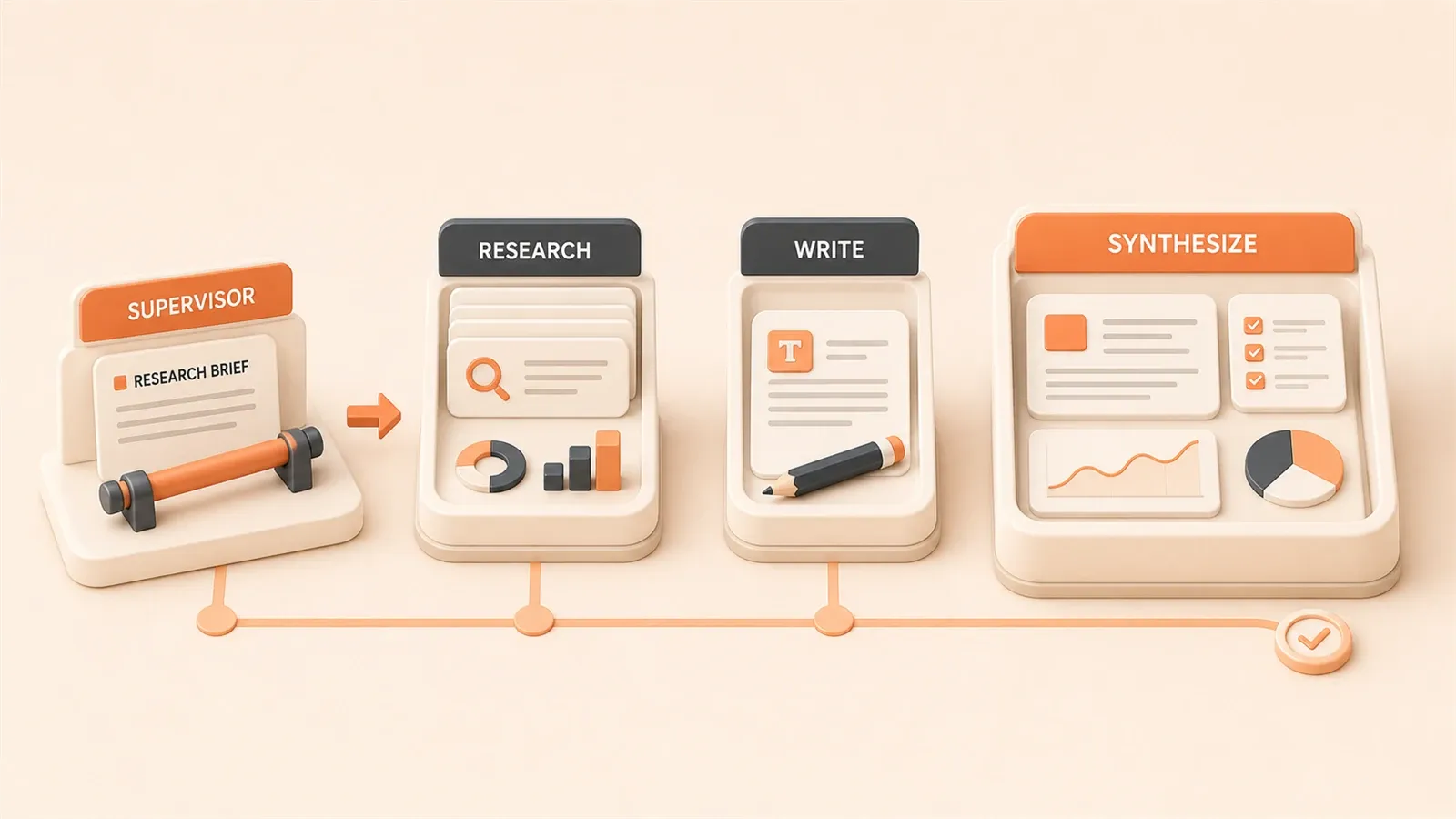
Later, we split the architecture into a Supervisor + Workers pattern: one orchestration Agent handling routing, three specialist Agents each focusing on their domain. Tool selection errors dropped to a third of what they were, and debugging became crystal clear—you could trace through each layer step by step.
Let’s be honest: when your Agent holds more than 10 tools, a single-Agent architecture has problems. This article walks you through the Supervisor pattern’s architecture principles, the complete usage of the create_supervisor API, and a hands-on case study of building a Research + Writing team. All code is runnable, and I’ve included the GitHub repository link at the end.
1. Why Do You Need a Multi-Agent System?
Three Deadly Flaws of Single-Agent Systems
The pitfalls I’ve encountered—you’re probably stepping into them right now. Single-Agent systems look simple, but they have three fatal issues:
First: Too many tools, selection paralysis.
This isn’t an exaggeration. When a single Agent holds more than 10 tools, the LLM’s tool selection error rate rises noticeably. You might say, “Aren’t models getting smarter?” True, but here’s the thing—tool descriptions pile up in the prompt, and the model needs to pick the right one from 10+ options. That cognitive load is no small matter.
In my old system, the search tool and code execution tool had overlapping descriptions (both could “find information”), so the model would bounce back and forth between them, wasting several conversation rounds.
Second: Context accumulation, window explosion.
All subtask conversation histories pile into one context window. After a few rounds, the window gets flooded with tool call records, diluting core instructions to the point of unrecognizability. The model starts “forgetting things”—sometimes even losing the user’s original request.
I learned this the hard way. Once, while debugging an Agent that had run 20 rounds, the context was stuffed with function call records. The final output had almost nothing to do with the user’s original need.
Third: Impossible to debug, nightmare to troubleshoot.
When something goes wrong, you have no idea which tool call is to blame. A single Agent is a black box—logs are just a running tally of tool calls. Want to pinpoint the issue? You’re digging through line by line.
The Supervisor pattern solves these problems: use an “orchestration Agent” to coordinate multiple “specialist Agents,” with clear separation of concerns.

Core Philosophy of the Supervisor Pattern
It’s simple, really—division of labor.
Imagine a team: a project manager handles coordination, with researchers focused on investigation, engineers on implementation, and documentation specialists on reports. Everyone has their expertise; the project manager doesn’t need to know everything—they just need to know “who should handle this task.”
The Supervisor pattern follows this logic:
- Supervisor (Orchestration Agent): Doesn’t do the hands-on work, just routes, coordinates, and integrates results
- Worker Agents (Specialist Agents): Each focuses on one domain, with a lean toolset and clear responsibilities
What’s the benefit?
Tool counts are distributed across Workers—each Agent only chooses from its own toolset. Context is distributed too—each Agent only maintains its own small slice of conversation history. When debugging, you can trace layer by layer: which Worker the Supervisor assigned the task to, what operations the Worker executed—it’s all clear at a glance.
2. Supervisor Pattern Architecture Principles
First, let’s look at an architecture diagram:
                    ┌─────────────────┐
                    │   User Request  │
                    └────────┬────────┘
                             │
                             ▼
                    ┌─────────────────┐
                    │   Supervisor    │
                    │(Orchestration   │
                    │     Agent)      │
                    │                 │
                    │  Route +        │
                    │  Coordinate +   │
                    │  Integrate      │
                    └────────┬────────┘
                             │
              ┌──────────────┼──────────────┐
              │              │              │
              ▼              ▼              ▼
       ┌──────────┐   ┌──────────┐   ┌──────────┐
       │ Research │   │   Math   │   │ Writing  │
       │  Agent   │   │  Agent   │   │  Agent   │
       │          │   │          │   │          │
       │ Search   │   │ Calculator│   │ Content  │
       │ Tools    │   │ Tools    │   │ Tools    │
       └────┬─────┘   └────┬─────┘   └────┬─────┘
            │              │              │
            │   Worker     │   Worker     │   Worker
            │   Execution  │   Execution  │   Execution
            │   Results    │   Results    │   Results
            │              │              │
            └──────────────┴──────────────┘
                           │
                           ▼
                    ┌─────────────────┐
                    │   Supervisor    │
                    │   Integrates    │
                    │   Results       │
                    └────────┬────────┘
                             │
                             ▼
                    ┌─────────────────┐
                    │   Final Answer  │
                    └─────────────────┘
Core Component Responsibilities
Supervisor handles three things:
- Routing: Analyzes user requests, decides which Worker to assign
- Coordination: Manages task flow between Workers
- Integration: Collects execution results from all Workers, outputs final answer
Worker Agents focus on their domains:
Each Worker only has its own specialized toolset. For example, a Research Agent might only have search and web scraping tools, while a Math Agent only has basic arithmetic calculators. Fewer tools means higher selection accuracy.
Message Passing Mechanism
Here’s a key point: Global Graph State.
All Agents share the same state object. After a Worker completes a task, it appends results to the state’s messages field. The Supervisor sees the new message and decides the next step.
This is an append-only mechanism—messages are only added, never removed, ensuring conversation history integrity.
Fan-out / Fan-in
Complex tasks might require multiple Workers executing in parallel. For example, if a user asks “Compare market data for products A and B,” the Supervisor can dispatch two Research tasks simultaneously (one for A, one for B)—that’s fan-out.
When both Workers return results, the Supervisor integrates them—that’s fan-in.
LangGraph supports this parallel pattern, but we won’t dive deep into it in this basics article. We’ll cover it in advanced techniques later.
"LangGraph provides a way to build multi-agent systems where each Agent has its own toolset and domain of responsibility, coordinated through a Supervisor for task dispatch."
3. create_supervisor API Deep Dive
Theory done. Let’s write code.
Installation and Imports
pip install langgraph-supervisor langchain-openaifrom langchain_openai import ChatOpenAI
from langgraph_supervisor import create_supervisor
from langgraph.prebuilt import create_react_agentDefining Tools
First, prepare tools for each Worker:
from typing import Annotated

# Math calculation tools
def add(
    a: Annotated[float, "First number"],
    b: Annotated[float, "Second number"]
) -> float:
    """Add two numbers together."""
    return a + b

def multiply(
    a: Annotated[float, "First number"],
    b: Annotated[float, "Second number"]
) -> float:
    """Multiply two numbers."""
    return a * b

# Search tool (mock)
def web_search(query: str) -> str:
    """Search the web for information."""
    # In production, connect to Tavily, Serper, etc.
    if "population" in query.lower():
        return "Beijing population: approximately 21.89 million (2023 data)"
    elif "weather" in query.lower():
        return "Beijing today: sunny, temperature 15-25°C"
    else:
        return f"Search results: {query}"
Here we use Python’s Annotated type hints to help the model understand each parameter’s meaning. The tool function’s docstring is also important—the model uses it to understand the tool’s functionality.

Creating Worker Agents
model = ChatOpenAI(model="gpt-4o")

# Math expert Agent
math_agent = create_react_agent(
    model=model,
    tools=[add, multiply],
    name="math_expert",
    prompt="You are a math expert, focused on numerical calculations. When users need math operations, use your tools to complete the task."
)

# Research expert Agent
research_agent = create_react_agent(
    model=model,
    tools=[web_search],
    name="research_expert",
    prompt="You are a senior researcher, skilled at searching and organizing information. When users need to look up materials, use the search tool to find answers."
)
Key points to note:
- The name field is crucial: Supervisor identifies and calls Workers by name
- prompt defines the role: Tells the Agent what its expertise is
- Lean toolset: Each Agent only has necessary tools, nothing more
Creating the Supervisor
# Create Supervisor system
supervisor = create_supervisor(
    agents=[math_agent, research_agent],
    model=model,
    prompt="""You are a team Leader, responsible for coordinating specialist Agents.

Based on user requests, decide who to assign the task to:
- Need math calculations → math_expert
- Need to search for information → research_expert
- Task complete → respond directly to user

If multiple specialists need to collaborate, call them in a logical sequence."""
)

# Compile into executable application
app = supervisor.compile()
create_supervisor accepts three core parameters:
agents: List of Worker Agentsmodel: The LLM used by the Supervisor itselfprompt: Tells the Supervisor how to assign tasks
Running Examples
from langchain_core.messages import HumanMessage

# Test math question
result = app.invoke({
    "messages": [HumanMessage(content="Calculate 123 plus 456")]
})
print(result["messages"][-1].content)
# Output: 123 plus 456 equals 579

# Test search question
result = app.invoke({
    "messages": [HumanMessage(content="What is Beijing's population")]
})
print(result["messages"][-1].content)
# Output: According to search results, Beijing's population is approximately 21.89 million
The Supervisor automatically determines the request type, then routes to the correct Worker. It’s completely transparent to the user—they don’t need to know multiple Agents are working behind the scenes.
4. Hands-on Case: Building a Research + Writing Team
That was a basic example. Now let’s build a more complete system: a team that automatically researches and generates technical articles.
Scenario Description
User inputs a technical topic, and the system automatically:
- Researches relevant materials
- Generates article outline
- Writes complete content
- Reviews and proofreads
This requires three specialized Agents working together.
Defining Complete Toolset
from typing import TypedDict, List
import json

# Mock search tool
def tech_search(query: str) -> str:
    """Search for technical materials and documentation."""
    # In production, connect to Tavily or Serper
    database = {
        "langgraph": "LangGraph is an Agent framework from LangChain, supporting state management and cyclic graph structures.",
        "supervisor": "Supervisor pattern is the core architecture of Multi-Agent systems, with one orchestration Agent coordinating multiple specialist Agents.",
        "multi-agent": "Multi-Agent systems solve single-Agent tool overload and context explosion through task dispatch and collaboration."
    }

    results = []
    for key, value in database.items():
        if key in query.lower():
            results.append(value)

    return json.dumps(results) if results else "No relevant materials found, suggest expanding search scope"

# Outline generation tool
def generate_outline(topic: str) -> str:
    """Generate article outline based on topic."""
    return json.dumps({
        "title": f"{topic} Complete Guide",
        "sections": [
            "1. Overview and Background",
            "2. Core Concepts",
            "3. Hands-on Examples",
            "4. Best Practices",
            "5. Summary"
        ]
    }, ensure_ascii=False)

# Content generation tool
def write_section(section_title: str, context: str) -> str:
    """Generate section content based on title and context."""
    # In production, this could call an LLM
    return f"## {section_title}\n\nBased on research materials, the key points of {section_title} are...\n\n"

# Review tool
def review_content(content: str) -> str:
    """Review content for accuracy and readability."""
    issues = []
    if len(content) < 100:
        issues.append("Content too short, suggest expanding")
    if "TODO" in content:
        issues.append("Contains unfinished TODO markers")

    return json.dumps({
        "passed": len(issues) == 0,
        "issues": issues,
        "suggestion": "Content quality good, ready for publication" if not issues else "Please revise based on issues and resubmit"
    }, ensure_ascii=False)
Creating Worker Agents
# Researcher Agent
researcher = create_react_agent(
    model=model,
    tools=[tech_search],
    name="researcher",
    prompt="""You are a senior technical researcher, skilled at quickly researching and understanding new technologies.

Responsibilities:
1. Receive research topic
2. Use search tool to find relevant materials
3. Organize into structured research report

Note: Only research, no writing. Pass research results to writer."""
)

# Writer Agent
writer = create_react_agent(
    model=model,
    tools=[generate_outline, write_section],
    name="writer",
    prompt="""You are a technical writing expert, skilled at transforming complex concepts into clear, easy-to-understand articles.

Responsibilities:
1. Receive research report
2. Generate article outline
3. Write content for each section

Note: After completing draft, pass to reviewer."""
)

# Reviewer Agent
reviewer = create_react_agent(
    model=model,
    tools=[review_content],
    name="reviewer",
    prompt="""You are a strict reviewer, ensuring article quality and accuracy.

Responsibilities:
1. Check content completeness and accuracy
2. Evaluate article readability and logic
3. Provide revision suggestions or confirm publication

Note: If issues found, return to writer for revision."""
)
Building Supervisor Logic
# Build custom Supervisor using StateGraph
from langgraph.graph import StateGraph, END
from typing import Annotated, Sequence
from langchain_core.messages import BaseMessage
from langgraph.graph.message import add_messages

# Define state
class AgentState(TypedDict):
    messages: Annotated[Sequence[BaseMessage], add_messages]
    next_agent: str

# Supervisor decision logic
def supervisor_node(state: AgentState) -> dict:
    """Decide which Agent to execute next based on current progress."""
    messages = state["messages"]

    # Call LLM for decision
    decision = model.invoke([
        {"role": "system", "content": """You are the team Leader, decide the next step based on conversation history:

- If no research materials yet → return 'researcher'
- If research materials exist but no article → return 'writer'
- If article exists but not reviewed → return 'reviewer'
- If review passed → return 'FINISH'

Only return the Agent name, nothing else."""},
        *messages
    ])

    next_agent = decision.content.strip()

    # Map to correct Agent names
    agent_map = {
        "researcher": "researcher",
        "writer": "writer",
        "reviewer": "reviewer",
        "FINISH": END
    }

    return {"next_agent": agent_map.get(next_agent, "researcher")}

# Build graph
workflow = StateGraph(AgentState)

# Add nodes
workflow.add_node("supervisor", supervisor_node)
workflow.add_node("researcher", researcher)
workflow.add_node("writer", writer)
workflow.add_node("reviewer", reviewer)

# Add conditional edges (Supervisor's routing logic)
workflow.add_conditional_edges(
    "supervisor",
    lambda state: state["next_agent"],
    {
        "researcher": "researcher",
        "writer": "writer",
        "reviewer": "reviewer",
        END: END
    }
)

# All Agents return to Supervisor after completion
for agent in ["researcher", "writer", "reviewer"]:
    workflow.add_edge(agent, "supervisor")

# Set entry point
workflow.set_entry_point("supervisor")

# Compile
app = workflow.compile()
This architecture has a loop mechanism: all Workers return to the Supervisor after completing tasks, and the Supervisor then decides whether to assign to another Worker or finish.
Execution Flow
result = app.invoke({
    "messages": [HumanMessage(content="Write a technical article about LangGraph Supervisor pattern")]
})

# View final result
print(result["messages"][-1].content)

# View execution trace
for i, msg in enumerate(result["messages"]):
    print(f"{i+1}. {msg.__class__.__name__}: {msg.content[:100]}...")
The execution flow looks like this:
User Request → Supervisor Analyzes → Assign to Researcher →
Researcher Investigates → Return to Supervisor → Assign to Writer →
Writer Writes → Return to Supervisor → Assign to Reviewer →
Reviewer Reviews → Return to Supervisor → Confirm Complete → Output Result
Each layer is traceable—debugging becomes much clearer.
5. Advanced Techniques
Message Forwarding Optimization: create_forward_message_tool
You might have noticed a potential issue: when a Worker completes a task, the returned message gets received by the Supervisor and might be restated. This wastes tokens and could dilute information.
LangGraph provides create_forward_message_tool to solve this:
from langgraph_supervisor.handoff import create_forward_message_tool

# Create forwarding tool
forward_tool = create_forward_message_tool("supervisor")

# Pass it when creating Supervisor
supervisor = create_supervisor(
    agents=[researcher, writer, reviewer],
    model=model,
    tools=[forward_tool]  # Add forwarding tool
)
This tool lets the Supervisor directly forward a Worker’s response to the user without restating it. Saves tokens and improves efficiency.
Hierarchical Team Architecture
For more complex projects, you can build multi-layer Supervisors:
                    ┌──────────────┐
                    │ Top Supervisor│
                    └──────┬───────┘
                           │
           ┌───────────────┼───────────────┐
           │               │               │
           ▼               ▼               ▼
    ┌────────────┐  ┌────────────┐  ┌────────────┐
    │Research    │  │ Writing    │  │ QA         │
    │Team        │  │ Team       │  │ Team       │
    │Supervisor  │  │ Supervisor │  │ Supervisor │
    └─────┬──────┘  └─────┬──────┘  └─────┬──────┘
          │               │               │
     ┌────┼────┐    ┌────┼────┐    ┌────┼────┐
     │    │    │    │    │    │    │    │    │
   Web  Doc  API   Out  Cont Rev   Test Code Audit
 Search Scrp Parse line ent  iew
Each sub-team has its own Supervisor, with a top-level Supervisor coordinating above. This architecture suits large-scale projects with finer-grained responsibility division.
Error Handling
What if a Worker fails?
from langgraph.pregel import RetryPolicy

# Configure retry policy
retry_policy = RetryPolicy(
    max_attempts=3,
    initial_interval=1.0,
    backoff_factor=2.0
)

app = workflow.compile(retry_policy=retry_policy)
You can also add error handling logic to the Supervisor’s prompt:

If an Agent fails:
1. Log the error
2. Try calling a backup Agent
3. If multiple failures, report the issue to the user
State Persistence
Multi-turn conversations need state persistence. LangGraph provides a Checkpointer mechanism:
from langgraph.checkpoint.memory import MemorySaver

# Use memory storage (development environment)
memory = MemorySaver()
app = workflow.compile(checkpointer=memory)

# Specify thread_id during execution
config = {"configurable": {"thread_id": "user-123"}}
result = app.invoke({"messages": [HumanMessage(content="...")]}, config=config)

# Subsequent conversations retain context
result2 = app.invoke({"messages": [HumanMessage(content="Continue the previous task")]}, config=config)
For production, you can use Redis or PostgreSQL as Checkpointer.
"Hierarchical Agent Teams demonstrates how to build multi-layer Supervisor architectures for more complex multi-agent collaboration systems."
6. Production Deployment Recommendations
Monitoring and Debugging
LangSmith is LangChain’s official monitoring platform, helping you trace execution details of every step:
import os

os.environ["LANGSMITH_API_KEY"] = "your-api-key"
os.environ["LANGSMITH_TRACING"] = "true"
os.environ["LANGSMITH_PROJECT"] = "multi-agent-project"
Once configured, each execution leaves a complete trace in LangSmith, including:
- Input and output of each Agent
- Tool call parameters and return values
- Token consumption statistics
- Execution time analysis
Incredibly useful for debugging—no more digging through logs line by line.
Token Cost Control
The Supervisor pattern is powerful, but multi-Agent systems increase token consumption. A few optimization suggestions:
- Streamline Supervisor prompt: Only include essential routing logic
- Use forward_message_tool: Avoid redundant summarization
- Reasonably allocate tools: Each Worker only needs necessary tools
- Control conversation rounds: Set maximum round limits
# Set maximum rounds
app = workflow.compile(
    checkpointer=memory,
    interrupt_after=20  # Maximum 20 steps
)
Integration with AWS Bedrock
If your project is on AWS, you can use Bedrock models:
from langchain_aws import ChatBedrock

model = ChatBedrock(
    model_id="anthropic.claude-3-sonnet-20240229-v1:0",
    region_name="us-east-1"
)

# Other code remains unchanged, just replace model
supervisor = create_supervisor(
    agents=[math_agent, research_agent],
    model=model
)
Best Practices Summary
Having covered all this, let me summarize a few practical lessons:
- Start small: Begin with 2-3 Agents, then gradually expand
- Clear responsibilities: Each Worker’s domain should be explicit, avoid overlap
- Use LangSmith for monitoring: Set it up during development for easier debugging
- Watch token costs: Multi-Agent amplifies consumption, needs optimization
- Leverage forward_message_tool: Can save significant tokens
- Reference official repository: langgraph-supervisor-py has complete examples
Summary
The Supervisor pattern is fundamentally about division of labor—breaking big tasks into smaller ones, letting each Agent focus on what it does best.
From the three deadly flaws of single-Agent systems (tool selection paralysis, context explosion, debuggability nightmare) to the elegant solution of the Supervisor pattern, this article walked you through the complete picture. The create_supervisor API isn’t actually complicated to use—the key is understanding the architecture philosophy behind it.
I suggest you start with small projects for practice. First build a two-Agent system (like one for search + one for summarization), get it working, then gradually expand. Definitely configure LangSmith monitoring—you’ll thank yourself when debugging.
Complete code examples are in the GitHub repository: langgraph-supervisor-py. The official tutorial is also worth reading: Hierarchical Agent Teams.
If you have questions, leave a comment—I respond to all of them.
References
- LangGraph Supervisor Reference
- Hierarchical Agent Teams Tutorial
- LangGraph Multi-Agent Workflows Blog
- GitHub - langgraph-supervisor-py
- Build Multi-Agent Systems with AWS Bedrock
FAQ
What's the difference between Supervisor pattern and regular Multi-Agent?
When should I use the Supervisor pattern?
Does the Supervisor pattern increase token consumption?
How do I debug multi-Agent systems?
What's the relationship between create_supervisor and StateGraph?
Can a Worker Agent be another Supervisor?
14 min read · Published on: May 12, 2026 · Modified on: Jul 14, 2026

AI Agent Engineering: Architecture, Evaluation, and Recovery
If you landed here from search, the fastest way to build context is to jump to the previous or next post in this same series.
Previous
LangGraph State Management: Checkpoints, Thread State, and Failure Recovery
A 2026 LangGraph state management guide covering checkpoints, thread state, failure recovery, AutoGen comparison, and monitoring patterns for production agents.
Part 9 of 22
Next
LangGraph vs AutoGen State Tracking: Checkpoint Mechanisms, Timeout Recovery, and Framework Selection
Deep comparison of LangGraph vs AutoGen state tracking: 12-dimension quantitative analysis covering checkpoint mechanisms, timeout recovery, and distributed support. Includes real-world pitfalls, decision trees, and runnable code to help you choose the right framework
Part 11 of 22


Comments
Sign in with GitHub to leave a comment