
Running Llama 70B Locally: Comparison and Selection Guide for 5700XT, Mac M4, and CUDA Solutions
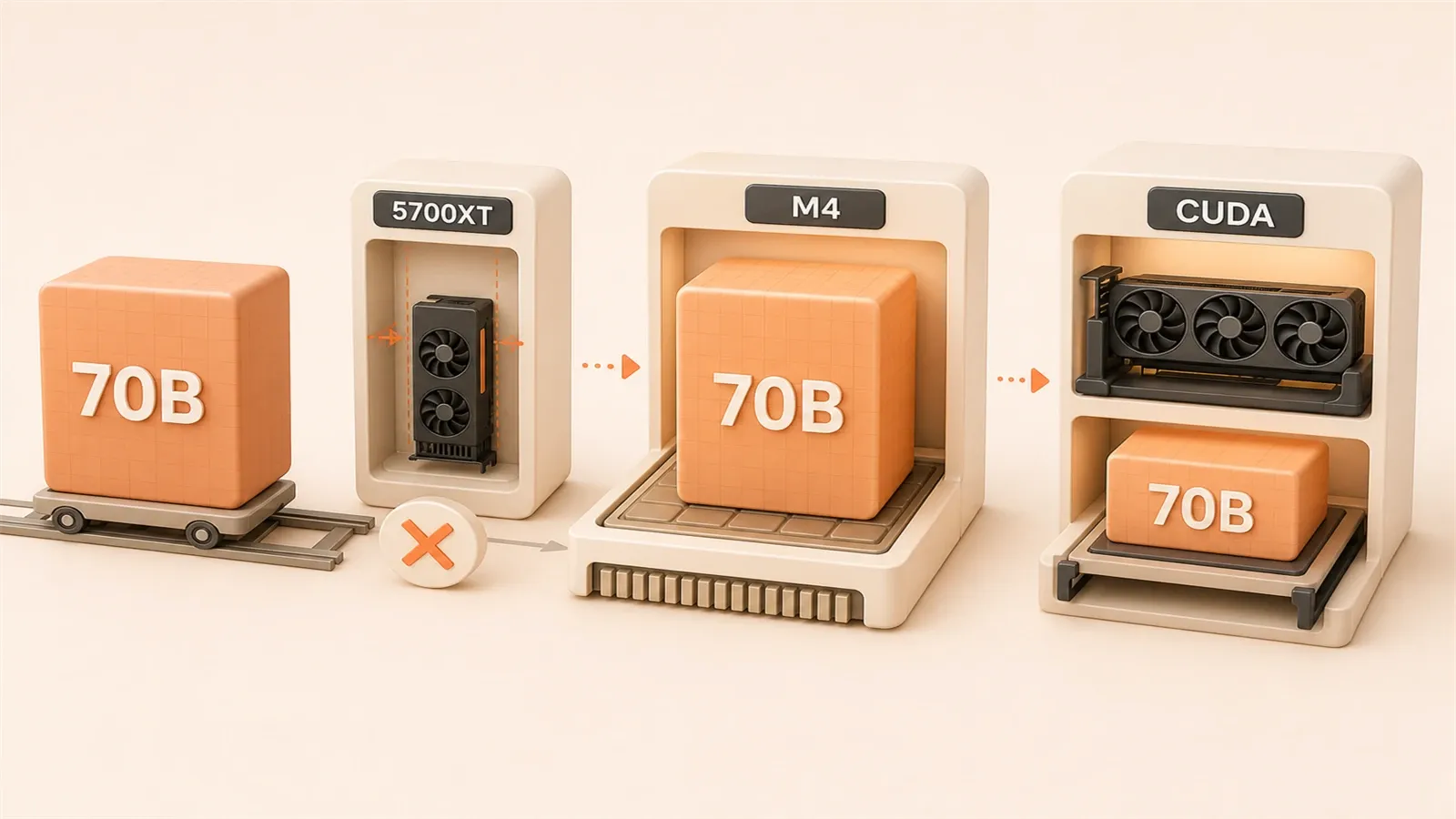
Want to run Llama 70B locally? Is your AMD 5700XT with 8GB VRAM enough? Can Mac M4 handle it?
The answer might surprise you. The 70B model FP16 full version requires 140GB VRAM—basically impossible for consumer hardware. But quantization technology has lowered the threshold to around 40GB, making things suddenly interesting.
This article will use real test data to compare three common solutions: AMD 5700XT (tinkerer’s favorite), Mac M4 (killer advantage of unified memory), and NVIDIA CUDA (mature ecosystem veteran). After reading, you’ll be able to judge which one suits you in about 5 minutes.
The Truth About Llama 70B’s VRAM Requirements
Quantization, simply put, is “compressing” the model. The original FP16 version has each parameter occupying 2 bytes. Multiply 70 billion parameters—that’s 140GB VRAM. Even with an RTX 4090’s 24GB, it’s still not enough.
So what can you do? GGUF format quantized versions are here.
Which Quantization Level to Choose?
Different quantization levels have vastly different VRAM usage:
| Quantization Level | VRAM Required | Accuracy Loss | Use Case |
|---|---|---|---|
| Q8_0 | ~75GB | Minimal | Research experiments, pursuing accuracy |
| Q6_K | ~55GB | Low | Have 64GB+ memory |
| Q5_K_M | ~45GB | Acceptable | Mac 64GB memory |
| Q4_K_M | ~35-40GB | Balanced | Most consumer hardware |
| Q3_K_M | ~30GB | Noticeable | Extreme VRAM compression |
I recommend Q4_K_M. Why? This level finds a nice balance between accuracy and VRAM. You might have heard Q3 can run too, but the accuracy loss is quite noticeable—response quality drops, reasoning ability is compromised. Q5 and above are certainly better, but VRAM requirements go up again.
There’s one more thing to remember: KV Cache. During inference, the model needs to store context information, which takes an additional 5GB or so. So to actually run the Q4_K_M version, you need about 40-45GB of available memory space.

Real-World Hardware Comparison
Let’s look at the table directly. Data comes from Reddit LocalLLaMA forum and several tech blog benchmark reports.
| Solution | VRAM/Memory | Runnable Models | 70B Q4 Performance | Price Range | Setup Difficulty |
|---|---|---|---|---|---|
| AMD 5700XT | 8GB VRAM | 7B fully, 12B partial | Not recommended | Used $150-200 | Difficult |
| Mac M4 Max | 128GB unified memory | 70B Q4/Q5 | 20-28 tok/s | $3500+ | Easy |
| NVIDIA RTX 4090 | 24GB VRAM | 32B fully, 70B offload | 18 tok/s (offload) | $1500-2000 | Medium |
| NVIDIA RTX 5090 | 32GB VRAM | 70B Q4 single-card attempt / offload | Context-dependent | $2000+ | Medium |
AMD 5700XT: The Tinkerer’s Nightmare
To be honest, running 70B models on 5700XT is basically “gritting your teeth and doing it.” With 8GB VRAM, even 7B Q4 barely fits, and 70B is completely out of the question. But some people just won’t give up—I’ve tried ROCm workaround solutions myself.
The result? Unstable. You can get it running, but it might crash at any moment. AMD officially doesn’t support ROCm for RDNA1 architecture (which 5700XT belongs to), relying on environment variable overrides created by the community:
HSA_OVERRIDE_GFX_VERSION=10.1.0This trick can fool ROCm into running, but performance is mediocre and stability is poor. If you just want to tinker and learn, give it a try. For serious use? Forget it.
Mac M4: Unified Memory is the Killer Feature
Apple Silicon’s unified memory architecture is simply brilliant for running large models. With 128GB M4 Max, system memory and VRAM are the same—you don’t have to worry about “VRAM not enough, need to offload to memory.”
Real test data is impressive: 20-28 tok/s. This speed is quite comfortable for local inference. And setup is simple—install Ollama or use MLX directly, a few commands and you’re running.
The only issue is price. M4 Max starts at $3500+, not a small sum. But if you already need a Mac for other work and can run large models on the side—the calculation works out.
NVIDIA CUDA: Mature Ecosystem, But Large Models Need Offload
RTX 4090’s 24GB VRAM is more than enough for 32B models. For 70B? Not enough. You need to use offload solutions—some layers on GPU, the rest in system memory.
This works, but speed drops. Real tests show around 18 tok/s, slower than Mac M4 Max. Because moving data back and forth between CPU and GPU takes time.
RTX 5090 has now launched with 32GB of GDDR7 memory. It is a better single-card candidate for 70B Q4 than RTX 4090, but long contexts and runtime overhead can still require offload, and pricing or availability may fluctuate.
CUDA’s advantage is mature ecosystem. Want to fine-tune models? NVIDIA’s toolchain is most complete. PyTorch, Hugging Face all prioritize CUDA support. This is something Apple Silicon and AMD can’t match.
How to Determine Which Solution Fits You
Don’t overthink it, follow this process step by step:

Step 1: Check What You Already Have
Already have 5700XT?
- Can try ROCm workaround, but be prepared for tinkering
- Actually can only run 7B models (12B requires partial offload)
- Suitable for those who want to learn ROCm principles and are willing to troubleshoot
Already have Mac?
- Check memory size: 64GB can run 70B Q5, 128GB is more comfortable
- M4 Pro/Max perform better, M4 base model works too
- Just try it, high success rate
Have nothing?
- Check budget situation below
Step 2: Budget Determines Choice
| Budget Range | Recommended Solution | Notes |
|---|---|---|
| <$500 | Used 5700XT or Mac Mini M4 entry | 5700XT is risky, M4 entry 16GB memory only runs small models |
| $500-2000 | RTX 4090 or Mac Mini M4 Pro | RTX 4090 needs offload for 70B; M4 Pro 24GB is better suited to 7B/13B and some 32B workloads |
| $2000+ | RTX 5090 or Mac Studio M4 Max | Depends if you need fine-tuning/training—fine-tuning choose NVIDIA, pure inference choose Mac |
Step 3: What Do You Want to Do?
Just want to try and play?
- Any hardware that can run 7B is enough. No need to struggle with 70B, small models can give you the local inference experience.
Daily use, need stability?
- Mac M4 series is most worry-free. Install software and use, no need to worry about CUDA versions, ROCm configurations.
Need fine-tuning/training?
- NVIDIA CUDA is the only choice. Most complete ecosystem support, most tutorials, fewest pitfalls.
Pursuing ultimate inference speed?
- Mac M4 Max MLX acceleration is 30-50% faster than llama.cpp, will explain in detail later.
Actually, most people fall into the second category—daily use with stability. Mac has a clear advantage here. You don’t need to tinker with graphics drivers, don’t worry about compatibility issues, works out of the box.
Mac Users’ MLX vs llama.cpp Choice
Mac users have an extra decision point: MLX or llama.cpp?
Performance Comparison
According to Compute Market’s real test data:
| Scenario | MLX | llama.cpp | Difference |
|---|---|---|---|
| Short prompt (<512 tokens) | Faster | Baseline | MLX 30-50% faster |
| Long prompt (>2048 tokens) | Baseline | Faster | llama.cpp slightly better |
| Overall inference speed | ~25 tok/s | ~20 tok/s | MLX leads |
MLX is a framework Apple specifically optimized for Silicon chips, can directly call Metal GPU acceleration. llama.cpp is a cross-platform solution, although it also supports Metal, but not to the extent of MLX.

How to Choose?
Pure inference, pursuing speed?
- Use MLX. Just
mlx_lm.generatecommand to run, simple setup, fast speed.
Need llama.cpp toolchain compatibility?
- If you want to use certain third-party tools that depend on llama.cpp, or migrate the same GGUF file between different devices—then llama.cpp. It has better compatibility, can run on almost all platforms.
Not sure?
- Try both. Installation isn’t complicated anyway, run it and you’ll know which fits your usage habits better.
I personally lean towards MLX. My main use case is local inference anyway, speed is fast enough. Toolchain compatibility isn’t a must-have for me.
Summary
After all this, here’s a quick decision table for you:
| Your Situation | Recommended Solution | Reason |
|---|---|---|
| Already have Mac (64GB+ memory) | Use directly, choose MLX | Most worry-free, good speed |
| No hardware, budget <$500 | Mac Mini M4 entry | More stable than 5700XT, lower risk |
| Budget $500-2000, need stability | Mac Mini M4 Pro or RTX 4090 | 24GB fits 7B/13B better; 70B needs 64GB+ memory or offload |
| Budget $2000+, need fine-tuning | RTX 4090/5090 | CUDA ecosystem mature |
| Want to tinker and learn ROCm | Used 5700XT | Cheap, but be prepared for pitfalls |
Core conclusion in one sentence: Mac is worry-free and stable, CUDA has comprehensive ecosystem, AMD offers high price-performance but more tinkering.
If your need is “serious use” and don’t want to spend time tinkering with configurations—choose Mac. If budget is tight and willing to troubleshoot—5700XT can be tried, but don’t have high expectations for 70B. If you need model fine-tuning—NVIDIA CUDA is the only choice.
Ready to try? If you have a Mac, you can install Ollama or MLX directly and run a 7B model to experience it. Without a Mac, first check if your existing hardware can run small models—70B isn’t the starting point, run something first then talk.
FAQ
How much VRAM does Llama 70B need to run?
Which is better for running large models: Mac M4 or NVIDIA?
What hardware should I choose with a limited budget?
Can AMD 5700XT run Llama 70B?
On Mac, should I use MLX or llama.cpp?
8 min read · Published on: May 28, 2026 · Modified on: Jul 14, 2026

Ollama: Local LLM Setup, Configuration, and Integration
If you landed here from search, the fastest way to build context is to jump to the previous or next post in this same series.
Previous
Ollama Modelfile Parameters Explained: A Complete Guide to Creating Custom Models
A detailed guide to Ollama Modelfile's 10 core parameters, including optimization tips for temperature, num_ctx, and more. Includes 4 ready-to-use practical templates to help you create your own custom models.
Part 4 of 18
Next
Ollama Hardware Selection Guide: VRAM, Quantization & GPU Comparison (2026)
A comprehensive Ollama hardware selection table: VRAM requirements for 7B/13B/70B models, Q4/Q8 quantization comparison, and detailed breakdown of NVIDIA CUDA/AMD ROCm/Apple Metal acceleration. Tiered GPU recommendations from RTX 3060 to 5090 help you match the right graphics card to your model needs.
Part 6 of 18


Comments
Sign in with GitHub to leave a comment