
LangGraph vs AutoGen State Tracking Comparison: Checkpoints, Timeout Recovery, and Framework Selection
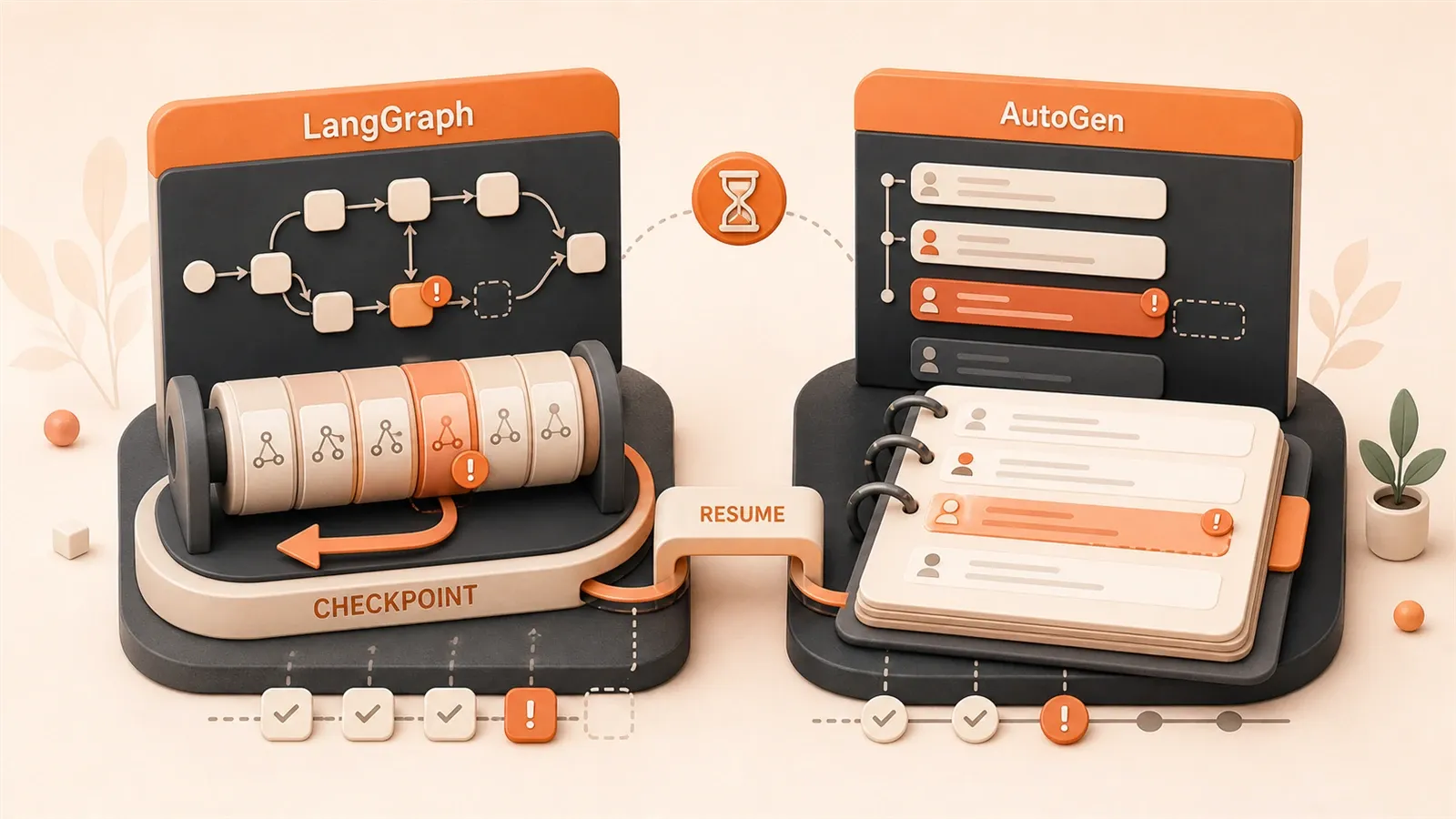
A research literature review Agent executed 30 steps in a task and crashed at step 25 when calling the LLM. The previous 24 steps were all wasted, with API costs and time investment going to zero. This isn’t an isolated case. 80% of Agent projects fail not because large language models lack capability, but because state tracking took the wrong path from the start. This article compares LangGraph and AutoGen frameworks across 12 dimensions including checkpoint mechanisms, timeout recovery, and distributed support, with real-world pitfalls, decision trees, and runnable code to help you quickly determine which framework better suits your project.
Checkpoint Mechanism Deep Dive
LangGraph embedded checkpoint into its architecture from the initial design. After each node completes execution, the graph’s state automatically takes a snapshot called StateSnapshot. This snapshot stores four things: channel_values (current graph state), channel_versions (version number for each channel), versions_seen (the state version the node saw last time), and pending_writes (updates not yet written to channels). During recovery, LangGraph doesn’t continue to the next line of source code but re-executes the node. This is the core semantic of persistent execution: node re-execution.
Checkpoint saving timing has three phases. The input phase takes a snapshot before the graph starts, the loop phase takes a snapshot after each node completes, and external injection (like manual intervention) can also manually trigger snapshots. Persistence modes come in three types: 'exit' saves only on exit with no intermediate recovery; 'async' saves asynchronously with a small probability of losing checkpoints; 'sync' persists synchronously at each step with the highest performance overhead but maximum safety.
AutoGen’s state management is still evolving. v0.4 provides save_state() and load_state() APIs, but its state structure is serialization of conversation history, not a complete snapshot of graph state. A typical AutoGen state looks like this:
{
  "type": "AssistantAgentState",
  "version": "1.0.0",
  "llm_messages": [
    {"content": "User's question...", "role": "user"},
    {"content": "Agent's response...", "role": "assistant"}
  ]
}
TeamState also adds agent_states and group_chat_manager state. The difference from LangGraph is obvious: AutoGen stores conversation trajectories, while LangGraph stores complete snapshots of graph state. Conversation trajectories work well for multi-round negotiation scenarios, but if your Agent has complex state transitions (like multi-node branching, conditional jumps, loop checks), conversation trajectories can’t precisely express them.
We hit a pitfall in an after-sales ticket processing workflow. The process had 8 nodes: receive ticket -> classify -> query knowledge base -> call API to check order -> generate draft response -> manual review -> send response -> log record. When built with AutoGen, it crashed after step 5 (generate draft). Restarting could only see previous conversation rounds from history, but couldn’t recover to the state combination of “already queried knowledge base, already called API.” Switching to LangGraph, checkpoint directly stored values of knowledge_base_result and api_check_result channels. During recovery, re-executing the “generate draft” node, the knowledge base and API call results were still there, no wasted work.
LangGraph’s checkpoint data structure is complex, but official documentation provides complete explanations. channel_versions and versions_seen are used to detect state conflicts - if external injection and node execution simultaneously update the same channel, version numbers tell the system who came first. This mechanism is important in multi-threaded execution and human-in-the-loop scenarios.
Timeout and Recovery Mechanisms in Practice
LangGraph v1.2 introduced three fault tolerance mechanisms: RetryPolicy, TimeoutPolicy, and error_handler. These three aren’t independent configurations but a collaborative system.

RetryPolicy controls retry behavior after node failure. By default, it only retries ConnectionError and HTTP 5xx errors, not 4xx (because that’s a problem with the request itself). You can configure max_attempts (maximum retry count), backoff_factor (exponential backoff coefficient), jitter (random variation to prevent all clients from retrying simultaneously), and retry_on (custom retry conditions). A typical configuration:
from langgraph.pregel import RetryPolicy

retry_policy = RetryPolicy(
    max_attempts=4,
    backoff_factor=2.0,
    jitter=True,
    retry_on=(ConnectionError, TimeoutError)
)
Exponential backoff means: first failure waits 2 seconds, second waits 4 seconds, third waits 8 seconds, fourth waits 16 seconds. With jitter added, each actual wait time fluctuates around the base value, avoiding multiple instances hitting the API simultaneously.
TimeoutPolicy has two timeout parameters: run_timeout is the hard clock limit, timing from when the node starts execution; idle_timeout is the no-progress timeout, triggered if the node has no output for a long time (like a streaming call getting stuck). Configuration example:
from langgraph.pregel import TimeoutPolicy

timeout_policy = TimeoutPolicy(
    run_timeout=30,  # 30 second hard timeout
    idle_timeout=5,  # 5 second no-progress timeout
    refresh_on="auto"  # auto refresh
)
error_handler runs after retries are exhausted. It receives NodeError context, including node name, error type, and checkpoint ID. You can use it for fallback logic: for example, after LLM call failure, switch to a rule engine to generate response, or mark this task as requiring manual handling. Complete node configuration example:
from langgraph.pregel import RetryPolicy, TimeoutPolicy

def handle_model_failure(error: NodeError):
    # Fallback: use rule engine to generate response
    return generate_fallback_response(error.context)

graph.add_node(
    "call_llm",
    call_llm,
    retry_policy=RetryPolicy(max_attempts=4, backoff_factor=2.0),
    timeout=TimeoutPolicy(run_timeout=30, idle_timeout=5),
    error_handler=handle_model_failure
)
AutoGen’s timeout control relies on termination conditions. v0.4 provides three termination conditions: MaxMessage (message count limit), Timeout (total duration limit), and TokenUsage (token count limit). These conditions aren’t node-level but conversation-level. The entire conversation stops when it exceeds 20 messages or 10 minutes. This is suitable for preventing infinite loops but can’t control individual node timeout behavior.
Node re-execution is the core semantic of LangGraph’s persistent execution and also the easiest place to hit pitfalls. During recovery, the system re-executes the crashed node rather than continuing to the next line of source code. This means: if your node has side effects (sending emails, writing to databases, calling external APIs), you must guarantee idempotency. Research shows 75% of checkpoints can be avoided (through idempotent design), with recovery success rate improving from 8% to 100%.
How to implement idempotency? The most common approach is deduplication checking. Check the email system for existing messages before sending; use unique keys to determine database record existence before writing. Another approach is deterministic logic: if a node only does computation and state updates (no external calls), re-execution produces the same result, naturally idempotent. In our monthly email marketing workflow, we use thread_id as a deduplication marker: thread_id = "campaign-{campaign_id}-{contact_id}". During checkpoint recovery, the send email node first checks whether this thread_id has already been sent, avoiding duplicate outreach.
AutoGen currently has no concept of node re-execution because its execution model is conversation-driven, not graph-driven. After conversation crashes, you can only continue from saved conversation history, but can’t guarantee consistency of intermediate API call results. If you use AutoGen for workflows with side effects, you either implement idempotent logic yourself or accept the risk of potential duplicate execution after crashes.
LangGraph’s fault tolerance mechanism design goal is to enable Agents to continue working when LLM APIs are unstable (network fluctuations, rate limiting, timeouts), rather than crashing directly. AutoGen’s design goal is more about preventing infinite conversation loops. The two have different focuses.
Distributed and Production Deployment
LangGraph’s persistence backend has three tiers: SqliteSaver (local development), PostgresSaver (production environment), and RedisSaver (high concurrency scenarios). Official support also includes custom Savers - you can connect to MongoDB, DynamoDB, or any backend supporting KV storage. Configuration example:
from langgraph.checkpoint.sqlite import SqliteSaver
from langgraph.checkpoint.postgres import PostgresSaver

# Local development
checkpointer = SqliteSaver("checkpoints.db")

# Production environment
checkpointer = PostgresSaver(
    connection_string="postgresql://user:pass@host/db",
    table_name="langgraph_checkpoints"
)

graph = StateGraph(State)
graph.set_checkpointer(checkpointer)
The choice of three persistence modes depends on your scenario. 'exit' saves only when the graph exits, suitable for short processes and low-risk scenarios (like one-time data processing); 'async' saves asynchronously, suitable for medium-risk and performance-sensitive scenarios (like real-time response Agents); 'sync' persists synchronously at each step, suitable for high-risk, must-recover scenarios (like financial and payment processes). 'sync' has the highest performance overhead but provides maximum safety.

AutoGen currently only supports file serialization + JSON storage. Distributed support is still on the roadmap, and official documentation doesn’t mention multi-instance deployment state synchronization solutions. If you run AutoGen in a distributed environment, you need to implement state sharing logic yourself: for example, storing save_state() results in a database and reading from the database for load_state(). This adds another layer of development cost compared to LangGraph’s built-in solution.
A typical production deployment case is Cloudflare Workers monthly email marketing. The process has six touchpoints: check_reply (check response) -> compose_touch (write touchpoint content) -> [interrupt] (manual review) -> send_touch (send) -> schedule_next (schedule next touchpoint) -> [interrupt] (confirm next time). thread_id is designed as "campaign-{campaign_id}-{contact_id}", one thread per contact, guaranteeing idempotency.
Interrupt is LangGraph’s human-in-the-loop mechanism. When node execution reaches an interrupt, it pauses, waiting for external injection (like manual confirmation). After injection, the graph continues execution from the interrupt point. This is more controllable than AutoGen’s Group Chat negotiation: AutoGen’s multi-Agent negotiation is asynchronous conversation with no clear pause points; LangGraph’s interrupt is graph node-level pause with clear recovery semantics.
Idempotency is a hard requirement for side-effect nodes. According to research, 75% of checkpoints can be avoided through idempotent design, with recovery success rate improving from 8% to 100%. Idempotency implementation mainly has two approaches: deduplication checking (check email system for existing messages before sending) and deterministic logic (pure computation nodes, re-execution produces same result). We also added a layer of AI Gateway during deployment (multi-provider failover, cost monitoring, rate limiting), which is the baseline for stable Agent operation. Single-provider APIs aren’t stable enough; backup routes are essential.
AutoGen’s distributed deployment currently requires DIY assembly. If you run multiple instances on Kubernetes or Cloudflare Workers, each instance’s state saving needs to be centralized to a shared storage, like Redis or a database. This is essentially the same as LangGraph’s PostgresSaver solution, but AutoGen has no official support or best practice documentation, leading to higher trial-and-error costs.
API Migration and Version Changes
Migration cost from AutoGen v0.2 to v0.4 isn’t low. v0.4 was rewritten from scratch, with architecture changing from synchronous to asynchronous event-driven. The API has two layers: Core API is the low-level event-driven actor framework, and AgentChat API is the high-level task-driven framework. Most developers use AgentChat API, but Core API changes indirectly affect your code.
Model Client configuration changed. v0.2 used OpenAIWrapper(config_list=config_list), where config_list is a list with each element being an independent configuration dictionary; v0.4 uses OpenAIChatCompletionClient(model="gpt-4o", api_key="sk-xxx"), passing parameters directly. Code comparison:
# v0.2
from autogen import OpenAIWrapper

config_list = [
    {"model": "gpt-4", "api_key": "sk-xxx"},
    {"model": "gpt-3.5-turbo", "api_key": "sk-yyy"}
]
client = OpenAIWrapper(config_list=config_list)

# v0.4
from autogen import OpenAIChatCompletionClient

client = OpenAIChatCompletionClient(
    model="gpt-4o",
    api_key="sk-xxx"
)
AssistantAgent initialization also changed. v0.2’s AssistantAgent received an llm_config parameter; v0.4 changed to directly passing model_client. Group Chat API changes are even larger: v0.2’s GroupChat and GroupChatManager merged into v0.4’s RoundRobinGroupChat or SelectorGroupChat. If you use AutoGen for multi-Agent negotiation, this code almost needs to be rewritten.
The pyautogen PyPI package is no longer maintained by Microsoft after version 0.2.34. The new package name is autogen (without the py prefix), but old pyautogen is still in use, causing confusion. Confirm which package you’re using before migration.
LangGraph’s API stability is relatively better. From v0.2 to v1.2, core APIs (StateGraph, add_node, add_edge) had no breaking changes. New features (RetryPolicy, TimeoutPolicy, interrupt) are extensions that don’t affect old code. This relates to LangChain ecosystem’s overall stability. LangChain team tends toward backward compatibility in API design, reducing migration costs.

When we migrated AutoGen v0.2 to v0.4, a 15-agent Group Chat project took two weeks. The core issue was that after Group Chat negotiation logic changed from synchronous to asynchronous, original event listeners and callbacks all needed rewriting. If your project depends on Group Chat’s complex negotiation mechanisms, assess costs before migration: it might be more expensive than rewriting the entire process.
LangGraph’s migration cost is mainly concentrated in the persistence backend. Switching from SqliteSaver to PostgresSaver only requires changing one line of configuration; checkpoint data structure doesn’t change. If you use custom Saver, you need to handle compatibility yourself, but official Saver migration is transparent.
12-Dimension Quantitative Comparison and Selection Decision
Core differences between the two frameworks can be quantified across 12 dimensions. The table below scores each dimension (out of 10), with scores based on official documentation maturity, production case count, API stability, and community activity.
| Dimension | LangGraph | AutoGen | Difference Explanation |
|---|---|---|---|
| Native Checkpoint Support | 9 | 5 | LangGraph built-in from design, AutoGen v0.4 added API |
| Production Maturity | 8 | 6 | LangGraph has Cloudflare Workers and other production cases |
| API Stability | 9 | 5 | LangGraph v0.2 to v1.2 no breaking changes, AutoGen v0.4 rewritten from scratch |
| Distributed Support | 8 | 4 | LangGraph has PostgresSaver/RedisSaver, AutoGen relies on self-built |
| Timeout Handling | 9 | 6 | LangGraph has RetryPolicy/TimeoutPolicy, AutoGen only conversation-level termination |
| Recovery Semantics | 9 | 5 | LangGraph has node re-execution, AutoGen only conversation history recovery |
| State Serialization | 7 | 7 | LangGraph graph state snapshot, AutoGen conversation history serialization, each suitable for different scenarios |
| Persistence Backend | 9 | 5 | LangGraph officially supports multiple backends, AutoGen only file storage |
| Human-in-the-Loop | 8 | 7 | LangGraph has interrupt, AutoGen has Group Chat negotiation |
| Time Travel | 8 | 4 | LangGraph supports recovery from any checkpoint, AutoGen only recovers recent state |
| Migration Cost | 2 | 6 | LangGraph low migration cost, AutoGen v0.2 to v0.4 requires rewriting some code |
| Community Activity | 8 | 7 | LangChain ecosystem support, AutoGen Microsoft maintained but pace slowed after v0.4 |
LangGraph totals 86 points, AutoGen totals 66 points, with gaps mainly in checkpoint, distributed support, and recovery semantics dimensions. However, AutoGen has advantages in conversation flexibility and multi-agent negotiation: Group Chat’s asynchronous negotiation mechanism suits complex multi-Agent scenarios, while LangGraph’s interrupt is better suited for linear process human intervention.
Selection decision can be simplified to two branches. If your Agent process is a clear branching structure (like after-sales ticket processing, monthly email marketing), has long-running tasks (over 10 nodes), and needs persistent execution in production, choose LangGraph. If your Agent is a multi-agent negotiation scenario (like researcher discussion, code review) and needs rapid prototype validation (conversation-driven is more intuitive), choose AutoGen.
Production deployment has a baseline configuration: AI Gateway. A stably running Agent is 98.4% operational infrastructure (monitoring, retry, rate limiting, failover), with only 1.6% being AI decision logic. Single-provider APIs aren’t stable enough; backup routes are essential; cost monitoring is the last line of defense against API cost explosions; rate limiting is necessary to avoid provider bans. Whether you choose LangGraph or AutoGen, AI Gateway must be configured.
Conclusion
LangGraph’s checkpoint, node re-execution, and distributed persistence solution is better suited for scenarios with clear process structures, long-running tasks, and production-grade persistent execution. AutoGen’s conversation-driven approach and Group Chat negotiation is better suited for multi-agent interaction and rapid prototype validation. The key selection criterion is determining whether your Agent is process-driven or conversation-driven - process-driven choose LangGraph, conversation-driven choose AutoGen. Whichever you choose, production deployment requires configuring AI Gateway (multi-provider failover, cost monitoring, rate limiting), which is the baseline for stable Agent operation. If you have pitfall experiences with state tracking, share them in the comments. Need complete checkpoint production deployment code examples? Follow the series for upcoming articles.
FAQ
What's the fundamental difference between LangGraph's checkpoint and AutoGen's state?
What is node re-execution? Why must side-effect nodes be idempotent?
How to choose between LangGraph's three persistence modes (exit/async/sync)?
How high is the migration cost from AutoGen v0.2 to v0.4?
What is the role of AI Gateway in production deployment?
13 min read · Published on: Jun 17, 2026 · Modified on: Jul 30, 2026

AI Development
If you landed here from search, the fastest way to build context is to jump to the previous or next post in this same series.
Previous
Self-Evolving AI: 4 Methods for Continual Learning in 2026
A deep dive into 2026 continual learning trends—from SDFT self-distillation to MiniMax M2.7's self-evolution pipeline. Exploring 4 methods for models that learn while they use, with practical insights from the LangChain three-layer evolution framework.
Part 7 of 9
Next
Hyper Company Brain: Engineering an AI Agent Knowledge Base
Using Hyper's public architecture details, this guide breaks down how an AI agent company knowledge base should handle fact validity, permissions, decision trails, hybrid retrieval, hooks/MCP injection, and human correction.
Part 9 of 9


Comments
Sign in with GitHub to leave a comment