
Mnemo Local Memory for Ollama: Deployment and Governance
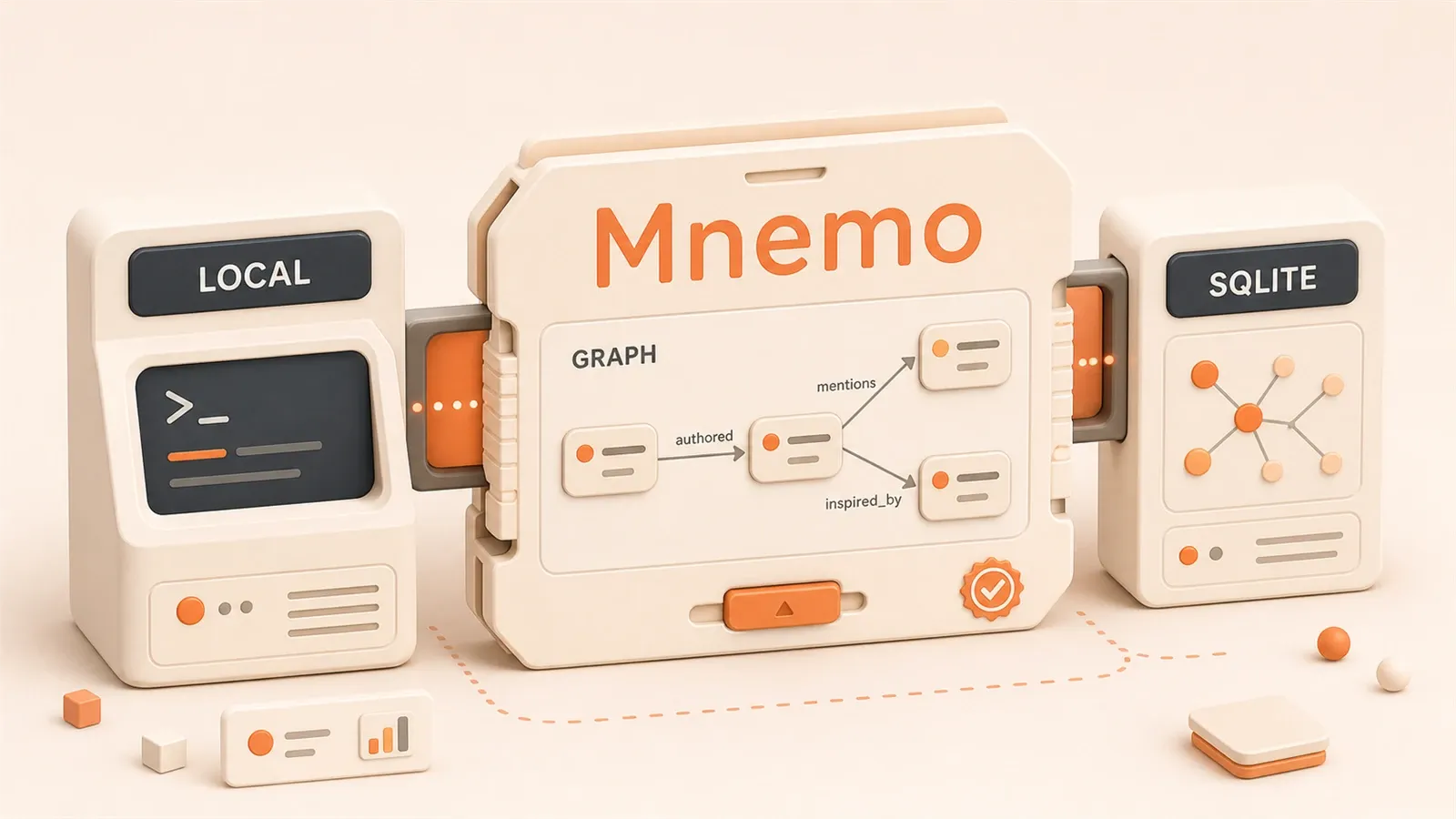
"The Mnemo GitHub README, checked on July 17, 2026, confirms the project positioning, Docker + Ollama quickstart, current API and environment variables, Rust crate architecture, test counts, and benchmark scope."
Your Ollama model can already answer questions, but every conversation still starts from zero. The project decision you discussed yesterday, the preference you set today, and the constraint you need tomorrow all disappear.
That is the memory gap in local LLM workflows. Ollama gives you a model service that can answer. What it answers, and whether it remembers the constraints you gave it earlier, still depends on how much context you paste into each prompt.
Mnemo is not trying to rebuild RAG. It uses a knowledge graph plus entity extraction to manage long-term memory, so a local LLM can remember project decisions and entity relationships instead of asking again, “What does this API do?“
1. What Mnemo Is: Positioning and Core Capabilities
1.1 Reading the Positioning
The phrase “local-first AI memory layer” has two important parts:
- local-first: the data stays on your machine, is portable, and does not depend on whether a SaaS product survives
- memory layer: it is not another RAG framework or another agent framework. It focuses on memory itself: entity extraction, graph construction, and semantic retrieval
For example, when you ask “What is this project’s API base URL?”, pure vector search may return several document chunks related to “API” without knowing which project you mean. Graph retrieval can follow the chain “project -> API -> baseUrl” and return the configuration value you set earlier.
That only works if entity extraction is correct. If the LLM splits “API base URL” into two entities, “API” and “base URL,” the graph can fragment and retrieval can break. This is where noise accumulation begins.
Once the positioning is clear, the core capabilities are easier to read.
1.2 Core Capability Matrix
Mnemo’s README lists four core capabilities:
-
persistent knowledge graph
- Entities and relationships are stored in SQLite, not kept as one-time vectors
- The graph structure can be queried, exported, and migrated
-
entity extraction
- Automatically identifies entities from conversations, such as people, project names, API names, and decisions
- It is not pure vector retrieval. It turns a question like “What is this API for?” into a queryable entity-relationship structure
- Entity extraction quality depends on the LLM’s understanding. Local LLMs such as llama3 may misidentify entities in complex conversations, and noise accumulation is an ongoing risk. The README does not provide an automatic cleanup system, so you need to inspect graph quality regularly
-
semantic retrieval
- The current pipeline combines full-text chunk search, entity-name search, graph expansion, relation filtering, and score-based ranking
- Graph-expanded results are discounted, so direct matches rank above inferred relationships and keep context growth bounded
-
graph-first vs pure vector search
Pure vector search asks, “What is similar?” Graph retrieval asks, “What is related?” The first approach can return semantically similar but irrelevant noise. The second can follow relationship chains between entities.
The contrast is clearer in a table:
| Dimension | Pure vector search | Mnemo knowledge graph |
|---|---|---|
| Retrieval logic | Similarity ranking | Entity-relationship traversal |
| Noise risk | High, because similar chunks can be irrelevant | Lower, because entities anchor the query |
| Explainability | Low, because vectors are opaque | Higher, because the graph is visible |
| Portability | Vectors are hard to export cleanly | SQLite can be exported |
| Best fit | Document retrieval | Project memory and entity relationships |
1.3 Tech Stack and License
Tech stack:

- Rust, split into four crates in the next section
- SQLite for local storage, using WAL mode
- petgraph for the in-memory graph
- OpenAI, Ollama, or Anthropic API as LLM backends
License: MIT License, so it can be used, modified, and redistributed.
Risk reminders:
- Early-stage project, based on the 2026-06-05 GitHub README
- APIs and architecture may change
- No broad production validation is documented
- README performance numbers are self-reported, not independently proven
2. Architecture: Four Rust Crates
Mnemo is written in Rust and split into four crates with clear responsibilities:
mnemo-core: core logic
- Entity extraction, graph construction, and retrieval logic
- Does not depend on a specific LLM backend; it defines the interfaces
mnemo-api: server
- Provides the HTTP API on the default port 8080
- Receives conversations, calls core, and returns results
- Health check:
curl http://localhost:8080/health
mnemo-cli: command-line tool
- Debugging, management, and querying
- Calls the Mnemo API over HTTP for ingestion, retrieval, entity inspection, and memory wipes
mnemo-bench: performance benchmarks
- The README’s 122 Rust tests, 21 Python tests, and 12 benchmarks are reported here
- Source of the self-reported measurements
The four-crate split has advantages:
- core can be tested independently of the API
- cli makes local debugging easier without starting the service
- bench stays separate and does not affect production code
It also has costs:
- You need the full Rust toolchain to compile it, unless you use Docker
- When crate APIs change, multiple places may need to be updated together
3. Installation and Deployment: Three Paths
Mnemo offers three deployment paths, from simplest to more hands-on:
3.1 Docker + Ollama: Fastest First Run
Prerequisites: Docker and Ollama are installed.
# 1. clone the project
git clone https://github.com/zaydmulani09/mnemo.git
cd mnemo

# 2. start Docker
docker compose up -d

# 3. pull a model inside Docker
docker exec mnemo-ollama ollama pull llama3

# 4. health check
curl http://localhost:8080/health
Note: commands may change. Use the GitHub README as the source of truth.
Explanation: Docker compose starts two containers: mnemo-api, the server, and mnemo-ollama, the Ollama service. The latter is optional. If Ollama already runs locally, you can run only the mnemo-api container and connect to your local Ollama with MNEMO_LLM_BASE_URL=http://host.docker.internal:11434/v1.
Verify the LLM connection: when the health check returns {"status":"ok"}, the API is running, but the LLM connection has not been proven yet. Send a test request with curl:
curl -X POST http://localhost:8080/ingest \
  -H "Content-Type: application/json" \
  -d '{"content":"Project Atlas uses https://api.example.test as its API base URL","source":"chat","session_id":"mnemo-trial"}'
After a successful write, call /retrieve to verify recall:
curl -X POST http://localhost:8080/retrieve \
  -H "Content-Type: application/json" \
  -d '{"text":"What is the Atlas API base URL?","session_id":"mnemo-trial"}'
If the response contains related entities, memory chunks, or a context_prompt, both extraction and retrieval are working.

Pros:
- No Rust toolchain required
- Docker handles dependencies automatically
- Ollama and Mnemo are on the same compose network, so networking is simple
Cons:
- Docker consumes extra resources
- Debugging is less convenient because you need to enter containers to inspect SQLite
- Logs are split across two containers
3.2 Binary: Local Compile
Prerequisites: Rust toolchain is installed, including cargo and rustc, and Ollama is installed.
# 1. clone the project
git clone https://github.com/zaydmulani09/mnemo.git
cd mnemo

# 2. compile the API crate
cargo install --path crates/mnemo-api

# 3. configure the Ollama endpoint
export MNEMO_LLM_BASE_URL=http://localhost:11434/v1

# 4. start the service
mnemo-api
Note: commands may change. Use the GitHub README as the source of truth; this path requires a Rust toolchain.
Explanation: compile time depends on your hardware and Cargo cache. After compilation, mnemo-api uses mnemo.db in the current directory by default. You can change the database path through MNEMO_DB_PATH or the TOML configuration.
Verify the Ollama connection: before starting, confirm that Ollama is running on localhost:11434 and that the model has been pulled with ollama pull llama3. After the service starts, test with curl:
curl -X POST http://localhost:8080/ingest \
  -H "Content-Type: application/json" \
  -d '{"content":"Test Mnemo entity extraction","source":"cli-check"}'
Pros:
- Does not depend on Docker
- Easier to debug because it is a local process and logs stay in one terminal
- You can use mnemo-cli directly against the local SQLite database
- Port and database path can be customized through environment variables
Cons:
- Full Rust toolchain required
- First compile can take a while
- Dependency management can break, for example when cargo.lock is out of date
3.3 OpenAI-Compatible: Cloud LLM
Prerequisites: you have an API key for OpenAI, Anthropic, or another OpenAI-compatible backend.
Environment variable checklist, verified against the 2026-06 GitHub README:
export MNEMO_LLM_BASE_URL=https://api.openai.com/v1
export MNEMO_LLM_API_KEY=sk-...
export MNEMO_LLM_MODEL=gpt-4o-mini
export MNEMO_LLM_PROVIDER=openai
Then start:
mnemo-apiNote: environment variable names may change. Use the GitHub README as the source of truth.
Best fit:
- Your local machine does not have enough compute, so you use a cloud LLM
- You already have OpenAI API quota
- You accept that conversation content is sent to the cloud API. With a cloud LLM, local-first privacy applies to local storage, not to inference traffic
Choose one of the three paths based on your setup. The next question is performance.
4. Performance: README Self-Reported Numbers
Mnemo’s README lists self-reported performance numbers, rechecked on July 17, 2026:
Test conditions:

- Apple M2, debug build
- SQLite WAL mode
- petgraph in memory
Performance numbers:
- Full retrieval pipeline: about 4.2 ms
- Release build claims 3-5x faster, roughly 0.8-1.4 ms
Note: this is README self-testing, not independent proof. Performance changes with hardware, data volume, and LLM backend.
How to read those numbers:
- 4.2 ms is retrieval time, not LLM inference time. LLM inference is the bottleneck
- SQLite WAL plus an in-memory graph can make retrieval fast
- This only measures retrieval, not conversation speed
Actual experience depends on:
- LLM inference time, which is much slower than retrieval
- Conversation length, because entity extraction needs LLM inference
- Data volume, because a larger graph can slow retrieval
Suggestion: run mnemo-bench on your target hardware and use the README numbers only as a reference, not a promise.
5. Local-First Benefits and Boundaries
5.1 Local-First Advantages
The core of local-first is simple: the data stays on your machine.
Specific advantages:
-
Privacy protection
- Conversations, entities, and relationships are stored in local SQLite
- They are not uploaded to a third-party SaaS, as long as you use a local LLM
-
Data control
- The SQLite file can be exported, backed up, and migrated
- You are not dependent on whether a SaaS vendor survives; your data remains with you
-
Portability
- When you switch machines, copy the SQLite file
- You do not need to “train” the memory again
-
Debuggability
- SQLite is a standard format and can be inspected with any SQLite tool
- The graph structure is visible instead of being a black-box vector store
5.2 Risks and Boundaries
Local-first has advantages, but it also has risks:
-
Noise accumulation
- Entity extraction is imperfect and can misidentify terms
- Misidentified entities affect later retrieval
- Regular cleanup is needed, but Mnemo does not provide an automatic cleanup system
- Noise accumulation is not unique to Mnemo; every automatic memory system has it. The difference is that Mnemo’s graph is visible. You can see noisy entities and wrong relationships. Vector-system noise hides inside vectors. That visibility is an advantage, but it is also maintenance work
-
Deletion and recovery boundaries
- The current API can delete one entity, delete one memory chunk, or wipe all memory with a confirmation header
- It does not provide a high-level transaction that undoes the last write or rolls back one business decision
- If a wrong decision has spread across several entities and relationships, you still need source or session metadata to identify the affected records before deleting them or restoring a backup
- Record
source,session_id, and an external audit identifier for important decisions, and test extraction before storing production facts
-
Hidden state
- The graph can contain relationships you do not notice
- Retrieval may return results without making the path obvious
-
Fit boundaries
- With large data volumes, SQLite plus an in-memory graph may come under pressure
- Shared multi-agent use still needs an authorization, tenant-isolation, and operations layer that Mnemo does not provide for you
5.3 Fit vs. Skip Decision Table
| Scenario | Fit | Reason |
|---|---|---|
| Personal projects or small teams | Suitable | Small data volume, high privacy needs, good portability |
| Large data volume, GB scale | Not suitable | SQLite plus an in-memory graph is pressured, and noise accumulates |
| Team collaboration with multiple writers | Conditional | One API service can be shared, but you must validate authorization, isolation, and concurrency |
| Strong privacy requirements | Suitable | Data does not leave the machine, as long as the LLM is local |
| Need globally shared memory | Not suitable | Local-first is local and exclusive, not shared globally |
| Existing Ollama environment | Suitable | Direct integration and low learning cost |
| No Rust toolchain | Conditional | Use the Docker path, but debugging is less convenient |
Judgment: if your scenario is “personal project, high privacy needs, existing Ollama, and modest data volume,” Mnemo is worth a trial. If it is “large data, team collaboration, and global shared memory,” wait for Mnemo to mature or choose another approach.
Concrete suggestions:
- Run the Docker path once in a test environment and inspect the graph structure, entity extraction quality, and retrieval behavior
- Use test conversations to check noise risk. Say intentionally irrelevant things and see whether Mnemo misidentifies them
- Prepare a cleanup plan. Learn the SQLite structure early so you know how to remove wrong entities manually
- Watch README updates. This is an early-stage project, so APIs, architecture, and deployment commands may change
6. Next Step: Series Navigation
If you have not read the earlier articles in the Ollama local LLM series, read them in order:
-
Ollama Beginner Guide: Run a Large Language Model Locally
- Start here if Ollama is not installed yet
-
Ollama API Calls: From curl to the OpenAI SDK-Compatible Interface
- Mnemo uses an OpenAI-compatible API, so this helps with the Ollama API surface
-
Ollama Embeddings in Practice: Local Vector Search and RAG
- Use it to compare pure vector retrieval with Mnemo’s full-text, entity-search, and graph-expansion pipeline
-
AI Agent Memory Management: Long-Term Memory and Knowledge Governance
- Mnemo is a memory-layer tool; this article covers the governance side of agent memory
After those four, install Mnemo and run the Docker path locally. The useful first result is seeing what the knowledge graph actually looks like.
Run the smallest Mnemo validation with Docker and Ollama
Validate Mnemo service startup, model connectivity, memory writes, retrieval, persistence, and cleanup in a temporary environment before attaching it to your main agent.
⏱️ Estimated time: 1-2 hours
- 1
Step 1: Clone the repository and start compose
Clone the mnemo repository according to the GitHub README, run `docker compose up -d`, and confirm that the mnemo-api and mnemo-ollama containers start. - 2
Step 2: Pull a test model
Run `docker exec mnemo-ollama ollama pull llama3` inside the container, or choose the model currently recommended by the README. - 3
Step 3: Check API health
Request `http://localhost:8080/health`. Confirm the service is reachable before debugging the LLM connection. - 4
Step 4: Write one test memory
Use the README's Python SDK or API example to write one project memory. Do not connect it to your real main project on day one. - 5
Step 5: Verify retrieval and restart persistence
Ask for the memory in natural language, restart the containers, and query again to confirm the SQLite data was not lost. - 6
Step 6: Rehearse deletion and expiration
Intentionally write one wrong memory, then try deleting it, marking it expired, or rebuilding the graph. Confirm later answers stop using the stale fact.
FAQ
Will the memory keep growing until it becomes junk?
Where is Mnemo better than vector search?
Can I roll back when Mnemo stores something wrong?
Which LLM backends does Mnemo support?
Can multiple agents share one memory database?
How do I migrate Mnemo data?
11 min read · Published on: Jul 18, 2026 · Modified on: Jul 18, 2026

Ollama: Local LLM Setup, Configuration, and Integration
If you landed here from search, the fastest way to build context is to jump to the previous or next post in this same series.
Previous
Ollama Production Monitoring: Logging Configuration and Prometheus Alerting in Practice
A complete Ollama production deployment monitoring solution, including logging configuration, Prometheus metrics collection, AlertManager rules, and Grafana dashboard setup for multi-GPU monitoring and automated fault recovery
Part 17 of 18
Next
This is the latest post in the series so far.


Comments
Sign in with GitHub to leave a comment