
Codex Failure Cases: Why AI Breaks Code and How to Review Its Changes
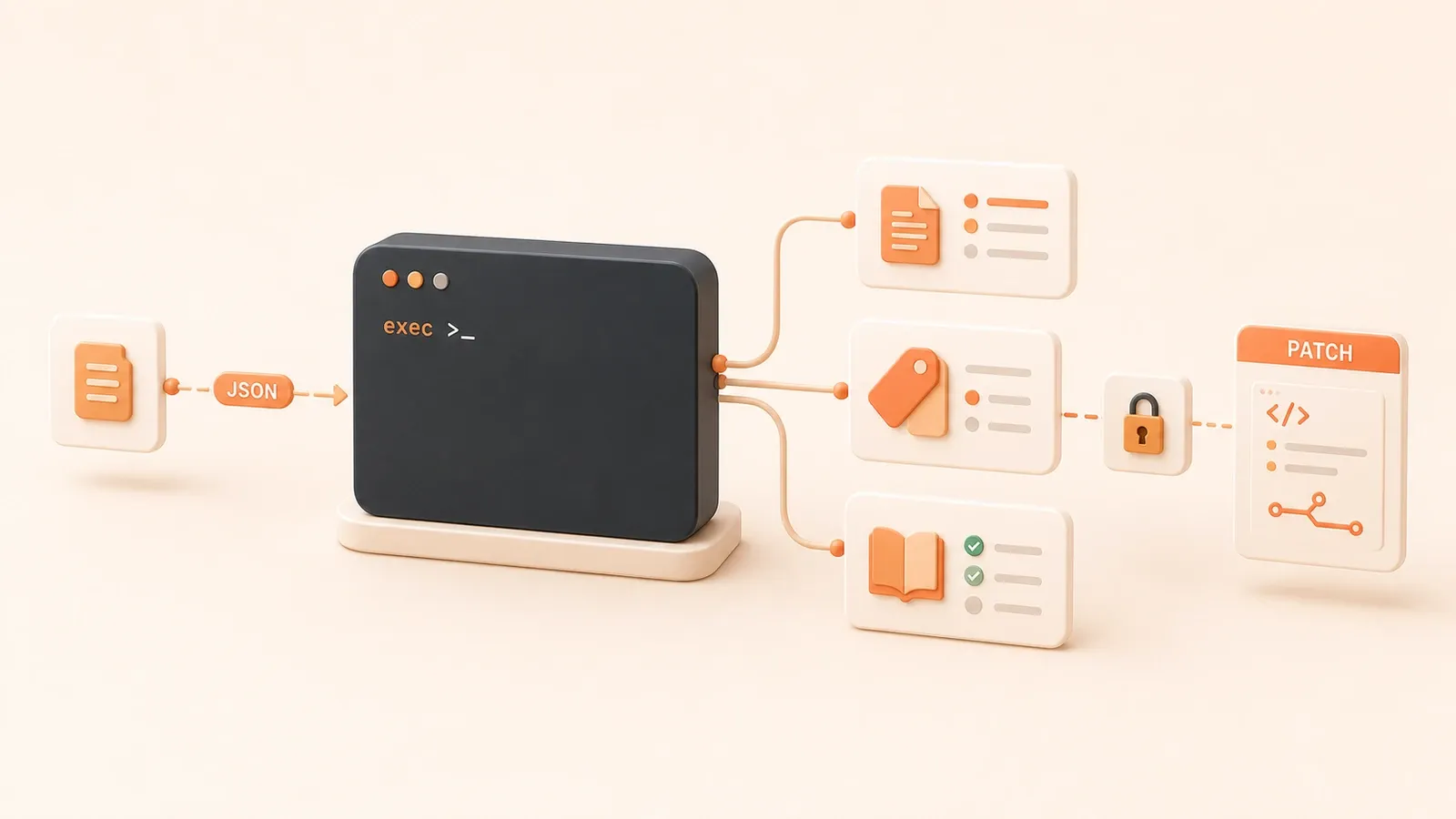
"OpenAI Codex best practices emphasize clear goals, context, constraints, done criteria, testing, checks, and review for coding tasks."
git diff --stat suddenly shows 18 files, even though the task you gave Codex was only “fix the button state.” CI is green, but the diff tells a different story: coverageThreshold was lowered, one flaky test was marked skip, and a new validateEmail() helper duplicates the existing emailSchema.
Codex did not intentionally break the code. The task boundary was too broad, and the review process was too loose. This article is not about whether AI is reliable in the abstract. It gives you a concrete failure-pattern table, acceptance gates, rollback flow, and review checklist so you can treat failure as a process gap rather than a surprise.
Failure Pattern Table: How AI Changes Break Code
An arXiv study of 33k agent-authored PRs on GitHub found that unmerged PRs often changed more files, were larger, and were more likely to fail the project CI/CD validation. That does not mean AI agents are simply not smart enough. Task decomposition, acceptance criteria, and reviewer engagement all matter.
Here are 9 common failure patterns, each with a signal and the first response:
| Pattern | What it looks like | Signal | First response |
|---|---|---|---|
| Diff is too large | The change scope is far beyond the request | git diff --stat shows far more files than the task describes, such as a “button fix” touching 10+ files | Start with the file list. Separate expected changes from out-of-scope changes; split the task or revert the extra work |
| False-green tests | Tests pass while the logic is still wrong | The diff lowers coverageThreshold, marks a flaky test as skip, or weakens assertions | Check whether test configuration changed; require a regression test that would fail before the change |
| Wrong directory | CI config or unrelated files were changed | .github/workflows/, Makefile, or package.json scripts changed even though the task did not ask for it | Check whether AGENTS.md forbids CI/config changes; revert the change and write the rule back |
| Duplicate code | A helper or utility already exists | The diff adds a helper, but the repo already has the same function or schema | Search the project for an existing implementation; if it exists, revert the duplicate and tell Codex to use the existing one |
| PR is too large | A large PR with no plan | The PR body only says “fix issue” and has no implementation plan, verification commands, or rollback notes | Ask for smaller PRs that can be reviewed, verified, and rolled back independently |
| CI was weakened | CI config was changed to make checks pass | CI failed, but the patch only changed test or CI configuration instead of business code | Treat this as a blocker; revert the CI change and require a business-code fix |
| Hidden business bug | Logic looks correct but violates a business rule | The diff removes a permission check or validation path that tests do not cover | Trace one critical path, inspect side effects, and require an explicit reviewer approval |
| Untrusted input | External input is used without validation | Codex directly uses user-provided data or paths without sanitization or validation | Check for input validation; if missing, require validation tests |
| No-plan large change | Implementation started before a plan existed | Codex edited code before listing files to change, files not to touch, and verification commands | Require /plan or explicit goal/context/constraints/done criteria before implementation |
These patterns often overlap. A PR with an oversized diff may also touch the wrong directory, duplicate code, and create false-green tests. GitHub’s agent PR review checklist also calls out CI gaming, code reuse blind spots, hidden correctness issues, and unplanned large PRs as common red flags in agent-generated changes.
The first response is simple: do not start by asking whether CI is green. Start by checking the diff scope and how easy it is to roll back.
Task Splitting Workflow: Large Work Is Not Off-Limits for Codex
OpenAI’s best practices recommend planning before implementation when a task is complex or ambiguous. Codex tends to do better when it can verify its work, and smaller focused tasks are easier to test and review.
But “split it smaller” is not a vague slogan. The right granularity is the point where each step can be independently reviewed and rolled back.
The Seven-Step Loop: From Scope to Update Rules
Use this review loop for Codex changes:
scope -> plan -> patch -> verify -> review -> merge/rollback -> update rulesEach step has questions and a condition for going back.
1. scope
Questions:
- Is the task specific enough to be written as goal + context + constraints + done criteria?
- Does the task cross multiple subsystems, such as auth, payment, and notification?
- Could the task affect CI configuration, database schema, or external dependencies?
Go back if the task crosses multiple subsystems or affects CI/config. Split it into separate tasks first.
2. plan
Questions:
- Did Codex first list the files it expects to change, the files or directories it will not touch, and the verification commands?
- Does the plan include risks and exit conditions?
- Does the plan describe the rollback path?
Go back if there is no plan, or if the plan does not include those elements. Ask for a new /plan.
3. patch
Questions:
- Does
git diff --statmatch the file scope in the plan? - Did Codex change files outside the agreed scope, such as CI/config or unrelated files?
- Did it generate duplicate code, such as a helper that already exists?
Go back to step 2 if the diff does not match the plan or hits a red flag.
4. verify
Questions:
- Were tests added for the core path?
- Would the test fail before the change?
- Are CI status checks required and not skipped?
- Did lint or pre-commit checks pass?
Go back to step 3 if no relevant test was added or if the change only made tests pass by weakening configuration.
5. review
Questions:
- Does the diff scope match the task?
- Did someone trace one critical path?
- Did a human reviewer explicitly approve the change, instead of only relying on the AI’s self-report?
- Are required reviews, required status checks, and conversation resolution enforced by branch protection?
Go back to step 3 if the reviewer requests changes or finds a red flag.
6. merge/rollback
Questions:
- Does the change satisfy the evidence checklist in the next section?
- Can it be rolled back independently at the hunk or file level?
- Was the work isolated in a worktree so a failed attempt can be discarded and a successful one can move into a PR?
Roll back and return to step 1 if the evidence is incomplete or the change cannot be independently reverted.
7. update rules
Questions:
- Did the failure come from a missing AGENTS.md rule, such as “do not edit CI config” or “split tasks that change more than five files”?
- Should the forbidden area, acceptance criteria, or rollback path be written back into AGENTS.md?
If the failure came from a missing rule, write it into AGENTS.md.
Large Tasks Are Still Possible with Codex
Large refactors are not forbidden. They need to be split until each step can be rolled back on its own. The same lesson shows up in the 10,000-line AI refactor story: small steps and a test safety net matter.
Use these checks to see whether a task is small enough:
- Can each patch be independently reverted at the hunk or file level?
- Can each verification step prove that the pre-change behavior would fail?
- Does each merge step have an explicit reviewer approval and status checks?
If the answer is no, the task is still too large.
Codex Review Pane in Practice: Review Is Not Just Testing
When reviewing a Codex change, the first thing to inspect is not the test result. It is the diff scope and rollback granularity. The Codex app review pane gives you three views and hunk/file-level operations.
Three Diff Views
The review pane reflects the Git repository state, not only Codex’s own edits. It can show Codex changes, user changes, and other uncommitted changes.
| View | What it shows | When to use it |
|---|---|---|
| uncommitted changes | All uncommitted changes, by default | Review the scope of the current Codex task |
| all branch changes | All changes on the current branch compared with the base branch | Review the full task chain across multiple turns or tasks |
| last turn changes | The changes from the previous Codex turn | Isolate what Codex just did and catch out-of-scope edits quickly |
Start with uncommitted changes to confirm the scope. Then check all branch changes for leftovers from earlier work. Finally, use last turn changes to verify whether Codex followed the plan.
Inline Comments and Hunk/File Operations
The review pane supports inline comments on specific diff lines, and those comments can become context for a follow-up Codex fix.
Operation levels:
- entire diff: stage, unstage, or revert the whole diff
- file: stage, unstage, or revert one file
- hunk: stage, unstage, or revert one code block, which is the smallest useful unit
If you find an out-of-scope change, such as a CI config deletion, revert that hunk or file first instead of throwing away the entire diff.
PR Context Loading
When you are on a PR branch and GitHub access or gh auth login is available, the review pane can load PR context, review comments, and changed files. That moves the review from “local diff only” to “PR diff plus reviewer comments.”
Volatile fact reminder: UI and slash-command details can change. Reopen the official page before publishing if this exact behavior matters.
The Core Review Principle
Review is not only about tests:

- First check whether the diff scope matches the plan
- Then check whether the rollback granularity is small enough, such as hunk or file level
- Finally check whether tests were added and cover the critical path
If the first two checks fail, passing tests do not prove the code is correct.
Acceptance Evidence Checklist: Passing Tests Are Not Enough
GitHub Docs explain that required status checks must be successful, skipped, or neutral before a protected branch can be merged into. In GitHub Actions, a skipped check can be treated as success, which means it may not block a merge.
That is why “green CI” is not the same thing as “the code is good.” You need a set of evidence, not one signal.
Use this checklist.
Code-level evidence
- The diff scope matches the task, with no out-of-scope changes
- No duplicate code was added; the project was searched for existing equivalents
- CI/config files were not changed unless the task explicitly allowed it
Test-level evidence
- Tests were added for the core path
- The tests would fail before the change, not only pass after it
- Test configuration was not weakened, with no lowered coverage threshold, skipped test, or softer assertion
CI-level evidence
- lint and pre-commit checks passed
- CI status checks are required and not skipped
- CI configuration was not changed just to make the check pass
PR-level evidence
- The PR body includes an implementation plan, verification commands, and rollback notes
- A human reviewer explicitly approved it, instead of relying on the AI’s self-report
- Branch protection covers required reviews, required status checks, and conversation resolution
Rollback-level evidence
- Each patch can be independently reverted at the hunk or file level
- The task was isolated in a worktree so a failed attempt can be discarded and a successful one can move into a PR
Branch Protection and Status Checks
GitHub protected branches can require:
- required reviews: a specified number of reviewer approvals before merge
- required status checks: checks must pass, be skipped, or be neutral before entering a protected branch
- conversation resolution: all conversations must be resolved before merge
These are merge gates outside the AI. They are not replaced by the AI saying the task is complete.
Review Order
Use this order:
- Check the diff scope first, including the file list and diff size
- Check whether CI or test configuration changed
- Check whether tests were added and cover the core path
- Check whether a reviewer explicitly approved the change
Do not reverse the order. If you start with tests, it is easy to miss out-of-scope changes and weakened CI.
Rollback and Retrospective: What to Do After a Bad Change
When review finds an out-of-scope change or false-green test, the first move is rollback, not asking Codex to keep fixing the same messy diff.
Rollback Granularity: From Hunk to Branch
Choose the rollback level based on the scope and cause of the failure:
| Granularity | When to use it | Operation |
|---|---|---|
| Hunk-level revert | One code block contains an out-of-scope change, such as a CI deletion | Select that hunk in the review pane -> revert |
| File-level revert | An entire file contains duplicate code or out-of-scope changes | Select that file in the review pane -> revert |
| Branch discard | The whole task direction is wrong and many files need to be thrown away | git checkout main -> delete the branch |
Prefer the smallest useful rollback. Only discard a branch when multiple hunks or files are wrong.
Worktree Isolation: Failed Attempts Can Be Discarded
The Codex Worktree article in this series uses worktrees to isolate parallel tasks. A failed attempt can be discarded; a successful one can move into a PR.
If a task breaks code inside its worktree, delete that worktree and keep the main workspace clean. That is safer than repeatedly reverting on the same branch.
After the Rollback: Write Back to AGENTS.md
After rollback, decide whether the failure came from a missing rule. If it did, write the rule into AGENTS.md.
Use these questions:
- Did the failure come from a missing project convention, such as “do not edit CI config” or “split tasks above five files”?
- Did it come from missing acceptance criteria, such as “tests must prove the pre-change behavior fails”?
- Did it come from a missing rollback rule, such as “each patch must be independently revertible”?
If yes, write the rule into the right AGENTS.md location, as described in the next section.
After the Retrospective: Turn Repeated Workflows into Skills
Use these questions to decide whether a failure should become a skill:
- Did the failure come from a Codex capability boundary, such as misunderstanding a business constraint?
- Did it come from a complex multi-step workflow, such as multi-agent coordination?
- Did it come from a review flow that you repeat often, such as checking diff scope, CI config, and test additions every time?
If yes, make it a skill, as covered in the Codex Skills/plugins article in this series.

Where to Put Rules in AGENTS.md
Before each run or session, Codex builds an instruction chain and reads global and project AGENTS.md files. At the project level, it reads from the Git root down to the current directory. The closer file is more specific.
That means AGENTS.md can live at the repository root, a submodule directory, or a feature directory. Codex should prefer the more specific rule when paths overlap.
Common AGENTS.md Locations and Content
The Codex getting-started guide in this series covers a typical AGENTS.md template:
| Location | Typical content | Example snippet |
|---|---|---|
| repo root | repo layout, build/test/lint commands, engineering conventions | Project structure: src/frontend, src/backend, src/shared; build: npm run build; test: npm test; lint: npm run lint |
| src/frontend | frontend-specific conventions and PR expectations | frontend only uses React hooks, not class components; PRs must include Storybook stories |
| src/backend | backend-specific conventions and do-not rules | backend must not access the database directly; use the ORM; do not write SQL inside controllers |
| src/shared | shared utility conventions | shared only contains pure functions, not side effects |
Where to Write Back Failure Lessons
After a failure, place the rule based on the cause:
| Failure cause | Where to write it | Example snippet |
|---|---|---|
| CI config was deleted by mistake | repo root -> PR expectations -> do-not rules | Do not modify .github/workflows/, Makefile, or package.json scripts unless the task explicitly allows it |
| More than five files changed | repo root -> PR expectations -> do-not rules | Changes touching more than five files must be split; each task should touch no more than three files |
| False-green tests | repo root -> what done means | Tests must cover the core path and prove the pre-change behavior fails, not only the post-change behavior |
| Duplicate code | repo root -> engineering conventions | Search for an existing equivalent before adding a helper under src/lib; use the existing implementation if it exists |
| No-plan large change | repo root -> PR expectations | Changes touching more than three files require /plan first, including files to edit, files not to touch, and verification commands |
| Untrusted input | src/backend -> engineering conventions | All user input must be validated; do not use user-provided data or paths directly |
| Hidden business bug | src/backend -> engineering conventions | After changing permission checks or validation, trace one critical path and inspect side effects |
Discovery Rules: Closer Files Win
OpenAI’s AGENTS.md documentation describes project instructions as a chain from the Git root to the current directory, where closer files are more specific.
In practice:
- repo root AGENTS.md stores general rules, such as build/test/lint commands and “do not edit CI”
- a submodule AGENTS.md stores specific rules, such as frontend-only hooks or backend SQL restrictions
- a feature-directory AGENTS.md stores the most specific rules, such as business constraints for one API
When writing back a lesson:
- Put global conventions, such as “do not edit CI,” at the repo root
- Put submodule conventions, such as frontend rules, under src/frontend
- Put feature-specific constraints, such as one API’s business rule, under src/backend/api/xxx
The Boundary of AGENTS.md
AGENTS.md reduces out-of-scope and accidental changes, but it does not prove correctness. Codex can follow AGENTS.md and still produce wrong logic.
The last gate is still an explicit human reviewer approval, not the mere existence of a rule file.
Human Review Checklist for AI PRs
GitHub’s advice for reviewing agent-generated PRs starts with the file list and diff size, then checks whether CI/test configuration changed, searches for duplicate helpers, traces a critical path, and asks for a test that proves the pre-change behavior fails.
Use this red-flag checklist.
Code-Level Red Flags
- The file list and diff size are far larger than the task description
- CI/test configuration changed, such as
.github/workflows/,Makefile, orpackage.jsonscripts - A new helper duplicates an existing helper
- The PR body only says “fix issue” and has no implementation plan, verification commands, or rollback notes
- The PR is too large, such as more than 10 files
Test-Level Red Flags
- No new test was added
- The test only checks post-change behavior and cannot prove the old behavior failed
- Test configuration was weakened, such as a lowered coverage threshold, skipped flaky test, or softer assertion
CI-Level Red Flags
- CI failed, but the patch only changed tests or CI configuration instead of business code
- CI status checks are skipped or neutral rather than passing
- CI configuration changed to make the check pass
PR-Level Red Flags
- Empty PR body
- No implementation plan
- No reviewer approval, only the AI saying it is done
- Conversations are unresolved
Blocking Signals vs Splitting Signals
| Type | Red flag | Response |
|---|---|---|
| Blocker | CI failed, but only test/CI configuration changed | Request changes, revert the CI change, and require a business-code fix |
| Blocker | False-green tests, such as lowered coverageThreshold or skip | Request changes, revert the test-config change, and require a new test |
| Blocker | Untrusted input without validation | Request changes and require validation tests |
| Split signal | Large PR, such as more than 10 files | Request changes and split it into smaller PRs |
| Split signal | Empty PR body with no implementation plan | Request changes and add a plan, verification commands, and rollback notes |
The Reviewer’s Core Principle
The reviewer is not judging whether AI is reliable in the abstract. The reviewer is checking:
- whether the diff scope matches the task description
- whether CI/test configuration changed
- whether tests were added and cover the core path
- whether hidden side effects were checked by tracing a critical path
Do not reverse the order. Starting with tests makes it too easy to miss weakened CI and out-of-scope changes.
Conclusion
When Codex breaks code, the cause is usually not that it is “unreliable” in the abstract. The task boundary was too broad, and the acceptance process was too loose. The practical checklist is:
- Failure pattern table: recognize common ways Codex changes go wrong
- Seven-step loop: scope to update rules as a complete acceptance flow
- Review pane in practice: do not stop at tests; inspect diff scope and rollback granularity first
- Acceptance evidence checklist: passing tests are not enough; also check diff scope, added tests, CI status, human review, and branch protection
- Rollback and retrospective: hunk/file-level revert, worktree isolation, and write-back into AGENTS.md or a skill
- AGENTS.md locations: put rules at the repo root, submodule, or feature directory based on scope
- Human review red flags: start with file list and diff size, then CI/test config, then test additions, then reviewer approval
Turn the checklist into something you actually use during review. Each time you review a Codex change, walk through the items. If the same review flow keeps repeating, consider turning it into a skill, as covered in the Codex Skills/plugins article.
Failure is not a surprise; it is a process gap.
Next Steps and Further Reading
Published articles
- AI Refactoring 10,000 Lines: Real Project Retrospective and Test Safety Net — practical lessons on small steps and test safety nets
- Cursor Refactoring Guide — review principles that also apply to other AI coding tools
- GitHub Actions CI workflow — status check basics
- GitHub Actions workflow — PR workflow basics
- Codex Cloud agent workflow — remote execution, PR acceptance, and long-running task loops
Same series: Codex Practice Guide
- Complete Codex beginner guide — CLI, IDE, Cloud, and desktop entry points
- Codex security and permissions — sandbox and approval reduce risk
- Codex code review — review as one acceptance gate
- Codex automation tasks — exec-generated patches still need human review
- Codex Worktree in practice — isolate parallel tasks
- Codex Skills/plugins — turn review workflows into skills
- Codex test-driven development — TDD with Codex
- Codex cost optimization
- Codex in enterprise workflows
Design a review workflow for Codex changes
Break Codex tasks into changes that can be verified and rolled back, then close the loop with diff review, tests, CI, human review, and rule updates.
⏱️ Estimated time: 45 min
- 1
Step 1: Define the task boundary
Write the goal, context, constraints, and done criteria in the prompt or AGENTS.md, especially the files Codex may edit, directories it must not touch, and verification commands. - 2
Step 2: Make Codex plan first
Ask Codex to list the expected file scope, the areas it will not touch, the verification commands, the risks, and the rollback path. If the plan is incomplete, do not move into implementation. - 3
Step 3: Split the task until it can be rolled back
Break large work by behavior, module, test, and migration step. Each step should be independently revertible. - 4
Step 4: Review the diff scope
Start with git diff --stat, the file list, last turn changes, and all branch changes. Confirm that nothing outside the agreed scope was modified. - 5
Step 5: Run relevant verification
Run the related unit tests, build, lint, or manual critical path, and record why any expected command was not run. - 6
Step 6: Check whether CI was weakened
Look for skip, lowered coverage thresholds, weaker workflow triggers, || true, or any other signal that makes a green run less meaningful. - 7
Step 7: Require human review
Treat AI review as an additional signal. The merge decision still depends on a human reviewer, required status checks, branch protection, and conversation resolution. - 8
Step 8: Rollback and capture the rule
Choose a hunk, file, or branch rollback based on the failure scope, then capture the rule in AGENTS.md, a checklist, or a skill.
FAQ
Why does Codex break code most often?
How should I design a review workflow for Codex tasks?
Is Codex suitable for large refactors?
Can I merge when Codex says the tests passed?
How do I roll back when AI breaks code?
How do I write failure lessons back into AGENTS.md?
Which failures belong in AGENTS.md, and which belong in a skill?
19 min read · Published on: Jul 27, 2026 · Modified on: Jul 27, 2026

OpenAI Codex: CLI, Desktop, Cloud, and Team Workflows
If you landed here from search, the fastest way to build context is to jump to the previous or next post in this same series.
Previous
Codex Security Boundaries: Permissions, Sandboxes, and Secret-Leak Controls
A practical guide to Codex security boundaries across local work, Cloud, and CI: sandbox modes, approvals, permission profiles, dependency installs, Cloud secrets, GitHub Actions API keys, and leak response.
Part 8 of 15
Next
Codex Skills and Plugins Guide: Turn Team Workflows into Reusable Capabilities
A practical guide to AGENTS.md, Codex Skills, Plugins, MCP, and Subagents: build a minimal code-review Skill, then decide when it should become a role-specific plugin.
Part 10 of 15


Comments
Sign in with GitHub to leave a comment