
How to Combine Codex, Claude Code, and Cursor in a Solo Company
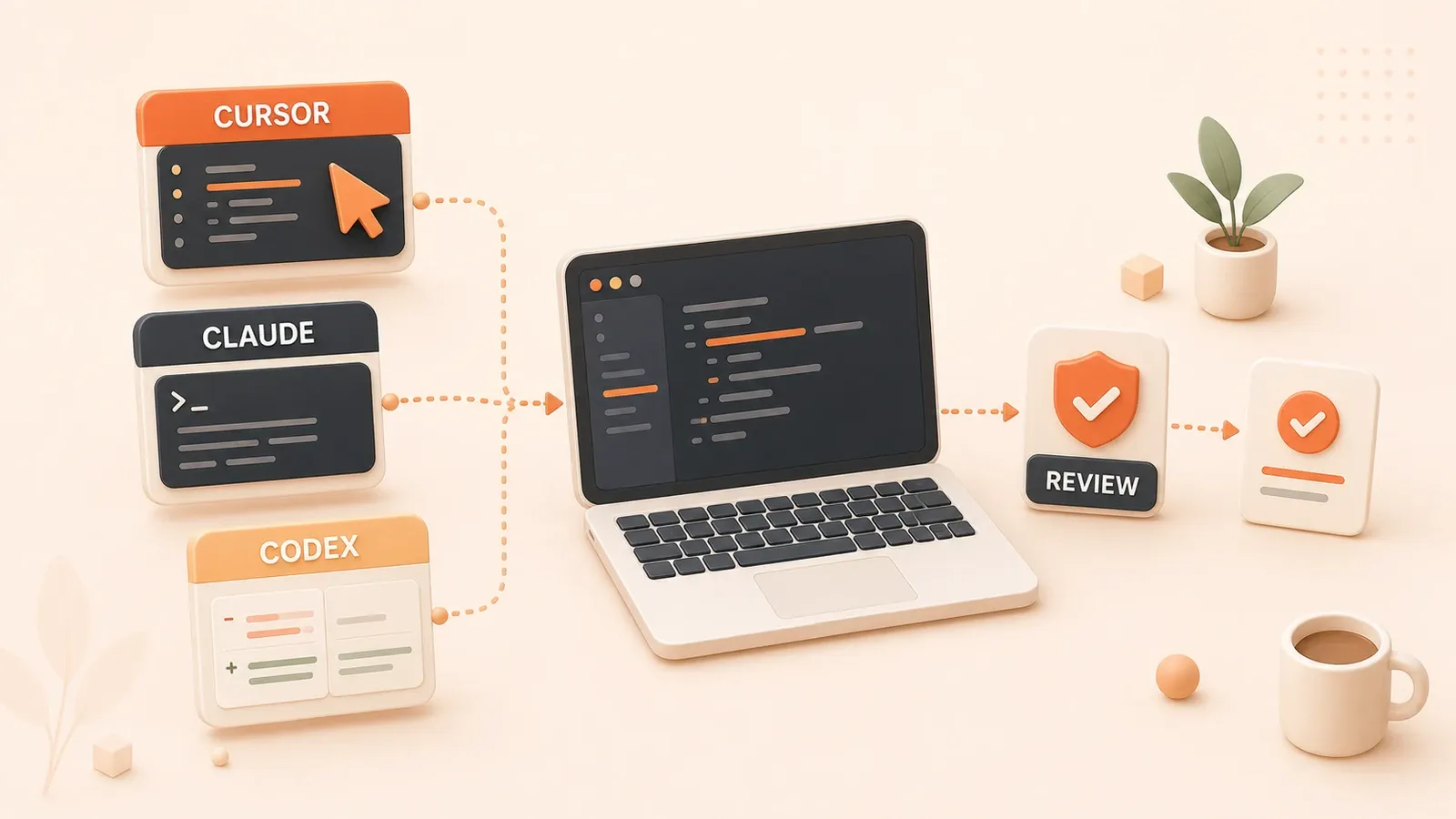
"OpenAI's current documentation describes Codex access through the CLI, IDE, desktop, and cloud, together with worktrees, code review, permissions, and automation; exact availability depends on the plan and environment."
A solo company’s launch-checklist.md usually includes tests, data events, error handling, authorization boundaries, payment flows, monitoring, and logs. Cursor can adjust the UI quickly, Claude Code can refactor an API in the terminal, and Codex can run review and tests. If the Stripe webhook is still unvalidated at release time, the problem is not that the tools are unintelligent. The workflow assigned the work incorrectly from the start.
Putting Codex, Claude Code, and Cursor into a real solo-company workflow is not about deciding which one is best. It is about choosing the right tool for each stage, providing the right context, defining validation, and knowing when the agent must stop. The matrix below covers planning, implementation, refactoring, review, parallel tasks, cost control, and release validation, with a concrete tool choice and stopping boundary for each stage.
Layer the AI Coding Workflow for a Solo Company
A solo company has no dedicated test engineer, operations team, or code-review process. AI coding tools can cover parts of that collaboration, but they cannot replace validation and judgment. A common failure mode is to give everything to Cursor or Claude Code and expect full automation. The resulting demo runs, yet tests, data events, error paths, authorization, and payment validation are still missing.
A more reliable split is straightforward: Cursor handles fast editing and UI iteration inside the IDE; Claude Code handles terminal workflows and long-context execution; Codex handles engineering tasks that need local execution, worktrees, cloud work, review, or automation with validation. The three tools are complementary rather than interchangeable.
Tool Surface Comparison (as of July 26, 2026; verify changing features on official sites)
| Tool | Main surfaces | Best fit | Typical commands or features |
|---|---|---|---|
| Cursor | IDE + CLI / Cloud Agent | Fast editing, UI iteration, local changes | Tab, Agent, Composer |
| Claude Code | CLI + IDE / Web / Desktop | Codebase exploration, refactoring, long tasks, tests | /usage, /compact, /mcp |
| Codex | Desktop + CLI + IDE + Cloud | Engineering review, parallel worktrees, migrations, automation | /review, worktree, cloud, scheduled tasks |
Cursor provides editor-based Agent and Composer workflows, frontier models, MCP, skills, hooks, and cloud agents. Claude Code’s documented workflows cover codebase exploration, bug fixes, refactoring, tests, pull requests, and parallel worktrees. Codex provides local and cloud surfaces, while its desktop worktrees isolate multiple tasks. Features, models, and plans change across all three products, so check current documentation, account entitlements, and administrator policy.
Planning: Choose a Tool Before It Edits
Planning means decomposing the task, evaluating approaches, and setting validation boundaries. A common solo-founder mistake is to ask an agent to start coding before the task, context, and completion criteria are clear.
Tool Responsibilities During Planning
| Scenario | Preferred tool | Why | Context to provide |
|---|---|---|---|
| Rapid UI prototype | Cursor Agent | Immediate IDE feedback and visible results | Project UI files, design screenshots, interaction requirements |
| Codebase architecture analysis | Claude Code CLI | Continuous terminal workflow for whole-module exploration | Project root, CLAUDE.md, architecture docs |
| Cloud task planning | Codex Cloud | Remote execution for well-bounded background work | Project docs, migration proposal, connected tools |
| Parallel exploration of options | Codex Worktree | Isolated changes that do not disturb the current checkout | Git repository, hypotheses, validation criteria |
A First Task for Each Planning Surface
Use Cursor Agent for a UI prototype. Open Agent in Cursor and ask for a landing-page prototype based on the existing design system, relevant components, and screenshots. Validate the result visually and click through the interaction.
Use Claude Code CLI to explore the repository. Run claude in the terminal and ask it to identify the project’s core modules, real entry points, and dependencies. Validate that the list covers the important modules and that the described call paths match the code.
Use Codex Worktree to explore alternatives in parallel. Create separate worktree tasks in the Codex desktop app, for example one for Prisma and one for Drizzle. Compare their diffs, test results, and risk lists before choosing whether to merge anything.

Claude Code’s /compact command can condense context in a long session. Codex Worktree requires a Git repository and works best when each option can be validated independently. The planning deliverable should be a task breakdown, affected files, risks, and validation commands—not a pile of changes that nobody approved.
Implementation: Cursor for Fast Iteration, Claude Code for Long Tasks
Implementation is where the code is actually written. A frequent mistake is to send every implementation task to Cursor and expect one-click generation. UI work may move quickly, while APIs, databases, tests, and refactors repeatedly lose context or restart.
Tool Responsibilities During Implementation
| Scenario | Preferred tool | Why | Typical use |
|---|---|---|---|
| Fast UI editing | Cursor Tab | Immediate completion with visible feedback | Adjust landing-page styles and component spacing |
| Local code change | Cursor Agent | IDE conversation with an immediate diff | Modify one API endpoint or function |
| Cross-file editing | Cursor Composer | Coordinates multi-file changes in the editor | Rename a component and update imports |
| Long implementation task | Claude Code CLI | Keeps terminal commands, tests, and logs together | Build an API module or refactor the data layer |
| Isolated implementation | Codex Worktree | Git worktree isolation makes review easier | Explore alternatives without contaminating the current workspace |
A First Task for Each Implementation Surface
Scenario 1: edit UI quickly in Cursor. Open the landing-page file and use Tab or Agent to update the styling. Check the visuals, mobile layout, and click behavior. Stop when the local goal is complete instead of expanding the scope along the way.
Scenario 2: implement a long task with Claude Code CLI. Run claude, ask it to list the authentication files, risks, and completion criteria, then implement registration, login, sessions, and password reset in stages. Run tests and check API responses and authorization boundaries. Stop when the agreed tests pass and the scoped module is complete.
Scenario 3: implement in isolation with Codex Worktree. Create a worktree task in the Codex desktop app for a batch change or independently testable approach. Review the worktree diff, test output, and unresolved risks before deciding whether to hand it off or merge it. Do not leave temporary changes without an owner.
Implementation Validation Checklist
Implementation must include tests; “the code is written” is not a completion signal:
- Run tests: use
npm testorpytestand confirm that the relevant suite passes - Check error handling: verify explicit API errors and usable frontend error states
- Validate data operations: confirm reads and writes, including consistency on failure
- Confirm authorization boundaries: reject unauthorized actions and minimize sensitive-data exposure
Cursor, Claude Code, and Codex each use different quota or usage mechanisms. A label that says a feature does not consume quota is not a durable product contract. Check the current usage dashboard, /usage, or official pricing page.
Refactoring and Review: Codex Review with Parallel Worktrees
Refactoring and review are where these tools can provide substantial engineering leverage. Solo founders often skip both and ship immediately. The code runs, but technical debt, performance regressions, or security flaws move into production with it.
Tool Responsibilities During Refactoring
| Scenario | Preferred tool | Why | Typical use |
|---|---|---|---|
| Batch edits across files | Cursor Composer | Shows coordinated edits inside the editor | Rename components and update imports |
| Deep refactor | Claude Code CLI | Runs commands and tracks tests and logs continuously | Refactor the data layer or API modules |
| Refactor after code review | Codex /review | Independently checks diffs and risks | Review uncommitted changes, a commit, or a PR |
A First Task for Each Refactoring Surface
Scenario 1: make a bounded batch edit with Cursor Composer. Rename a component only within an explicit file set and update its references. Search for the old name, inspect every changed file, and run type checks and tests. Stop when the rename is complete and avoid unrelated formatting churn.
Scenario 2: run a deep refactor with Claude Code CLI. Ask Claude Code for a staged migration plan before it touches the data-access layer. Run tests after every stage and compare behavior and performance evidence. Stop when the agreed stages are complete and every rollback point is clear.
Scenario 3: refactor after Codex /review. Run /review in an interactive Codex CLI session or use the desktop review pane. Confirm each finding, make the necessary fixes, and rerun tests. Stop when high-risk findings are resolved and the remaining suggestions are documented.
Review Tool Responsibilities (as of July 26, 2026; verify changing features on official sites)
| Scenario | Preferred tool | Why | Typical use |
|---|---|---|---|
| CLI code review | Codex /review | Examines uncommitted diffs, commits, or branch differences | Produce a located risk list |
| Review in the app | Codex review pane | Shows Git diffs and inline comments | Confirm changes file by file |
| Automated PR review | Cursor Bugbot | Fits repositories with the relevant billing and team workflow enabled | Inspect PRs automatically, then confirm findings |
| Terminal review | Claude Code | Explains cross-module diffs and can add tests | Trace impact and run validation commands |
Review Validation Checklist
A review is not complete when the tool prints findings. Validate every important item:

- Run tests and confirm which commands and suites actually executed
- Check that missing error paths identified in review were fixed
- Add coverage for authorization weaknesses
- Verify least-privilege handling of secrets, networks, and production configuration
- Review transactions, idempotency, rollback, and migration risks
- Test webhook signatures, duplicate payment events, and failure paths
Dividing Parallel Tasks Between Tools
A common solo-company failure is to start several agents overnight and discover overlapping changes the next morning. Parallel work needs worktree or branch isolation, a task queue, and an explicit validation order.
| Scenario | Preferred tool | Why | Typical use |
|---|---|---|---|
| Parallel Git worktrees | Codex Worktree | Independent checkouts keep tasks separate | Explore options, build independent pages, add tests |
| Parallel terminal sessions | Claude Code + Git worktree | Sessions can differ, but files still need isolation | Independent modules or documentation tasks |
| Immediate work in one editor | Cursor | Better suited to one foreground local task | Focus on one visible change |
Managing the Risks of Parallel Work
Can multiple agents make a codebase chaotic?
Yes, if the work is neither isolated nor reviewed. Use these controls:
- Give every task its own worktree, branch, or explicit file range
- Never allow two agents to modify the same file set simultaneously
- Require every task to report changes, validation commands, unresolved risks, and next steps
- Validate a task before starting another task that depends on it
- Set a cost threshold and stop to revisit task decomposition when it is crossed
Documentation, independent pages, additional tests, and option research often parallelize well. Database schemas, payment flows, authorization systems, global state, and production configuration do not.
Control Cost and Quotas (as of July 26, 2026; verify current pricing)
A solo company can easily treat AI tools as free labor and ignore cost. Real cost control includes tool choice, context management, model choice, concurrency, and rework.
Cost and Usage Entry Points
| Tool | Current usage entry point | Control mechanism | Main cost factors |
|---|---|---|---|
| Codex | CLI /status, account usage page | Plan allowance, credits, model, and speed configuration | Model, context, tools, cloud versus local work, Fast mode |
| Claude Code | /usage, Claude Console, or organization analytics | Usage credits and organization or workspace spend limits | Model, codebase size, long context, multiple instances, automation |
| Cursor | Usage dashboard and Admin Dashboard | Included usage, on-demand use, and team limits | Agent/Composer, model, context, cloud agents |
Codex Plans and Usage
| Plan | Current public price | Best fit |
|---|---|---|
| Plus | $20/month | A few focused coding sessions each week, with multiple Codex surfaces and optional credits |
| Pro | From $100/month | Individuals who need materially more usage than Plus |
| Business | $20/user/month when billed annually; monthly billing differs | Teams that need a managed workspace and security controls |
| API Key | Billed by API token usage | CLI, SDK, IDE, or CI automation without cloud-based integrations |
Codex message consumption varies with the model, context, reasoning, tool use, retrieval, and caching. Fast mode consumes allowances more quickly. Model lists and credit rate cards change often, so check the official pricing page instead of relying on an old table or screenshot.
How Claude Code Costs Work
Claude Code API use is token-billed, while subscription users work within plan allowances and usage windows. Its official cost documentation notes that cost varies substantially with the model, codebase size, concurrent instances, and automation. The reported enterprise-deployment averages are about $13 per developer per active day and $150–250 per developer per month, but these are enterprise statistics, not a personal billing promise.
The /usage command shows token statistics for the current session and, for subscribers, plan usage bars and attribution. The local dollar figure for API users is estimated from standard list prices; the Claude Console remains authoritative for billing. A small pilot that establishes your own baseline is more useful than copying an enterprise average.
Cursor Plans and Usage
| Plan | Current public price | Main capabilities |
|---|---|---|
| Hobby | Free | Limited Agent requests and access to Composer |
| Individual Pro | $20/month | Extended Agent limits, frontier models, MCP, skills, hooks, and cloud agents |
| Teams | $40/user/month | Central administration, team assets, Bugbot, cloud agents, usage analytics, and SSO |
| Enterprise | Custom | Pooled usage, SCIM, access controls, auditing, and advanced security |
Every Cursor plan includes some model usage, with on-demand use available under current rules after the included amount is consumed. Models, usage pools, and product billing change, so use Cursor Pricing and the dashboard as the current source.
Cost-Control Tactics
- Write specific instructions with the goal, context, constraints, and completion criteria to reduce rework
- Condense long Claude Code sessions with
/compact, and divide long work in every tool - Enable only the MCP, plugin, or network capabilities required for the current task
- Use an appropriate model instead of defaulting to the most expensive option
- Start a clean context at a real task boundary instead of carrying unlimited history
- Review tool spend together with time saved, failure rate, and review effort
Release Validation: Checks AI Cannot Replace
Release validation is where the agent must stop and return judgment to a person. An accessible AI-generated demo does not prove that payments, authorization, data, monitoring, and logs are complete.
Release Boundaries
Agents should not receive unrestricted write access to production databases, payment dashboards, secrets, or dangerous automation by default. High-risk actions require:

- Read-only first: validate read paths before granting the minimum write action
- Approval: refunds, deletion, permission changes, and releases need human confirmation
- Backups: deletion and migration require a tested backup and restoration path
- Logs: record the object, approval, outcome, and rollback evidence without recording secrets
- Least privilege: limit tokens, networks, external directories, and third-party tools to the task
Release Validation Checklist
- Run tests and verify the command, scope, and result rather than accepting “tests passed”
- Confirm events for create, update, delete, and failure paths
- Check recoverable error states in both the API and frontend
- Verify that unauthorized actions are rejected and role changes are audited
- Test Stripe webhook signatures, idempotency, and failure handling
- Configure error, performance, and critical business monitoring
- Make important actions traceable while redacting sensitive fields
Release Stopping Conditions
- Every agreed test passes
- Data events are complete and verifiable
- API and frontend error handling works
- Authorization boundaries are explicit and unauthorized actions fail
- Payment flows pass signature, idempotency, and failure-path checks
- Logging, performance monitoring, and error monitoring are configured
These are baseline release requirements for a solo company, not a substitute for enterprise compliance or a security audit.
Next Steps and Further Reading
Combining AI coding tools is an iterative operating practice, not a one-time setup. Start with one bounded pilot and expand only when the workflow proves useful.
How to Start Combining Tools
First, pilot one real task. If your daily work is mostly UI and local IDE editing, start with Cursor. If it is mostly long terminal tasks, begin with Claude Code or Codex.
Second, add a different execution surface. If the primary tool is an IDE, add a surface for long tasks, tests, or isolated execution. If a terminal agent is already the primary tool, do not buy another similar product just to create a stack.
Third, add isolation and review. Use Codex Worktree, Cloud, or another isolated approach when you need parallel exploration or background execution. Every asynchronous task needs a validation signal.
Fourth, run a cost pilot. Start with the current entry plan or free tier, observe usage, rework, and review time for a month, and upgrade only with evidence. Pricing and quotas change too quickly to treat old article numbers as promises.
Further Reading
Published articles:
- AI Coding Tools Panorama 2026: the broader landscape of AI IDEs, code assistants, and coding agents.
- AI Coding Assistant Comparison: Cursor, Claude Code, and Copilot selection and budget considerations.
- Cursor Free Tier Guide: Cursor’s free plan, usage, and upgrade decisions.
- Using Cursor @Codebase: when to use @Codebase, @Docs, and @Files.
- Codex Worktree Guide: isolation, handoff, and validation for parallel tasks.
- Code Review with Codex: reviewing a PR instead of accepting changes blindly.
The next articles in this series continue with frontend, backend, deployment, database, payment, and user-system choices for content sites, tools, and SaaS products.
Build an AI Coding Workflow for a Solo Company
Assign work to Cursor, Claude Code, and Codex by change radius and risk, then close every task with an independent validation chain.
- 1
Step 1: Define the goal and completion criteria
Write down the goal, relevant files, constraints, risks, and validation commands; do not start editing while the requirement is still unclear. - 2
Step 2: Choose an entry point by change radius
Use Cursor for small UI and local code changes, Claude Code for medium-sized terminal tasks, and a Codex worktree or cloud task for large work that needs isolation or background execution. - 3
Step 3: Isolate parallel tasks
Give each task its own worktree, branch, or explicit file boundary so that two agents do not edit the same files at once. - 4
Step 4: Run tests and review independently
Validate in the order reproduce, modify, test, review, and manually inspect; generated code or a self-reported passing test is not completion evidence. - 5
Step 5: Keep approval for high-risk writes
Payments, permissions, data deletion, production deployment, environment variables, and external notifications require least privilege, backups, logs, and human confirmation. - 6
Step 6: Review cost and rework every week
Inspect tool usage, failed tasks, wasted context, and overlapping subscriptions, then move stable practices into project rules, tests, and gates.
FAQ
Do I need to pay for Codex, Claude Code, and Cursor?
What is the main difference between Cursor and Claude Code?
What should a solo company use Codex for?
Can AI coding tools build a complete SaaS product on their own?
Is it safe to run multiple agents in parallel?
How do I control AI coding tool costs?
14 min read · Published on: Sep 24, 2026

Solo Founder Tech Stack Guide: Build, Automate, Ship, and Grow
If you landed here from search, the fastest way to build context is to jump to the previous or next post in this same series.
Previous
Content Site, Tool Site, SaaS: A Three-Layer Product Stack for Solo Founders
Use search demand, tool actions, repeat usage, and payment signals to decide whether to improve content, build a free tool, sell a digital product, or build SaaS.
Part 3 of 5
Next
Building and Launching a WeChat Mini Game from Scratch with AI: Writing Code Was the Easy Part
A retrospective on how an indie developer with zero game dev experience built and launched 'English Word Bento Box' using AI and Cocos Creator.
Part 5 of 5


Comments
Sign in with GitHub to leave a comment