
Game UI Asset Naming Conventions: Transparent Images, Buttons, Icons, and Character Sprites
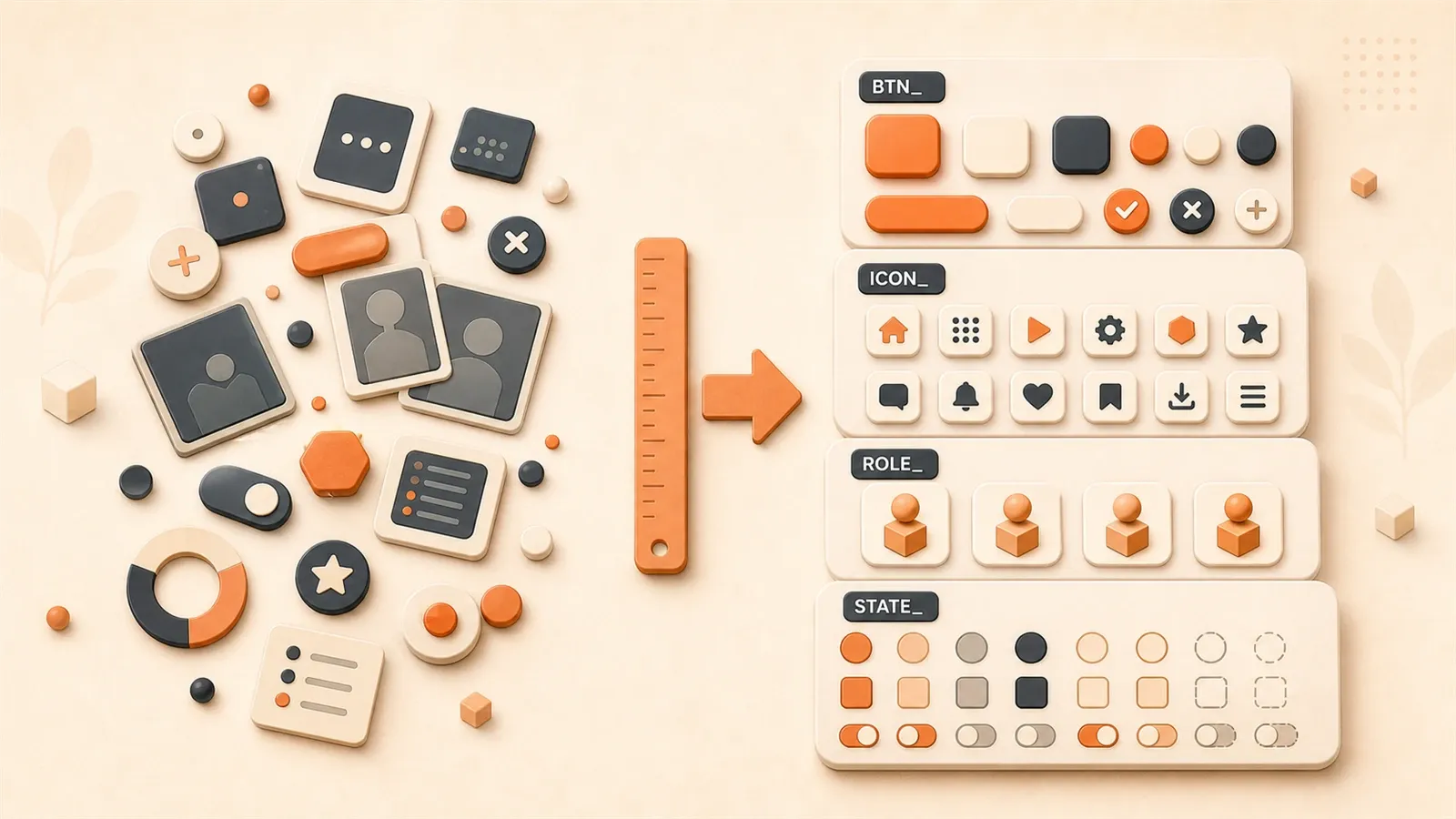
Does your project folder have files like this: btn_ok.png, button_confirm.png, 按钮_确定.png? Three naming styles, three ways of understanding, the beginning of three collaboration disasters.
I’ve been in this pit. When my first mini-game project ended, the art folder had over 200 assets - half with English abbreviations, half with Chinese translations, and some just called 新建文件夹 (2).png (New Folder (2).png). Finding files was like searching for a needle in a haystack. Every UI change took half a day just to confirm which state corresponded to which file.
This article solves one problem: how to use a naming formula to make your UI assets instantly clear. Prefix, category, function, state - put four elements together, and you’re done.
Chapter 1: The Real Cost of Naming Chaos - Why Standards Matter
Let me tell you a real story.
Last year, two friends and I made a casual mini-game. We split the work: I handled code, Old Wang did art, and Little Li wrote design docs. Two months in, Old Wang sent a batch of button assets - 12 files, all named 按钮1.png through 按钮12.png (Button1.png to Button12.png). I asked him which was the confirm button, which was cancel. He said: “Just look at the images, you’ll know.”
At that moment, I stared at the 12 images on screen - each a rounded rectangle of similar size with slightly different colors. It took me 15 minutes to figure out the correspondences. Later when the project launched, Old Wang changed the button color scheme and sent another 12 new images, this time called 新按钮1.png to 新按钮12.png (NewButton1.png to NewButton12.png). Old images weren’t deleted, new ones mixed in - my folder now held 24 “buttons.”
Tencent’s WeChat Game team did statistics: proper naming saves 80% of file lookup time. That’s not a small number. Say you look for assets 10 times a day, 3 minutes each - that’s 30 minutes daily. After standardization, it becomes 6 minutes. That’s 12 hours saved per month, enough to prototype a new feature.
The bigger trouble is with automation scripts. I wrote a tool to batch replace button assets - simple logic: find all PNG files starting with btn_, replace with new versions. The script ran for a long time and found nothing - because Old Wang’s naming had no btn_ at all, just Chinese. Script rendered useless, two hours of manual work.
The problem is even more obvious when code references asset names. Look at these two lines:
// Standardized naming
this.confirmButton.spriteFrame = assets.get('btn_ok_pressed');

// Non-standardized naming
this.confirmButton.spriteFrame = assets.get('button2');
The first line immediately shows it’s the “confirm button’s pressed state.” The second line? What is button2? You have to dig through the art folder, find button2.png, open it to see. Every UI change requires this hassle - code readability collapses.
Chapter 2: The Universal Naming Formula - One Formula for All Scenarios
Don’t be scared by the word “standard.” The core formula is actually very simple:
prefix_function_state.pngOr more completely:
[email protected]Four elements, progressing from left to right. For example: [email protected]. Breaking it down: mail module, icon category, search function, pressed state, 2x scale. Each part has clear meaning.
Common Prefix Quick Reference
I’ve compiled 15 most common abbreviations, from Tencent Cloud Cocos Creator basic tutorials and Zhilian Recruitment UI design standards:
| Abbreviation | Full Name | Use Case |
|---|---|---|
bg | background | Interface backgrounds, popup backgrounds |
nav | navbar | Navigation bar elements |
tab | tabbar | Tab bar icons |
btn | button | Various buttons |
icon | icon | Function icons, status icons |
img | image | General image assets |
txt | text | Text images (like titles) |
pop | popup | Popup-related |
bar | bar | Progress bars, status bars |
mask | mask | Mask layers |
sep | separator | Dividing lines |
del | delete | Delete buttons, icons |
add | add | Add buttons, icons |
msg | message | Tips, bubbles |
logo | logo | Logo images |
These abbreviations share common traits: short, memorable, instantly recognizable. Don’t use button - use btn. Don’t use background - use bg. The longer, the easier to typo, the more characters it occupies.
Module-Specific vs Common Assets
When naming, first ask: is this asset only used in one module, or across the whole project?
Common assets: Don’t add module prefix, start directly with category. For example, homepage background is named bg_home.png, not home_bg.png. Because backgrounds might be reused in other modules - categorized by type makes them easier to find.
Module-specific assets: Add module prefix for batch processing. For example, mail module’s search icon is named mail_icon_search.png. When replacing mail UI, just search mail_ prefix and all related assets appear together.
Naming for Size Variants
Sometimes the same button has large and small versions. My approach is adding size description after the function:
btn_ok_big_n.png      # Large confirm button (normal state)
btn_ok_small_n.png    # Small confirm button (normal state)
Or use specific dimension numbers:

btn_ok_128_n.png      # 128px wide confirm button
btn_ok_64_n.png       # 64px wide confirm button
Either way works - the key is consistency within the project. Don’t use big/small sometimes, numbers other times, then l/s again. The root of chaos isn’t the naming rules themselves, but inconsistent rules.
Chapter 3: Button and Icon Naming - States at a Glance
Buttons are the most numerous and complex state-wise among UI assets. A button typically has four states: normal, pressed, selected, disabled. Douban UI naming standards recommend unified English words or abbreviations:
| State | Full Name | Abbreviation | Example |
|---|---|---|---|
| Normal | normal | n / def | btn_ok_n.png |
| Hover | hover | h | btn_ok_h.png |
| Pressed | pressed | p / pre | btn_ok_p.png |
| Selected | selected | s / sel | btn_ok_s.png |
| Disabled | disabled | d / dis | btn_ok_d.png |
I prefer single-letter abbreviations for a simple reason: brevity. btn_ok_n.png is 5 characters shorter than btn_ok_normal.png - faster to type, cleaner to look at. Of course, if your team prefers full names, then consistently use full names. Don’t have some buttons called btn_ok_normal and others btn_ok_n - that makes searching messy.
Button Naming in Practice
Say your project needs a “confirm” button, blue rounded style, all four states. Naming scheme:
btn_ok_n.png          # Normal state
btn_ok_p.png          # Pressed state
btn_ok_s.png          # Selected state
btn_ok_d.png          # Disabled state
If there are also red and green versions:
btn_blue_ok_n.png     # Blue confirm button (normal)
btn_red_ok_n.png      # Red confirm button (normal)
btn_green_ok_n.png    # Green confirm button (normal)
The order is: category (btn) + color (blue) + function (ok) + state (n). This arrangement’s benefit is when files sort alphabetically, same-colored buttons cluster together, easy for batch replacement.
Icon Naming: Function First
The difference between icons and buttons is state count. Most icons only have two states: normal and disabled. Naming pattern:
icon_search_n.png     # Search icon (normal)
icon_search_d.png     # Search icon (disabled)
The key for icon naming is accurate function description. Don’t call it icon1.png - call it icon_search.png or icon_delete.png. Know the purpose from the filename without opening the image to guess.
A Common Mistake Example
I’ve seen naming like this: button_确认_正常.png (button_confirm_normal.png in Chinese). Mixed English prefix, Chinese function, Chinese state. Looks intuitive, but problems are:
- Sorting chaos: Chinese sorting in file systems is unstable -
确认might sort before or after取消 - Poor script compatibility: Batch processing scripts usually use regex matching - Chinese characters make matching logic complex
- Team collaboration difficulty: If project later needs internationalization, all Chinese naming must change
The safest approach is all English, lowercase, underscore-separated. btn_ok_n.png - concise, sortable, regex-friendly, internationalizable.
Chapter 4: Character Asset Naming - Action Frame Sequences No Longer Chaotic
Character assets are much more complex than UI buttons. A protagonist might have seven or eight actions (idle, walk, run, attack, hurt, death, jump), each action split into multiple directions (four or eight directions), each direction with a string of animation frames.
The biggest pitfall I hit was frame numbering. My first time doing character animation, I used single-digit numbering:
hero_run_left_1.png
hero_run_left_2.png
hero_run_left_3.png
...
hero_run_left_10.png
Looks normal. The problem is file sorting. Opening the folder, hero_run_left_10.png appears between hero_run_left_1.png and hero_run_left_2.png. Because file systems sort by character - 10’s first character is 1, which sorts before 2.
Complete disaster.
After that, I forced two-digit numbering:
hero_run_left_00.png
hero_run_left_01.png
hero_run_left_02.png
...
hero_run_left_09.png
hero_run_left_10.png
00 to 09 are all less than 10 - sorting finally works. If your animation frames exceed 100, use three digits (000 to 999).
Character Naming Formula
Complete character sprite naming formula:
characterName_action_direction_frame.pngBreaking it down:
hero_idle_down_00.png— Hero_idle_downward_frame0player_run_left_01.png— Player_run_left_frame1enemy_attack_right_02.png— Enemy_attack_right_frame2
Action Vocabulary Quick Reference
| Action | English | Abbreviation (Optional) |
|---|---|---|
| Idle | idle | — |
| Walk | walk | — |
| Run | run | — |
| Attack | attack | atk |
| Hurt | hurt | — |
| Death | death | die |
| Jump | jump | — |
| Cast | cast | — |
Whether to use abbreviations is your preference. atk is shorter than attack, but new members might not recognize it. Full names are more universal, abbreviations more concise. I suggest using full names when animation frames don’t exceed 20, consider abbreviations when over 20 - filenames get too long and paths get truncated.
Direction Indicators
Simplest is four directions: up, down, left, right.
Eight directions can use numbering: 0 to 7, agreeing 0 is up, 1 is upper-right, and so on. But the problem with numbering is you can’t remember - you have to check the table each time. I prefer using direction names directly:
hero_attack_up.png
hero_attack_upright.png
hero_attack_right.png
hero_attack_downright.png
hero_attack_down.png
hero_attack_downleft.png
hero_attack_left.png
hero_attack_upleft.png
Eight-direction names are a bit long, but you don’t have to guess when reading. If your project has simple directions (only four or only left/right), using direction names is safest. If directions are complex (eight or more), numbering might be more compact.
Chapter 5: Cocos Creator Asset Directory Structure - Categorized Storage Boosts Efficiency
Naming standards solve the “what to call files” problem. Directory structure solves the “where to put files” problem. Both must be done well for finding assets to truly speed up.
Tencent Cloud Cocos Creator basic tutorials recommend this structure:
assets/
├── textures/           # Texture assets
│   ├── ui/             # UI elements (buttons, progress bars)
│   ├── icons/          # Function icons
│   ├── backgrounds/    # Background images
│   └── characters/     # Character sprites
├── audio/              # Audio files
│   ├── effects/        # Sound effects
│   └── music/          # Background music
├── animations/         # Animation clips
├── prefabs/            # Prefabs
└── scripts/            # TypeScript scripts
Common vs Module-Specific: Store Separately
A pitfall I hit was stuffing all assets into textures/ui/ - 300 files packed in one folder. Opening took forever, scrolling took forever, finding files took forever.
Better approach is distinguishing “common assets” and “module-specific assets”:
Common assets go in textures/ first-level subdirectories, like textures/icons/ holds icons all modules can use.
Module-specific assets go in module-exclusive directories, like:
assets/
├── modules/
│   ├── login/          # Login module
│   │   ├── textures/   # Login interface exclusive assets
│   │   ├── prefabs/    # Login interface prefabs
│   │   └── scripts/    # Login logic scripts
│   ├── battle/         # Battle module
│   │   ├── textures/   # Battle interface assets
│   │   ├── prefabs/    # Battle prefabs
│   │   └── scripts/    # Battle scripts
The benefit is when changing modules, you don’t dig through entire assets directory. Change battle interface, just look at modules/battle; change login interface, just look at modules/login.

Don’t Over-Categorize
Overly detailed categorization sometimes adds trouble. I’ve seen people make five directory levels like textures/ui/buttons/blue/rounded/ with only two or three files per directory. Finding assets requires clicking through directory tree layer by layer, slower than just looking at filenames.
My suggestion: One level of categorization is enough, unless certain asset types are truly numerous (like character assets over 50 sprites). Under textures/ui/ put buttons, progress bars, dividers; under textures/icons/ put icons; under textures/backgrounds/ put backgrounds. Three levels or less, everything at a glance.
Prefabs and Scripts Stored Nearby
Prefabs and scripts should be placed at the same level as corresponding assets. For example, login interface button prefabs go in modules/login/prefabs/, corresponding assets go in modules/login/textures/. Two directories side by side, short reference paths, no need to jump across directories when making changes.
Cocos Creator official documentation also mentions this principle: Store related files nearby, reduce cross-directory references. The shorter the paths, the clearer the project, easier migration and refactoring.
Chapter 6: 7 Golden Naming Rules - Experience from Tencent’s Game Team
Tencent’s WeChat Game team summarized a set of golden naming rules. I’ll interpret each one combining my own practical experience.
1. Be Concise: Include enough detail, not overly cumbersome
Filenames should convey key information but not be too long.
Good example: btn_ok_n.png — at a glance, it’s a button, confirm function, normal state.
Bad example: button_confirm_normal_state_blue_rounded_large.png — information too dense, tiring to read, even more tiring to type.
My approach: Keep filenames to 3-5 word segments. If over 5, consider removing secondary information (details like “rounded” can go in code comments).
2. Layer by Layer: Name progressively from general to specific
Naming order should follow cognitive logic: big category first, then small function, finally details.
environment_forest_tree_01.pngInterpretation: Environment assets → Forest scene → Trees → First variant.
The benefit of this sorting is same-category files automatically cluster together. Search environment_forest, all forest assets appear.
3. Rational Sorting: Easy alphabetical lookup
Prefix choice affects sorting results. Put most important category first.
For character assets: Using hero_ prefix is better than character_hero_ prefix, because all protagonist assets concentrate in the h zone, no need to dig through the c zone.
4. Consistent Format: Unified snake_case or camelCase
Choose one format in the project, stay consistent throughout.
I prefer snake_case (lowercase + underscore separator), reasons:
- Good file system compatibility (no case-sensitivity issues)
- High readability (clear word boundaries)
- Simple regex matching (just use
_separator)
If the team prefers camelCase, then uniformly use camelCase. Don’t mix, otherwise script processing will have problems.
5. Unified Numbering: 01/02 or 001/002, avoid single digits
I detailed this in Chapter 4. Single-digit numbering causes sorting chaos, must use zero-padding.
Two rules:
- Frame count under 99, use two digits (
00to99) - Frame count over 99, use three digits (
000to999)
6. Consistent Grammar: Unified verb forms
Some actions have two forms: spin and spinning, attack and attacking.
Choose one, stay consistent throughout.
Wrong example:
cha_sonic_spin_01.png
cha_sonic_spinning_02.png
These two files are the same action, but naming is inconsistent. Script lookup will miss one.
Correct example:
cha_sonic_spin_01.png
cha_sonic_spin_02.png
7. Consistent Word Forms: Unified spelling standard
British and American spellings sometimes differ: ambience (British) vs ambiance (American), colour (British) vs color (American).
Choose one standard (usually recommend American spelling, more universal), stay consistent throughout the project. Don’t have bg_ambience.png sometimes, bg_ambiance.png other times - script processing will have problems.

Chapter 7: Transparent Images and Special Asset Naming Techniques
Some UI assets are special, naming needs extra consideration.
Transparent PNG Naming
Transparent background PNG assets are common in game UI: buttons, icons, overlay effects. Naming can use _trans or _overlay suffix to identify:
btn_trans_round.png        # Transparent rounded button (borderless)
icon_overlay_star.png      # Star overlay icon (for badge)
The characteristic of transparent assets is you can’t always judge transparency from filename, so add suffix as reminder. When using assets, you immediately know this file has transparent background without opening to confirm.
Mask Layer Naming
Masks are used to clip images, implement rounded corner effects. Naming format:
mask_rounded.png           # Rounded mask
mask_circle.png            # Circular mask
mask_gradient.png          # Gradient mask
Mask files are usually few in number, can go in textures/ui/masks/ directory or directly in textures/ui/.
Multi-Language Asset Naming
Internationalization projects need multiple sets of text images. Naming format:
title_zh.png               # Chinese title
title_en.png               # English title
title_ja.png               # Japanese title
Or use ISO language codes:
btn_start_zh-CN.png        # Simplified Chinese
btn_start_zh-TW.png        # Traditional Chinese
btn_start_en-US.png        # American English
btn_start_ja-JP.png        # Japanese
Full ISO codes are more accurate but longer filenames. If your project has no more than 5 language versions, short codes (zh/en/ja) are enough.
Multi-Scale Adaptation Naming
Mobile games need to adapt to different screen densities: normal, high-density, ultra-high-density. Cocos Creator recommends @1x, @2x, @3x suffixes:
[email protected]            # Normal density (1x)
[email protected]            # High density (2x)
[email protected]            # Ultra-high density (3x)
This suffix set matches iOS/Android standards, and asset tools (like TexturePacker) can automatically recognize them.
Note: Scale suffix goes after state, not at filename end. [email protected] is clearer than btn_ok@2x_n.png — first confirm what asset it is (confirm button normal state), then confirm what scale.
Special Character Handling
Sometimes filenames contain special characters, like spaces, parentheses, Chinese. My suggestion: avoid all of them.
Spaces: Replace with underscores. btn ok.png → btn_ok.png.
Parentheses: Delete or use numbers. btn_ok(1).png → btn_ok_01.png.
Chinese: Uniformly convert to English. 按钮_确定.png → btn_ok.png.
Special characters cause problems cross-platform. Windows allows Chinese filenames, but some Linux servers don’t. Chinese might garble during FTP transfer. Path parsing might fail during CI/CD builds. The safest approach is all English, lowercase, no special characters.
Summary
The core formula of naming standards is actually the arrangement of four elements: prefix, function, state, details.
btn_ok_n.png — category (button) + function (confirm) + state (normal). hero_run_left_00.png — character + action + direction + frame. Master this formula, and 90% of UI asset naming is solved.
The remaining 10% are detail rules: two-digit numbering to avoid sorting chaos, all English to avoid cross-platform issues, unified abbreviations to avoid script failures. These details don’t affect naming itself, but determine naming efficiency in actual work.
You can start with these three things:
- Review existing project: Open the art folder, find files with non-standard naming, rename them using this article’s formula
- Build abbreviation vocabulary: Agree with your team on abbreviation standards (bg/btn/icon/nav), write it down, post it prominently
- Organize directory structure: Distinguish common assets from module-specific assets, don’t stuff all files into the same folder
Naming standards aren’t a one-time job, but an ongoing habit. Get used to the btn_ok_n.png style, get used to two-digit numbering, get used to all English, and your project files will become clearer and clearer, finding assets faster and faster.
Three-Step Method to Establish Project Naming Standards
From chaos to clarity, three steps to build executable naming conventions.
⏱️ Estimated time: 30 min
- 1
Step 1: Review existing project
Open the art folder, identify files with non-standard naming (Chinese names, single-digit numbering, prefix-less files), rename them using this article's naming formula. - 2
Step 2: Build abbreviation vocabulary
Agree with your team on a set of abbreviation standards (bg/btn/icon/nav/tab etc.), write it down and post it prominently to ensure all members follow the same rules. - 3
Step 3: Organize directory structure
Separate common assets (in textures/ top-level) from module-specific assets (in modules/module_name/) to avoid stuffing all files into the same folder.
FAQ
Should I use n/p/s/d or normal/pressed/selected/disabled for button state abbreviations?
Why must character animation frame numbering use two digits?
How should transparent background PNGs be named?
How should multi-language assets be named?
How to distinguish module-specific assets from common assets?
Is the state in the naming formula mandatory?
Can I use camelCase instead of underscores?
14 min read · Published on: May 20, 2026 · Modified on: Jul 14, 2026

AI-Assisted Cocos Mini Game Development
If you landed here from search, the fastest way to build context is to jump to the previous or next post in this same series.
Previous
Cocos Sprite Sheet in Practice: A Complete Guide to Splitting One Large Image into Animation Frames
A practical guide to Cocos Creator sprite sheets: How to split a single large image into multiple animation frames? Comparison of three tool approaches, from the professional TexturePacker to free online slicers, with a complete workflow to transform AI-generated art assets into playable Animation Clips.
Part 8 of 21
Next
Cocos Mini-Game Character Movement & Attack: Implementation from Nodes to Animation
From node architecture to animation state machines, a detailed guide to Cocos Creator character control with three-layer implementation, including complete code examples for keyboard, touch, and virtual joystick input control
Part 10 of 21


Comments
Sign in with GitHub to leave a comment