
What Is a Browser Agent? Why AI Is Starting to Operate Browsers on Its Own
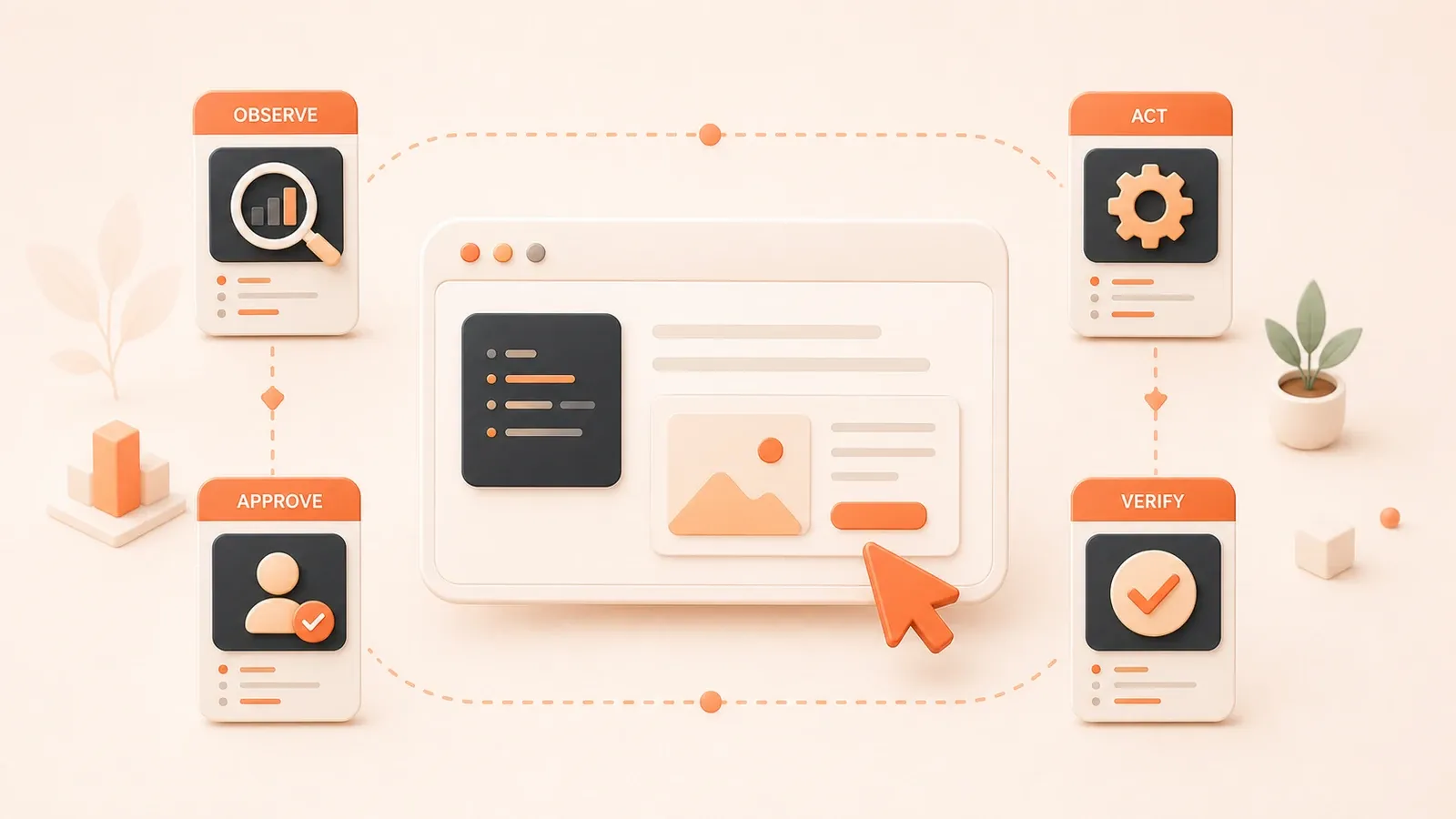
"OpenAI's Computer Use documentation explains the loop, browser/VM isolation, and safety requirements."
If you ask AI to open three sites, compare their features and pricing, and return a linked table, this is where Browser Agent starts to matter. A crawler can fetch pages, but it does not act. RPA can replay a desktop flow, but it does not understand page meaning. A hard-coded Playwright script is precise, but the moment a selector changes, it can break.
Browser Agent sits in the gap: the model reads a page state, decides on an action, the browser executes it, and the system checks what changed next.
This article draws the boundary first. Browser Use, Playwright MCP, Stagehand, hosted browser infrastructure, and safety rules all get their own follow-up articles.
What Is a Browser Agent?
Working definition
Browser Agent is not a universal industry term. Different products use different names: Computer Use, Browser Automation Agent, AI Web Agent.
In this series, BetterLink uses this working definition: Browser Agent = model decision + browser tools + runtime.
The core loop is simple: the AI model receives page state, usually a screenshot or structured data, returns a UI action such as click, type, or scroll, the host code executes that action, and the system observes the new state.
The core loop
Browser Agent works like this:
Goal (user gives a natural-language task)
  ↓
Observe (screenshot or accessibility snapshot)
  ↓
Decide (model returns a UI action: click/type/scroll)
  ↓
Execute (host code performs the action in the browser)
  ↓
New state (the page changes, then is observed again)
Compared with a traditional script, the difference is obvious. A script hard-codes a selector such as .submit-btn. If the front end changes the aria label or class, the script breaks. An AI agent can re-find the target from page meaning and keep going.
How it differs from nearby ideas
-
Not a crawler: a crawler only fetches static pages. It does not act, and it struggles with dynamic content or client-rendered pages.
-
Not RPA: RPA replays a recorded desktop flow. It does not understand page meaning, so dynamic UI changes can break it easily.
-
Not just Playwright scripts: scripts are deterministic, but maintenance cost is high. Change one class name and the flow may fail.
-
Computer Use is broader: it covers desktop-level actions. Browser Agent is the browser-focused subset. There is a separate article for desktop Computer Use: Computer-Use Agent: Let AI Operate Your Computer.
Browser Agent vs. Traditional Tools
This site already has OpenClaw, Computer Use, MCP plugins, and crawler-related articles, so readers can easily mix up the boundaries.
This table gives a single pass at the differences between Browser Agent, crawlers, RPA, Selenium/Playwright scripts, and Computer Use.
| Type | Core trait | Semantic awareness | Maintenance cost | Typical use case | Common tools |
|---|---|---|---|---|---|
| Crawler | Fetches static pages only, does not act | No | Medium, because selectors are fragile | Static page data collection | Scrapy, Puppeteer, Cheerio |
| RPA | Replays recorded desktop flows | No | Low at first, but dynamic UI can break it | Desktop automation, fixed workflows | UiPath, Automation Anywhere |
| Selenium/Playwright script | Code is deterministic | No | High, because a class change can break it | Front-end tests, fixed automation flows | Selenium, Playwright, Cypress |
| Computer Use | Desktop-level operation | Yes | Medium, because the model can adapt | Desktop app automation, cross-app flows | Claude Computer Use, OpenAI Computer Use |
| Browser Agent | Browser-level operation with model decisions | Yes | Lower than hard-coded selectors, because it can re-find targets | Cross-site research, backend flows without APIs, dynamic pages | Browser Use, Stagehand, Playwright MCP |
Explanation
-
Crawler: it only fetches static pages and does not act. Selector logic is brittle, so a class name change can break the rule.
-
RPA: it replays a recorded desktop flow and does not understand page meaning. Dynamic UI breaks it easily, so it works best for fixed flows.
-
Selenium/Playwright scripts: they are deterministic, but the maintenance cost is high. Change a class or aria label and the script may break. They are still good for front-end tests and fixed automation.
-
Computer Use: this is the broader desktop category. Browser Agent is the browser subset. There is a separate article here: Computer-Use Agent: Let AI Operate Your Computer.
-
Browser Agent: the model understands page meaning in natural language, so it can re-find targets after selector changes. But it still needs a runtime, state checks, and safety approval. It fits cross-site research, backend forms without APIs, and dynamic pages.
Related articles on this site
- OpenClaw browser automation commands: Let AI Read the Docs for You: OpenClaw Browser Automation in Practice, focused on concrete commands and safe use.
- Desktop Computer Use: Computer-Use Agent: Let AI Operate Your Computer, which covers desktop Computer Use and the difference from RPA.
- MCP browser tools: MCP Plugin Guide: Let AI Take Over Your Toolchain, which includes a Playwright browser automation MCP section.
Why Use Browser Automation?
Developers often ask: why not just call an API?
If there is a good official API, use the API first. APIs are stable, auditable, and permission-controlled.
If there is no API, or the API is incomplete, Browser Agent can fill the gap.

Decision table
| Scenario | Prefer API | Prefer Browser Agent |
|---|---|---|
| Official API exists and is complete | Yes, because it is stable, auditable, and permission-controlled | No |
| No API or incomplete API | No, because there is nothing to call | Yes, for backend systems, cross-platform work, and internal tools |
| Need a human-like flow | No, APIs only return data | Yes, for end-to-end tests, form submission, and UI verification |
| Need login state | No, APIs often need complex auth | Yes, with session reuse and security boundaries |
| Large-scale concurrent collection | Yes, APIs are more efficient | No, browser cost is higher |
| Sensitive accounts, payment, or permissions | Yes, APIs can be permission-controlled | No, unless strict approval is in place |
Typical scenarios
-
Cross-site research: ask AI to open GitHub release pages, official docs, and pricing pages, then return a linked comparison table.
-
Backend forms without an API: internal systems, legacy systems, and cross-platform integration flows often only expose web pages.
-
End-to-end front-end tests: verify real interaction, not just a static screenshot.
-
Logged-in actions: admin workflows and data import/export, but only inside a security boundary.
-
Dynamic content collection: pages rendered on the client are hard for crawlers to capture.
Concrete examples
If a button changes from .submit-btn to an aria label, a traditional Playwright script can break. A browser agent can still re-find the target from page meaning.
If a backend form stops at MFA or CAPTCHA, the agent has to pause and hand over to a person instead of forcing through.
Five Browser Agent Layers
Readers who hear Browser Use, Stagehand, Playwright MCP, or Browserbase often do not know which layer each one solves.
This layer map separates the stack into five parts.
| Layer | Core trait | Representative tools/platforms | Typical use cases |
|---|---|---|---|
| Model capability | Screenshot awareness → action generation → host execution | OpenAI Computer Use, Gemini Computer Use, Claude Computer Use | Desktop automation, cross-app flows |
| MCP tool layer | Exposes browser capabilities through Model Context Protocol, usually with structured accessibility snapshots | Playwright MCP | Calling browser tools from MCP clients such as VS Code, Cursor, or Claude Code |
| Autonomous agent layer | A full autonomous browser agent that runs locally or in the cloud | Browser Use | Autonomous workflows, hosted execution, larger-scale runs |
| Code + AI hybrid layer | Scripts provide precision, agents provide flexibility | Stagehand | Engineering-friendly workflows that need both control and adaptability |
| Cloud infrastructure layer | Browser-as-a-Service with runtime, sessions, and observability | Browserbase, Cloudflare Browser Run | Hosted browsers, session management, observability |
Model capability layer (Computer Use)
OpenAI, Google, and Anthropic all provide Computer Use capability.
The core mechanism is the same: the model looks at a screenshot, returns UI actions such as click, type, or scroll, the host code executes them, and the system observes the new state.
The official docs clearly list three harness types: an internal computer tool, a custom Playwright/Selenium/VNC/MCP harness, and a code-execution harness.
Browser and VM environments need isolation. Page content, tool output, PDFs, email, and chat content should all be treated as untrusted input.
For local prototypes, start with Playwright or Selenium. For a fuller desktop setup, use a VM or container.
The easy-to-change facts here are model versions and API fields, so this article keeps the mechanism and the safety boundary rather than specific model IDs.
MCP tool layer (Playwright MCP)
Playwright MCP exposes browser automation to an LLM through Model Context Protocol.
It uses a structured accessibility snapshot instead of relying only on screenshots. The LLM clicks, types, and selects through element references.
It works with MCP clients such as VS Code, Cursor, Windsurf, Claude Code, Claude Desktop, and Codex.
The tool surface covers navigation, click, input, screenshot, keyboard/mouse, tabs, dialogs, network monitoring, mock, and storage state.
Security warning: direct code-execution abilities such as browser_run_code_unsafe are effectively RCE, so they should only be enabled for trusted clients.
This article does not include the installation steps. A separate Playwright MCP guide will cover those later.
Autonomous agent layer (Browser Use)
Browser Use describes itself as “The Way AI uses the web” and offers Browser Harness, Hosted Web Agents, Custom Models, and Cloud.
It is a full autonomous browser agent that can run locally or in the cloud.
The site mentions anti-detect, CAPTCHA, and proxy capabilities. This article does not encourage bypassing CAPTCHAs, anti-bot checks, or platform rules. Those topics are only boundary reminders for the later compliance article.

The easy-to-change facts are pricing, benchmarks, anti-detection claims, and cloud features, so this article does not expand on them.
Code + AI hybrid layer (Stagehand)
Stagehand positions itself as an SDK for browser agents, making browser automation more resilient, readable, and production-ready.
Its core primitives are act() for actions, extract() for structured extraction, observe() for looking at what can be acted on, and agent() for multi-step autonomous flows.
The official pitch is clear: scripts provide precision, agents provide flexibility, and Stagehand sits between them. It is neither a full black-box agent nor a pure selector script.
It can run locally or connect to Browserbase’s cloud browser.
This article does not include API tutorials. A separate Stagehand guide will cover that later.
Cloud infrastructure layer (Browserbase + Cloudflare)
Browserbase turns browsers into infrastructure that agents can use. It provides Browsers, Search/Fetch APIs, Runtime, Identity, Models, and Observability.
The documented use cases include login, dynamic content, complex interaction, testing, research, forms, and data movement.
Browserbase and Stagehand form a “local development + cloud execution/observability/identity” combination.
Cloudflare Browser Run runs headless Chrome for browser automation, web scraping, testing, and content generation.
It provides Quick Actions and Browser Sessions, and supports Puppeteer, Playwright, CDP, and Stagehand.
The official examples even list AI agent browsing through Playwright MCP or CDP with MCP clients.
It also supports session reuse, edge execution, and outputs such as Markdown, screenshots, PDFs, snapshots, links, structured data, and crawl results.
That is why the Browser Agent stack is not just a model. It also needs runtime, sessions, and observability.
The easy-to-change facts here are pricing, limits, and naming, so this article does not expand on them.
What Tasks Fit Browser Agent?
This decision table helps readers choose quickly.
Decision table
| Fits | Does not fit |
|---|---|
| Cross-site research and comparison | Systems with a stable API |
| Backend forms without APIs | Large-scale concurrent scraping |
| End-to-end front-end testing | Sensitive accounts, payment, or permissions |
| Logged-in actions with a security boundary | Platforms that explicitly ban automation |
| Dynamic content collection from client-rendered pages | High-frequency repetitive tasks where API or scripts are better |
Example execution flow
A typical Browser Agent flow looks like this:
-
The user gives a natural-language task: “Compare the pricing and features of five SaaS products.”
-
The Browser Agent opens the official docs, pricing pages, and feature pages.
-
The agent reads a screenshot or accessibility snapshot.
-
The model understands the page and decides the next action: click, scroll, or type.
-
If it hits a CAPTCHA or MFA step, it pauses and waits for human help.
-
The final output is a structured comparison table.
Concrete scenario again
If a button changes from .submit-btn to an aria label, a traditional Playwright script can fail. A browser agent can still re-find the target from page meaning.

If a backend form stops at MFA or CAPTCHA, the agent must pause and wait for a human instead of forcing through.
Safety and Compliance
Computer Use and Browser Agent both involve sensitive actions, prompt injection, and account permissions.
The boundary needs to be explicit. This article does not encourage bypassing platform rules.
Safety checklist
| Risk | Handling |
|---|---|
| Web content is untrusted (prompt injection) | Treat the page, tool output, PDFs, email, and chat as untrusted input that can influence the model |
| Higher risk when connected to the internet | Use low-privilege VM/container, domain allowlist, and limited sensitive data |
| High-impact actions (login, payment, submit) | Require human confirmation |
| Do not encourage automatic login or CAPTCHA bypass | This article only describes the boundary, not the bypass method |
| Audit logs | Record every action so it can be traced |
| Least privilege | Give only the permissions that are necessary, and avoid root/admin accounts |
| Isolated environment | Use Docker or a VM instead of running directly on the host |
Risk paragraph
Page content, tool output, PDFs, email, and chat are all untrusted input, and they can influence model behavior through prompt injection.
The risk is higher when the agent is online. Use a low-privilege VM or container, domain allowlists, and limited sensitive data.
High-impact actions such as login, payment, and submit must require human confirmation.
This article does not encourage automatic login, CAPTCHA bypass, or platform-rule bypass.
Audit logs, least privilege, and isolated environments are mandatory.
Anthropic’s Computer Use docs explicitly call out instructions inside webpages or images as a prompt-injection risk, which is why isolation and confirmation matter.
Where to Go Next
This article is the series entry point. It does not replace the later single-topic articles.
Published related articles on this site
-
Let AI Read the Docs for You: OpenClaw Browser Automation in Practice: focused on OpenClaw Browser Skills commands and safe use.
-
Computer-Use Agent: Let AI Operate Your Computer: covers desktop Computer Use and how it differs from RPA.
-
MCP Plugin Guide: Let AI Take Over Your Toolchain: includes a Playwright browser automation MCP section.
Follow-up topics in this series
The next articles in the series will cover:
-
Browser Use practice: a full autonomous browser agent that runs locally or in the cloud.
-
Playwright MCP guide: exposing browser capability through MCP with structured accessibility snapshots.
-
Stagehand practice: a production-friendly path that combines deterministic code and AI flexibility.
-
Tool comparison and selection: Browser Use vs Stagehand vs Playwright MCP vs Computer Use.
-
Web scraping practice: dynamic content collection and client-rendered pages.
-
Research comparison practice: cross-site data comparison and table generation.
-
Form submission practice: backend forms without APIs and cross-platform integration.
-
Logged-in workflows: session management, backend admin flows, and data import/export.
-
Retries and stability: selector changes, dynamic UI, and error handling.
-
Front-end testing practice: end-to-end tests and UI verification.
-
Codex verification: Computer Use / built-in browser under Codex.
-
Feishu sheet automation: backend tables and data movement in Feishu.
-
Cloud infrastructure selection: Browserbase, Cloudflare Browser Run, hosted browsers.
-
Compliance boundaries: platform rules, anti-bot concerns, and CAPTCHA handling.
-
Security practice: prompt injection, isolated environments, and audit logs.
-
AgentScout: open-source tool practice.
Recommended next step
If you want to get running quickly, start with the OpenClaw browser automation practice or the Computer-Use Agent article.
If you want to dig into one technical path, the next separate guides will cover Playwright MCP, Stagehand, and Browser Use in more depth.
Set up the smallest Browser Agent in the right order
Define the task, configure the browser environment, observe the page, execute actions, verify the result, and leave high-risk steps for a human.
- 1
Step 1: Define the task
Clarify the goal, allowed sites, forbidden actions, and output format. - 2
Step 2: Configure the environment
Prepare an isolated browser session, test account, and observable logs. - 3
Step 3: Observe the page
Read screenshots, accessibility snapshots, or structured page state. - 4
Step 4: Execute actions
Click, type, scroll, or navigate based on the current page state. - 5
Step 5: Verify the result
Check that the task is actually done, not just clicked through once. - 6
Step 6: Ask for human approval
Pause before login, payment, submit, delete, or sensitive-data actions.
FAQ
What is a Browser Agent?
How is a Browser Agent different from a crawler?
How is a Browser Agent different from RPA?
Does a Browser Agent always need a vision model?
Should I choose Browser Use, Stagehand, or Playwright MCP?
Can a Browser Agent handle login and CAPTCHAs?
13 min read · Published on: Sep 4, 2026 · Modified on: Sep 4, 2026

Browser Automation Agent Practice Guide: Playwright, Browser Use, and Computer Use
You are reading the opening post of this series. Continue to the next post or open the full series hub to scan the whole path.
Previous
You are at the beginning of this series.
Next
Browser Use Beginner Guide: Open Pages, Click Buttons, and Extract Data with an AI Agent
A practical Browser Use tutorial for running your first AI browser agent with Python: install browser-use, configure an API key, write tasks for opening pages, clicking buttons, and extracting data, then debug with history, allowed_domains, screenshots, and errors.
Part 2 of 3


Comments
Sign in with GitHub to leave a comment